What if I told you that buried in the depths of the internet are 12 free desktop apps so powerful, they could completely transform how you work, create, and exist in the digital world? I’m talking about tools that don’t just compete with expensive software, they obliterate the competition.
We’re not just talking about tools, we’re talking about a digital revolution that puts privacy, AI-powered productivity, and creative freedom directly in your hands.
Imagine a world where:
- AI assists you without selling your data
- Creative tools rival million-dollar software
- Productivity isn’t a subscription, it’s a superpower
- Your desktop becomes an intelligent, privacy-first workspace
These aren’t just apps. They’re your ticket to digital sovereignty in 2026. While others are trapped in expensive, privacy-invasive ecosystems, you’ll be wielding tools that:
- Protect your digital footprint
- Amplify your creative potential
- Optimize your workflow with AI intelligence
- Give you professional-grade capabilities for zero cost
The future of work isn’t about how much you spend, it’s about how smartly you work. These 12 apps represent a paradigm shift: open-source innovation meets cutting-edge technology. They’re the secret weapons of digital creators who refuse to be limited by traditional software constraints.
Get ready to transform your digital life. The 2026 productivity revolution starts here.
1. Dyad: AI App Builder
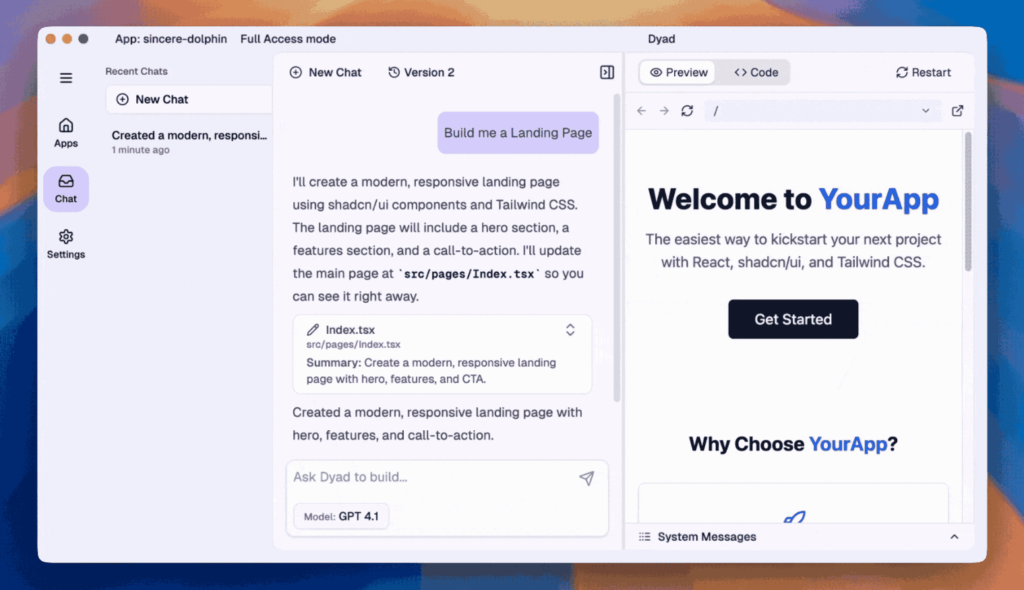
Imagine creating powerful AI applications without selling your digital data. Dyad is that game-changing tool that lets you build apps locally, using your own rules. No subscriptions, no nonsense, just pure creative power.
Think of Dyad like a Swiss Army knife for AI creators. Want to build an app using OpenAI, Gemini, or local models? You’re in control. No vendor telling you what to do, no crazy pricing tiers.
The best part? It’s lightning-fast. Build, preview, and iterate in real-time. Your machine, your code, your vision.
Community buzz is real. Developers are ditching expensive cloud platforms for Dyad’s freedom. Whether you’re a solo developer, startup founder, or AI enthusiast, this is your moment.
Pro tip: Join their Reddit community r/dyadbuilders. The insights and support are pure gold.
In 2026, building AI apps isn’t just a skill, it’s a superpower. And Dyad? It’s your ticket to the future.
2. Krita
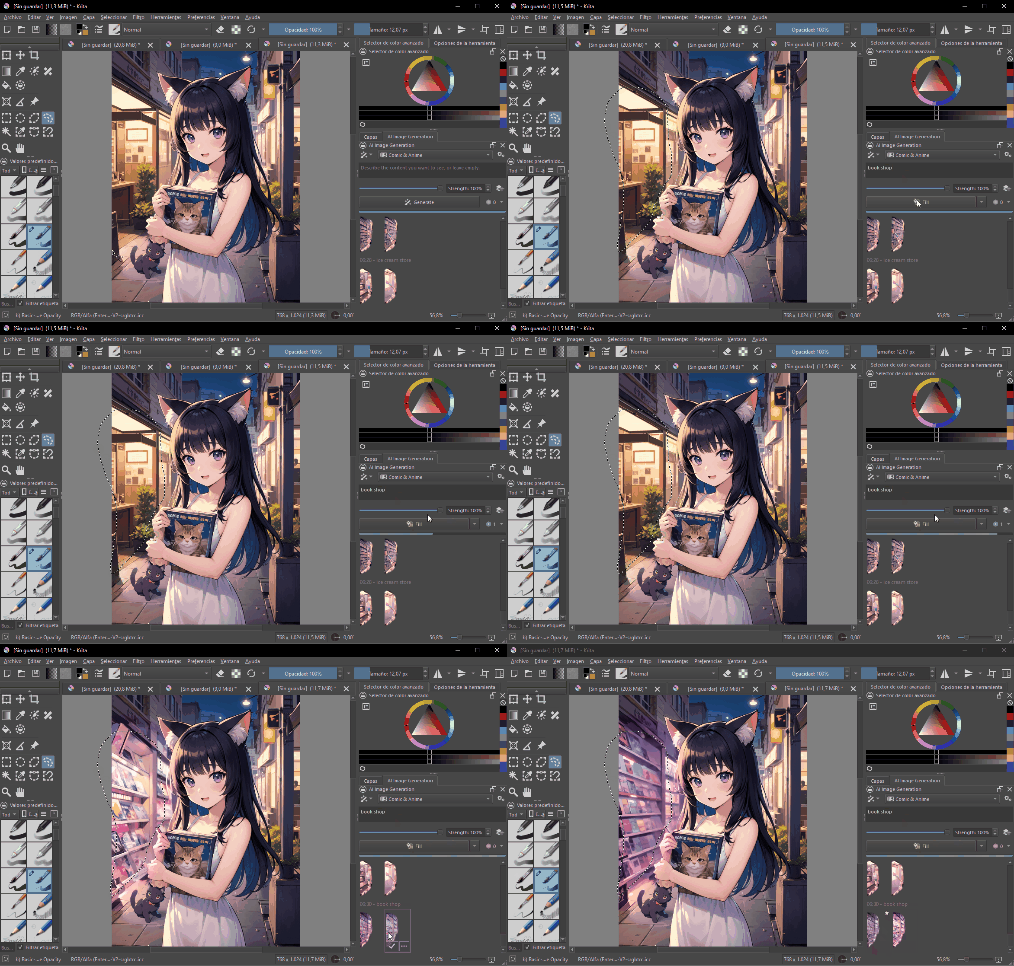
Forget expensive design software. Krita is the game-changing digital art tool that’s about to revolutionize your creative workflow.
Krita isn’t just another drawing application—it’s a professional-grade digital painting studio that happens to be completely free. Designed by artists, for artists, this open-source marvel has become the go-to tool for illustrators, concept artists, and digital creators who refuse to compromise on quality.
The Creator’s Toolkit
| Feature | Professional Impact | Creative Potential |
|---|---|---|
| Advanced Brush Engine | Unprecedented Customization | Limitless Artistic Expression |
| Layer Management | Professional Workflow | Complex Artistic Techniques |
| Animation Support | Multimedia Creation | Expanded Creative Horizons |
| Performance | Smooth, Responsive Experience | Uninterrupted Creative Flow |
The 2026 creative landscape demands tools that are powerful, flexible, and accessible. Krita doesn’t just meet those demands—it shatters them.
Pro tip: The learning curve is steep, but the community support is incredible. Dive in, experiment, and watch your creative potential explode.
3. RapidRaw
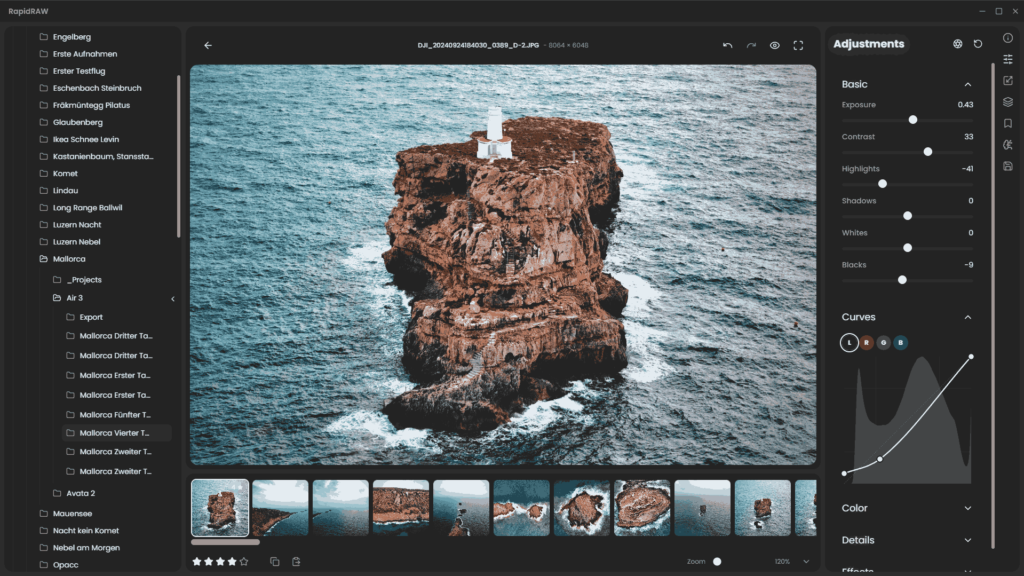
Photography isn’t just about capturing moments, it’s about bringing your vision to life. Enter RapidRAW, the game-changing photo editing tool that understands how creators actually work.
Its an image editor so intuitive, so lightning-fast, that it feels like an extension of your creative mind. Developed by an 18-year-old photography enthusiast, RapidRAW isn’t just software, it’s a love letter to digital imaging.
Why Photographers Are Talking About RapidRAW??
Built with Rust and React, this isn’t your typical bloated editing software. We’re talking about a lean, mean 20MB powerhouse that turns complex editing into a smooth, almost magical experience. GPU-accelerated processing means your edits happen in real-time, exactly how you imagine them.
What Sets RapidRAW Apart
| Feature | Creative Advantage | Real-World Impact |
|---|---|---|
| AI Masking | Precision Editing | Hours Saved |
| Non-Destructive Workflow | Total Creative Freedom | Zero Risk to Original Images |
| Cross-Platform Flexibility | Work Anywhere | Ultimate Creative Mobility |
Whether you’re a professional photographer or someone who just loves capturing life’s moments, RapidRAW meets you exactly where you are. No steep learning curves, no expensive subscriptions, just pure, intelligent editing power.
The most exciting part? This is just the beginning. With continuous updates and a roadmap driven by actual creators, RapidRAW is more than a tool—it’s a creative partner that grows with you.
Insight: In the world of digital photography, the right tool doesn’t just edit images—it amplifies your unique vision.
4. BrowserOS: The Revolutionary AI-Powered Browser

Imagine a browser that doesn’t just display web pages, but actively assists you, understands your needs, and transforms how you interact with the internet. BrowserOS isn’t just another browser, it’s the future of digital interaction, bringing artificial intelligence directly into your browsing experience.
Why BrowserOS is a Game-Changer
Key revolutionary features that set BrowserOS apart:
- Native AI agent integration
- Complete privacy control
- Open-source transparency
- Local AI model support
- Familiar Chrome-like interface
- Intelligent task automation
The Privacy-First Approach
Unlike traditional browsers that compromise your data, BrowserOS puts you in control. Key privacy features include:
- Bring-your-own-API-key functionality
- Local model support with Ollama
- Zero cloud data storage
- Complete browsing history protection
- Transparent open-source codebase
Technical Innovations
| Feature | Description |
|---|---|
| AI Integration | Native AI agents running locally |
| Privacy | Full data control and protection |
| Compatibility | Works with Chrome extensions |
| Platform Support | Windows, macOS, Linux |
| Model Support | OpenAI, Anthropic, Local models |
Why Developers and Users Love BrowserOS
BrowserOS isn’t just a browser—it’s a productivity revolution. Whether you’re:
- A developer seeking efficient workflows
- A professional managing complex tasks
- A privacy-conscious internet user
- Someone overwhelmed by browser complexity
BrowserOS represents the next evolution of internet interaction. It’s not just a tool—it’s an intelligent companion that understands, adapts, and empowers your digital journey.
The future of browsing isn’t about consuming information, it’s about intelligently interacting with it.
5. Handy AI: Your Personal Offline Transcription Companion
Speech-to-text technology shouldn’t be a luxury, it should be a universal tool that respects your privacy and workflow. Handy AI is that revolutionary solution.
Imagine capturing every brilliant thought, meeting note, or creative spark without worrying about your data being sent to the cloud. This isn’t just transcription; it’s communication liberation.
Why Creators Are Falling in Love with Handy
Built by developers who understand real-world needs, Handy is more than an app—it’s a statement. Privacy-focused, completely offline, and designed to work seamlessly across your digital ecosystem.
The Handy Advantage
| Feature | User Benefit | Privacy Impact |
|---|---|---|
| Offline Transcription | Instant, Anywhere Access | Zero Cloud Dependency |
| Multiple Whisper Models | Flexible Accuracy Levels | Customized Performance |
| Cross-Platform Support | Universal Accessibility | Work on Any Device |
| Open-Source Architecture | Community-Driven Innovation | Continuous Improvement |
Push a shortcut, speak your mind, and watch your words materialize. No internet required. No privacy compromises. Just pure, intelligent transcription.
Whether you’re a writer capturing spontaneous ideas, a professional documenting meetings, or someone who wants technology to adapt to you, Handy speaks your language.
In 2026, true productivity isn’t about how much data you can upload, it’s about how intelligently you can work locally.
6. Flow Launcher

Windows users, meet your new productivity secret tool. Flow Launcher isn’t just another app, it’s the ultimate shortcut between you and your digital world.
Picture this: You’re deep in a project, and instead of hunting through menus and folders, you tap a quick keyboard shortcut. Instantly, a powerful search interface appears, ready to launch apps, find files, or execute system commands with surgical precision.
The Power Behind the Launcher
Flow Launcher breaks down the walls between you and your digital tasks. It’s like having a hyper-intelligent assistant that understands exactly what you need, when you need it.
Want to open an app? Search a file buried deep in your system? Run a complex system command? Flow Launcher does it before you can finish thinking about it.
Features of Flow Launcher
| Feature | Real-World Magic | User Empowerment |
|---|---|---|
| Universal Search | Instant Access | Zero Friction Workflow |
| Plugin Ecosystem | Limitless Possibilities | Community-Driven Innovation |
| System Commands | Total Computer Control | Simplified Digital Management |
The beauty of Flow Launcher lies in its simplicity. One keyboard shortcut (Alt+Space) becomes your gateway to digital mastery. No more endless clicking, no more searching through nested folders.
This isn’t just a tool. It’s a productivity philosophy that turns your Windows experience from frustrating to phenomenal.
7. OpenToonz: The Animation Studio in Your Computer
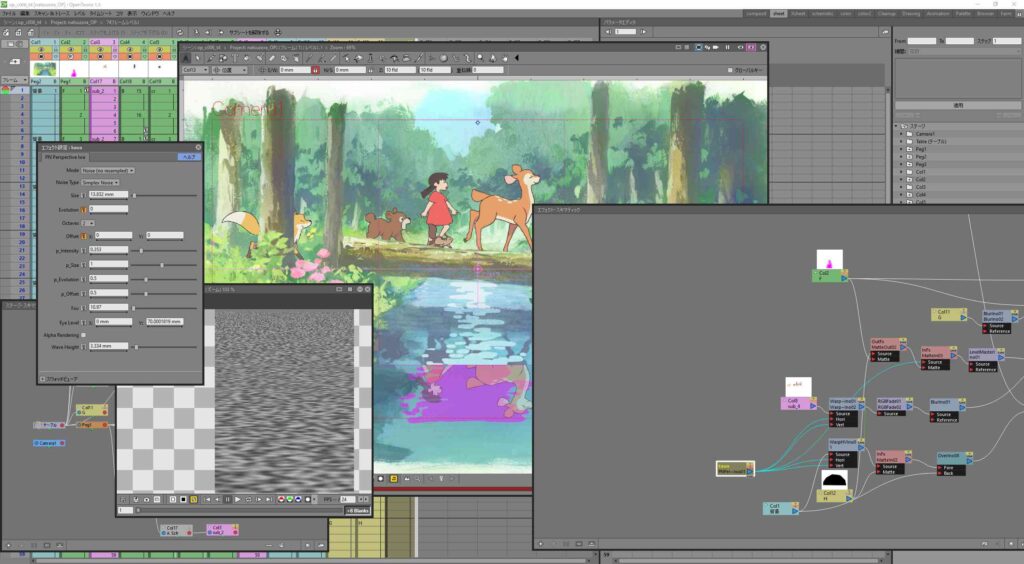
When Studio Ghibli decides to share their secret animation weapon with the world, you know something extraordinary is happening. OpenToonz isn’t just software, it’s a portal to professional-grade animation, available to anyone with a creative spark.
Born from the legendary animation workflows of Studio Ghibli, this isn’t your typical animation tool. It’s a piece of cinematic history that’s now accessible to every aspiring animator, student, and creative professional.
Beyond Just Another Animation Software
Imagine having the same digital paintbrush used to create iconic films like “Princess Mononoke” and “Arrietty”. OpenToonz brings professional animation techniques directly to your desktop, completely free of charge.
Why Animators Are Falling in Love
| Feature | Creative Potential | Professional Impact |
|---|---|---|
| Studio Ghibli Pedigree | Legendary Workflow | Proven Production Quality |
| Open-Source Flexibility | Endless Customization | Community-Driven Innovation |
| Advanced Scanning Tools | Precise Animation Workflow | Streamlined Production |
| Machine Learning Effects | Creative Experimentation | Cutting-Edge Visual Techniques |
This isn’t just software. It’s a bridge between traditional hand-drawn animation and digital innovation. Whether you’re a professional animator or a passionate hobbyist, OpenToonz levels the playing field.
In the world of animation, your creativity is your only limit. OpenToonz gives you the professional tools to turn that creativity into reality.
8. Shotcut
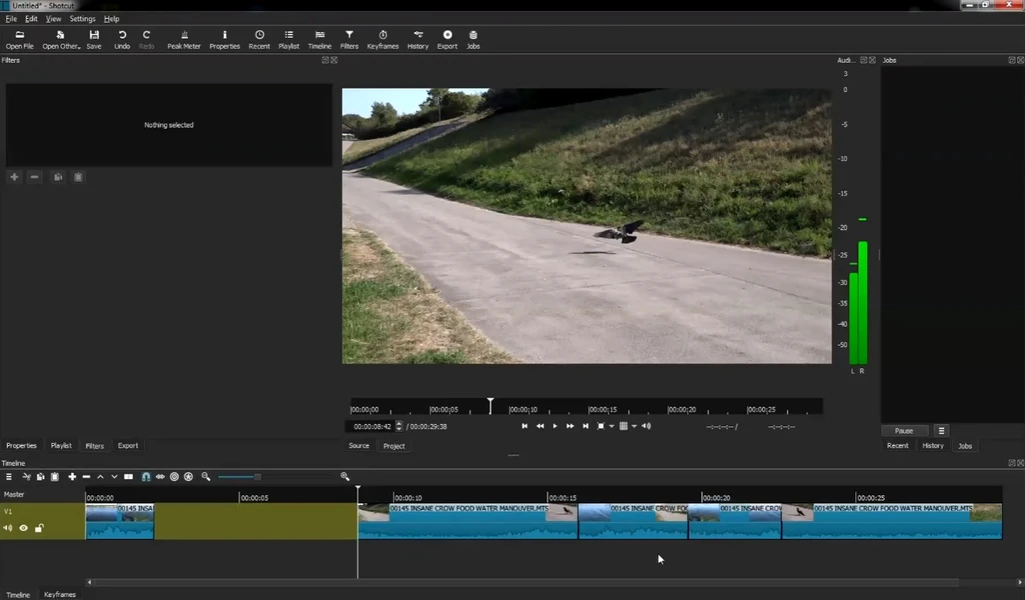
Video editing isn’t just about cutting clips, it’s about telling stories. And Shotcut? It’s your storytelling Swiss Army knife, packed with professional-grade features that don’t require a professional budget.
This isn’t another basic video editor. Shotcut is a powerhouse that transforms your raw footage into cinematic experiences, whether you’re a YouTube creator, indie filmmaker, or digital storyteller.
Why Creators Are Choosing Shotcut
Imagine an editor that speaks every video language. Hundreds of formats? No problem. 4K resolution? Absolutely. Complex editing workflows? Bring it on. Shotcut doesn’t just support your creative vision—it amplifies it.
The Shotcut Advantage
| Feature | Creative Power | Professional Impact |
|---|---|---|
| Universal Format Support | Zero Conversion Hassles | Seamless Workflow |
| Professional Monitoring | Broadcast-Quality Precision | Industry-Standard Capabilities |
| Flexible Interface | Personalized Editing Space | Enhanced Productivity |
| Advanced Playback Controls | Surgical Editing Precision | Frame-Perfect Storytelling |
Key highlights that make Shotcut extraordinary:
- Native editing across multiple formats
- Support for professional input devices
- Drag-and-drop simplicity
- Keyboard shortcuts for lightning-fast editing
In 2026, video editing isn’t about expensive software, it’s about powerful, accessible tools that turn your creative vision into reality.
9. EveryWhere AI: Your Digital Companion
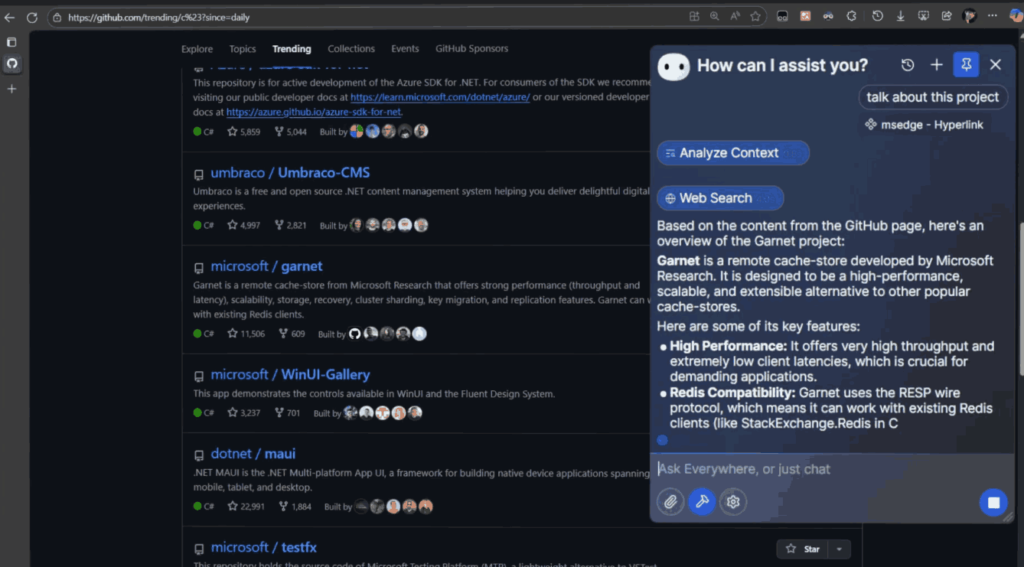
Imagine having an AI assistant that doesn’t just sit in one app, but follows you everywhere across your digital landscape. Everywhere AI is the revolutionary desktop tool that transforms how you interact with technology, making intelligent assistance as natural as breathing.
With a single keyboard shortcut, Everywhere AI becomes your instant:
- Troubleshooting wizard
- Translation expert
- Writing collaborator
- Research assistant
What sets Everywhere apart is its context-aware intelligence. No more switching between apps, copying text, or taking screenshots. The AI understands exactly what you need, right where you are. Whether you’re debugging a complex error, drafting a critical email, or translating a foreign language webpage, Everywhere provides instantaneous, precise support.
Cutting-Edge Features
Support for multiple AI models including OpenAI, Claude, and Gemini means you’re never limited. The sleek, modern frosted glass interface feels like it’s from the future, while robust keyboard shortcuts make interaction seamless.
This is the productivity tool you didn’t know you needed, until now.
Also Read: Top 25 Offline AI Tools to Automate Tasks and Boost Productivity
10. GIMP: The Powerhouse Free Image Editor That Rivals Paid Software
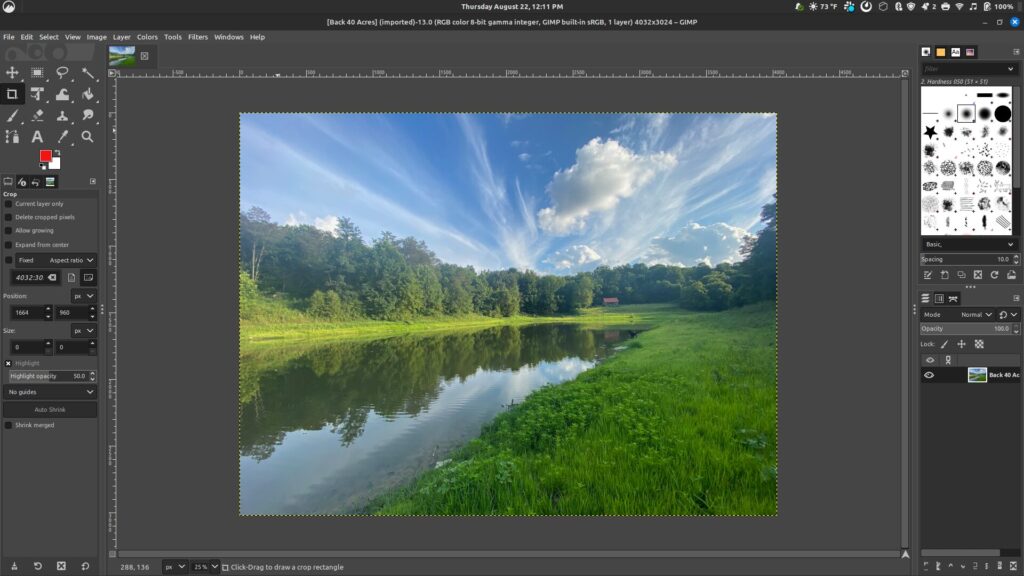
GIMP (GNU Image Manipulation Program) is the ultimate free image editing solution that proves you don’t need to spend a fortune to create professional-quality graphics. This open-source powerhouse has been a game-changer for designers, photographers, digital artists, and creative enthusiasts since its inception.
Why GIMP Deserves a Spot in Your Toolkit
Unlike expensive software, GIMP offers professional-grade image editing capabilities completely free of charge. Its advanced features include:
- Advanced layer and mask support
- Extensive customization options
- Comprehensive set of painting and editing tools
- Support for multiple file formats
- Robust plugin ecosystem
- Cross-platform compatibility (Windows, Mac, Linux)
Why Users Love It
What truly sets GIMP apart is its incredible flexibility and zero-cost approach. Professional features like:
- Clone tools
- Color correction
- Advanced selection methods
- Custom brush creation
- Detailed photo retouching
Are all available without spending a single dollar. The active community constantly develops plugins and extensions, ensuring the software remains cutting-edge and adaptable to users’ evolving needs.
11. LibreOffice: The Free Office Suite That Empowers Productivity in 2026

LibreOffice is the ultimate free office productivity suite that proves you don’t need to spend a fortune to create professional documents, spreadsheets, presentations, and more. As a powerful open-source alternative to expensive office software, it’s become the go-to solution for individuals, businesses, and organizations worldwide.
Why LibreOffice Stands Out
Key advantages that make LibreOffice a must-have desktop application:
- Completely free and open-source
- Compatible with Microsoft Office file formats
- Cross-platform functionality (Windows, Mac, Linux)
- Extensive language support
- Continuous updates and improvements
- No subscription fees
- Privacy-focused with no data tracking
Professional-Grade Features
What sets LibreOffice apart in 2026 are its cutting-edge capabilities:
- Advanced formatting options
- Extensive template library
- Customizable interface
- Built-in PDF export
- Cloud document collaboration
- Extensive language and accessibility support
LibreOffice represents more than just software—it’s a community-driven project that puts users first. Developed by a global network of volunteers and developers, it continues to evolve, offering cutting-edge features that rival paid alternatives.
Combine LibreOffice with cloud storage for seamless document management and collaboration across all your devices.
12. Darktable: The Photographer’s Powerhouse for Raw Image Processing
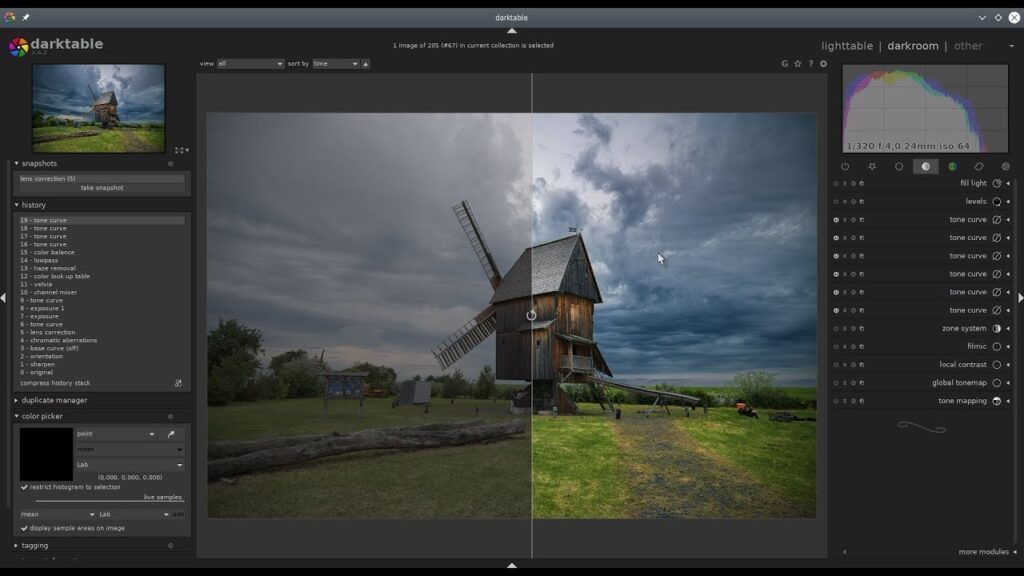
Darktable is the ultimate free solution for photographers seeking professional-grade raw image development and management. This open-source application transforms your digital photography workflow, offering powerful tools that rival expensive commercial software.
Why Photographers Love Darktable
Key features that make Darktable a must-have for digital photographers:
- Non-destructive raw image editing
- Comprehensive digital asset management
- Advanced color correction tools
- Zoomable lighttable interface
- Extensive export options
- Complete workflow control
Professional-Grade Capabilities
Darktable goes beyond simple photo editing:
- Supports multiple raw file formats
- Sophisticated color grading tools
- Precise exposure and contrast adjustments
- Lens correction capabilities
- Advanced noise reduction
- Flexible export to local and remote storage
Beyond Basic Editing
Darktable isn’t just a photo editor, it’s a complete photography workflow solution. The application provides:
- Comprehensive raw file management
- Advanced color science
- Precise image development tools
- Flexible export options
- Lightweight and efficient performance
Pair Darktable with a calibrated monitor for the most accurate color representation and editing experience.
Bonus: AltSendme: Privacy First File Transfer Tool

Forget cloud storage services that compromise your privacy. AltSendme is the game-changing file transfer solution that lets you send files directly between devices with unprecedented security and ease.
Why AltSendme is a Must Have??
Imagine transferring files without leaving a digital trace. AltSendme offers:
- Direct peer to peer transfers
- End to end encryption
- Zero account requirements
- No personal information exposure
- Lightning fast file sharing
- Universal file type support
Cutting Edge Technology
The tool leverages:
- QUIC networking protocol
- TLS 1.3 encryption
- BLAKE3 file integrity checks
- Automatic transfer resumption
- NAT traversal capabilities
Who Should Use AltSendme?
Perfect for:
- Privacy conscious professionals
- Remote workers
- Developers
- Anyone tired of cloud storage limitations
AltSendme transforms file sharing from a potential security risk to a seamless, private experience. Whether you’re transferring large project files, sensitive documents, or personal media, this tool ensures your data remains completely secure.
Your files travel directly between devices with military grade encryption.
Conclusion
As we’ve explored these incredible free tools, one thing becomes crystal clear: open-source software is not just an alternative, it’s a revolution. Each application we’ve discovered represents more than just a piece of software; they’re powerful statements about innovation, privacy, and user empowerment.
As we move further into 2026, one thing is certain: the future of software is open, collaborative, and user-centric. These 12 applications are just the beginning of a massive shift in how we interact with technology.
Embrace these tools. Explore their capabilities. And most importantly, be part of the community that continues to drive innovation forward.
The digital revolution is here, and it’s free.