


File Information
| Name | OpenToonz – Free Open Source 2D Animation Production Software |
|---|---|
| Version | 1.7.1 (latest stable release) |
| File Size | Windows: ~55MB (.exe) • macOS: ~105MB (.pkg) • Linux: Community .AppImage (varies) |
| Platforms | Windows • macOS • Linux (community builds) |
| License | Open Source (Modified BSD / Free use for commercial & non-commercial) |
| Official Repository | opentoonz |
| Official Site | opentoonz |
Table of contents
Description
If you’re seeking a professional-grade 2D animation production software that costs nothing yet delivers on power, flexibility & industry-level features, then OpenToonz is one of the best choices available today. Built from the same core technology used by legendary studios like Studio Ghibli, OpenToonz supports the full production pipeline—from scanning paper drawings to final compositing.
OpenToonz gives you the depth of a studio-ready environment: frame-by-frame drawing, vector & bitmap support, motion tweening, bone rigging, particles, scripting automation, effects & compositing, all in one free package. Because of its roots in Toonz (the studio tool chain used for major animated features), OpenToonz offers serious power for indie creators, animation students & even professional studios alike.
As an alternative to Adobe Animate, OpenToonz stands out because you get full ownership (no subscriptions), open access to its source code, a robust open-source community, and the capability to produce high-quality animations without the cost barrier. Whether you are creating short cartoons, educational videos or full episodes, OpenToonz provides the tools to get the job done.
Features of OpenToonz
| Feature | Description |
|---|---|
| Frame-by-Frame & Vector Drawing | Full support for raster and vector levels, allowing traditional and digital workflows. |
| Advanced Effects & Compositing | Over 100 built-in effects, warps, particle systems & layered compositing pipelines. |
| Super Studio Heritage | Built on the Toonz Ghibli version – used for productions like feature films by major studios. |
| Tweening, Bones & Rigging | Support for bone systems, mesh deformations, motion paths & traditional tweening tools. |
| Scripting & Automation | ECMA-script compatible scripting engine to automate tasks and extend functionality. |
| Scanning & Cleanup Workflow | Tools for scanning paper drawings, auto cleanup, vectorization & palette management. |
| Cross-Platform & Free | Works on Windows, macOS and Linux (community builds) and is free without subscription. |
| Ideal Adobe Animate Alternative | Provides comparable 2D animation tools with no recurring cost and full creative control. |
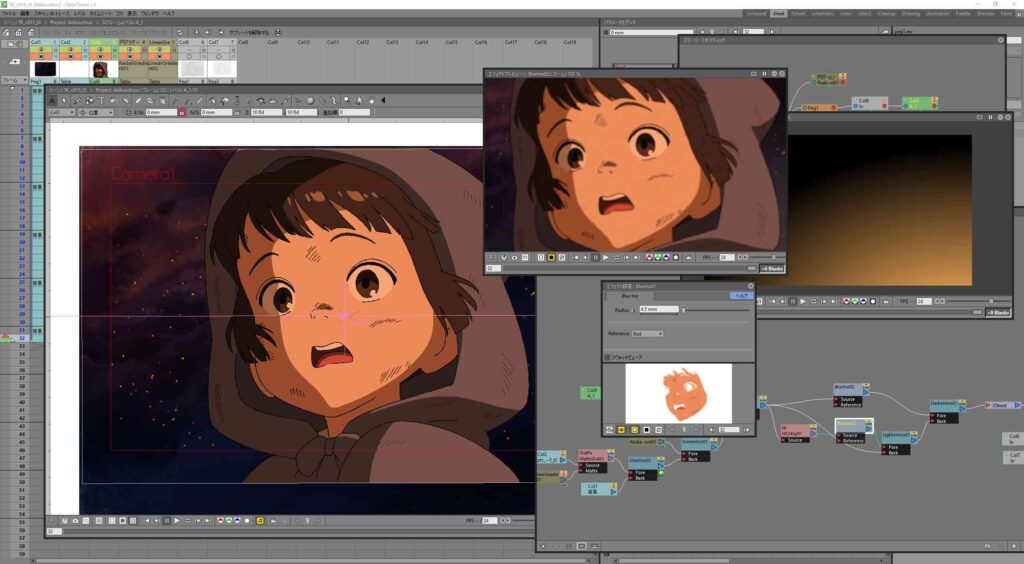
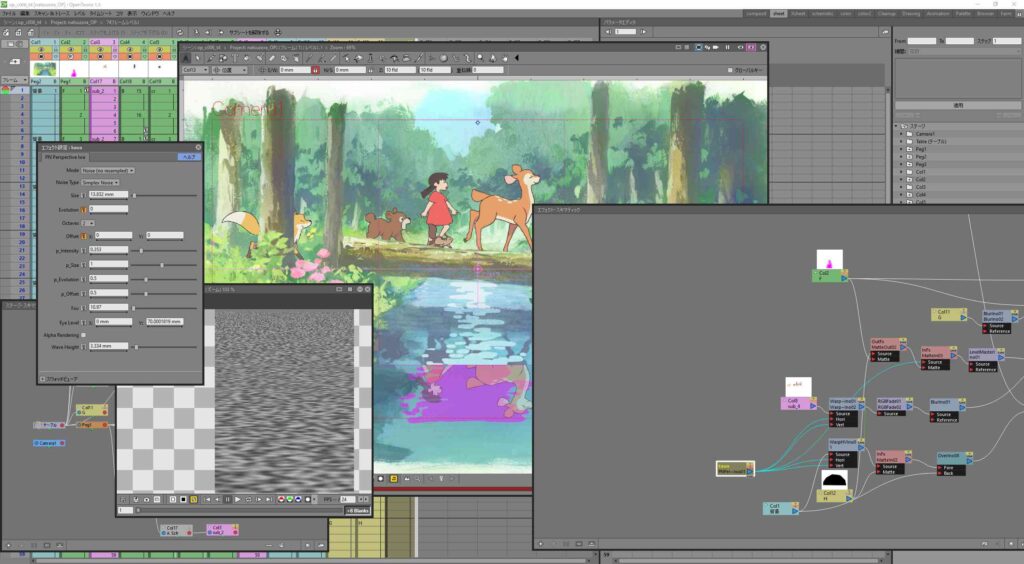
Screenshots
System Requirements
| Component | Minimum Specification |
|---|---|
| OS | Windows 7 or newer • macOS 10.12 or newer • Linux distro from 2012 or later |
| CPU | Dual-core 3 GHz or better (for production workflow) |
| RAM | 4 GB or more recommended for typical use |
| GPU / Graphics | OpenGL 2.1 compatible or higher (for hardware accelerated preview) |
| Storage | At least 1 GB free space (program) plus additional for projects |
| Drawing Tablet | Optional but highly recommended for best experience |
How to Install OpenToonz??
Before installation, scroll down to the Download Section and choose the file relevant to your platform.
Windows (.exe)
- Download the Windows installer
.exefrom the official site. - Run the
.exefile and follow the installation prompts. - Upon completion, launch OpenToonz from your Start Menu and begin creating.
macOS (.pkg)
- Download the macOS package
.pkgfile. - Double-click the
.pkgand follow the installation wizard. - Open the Applications folder and launch OpenToonz.
Linux (Community build .AppImage)
- Download the
.AppImagefile for your Linux distribution. - Make it executable:
chmod +x OpenToonz-1.7.1.AppImage. - Run the file:
./OpenToonz-1.7.1.AppImage. - Note: Official Linux binaries are not always provided—community builds offer support on most distros.
Download OpenToonz Open Source Animation Production Software & Adobe Animate Alternative
Advantages of Using OpenToonz
- Completely free & open-source: no cost, full creative freedom.
- Studio-grade tools: same software lineage used by major studios, now accessible to you.
- Strong alternative to Adobe Animate: comparable capabilities with no recurring cost.
- Community supported: open source means you can customize, extend & contribute.
- Cross-platform: create on Windows, macOS or Linux and share projects seamlessly.
- Ideal for professionals & learners alike: robust enough for studios, accessible for beginners.
Conclusion
OpenToonz stands as one of the most compelling free animation production solutions available. If you’re ready to elevate your 2D animation workflow, ditch the subscription model and embrace a studio-worthy, open source alternative, OpenToonz is waiting for you.





