
File Information
| Property | Details |
|---|---|
| Name | darktable |
| Version | v5.4.1 |
| File Size | Windows .exe: ~150 MB, macOS .dmg: ~140 MB, Linux .AppImage: ~145 MB |
| Platform | Windows, macOS, Linux |
| License | GPLv3 (Open Source) |
| Official Repository | darktable |
| Official Site | darktable |
Table of contents
Description
darktable is a professional open-source photo editing and raw developer software designed for photographers who want full control over their images without the cost of commercial tools like Adobe Lightroom. With non-destructive editing, GPU acceleration, and professional color management, darktable provides a seamless workflow for photographers, hobbyists, and creative professionals alike.
It focuses on raw image processing, allowing you to unlock the full potential of your camera sensor while keeping your original images intact.
darktable is widely recognized as a free and open-source alternative to Lightroom, making it perfect for photographers looking to avoid subscription fees while still gaining access to professional editing features.
It is designed to be a complete workflow solution for photographers. Every editing operation is non-destructive, so your original images are never modified. With raw image support, darktable allows you to process RAW files from a wide variety of cameras including Canon, Nikon, Sony, Fujifilm, and more.
If you are a professional wedding photographer, a hobbyist capturing landscapes, or a creative editor looking for Lightroom alternatives, darktable offers everything you need to manage, edit, and export your photos with ease.
Features of DarkTable
| Feature | Description |
|---|---|
| Non-Destructive Editing | Original images are never modified during editing |
| Raw Image Support | Process RAW files from hundreds of camera models |
| GPU Acceleration | OpenCL support for lightning-fast image processing |
| Professional Color Management | Supports sRGB, Adobe RGB, XYZ, linear RGB and automatic display profile detection |
| Cross-Platform | Runs on Windows, macOS, Linux, BSD, Solaris |
| Image Filtering & Sorting | Search by tags, ratings, color labels, and metadata queries |
| File Formats | Supports JPEG, PNG, TIFF, PFM, HDR, CR2, NEF, RAF, and more |
| Zero-Latency UI | Fluid zoomable interface with multi-level caching |
| Tethered Shooting | Live view and camera control for supported devices |
| Export Options | Disk storage, email, Piwigo webalbums, web gallery, low & high dynamic range formats |
| Metadata Handling | XMP sidecar files and database for all editing settings |
| Scripting | Lua scripting for automation and batch processing |
| Multilingual | Translated into more than a dozen languages |
Screenshots
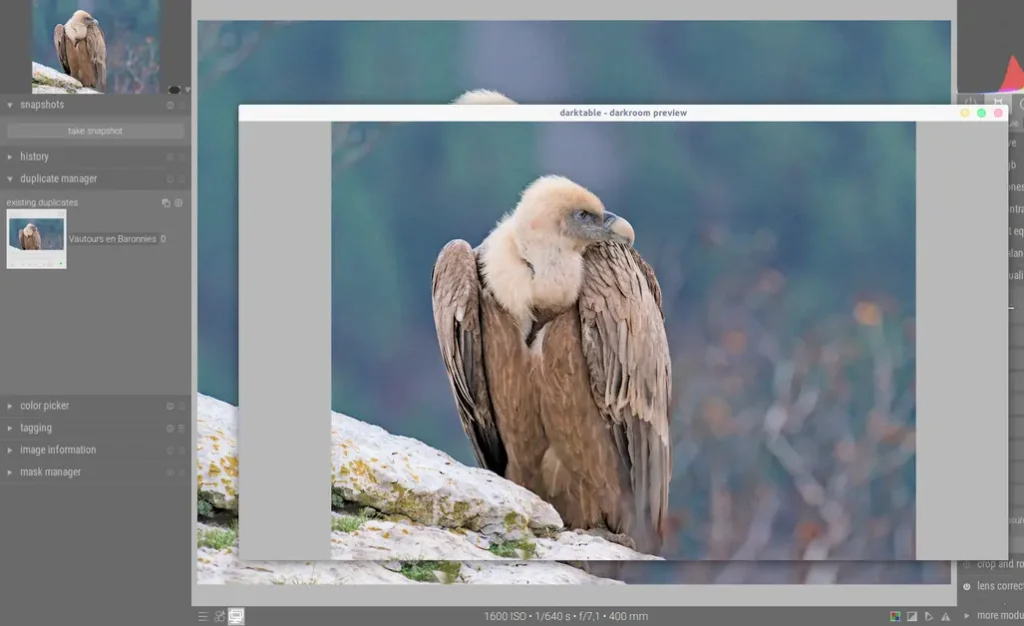
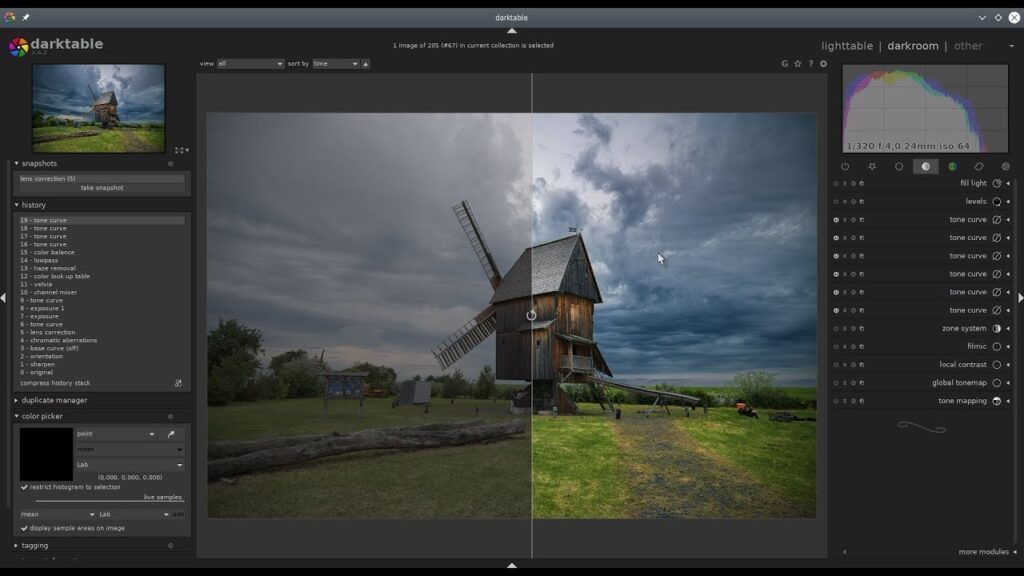
System Requirements
| Component | Workable Minimum | Recommended Minimum |
|---|---|---|
| RAM | 4 GB | 8 GB |
| CPU | Intel Pentium 4 (Core 2 for Windows / Intel Core 2 Duo for macOS / x86_64 for Linux) | Intel Core i5 4×2.4 GHz |
| GPU | None | Nvidia with 1024 CUDA cores, 4 GB, OpenCL 1.2 compatible (macOS: Metal-capable GPU; Linux: OpenCL compatible) |
| Free Disk Space | 250 MB | 1 GB |
Notes:
- darktable can run on lightweight configurations (even a Raspberry Pi or older Mac/Linux systems), but modules like denoise, local contrast, contrast equalizer, retouch, or liquify may be slow.
- A GPU is not mandatory but strongly recommended for smoother performance.
- Nvidia GPUs are generally more reliable on Windows and Linux due to driver stability; macOS uses Metal instead of OpenCL.
How to Install Darktable??
Windows (.exe):
- Download the Windows
.exeinstaller. - Run the installer and follow the on-screen instructions.
- Launch darktable from your desktop or start menu.
macOS (.dmg):
- Download the
.dmgfor Intel or Apple Silicon macs. - Open the
.dmgand drag darktable to the Applications folder. - Launch darktable from Applications.
Linux (.AppImage):
- Download the
.AppImagefile. - Make it executable:
chmod +x darktable-x.x.x-x86_64.AppImage - Run:
./darktable-x.x.x-x86_64.AppImage
Download Darktable Free Lightroom Alternative for Windows macOS Linux
Conclusion
darktable is the best free Lightroom alternative, combining professional-grade photo editing tools, raw image support, and cross-platform compatibility into a single open-source solution. Perfect for photographers who want powerful editing without subscription fees, darktable delivers speed, flexibility, and creativity in one comprehensive package.