
If you’ve ever felt uneasy about your data floating somewhere in the cloud, or wished your AI tools could just run on your own machine, you’re not alone. Lately, I’ve been testing a bunch of offline AI apps, some for editing, some for voice generation, for organizing notes & it’s surprising how much control and speed you get when everything happens locally.
Many of these AI tools are with open-source roots, and they let you reclaim your workflow without handing your data over to some distant server. Some I’ve been using for a few weeks; others I just stumbled across. All of them have one thing in common: they work entirely on your PC, with no cloud required.
If you want to generate speech, manage your notes privately, or tweak images with AI precision, there’s something here that might just change the way you work. I’ll walk you through the ten best offline AI tools I’ve found, why they’re worth installing today, and what makes them stand out from the crowd.
1. VoiceBox: AI Voice Cloning
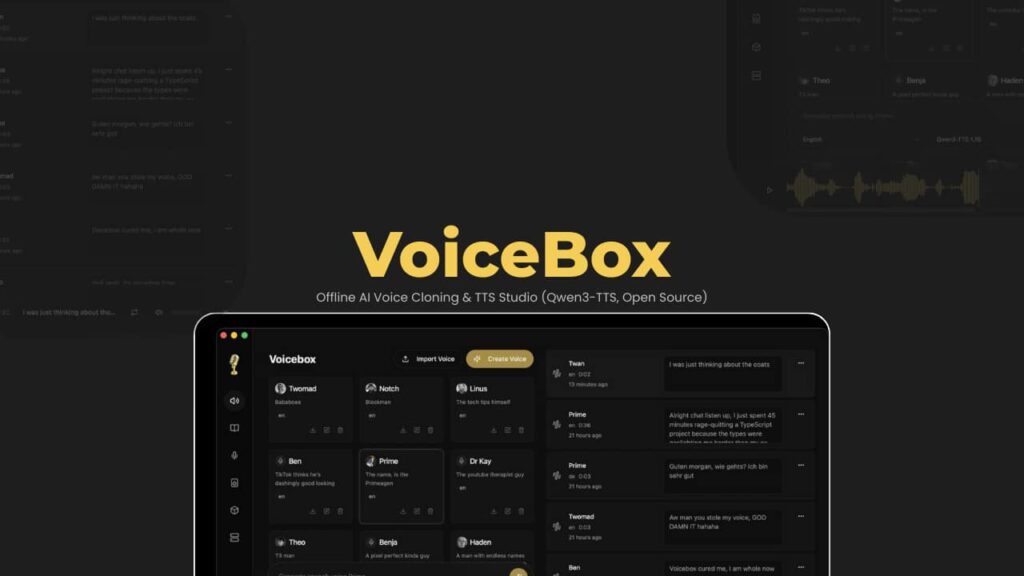
VoiceBox lets you clone voices & generate speech entirely on your computer. You don’t need Python, you don’t need a cloud account, and your data stays private. I tried it on a Mac, and cloning a voice from a few seconds of audio was almost instant. The voices feel surprisingly natural, with proper rhythm and tone.
You can mix multiple voices, trim audio, and build conversations. For podcasters or storytellers, it’s a neat sandbox to experiment with AI voices without sending anything online.
Platforms: macOS, Windows & Linux (Coming Soon)
Features of VoiceBox
- Clone voices with a few seconds of audio (uses Qwen3-TTS)
- Multi-track timeline editor for conversations and stories
- Record audio and capture system sound
- Automatic transcription powered by Whisper
- Generate text-to-speech in batches
- Manage voice profiles: import, export, combine samples
- Local-first or networked server mode for custom projects
VoiceBox feels fast, private & surprisingly flexible. You can create multi-voice projects without worrying about subscriptions or cloud limits.
2. RMBG
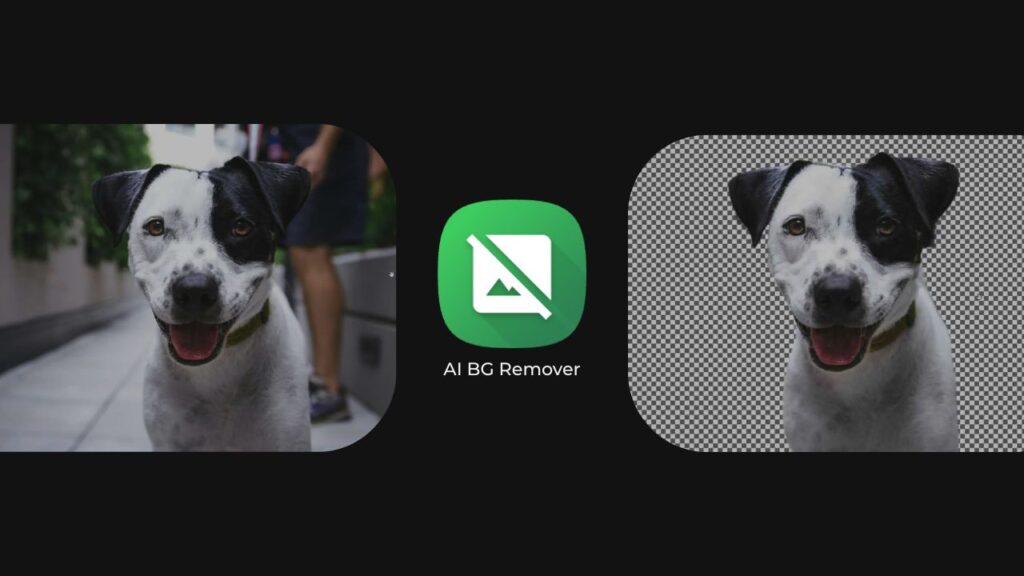
RMBG is a free, open source tool for removing image backgrounds. It runs on multiple platforms and processes everything locally, so your images never leave your machine. I like how it gives you control without compromising privacy.
I’ve used it many times so its important to know that its not very accurate with human images like hair accuracy & stuff but it does surprisingly well with illustrations & other images.
It supports several AI models for different tasks & I recommend using BRIAAI RMBG Model.
Overall it lets you pick model that fits your image best. If you’re editing portraits, product photos, or general images, there’s a model for it.
Platforms: Windows, macOS, and Linux
Features of RMBG
- AI-powered background removal entirely on your device
- Multiple open-source models:
- U2-Net Models
- Silueta, compact model
- Isnet General for broader cases
- BRIAAI RMBG v1.4, advanced model for complex images
- Open source and free
3. Reor: Local AI Note-Taking
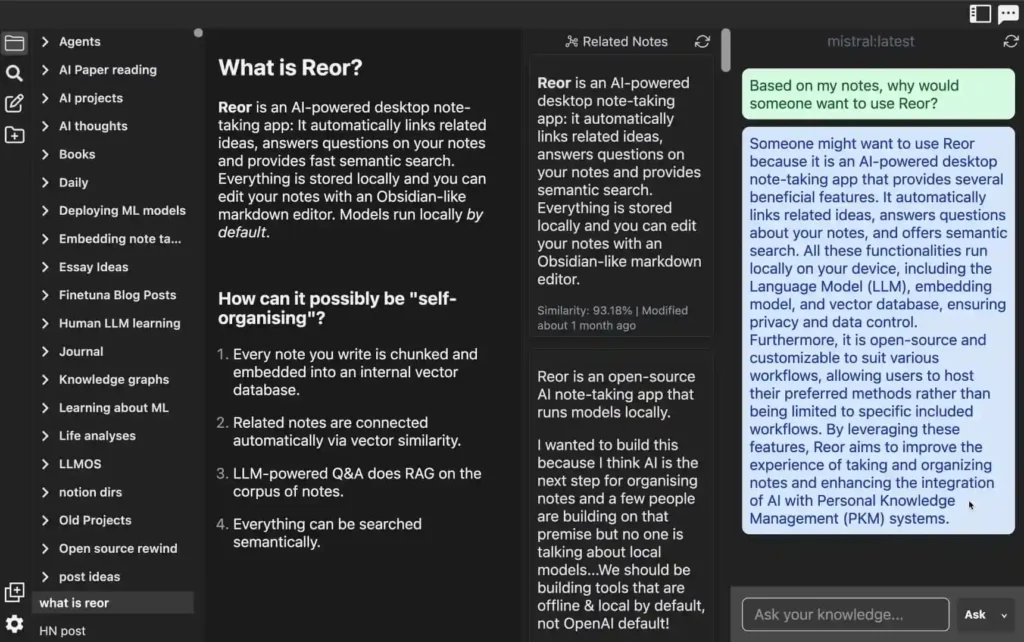
Reor is a desktop note-taking app that uses AI to connect your ideas. It links related notes, answers questions from your notes, and lets you search semantically. Everything stays local, and the editor feels familiar if you’ve used Markdown tools like Obsidian.
The app runs models on your machine using Ollama, Transformers.js, and LanceDB. Every note you write is split into chunks, embedded into a vector database, and connected to similar notes automatically. You can ask questions about your notes, and Reor uses your own content to generate answers.
Platforms: Windows, macOS & Ubuntu OS
Features of Reor
- AI-powered linking of related notes
- Local storage for all notes and data
- Semantic search across your corpus
- Markdown editor with Obsidian-like experience
- LLM-powered Q&A using retrieval-augmented generation
- Cross-references ideas automatically to help you connect thoughts
4. OpenCode: Coding Assistant

OpenCode is an open source coding assistant that works in your terminal, IDE, or as a desktop app. It can suggest code, help debug, and even run multiple coding sessions at once. I’ve tried it with a OLLAMA & used models like Deepseek, and it’s surprisingly smooth, whether you’re using local models or cloud-based ones.
While you can use it Offline via local models with OLLAMA, It provides options to connect to OpenAI, Claude, Gemini, or over 75 other providers through Models.dev. It also supports GitHub Copilot accounts. Sessions can be shared via links, which makes collaboration or debugging easier.
Platforms: Windows, macOS & Linux
Features of Opencode Desktop
- Automatic LSP setup for the model in use
- Multi-session support for parallel coding agents
- Shareable session links for collaboration
- GitHub Copilot login
- OpenAI ChatGPT Plus/Pro login
- Connect any of 75+ LLM providers, including local models
- Works with any editor or interface
5. Handy AI
Handy is an open source speech-to-text app that works entirely offline. You press a shortcut, speak, and your words appear in any text field without any cloud involved. I like how simple and private it feels compared to other tools.
It focuses on doing one thing well: transcribing your speech while keeping everything on your machine.
Platforms: Windows, macOS & Linux
Features of Handy
- Press a keyboard shortcut to start/stop recording or use push-to-talk
- Local transcription using Whisper (Small/Medium/Turbo/Large) or Parakeet V3
- Silence filtered with Voice Activity Detection (VAD)
- Transcribed text automatically pasted into the active app
- Works completely offline, keeping your voice private
- Open source and extensible
6. KnowNote: Knowledge Base
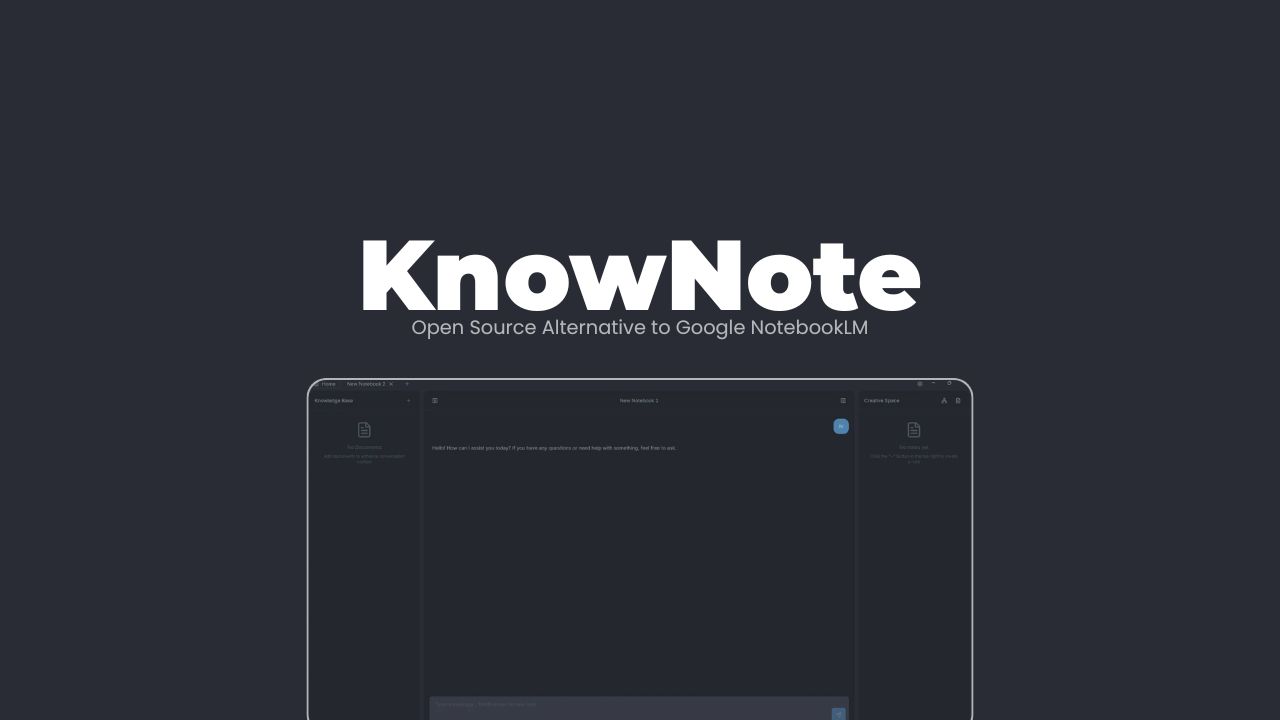
KnowNote is a desktop app for building a personal knowledge base from your documents and notes. You can chat with your content, summarize it, or explore ideas using LLMs without sending anything to the cloud. I tried it with PDFs and Word files, and it quickly pulled context and let me ask questions with specific references.
It works with multiple LLM providers, including OpenAI, DeepSeek & Ollama (For Offline Usage). Everything runs locally, so you don’t need Docker or complex server setups. It’s still early, but the basics work well and it’s easy to get started.
Platforms: Windows & macOS
Features of KnowNote
- Import PDFs, Word, PowerPoint, and web pages
- Automatic structure parsing and local storage (SQLite)
- Ask questions or summarize using Retrieval-Augmented Generation (RAG)
- Multiple LLM providers supported
- Full local control, offline-friendly
- Semantic search with vector-based retrieval
7. GPT4ALL
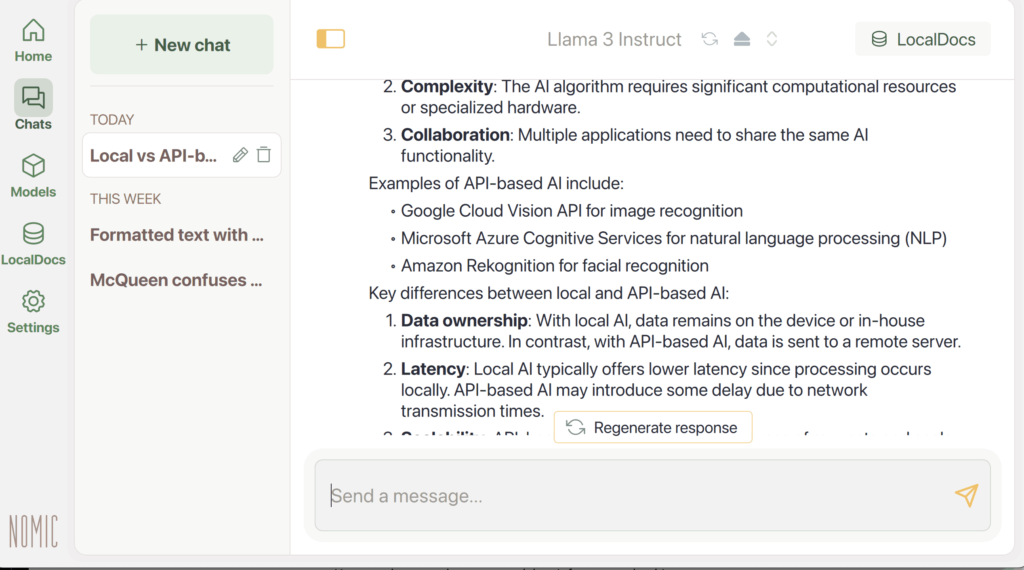
GPT4All lets you run AI models locally, keeping your data private and giving you full control.
It’s aimed at developers, teams, and anyone who wants powerful AI without relying on external services. You can chat with local documents, customize models, and experiment with thousands of open-source options.
Platforms: Windows, macOS & Ubuntu OS
Features of GPT4ALL
- Runs AI entirely on your device
- Supports multiple open-source language models
- Local document chat (LocalDocs)
- Customizable for personal or team workflows
- Cross-platform Support
Also Read: Top 15 Powerful Offline AI Tools You Can Install Directly on Your System (Open Source)
8. RapidRAW
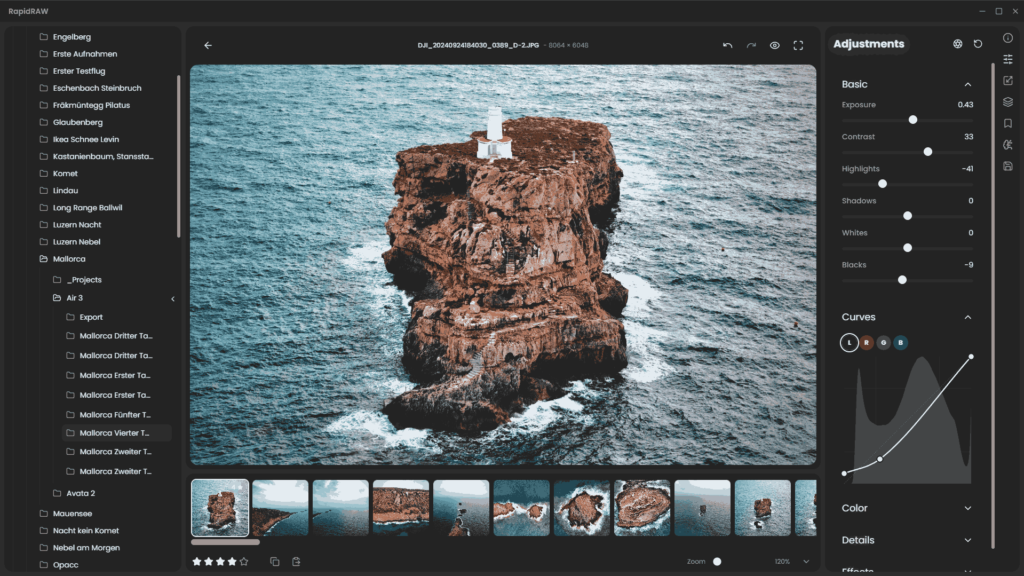
This one is especially for Photographers Who wanna use AI locally along with their editor. RapidRAW is a lightweight RAW image editor designed for photographers who want speed and creativity over perfection.
The app focuses on a smooth, non-destructive workflow. All edits are stored separately from your originals, so nothing gets overwritten. The interface is clean and responsive, with GPU acceleration for instant feedback on adjustments.
Platforms: Windows, macOS & Ubuntu OS
Features of RapidRAW
- GPU-accelerated editing for real-time performance
- AI-powered masks for subjects, skies, and foregrounds
- Full library management: sort, tag, rate, and organize images
- Non-destructive workflow with sidecar files
- Batch editing and exporting for multiple images at once
- Professional tools: tone curves, HSL mixer, detail enhancement, effects
- Generative AI support for object removal or adding elements (optional backend)
- Presets: create, save, and apply custom looks quickly
9. Posturr
This one is little different from everything else on this list.
It won’t help you write code, summarize PDFs, or generate content but if you spend hours glued to a desk, it might quietly improve your life more than most AI tools.
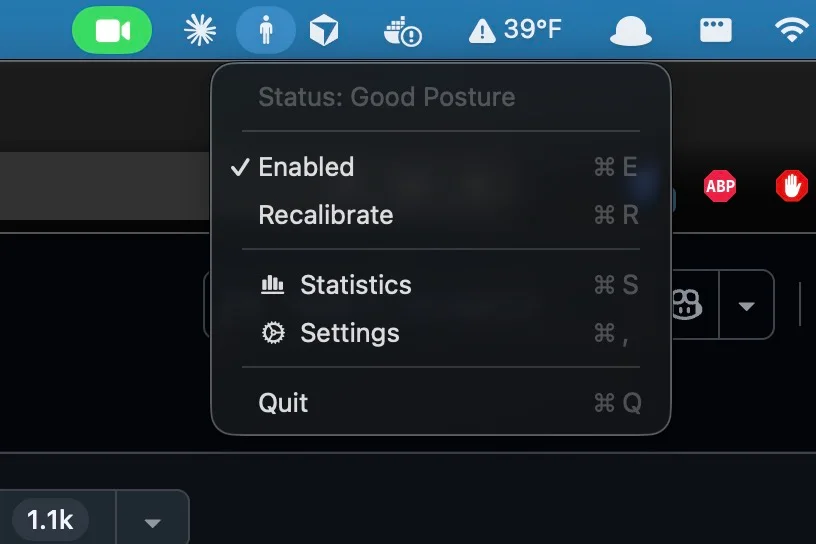
Posturr is a macOS app that uses on-device AI to watch your posture while you work. When you start slouching, your screen gently blurs, just enough to nudge you back into a healthy sitting position. Sit straight, and everything snaps back to normal instantly.
No notifications. Just a subtle reminder that your body exists.
What makes Posturr especially nice is how it works entirely locally. You can use your Mac’s camera via Apple’s Vision framework, or skip the camera altogether and rely on AirPods motion sensors. Either way, nothing leaves your device.
Platforms: macOS
Why it’s worth caring about
- Uses on-device AI for real-time posture detection
- Supports camera or AirPods-based tracking
- Progressive blur instead of annoying alerts
- Runs quietly in the background from the menu bar
- Works across multiple displays
- No accounts needed
10. LM Studio
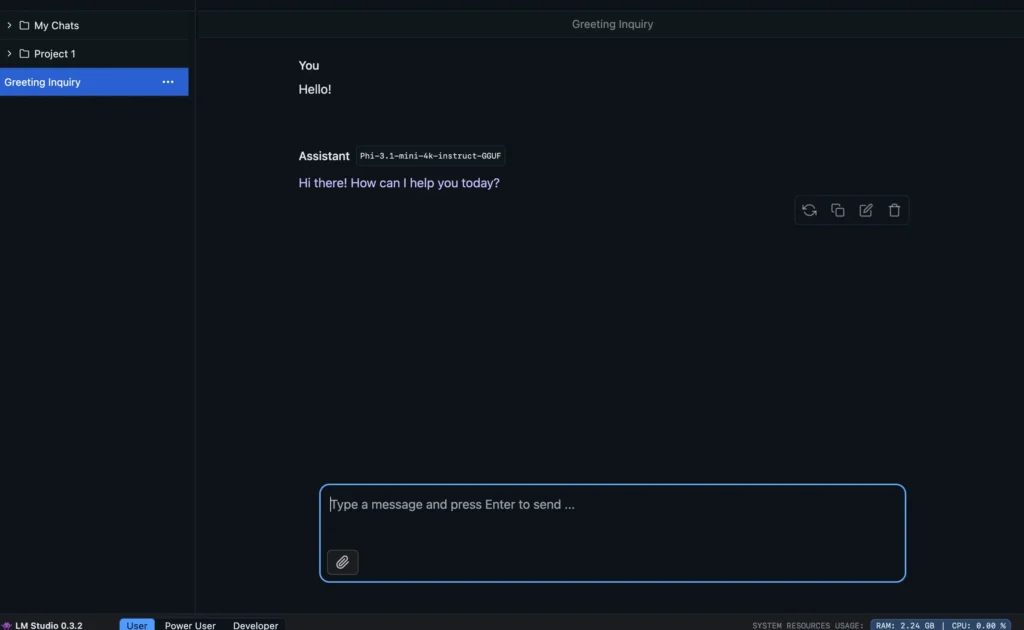
If you want to run powerful language models on your own machine without touching the cloud, LM Studio is usually where people start & for good reason.
It lets you download and run modern LLMs like GPT-OSS, Qwen3, DeepSeek & many others directly on your computer without any data leaving your system.
You pick a model, hit download, and start chatting.
That simplicity is what makes LM Studio special. It turns local AI from a “developer-only” thing into something anyone can actually use.
Platforms: Windows, macOS & Linux
Features of LM Studio
- Run LLMs fully offline and privately
- One-click model downloads and updates
- Clean, beginner-friendly chat interface
- Works with both CPU and GPU acceleration
- Supports many popular open-source models out of the box
Wrapping Up
What all these tools have in common isn’t just that they’re AI-powered. It’s where they run and who stays in control.
Every app in this list works locally, respects your data, and gives you real ownership over how you create, think & work.
You don’t need to use all of them. Most people won’t.
But even finding one tool that fits naturally into your daily workflow can change how you think about software.
AI doesn’t have to be locked behind subscriptions or cloud dashboards. It can live on your own machine, adapt to your habits, and stay out of your way until you need it.
And honestly? That’s where the most interesting software is being built right now.
If you care about privacy, performance, and tools that feel like they were made for users, not platforms, this space is worth watching.