


File Information
| Software Name | GPT-4All |
|---|---|
| Version | v3.10.0 (Latest Release) |
| License | Open Source (MIT License) |
| File Types | .exe, .dmg, .run |
| Platforms | Windows, macOS, Linux |
| Size | 710MB (Windows), 305 MB (macOS), 700 MB (Linux) |
| Github Repository | GPT-4All |
| Official Site | gpt4all |
Table of contents
Description
GPT-4All combines the power of cutting-edge AI technology with user-friendliness, making it accessible to everyone. This platform allows users to run LLMs on their local machines without the need for GPUs, ensuring that powerful AI capabilities are available to a broad audience. The introduction of DeepSeek R1 Distillations significantly improves the efficiency and effectiveness of model execution, resulting in faster responses and enhanced conversational intelligence.
With GPT-4All, users can engage in a variety of applications, from personal assistance and customer support to educational tools and creative writing. The ability to download and run models like Llama 3 makes it even more versatile, enabling customized experiences based on users’ needs.
Furthermore, GPT-4All has comprehensive resources such as documentation, tutorials, and community support available on Discord and YouTube, ensuring that users can maximize their productivity and learn new skills swiftly.
Features of GPT4ALL
| Feature | Description |
|---|---|
| Local Model Execution | Run LLMs directly on your device without cloud dependency. |
| DeepSeek R1 Distillations | Enhanced performance for faster and smoother interactions. |
| User-Friendly Interface | Intuitive design for easy navigation and use. |
| Multi-Platform Support | Available for Windows, macOS, and Linux. |
| Model Download Options | Quickly download and switch between various models. |
| Customizable Chat Experience | Engage with personalized prompts and settings. |
| Active Community Support | Access to documentation, Discord, and tutorials. |
| No Specialized Hardware Required | Works on everyday desktops & laptops without the need for GPUs. |
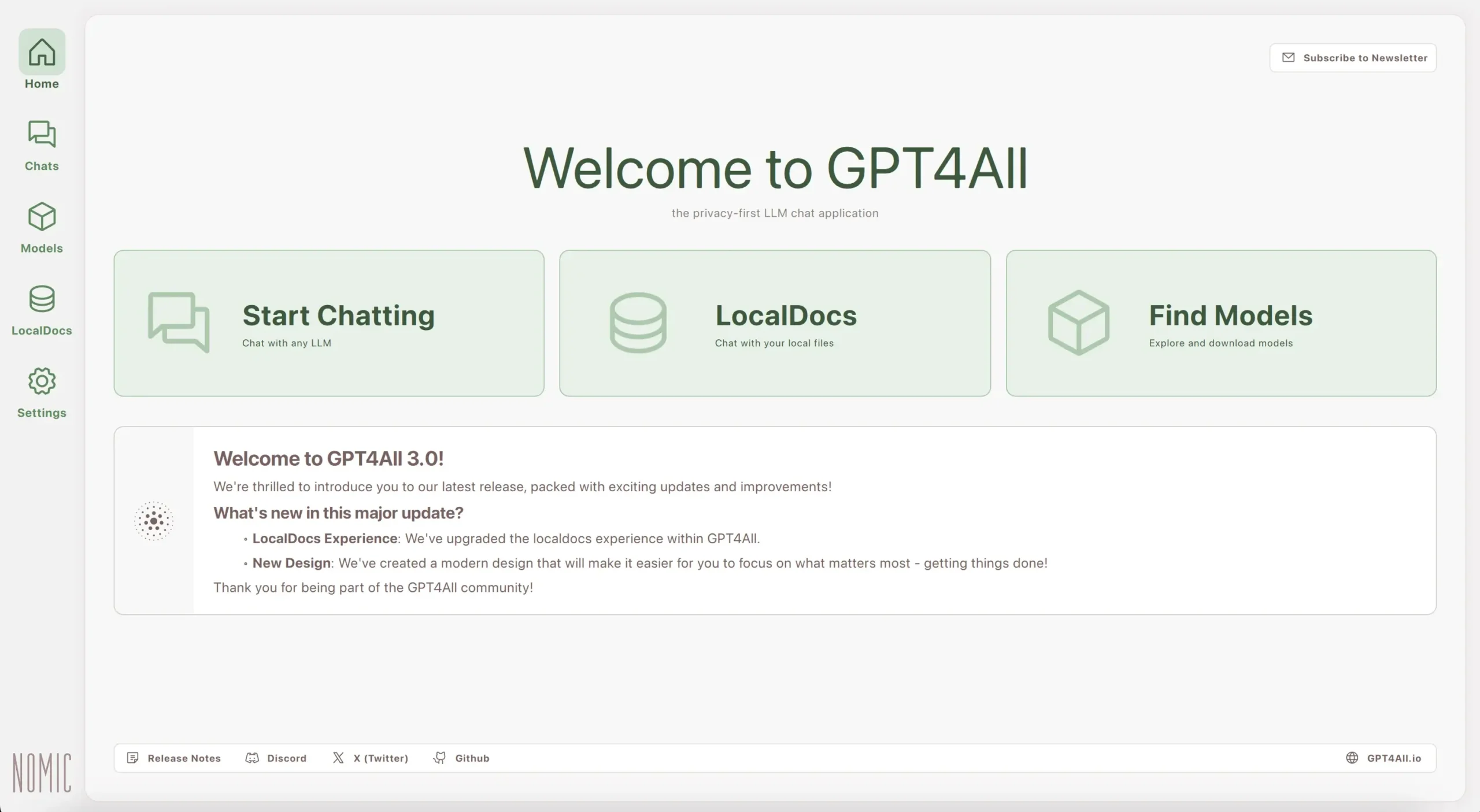
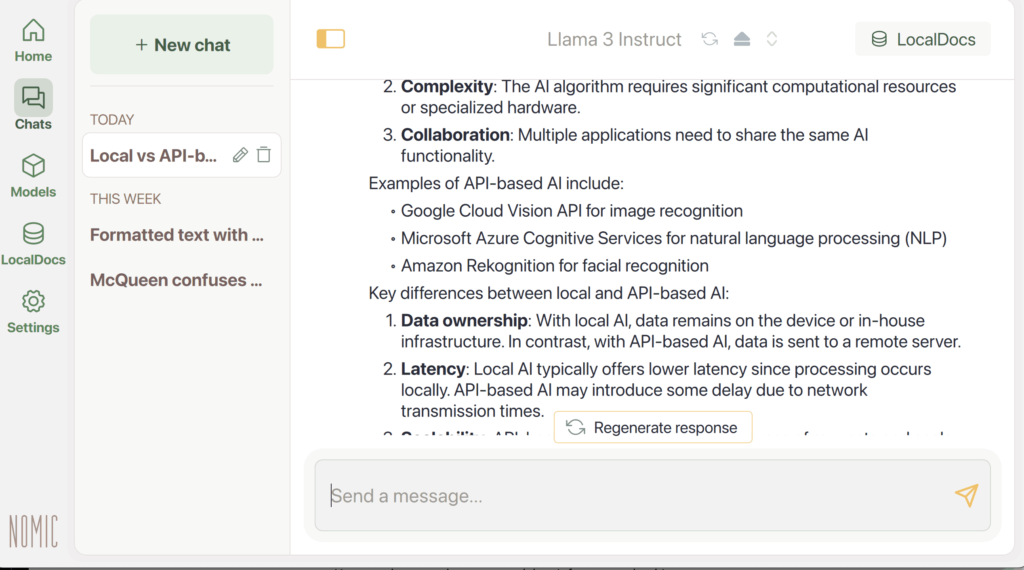
Screenshots
System Requirements
| Operating System | Minimum Requirements | Size |
|---|---|---|
| Windows | Intel Core i3 2nd Gen / AMD Bulldozer, or better | 699 MB |
| Windows ARM | Qualcomm Snapdragon / Microsoft SQ1/SQ2 processors | 700 MB |
| macOS | Monterey 12.6 or newer; best on Apple Silicon M-series | 305 MB |
| Linux | x86-64 only | 700 MB |
How to Install GPT4All??
To install GPT-4All, first download the application for your OS from download section then follow the instruction below:
Windows (.exe)
- Download the .exe file to your PC.
- Right-click the file → Properties → if you see “This file came from another computer…” click Unblock, then Apply.
- Double-click the .exe to run the installer. If Windows SmartScreen appears, click More info → Run anyway.
- Follow the installer prompts (choose installation folder, agree to terms).
- When finished, launch the app from the Start menu or desktop shortcut.
- If the app requires admin rights, right-click the shortcut → Run as administrator.
macOS (.dmg)
- Download the .dmg file to your Mac.
- Double-click the .dmg to mount it; a new Finder window will open showing the app and an Applications folder shortcut.
- Drag the app icon into the Applications folder.
- Eject the mounted image: right-click the disk icon on the desktop → Eject.
- Open the app from Applications. If macOS blocks it, go to System Settings → Privacy & Security and click Open Anyway next to the blocked app, then confirm Open.
- To remove, delete the app from Applications and empty Trash.
Linux (.run)
- Download the file to your Downloads folder.
- Open Terminal and go there:
cd ~/Downloads
- Make it executable:
chmod +x gpt4all-installer-linux-v3.10.0.run
- Run the installer:
./gpt4all-installer-linux-v3.10.0.run
If it needs root permissions, run:
sudo ./gpt4all-installer-linux-v3.10.0.run
- Follow on-screen prompts. After completion, open the app from your applications menu or the path shown by the installer.
Additional Resources
- Website: Visit gpt4all for more information and updates.
- Documentation: Comprehensive guides on installation and features.
- Discord Community: Join the community for support and collaboration.
- YouTube Tutorials: Explore video guides for visual assistance.
Download GPT4All For Windows, macOs & Linux
Conclusion
GPT-4All is revolutionizing AI-powered conversations, making them more accessible, efficient, and exciting. With the new DeepSeek R1 Distillations, engage in intelligent dialogue right from your desktop or laptop. Don’t miss the opportunity to harness the power of this advanced AI technology




