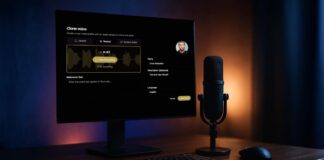
10 Pro-Level Offline AI Tools to Reclaim Your Privacy and Productivity...
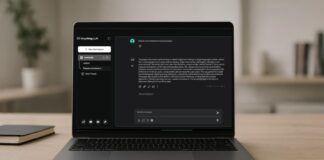
If you’ve ever felt uneasy about your data floating somewhere in the cloud, or wished your AI tools could just run on your own machine, you’re not alone. Lately, I’ve been testing a bunch of offline AI apps, some for editing, some for voice generation, for organizing notes & it’s surprising how much control and speed you get when everything happens locally.
Many of these AI tools are with open-source roots, and they let you reclaim your workflow without handing your data over to some distant server. Some I’ve been using for a few weeks; others I just stumbled across. All of them have one thing in common: they work entirely on your PC, with no cloud required.
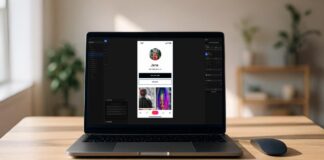
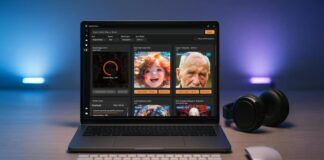
7 Next-Gen AI Models Powering Video, Audio & World-Scale Creative Generation...
Just a few years ago, producing high-quality video, audio, or digital experiences required massive budgets and specialized teams. Now, that's changing dramatically.
AI has evolved from a simple productivity tool to the core engine of creative production. We're witnessing a shift where artificial intelligence isn't just assisting creators, it's fundamentally reimagining how creative work is executed. Advanced AI models are now generating complex multimedia content that goes far beyond basic text-to-image tricks.
Some of these models can run on local machines, others are open for experimentation, and many are redefining the boundaries of real-time, interactive media generation.
If you're a creator, artist, or someone exploring how AI can fit into your creative workflow, understanding these models is crucial. They're the foundation of the next generation of creative tools which gives you the power to generate video, shape audio & experiment with digital experiences.
How I Saved Nearly $2,000 a Year by Switching to These...
I didn’t plan to stop paying for software.
Like most people, I slowly built a stack of subscriptions over the years like a note-taking app here, a design tool there, a video editor, AI tools, an automation service. None of them felt expensive on their own. Ten bucks a month doesn't sound like much, right? Twenty dollars here, forty dollars there - it all just feels… normal. Until it isn't.
The wake-up call came when I totaled up my yearly spending & that's when I realized. I was paying nearly $2,000 a year just to keep my everyday workflow running.
Surprisingly I noticed, most of these tools weren’t doing anything magical. They were just convenient & familiar. Meanwhile, this whole time, the open-source world had been building some seriously impressive alternatives that were not only capable, but in many cases good enough for what I actually needed.
Lightweight Windows Apps Under 50MB That Save Hours of Work
Over the years, I’ve experimented with dozens of utilities, searching for apps that do one thing exceptionally well without demanding attention or system resources. That’s when I discovered my “Tiny Tech Stack”, a collection of lightweight apps under 50MB each that handle essential tasks silently, reliably & efficiently. Like clipboard management to fast image compression, these tools turn boring work into seconds of effort.
5 AI Automation Tools That Save You Hours of Manual Work...
If you spend most of your day in front of a laptop, you probably don’t notice how much time goes into small things like replying to emails, copying links, renaming files, or searching for something you just opened five minutes ago.
None of this feels like a problem. It’s just work. But when you add it all up, these tiny tasks quietly consume more time than we realize, day after day.
Over time, this kind of manual work becomes invisible. We stop questioning it & accept it as part of the job. And that’s exactly why it’s so expensive. Not in money, but in focus, energy, and time you never get back. The kind of cost that compounds over months & years.
Windows 10 Support Has Ended: 3 Windows-Like Operating Systems That Feel...
If you’re still using Windows 10 in 2026, you’re not doing anything wrong. Windows 10 still works. Your PC still works. But one important thing has changed: Microsoft has stopped maintaining it.
That means security updates are no longer coming. Nothing breaks overnight, but over time, this matters. Not because something will instantly go wrong, but because an unpatched system slowly becomes more vulnerable the longer it stays online. At that point, staying secure becomes your responsibility.
5 Privacy-First AI Apps That Run Directly on Your Android
My journey with on-device AI started with small moments like upscaling a blurry photo while waiting for my coffee, transcribing a quick note with no signal, or chatting with an AI assistant without going online. That’s when it clicked, this is what it feels like when technology works for you, not the other way around.
These 5 Apps Help You Use Your Phone Less Without Feeling...
You unlock your phone to reply to a message. A few swipes later, you’re still there scrolling, watching, switching apps without really knowing why.
Most of us don’t intend to spend hours on our phones. It just happens. The apps are fast, colorful, and always ready to pull us in during moments of boredom, stress, or habit.
But quitting your phone altogether isn’t realistic, right? Modern apps are designed to be sticky & trying to resist them head-on rarely works.
What does work is changing how the phone behaves.
In this list, I’ve picked five apps that help you slow down, pause, and take back control without blocking everything or making you feel restricted. Some are open-source, some aren’t, but all of them are genuinely effective and built around healthier use.
8 Minimalist Apps To Give Your Windows a Sleek, Premium Look
Windows can be shaped, refined, and extended far beyond its default look and behavior.
Over time, small details start to matter. How the taskbar feels. How quickly you can preview files. Whether the interface feels calm or busy when you sit down to work. These things do not show up on spec sheets, but they strongly influence how enjoyable a system feels day to day. With a few carefully chosen tools, Windows can become cleaner, more visually consistent, and noticeably more pleasant to use without changing how you work or forcing unnecessary complexity.
I Replaced Canva With These 9 Open Source Desktop Apps in...
Canva was my go-to design buddy for years. Quick, easy, & perfect, those ready-made templates were a creative lifesaver. But slowly, things started to change. Unexpected slowdowns. Features mysteriously hidden behind premium walls. Designs that wouldn't export when I needed them most.
That's when I realized something important, I needed more flexibility in my design toolkit.
My search began with a simple goal: find design tools that offer true creative freedom. Not just copycats, but powerful, versatile alternatives that put me back in control.
What I discovered genuinely surprised me. There's an entire ecosystem of open-source design tools that do everything Canva does & often do it even better.