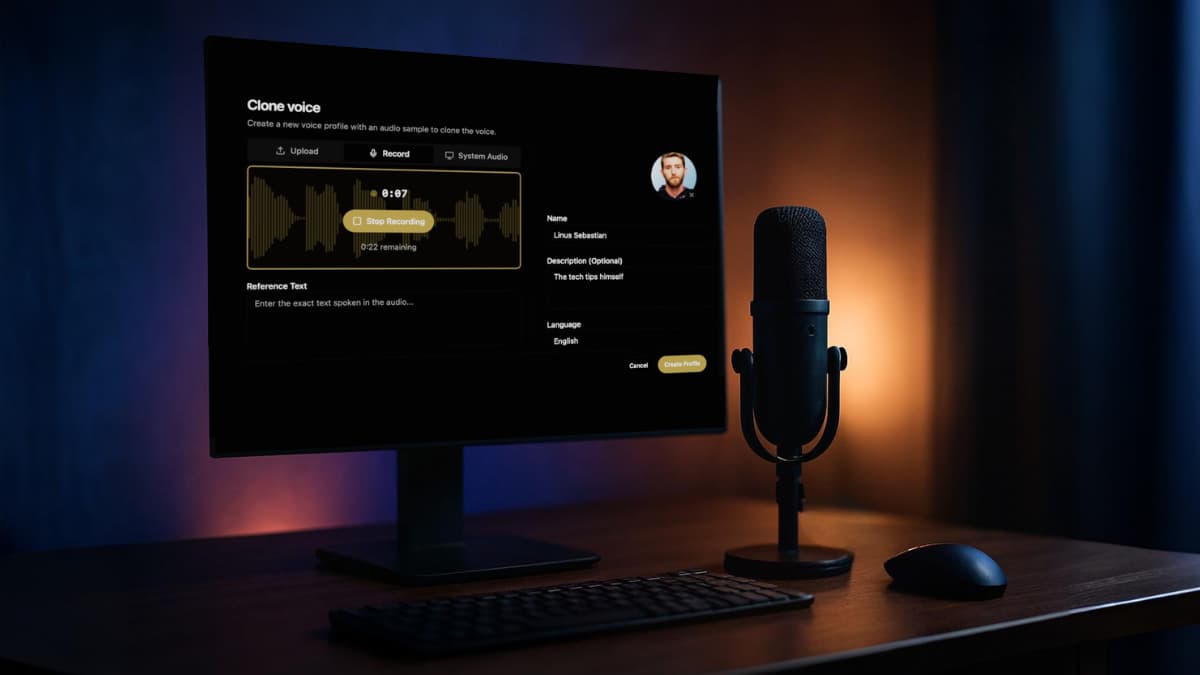

I was about to pay for another month of ElevenLabs when I stopped myself.
Not because the product is bad, it’s genuinely one of the best AI voice tools out there. But $22 a month adds up. And somewhere along the way, uploading my voice samples to someone else’s server started bothering me more than I expected. Where does that data actually go? Can they train on it?
I went looking for something local. Free & Private.
Found one. And it surprised me more than I expected.
The problem nobody talks about with cloud voice tools
ElevenLabs isn’t alone here. Murf, Play.ht, Resemble AI — they all work the same way. You sign up, pick a plan, upload your voice, and generate speech on their servers.
That last part is the one most people gloss over.
Your voice is biometric data. It’s as personal as a fingerprint. And when you upload it to a cloud service, you’re trusting a company’s privacy policy — and whatever that policy quietly allows — with something you can never change.
Most people don’t think about this until they do. Then they can’t unthink it.
The subscription part is annoying. The privacy part is the real problem.
So What Exactly Is VoiceBox?
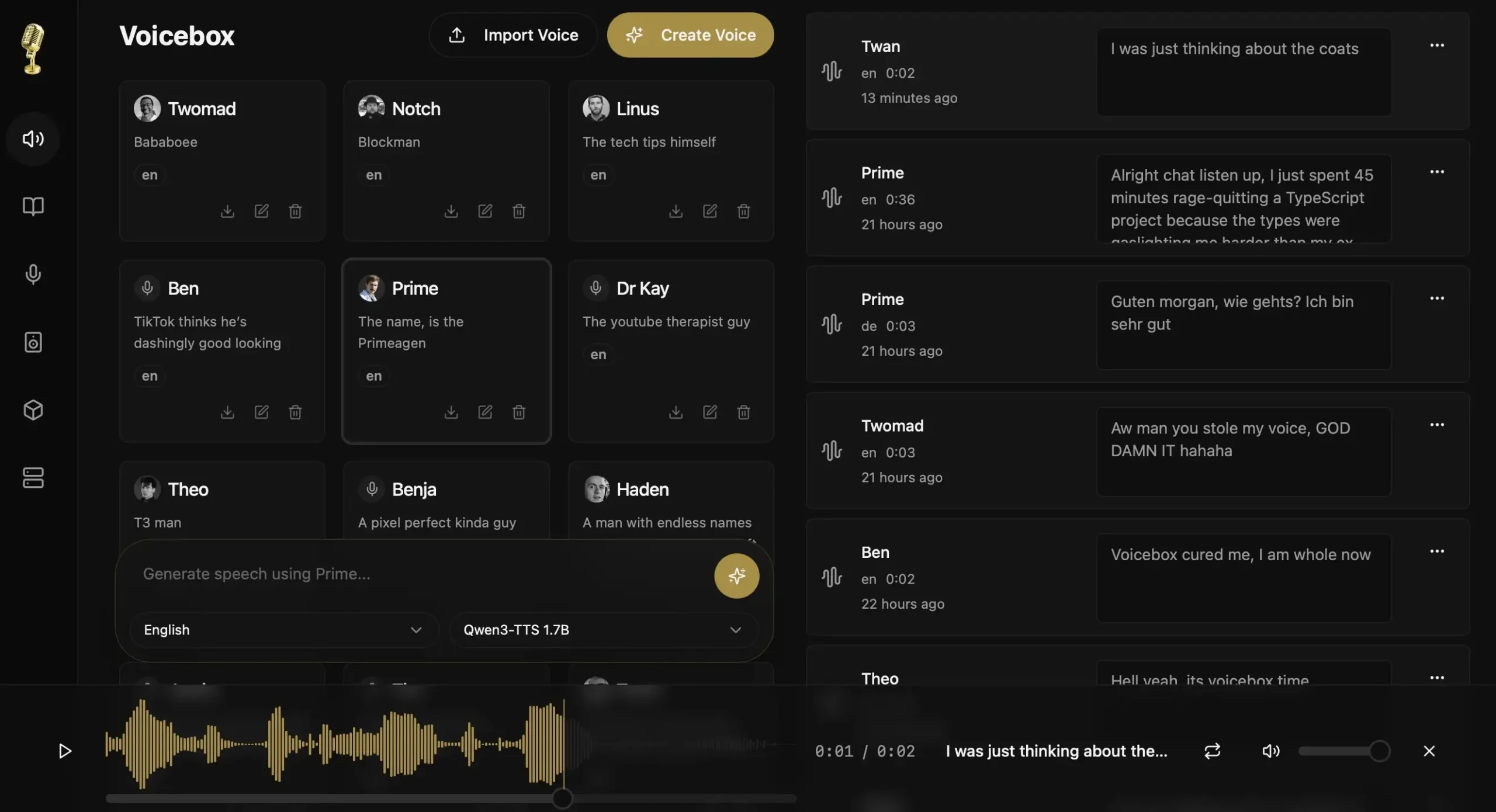
Think of it as ElevenLabs, but running on your own computer. No account or server somewhere holding your voice samples.
You download it, install it like any normal app on Mac or Windows, and that’s pretty much it. There is no technical headaches. The whole thing has a proper interface like timeline editor, voice profiles, multi-track mixing — the kind of stuff you’d expect from a paid tool.
I’ll be honest, I wasn’t expecting much when I first opened it. That changed pretty quickly.
The secret is the model it runs under the hood. And that part is worth talking about.
The AI behind it is kind of a big deal
Voicebox runs on Qwen3-TTS, a model built by Alibaba that most people outside the AI research world haven’t heard of yet. That’s honestly surprising given what it can do.
It was trained on over 5 million hours of speech across 10 languages. To put that in perspective, most open source voice models you’ve seen before — Tortoise, Piper, Bark were trained on a fraction of that. The difference in output quality shows.
The part that genuinely impressed me is the cloning speed. 3 seconds of audio. That’s all it needs to build a voice profile. Not a full minute like most tools ask for. Just a short clip and it figures out the tone, the cadence, the little natural imperfections that make a voice sound like a real person.
It’s also fully open source under Apache 2.0 license. Meaning anyone can use it, build on it, or inspect exactly how it works
That combination of quality, speed, and full transparency is pretty rare in this space.
Voicebox vs ElevenLabs, Murf and Play.ht
Look, you don’t need a 10-point breakdown to understand the difference. This table says most of it.
| Feature | ElevenLabs | Murf | Play.ht | Voicebox |
|---|---|---|---|---|
| Price | $22/mo+ | $29/mo+ | $31/mo+ | Free forever |
| Voice cloning | Yes | Yes | Yes | Yes |
| Runs locally | No | No | No | Yes |
| Your data on their servers | Yes | Yes | Yes | No |
| No usage limits | No | No | No | Yes |
| Open source | No | No | No | Yes |
| Works offline | No | No | No | Yes |
The paid tools win on ready-made voice libraries, and out-of-the-box simplicity. If you need a professional voice in five minutes with zero setup, ElevenLabs is still the fastest path there.
But if you’re generating a lot of content, care about where your voice data goes, or just don’t want another monthly subscription, the math stops making sense pretty fast.
What it’s Actually Like to Use??
Setup is genuinely simple. Download the app, open it, pick a model on first launch, and wait for it to download. The interface walks you through everything — no terminal, no config files, nothing that assumes you’re a developer.
Once it’s running, cloning a voice is straightforward. Record a short sample or import an audio clip, and Voicebox builds a voice profile automatically. From there you type your text, hit generate, and it produces speech in that voice locally on your machine.
The quality surprised me. It doesn’t sound robotic. The natural pauses, the breathing, the slight variations in tone — it feels like a real person talking, not a machine reading words off a page.
A few things to know before you try it
It only supports Qwen3-TTS right now. More models like XTTS and Bark are on the roadmap but not there yet. Linux users are also waiting — builds are coming but not available at the time of writing. And if you’re on Windows without a dedicated GPU, generation will be slower than on a Mac with Apple Silicon, which gets a 4-5x speed boost from native Metal acceleration.
None of these are dealbreakers depending on what you need. But they’re worth knowing before you try it.
Wrapping Up
ElevenLabs, Murf, Play.ht , they’re all good products. But there’s something worth sitting with. Every voice sample you upload to a cloud service lives somewhere you can’t see, under terms you probably didn’t fully read. For a lot of people that’s fine. For a growing number of people it isn’t.
Voicebox is still early. Model selection will expand, Linux support is coming, and the roadmap looks genuinely promising. Right now though, for anyone who wants real voice cloning without a monthly bill or a privacy tradeoff, it’s the most complete free option I’ve found.
I went looking for a way out of another monthly subscription. Didn’t expect to actually find one this good