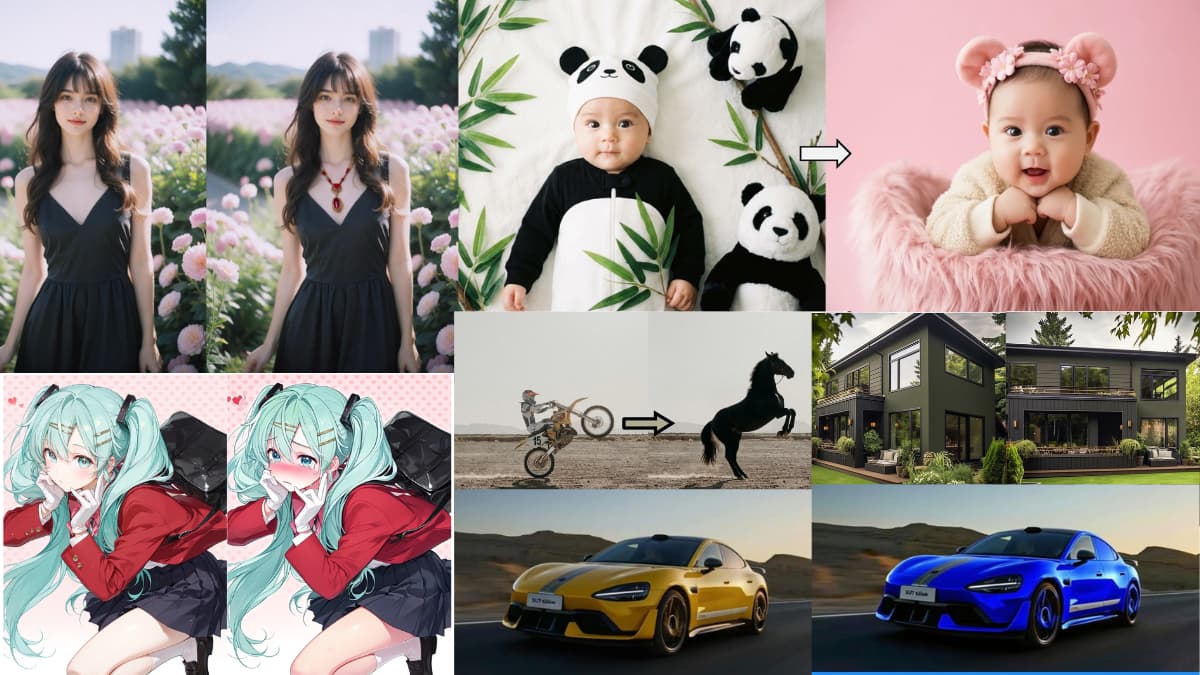

When people talk about AI image editing, the same names come up. Nano Banana, GPT Image or Maybe one or two others. And they’re good, no argument there.
But they all have something in common. You’re on their servers, their terms & some generates watermark along with your image.
What if I told you the open source community has been building real alternatives? Models you can actually run on your own hardware with no watermarks & no usage limits. Some of them are hitting benchmark scores that are really impressive. A few of them you can even build on top of, fine tune, or deploy in your own products.
I went through what’s out there and narrowed it down to six that are genuinely worth your time
Table of contents
1. FireRed-Image-Edit-1.1
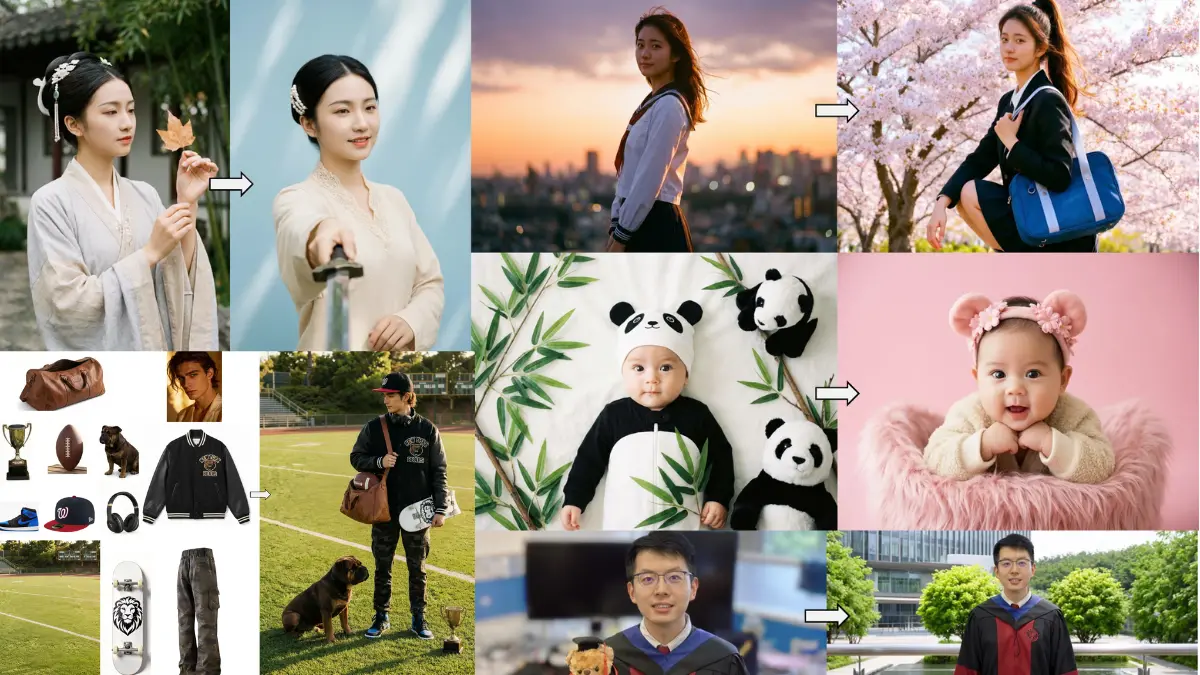
FireRed is the one that genuinely surprised me. Released just days ago on March 3rd, it currently sits at the top of the open source image editing benchmarks, scoring higher than Nano Banana on ImgEdit and beating every other open source model on GEdit in both English and Chinese.
Most image editors struggle when you give them multiple elements to work with. FireRed handles up to 10 elements in a single edit using an agent that automatically crops, stitches and processes the inputs for you. Virtual try-on, outfit swaps, combining elements from multiple reference images all without writing a novel in the prompt box.
Portrait work is where it really stands out. Identity consistency is something most models quietly fail at — edit someone’s outfit and suddenly their face looks slightly different. FireRed keeps the subject recognizable across complex edits, which is the kind of thing that matters the moment you try using these tools for real work.
It also handles text editing properly, which is rarer than it should be at this level.
Best for
- Portrait editing and photo restoration
- Virtual try-on and outfit swaps
- Multi-image compositions with 10+ elements
- Production pipelines needing LoRA training support
Limitations: 30GB VRAM is a real requirement. This isn’t a casual local run on a gaming laptop. It’s built for serious hardware.
Hardware requirement: Minimum 30GB VRAM for optimized inference. Runs in around 4.5 seconds per generation at that spec.
2. Qwen-Image-Edit-2511
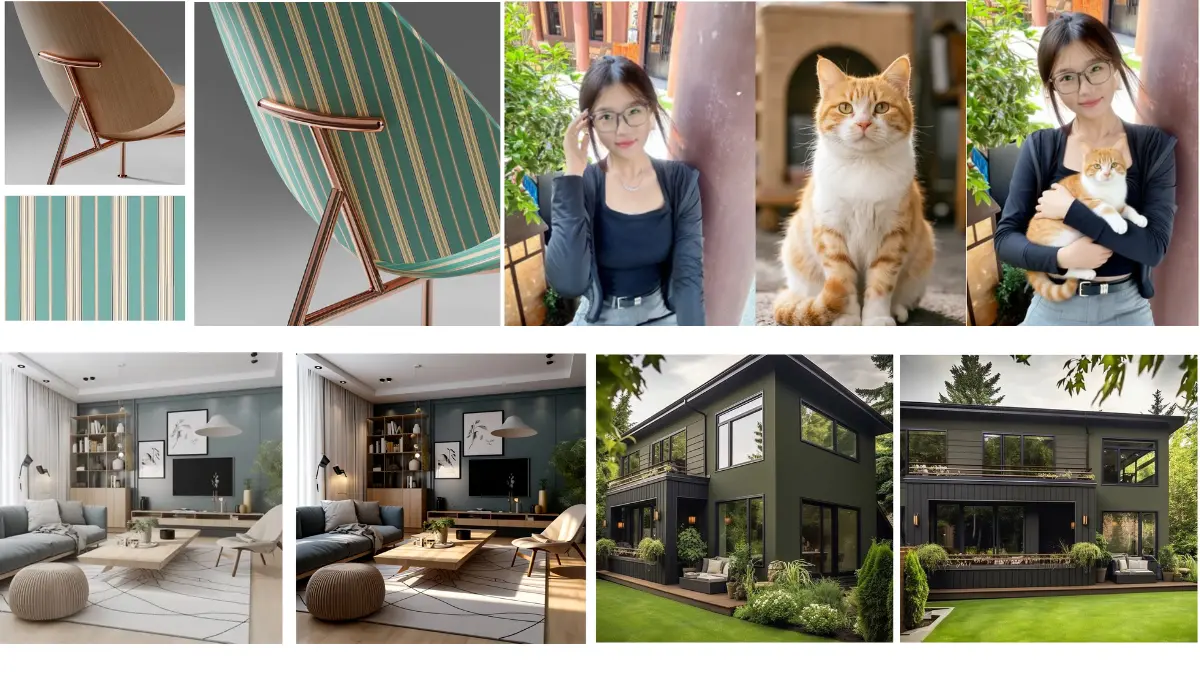
Qwen’s image editing model has been quietly improving with each release and the 2511 version is the most capable one yet. What separates it from most models on this list is how well it handles people specifically keeping them looking like themselves across complex edits.
It can take two separate photos of different people and merge them into a coherent group shot without either person losing their identity. That’s not something most tools do cleanly.
Beyond portraits it covers a surprisingly wide range. Industrial design, material replacement, geometric reasoning for annotation work, lighting control, and new viewpoint generation, all without extra LoRA setup because selected community LoRAs are now baked directly into the base model.
Best for:
- Multi-person group edits
- Portrait consistency across complex edits
- Industrial design and product visualization
- Developers building on top of it commercially
Limitations: Character consistency is improved but not perfect on very complex compositions.
Minimum Hardware: 57.7GB model size. Plan accordingly.
3. LongCat-Image-Edit

LongCat is the one on this list that takes precision seriously. Where other models do well on single edits, LongCat specifically focuses on keeping everything outside your edit exactly as it was. Change a shirt color and the background stays identical. Edit a face and the lighting, texture and layout around it don’t shift. That kind of consistency is harder to achieve than it sounds.
Multi-turn editing is where this really shows up. Most models drift after a few consecutive edits, the image slowly stops looking like the original. LongCat handles multi-turn sequences without that drift, which makes it genuinely useful for iterative workflows.
It also handles text editing with a specific character level encoding system. You wrap the target text in quotation marks and the model processes it differently from the rest of the prompt, which is why its text rendering holds up better than models that treat text like any other element.
Bilingual support for Chinese and English is built in, not an afterthought.
Best for:
- Multi-turn iterative editing
- Precise local edits without affecting surrounding areas
- Text modification within images
- Reference guided editing
Limitations: 50 inference steps by default which is on the slower side compared to distilled models on this list.
Minimum Hardware: 18GB VRAM with CPU offload enabled. One of the more accessible models on this list hardware wise.
Related: AI Image Generators You Can Run on Consumer GPUs
4. HiDream-E1.1
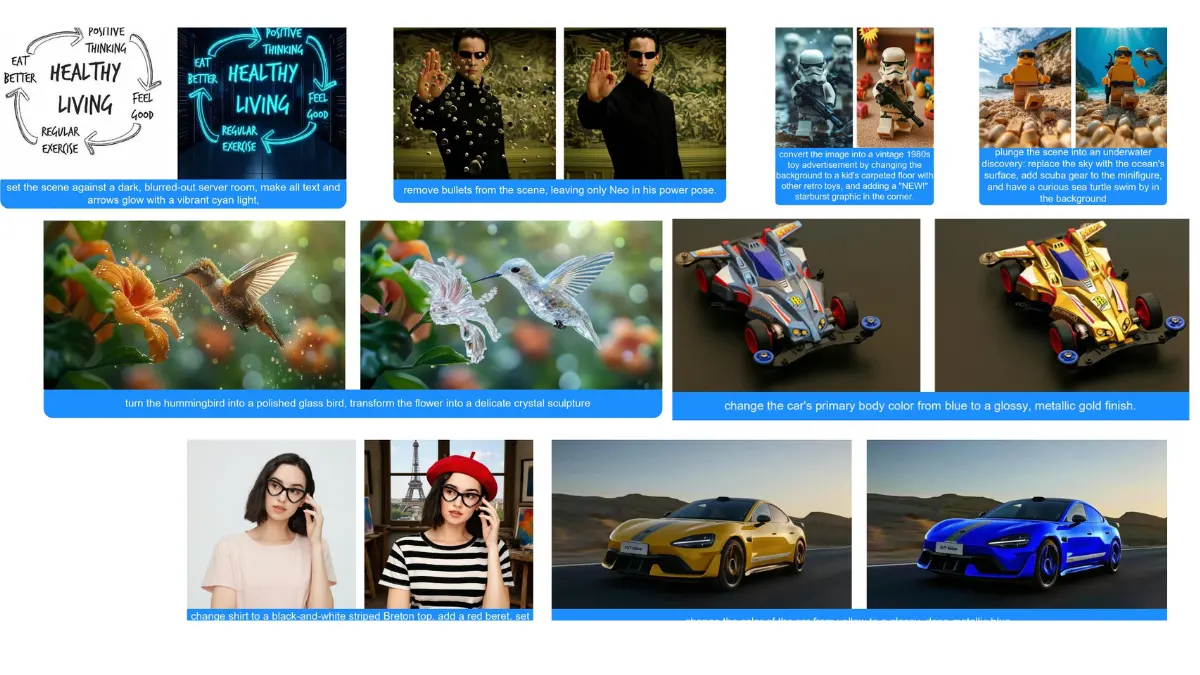
Here’s something that stopped me when I looked at the benchmarks. HiDream-E1.1 scored higher than Gemini-2.0-Flash on EmuEdit. Not slightly higher. A full 1.5 points higher on the average. From a fully open model that you can download and run yourself.
That’s the kind of number that makes you pay attention.
What makes E1.1 interesting beyond the scores is how consistent the improvement is across every edit type. Global edits, adding elements, text, background changes, color, style, removal — every single category went up from E1 to E1.1.
The ReasonEdit score is also worth noting. Most models follow literal instructions well enough. ReasonEdit tests whether a model actually understands context before making an edit. HiDream-E1.1 scores 7.70 there, which suggests it’s doing more than pattern matching when it processes your prompt.
Setup is slightly more involved than others on this list. You need Flash Attention installed and CUDA 12.4, and you’ll need to agree to the Llama 3.1 license on HuggingFace before it downloads the text encoder automatically.
Best for
- General purpose editing across multiple edit types
- Style transfers and color edits
- Background replacement
- Strong all round benchmark performance
Limitations: Setup requires Flash Attention and CUDA 12.4. Slightly more involved than plug and play.
Minimum Hardware: 47.2GB model size. You need at least 48GB VRAM to run this comfortably.
5. FLUX.2 [klein] 4B
![FLUX.2 [klein] 4B edited Images](https://firethering.com/wp-content/uploads/2026/03/Flux-klien-4b-AI-image-generations.webp)
Every model on this list so far has needed serious hardware but FLUX.2 [klein] changes that conversation.
At 23.7GB and running on as little as 13GB VRAM, this is the one that actually fits on a gaming GPU. RTX 3090, RTX 4070, hardware that a lot of creators and developers already own. No enterprise GPU required.
What makes it more than just the accessible option is what it does with that efficiency. FLUX.2 [klein] unifies text-to-image generation and image editing in a single model, supports multi-reference editing, and can generate in under a second in optimized setups. That’s not a research demo speed. That’s a production workflow speed.
It’s built by Black Forest Labs, the same team behind the original FLUX models, so the quality foundation is solid. The 4B version ships under Apache 2.0 which means you can build on it, deploy it, and use it commercially without restrictions.
For anyone who wants to actually run an image editing model locally today without waiting on a hardware upgrade, this is the most realistic starting point on this list.
Best for
- Developers building production image editing pipelines
- Real time and interactive workflows
- Local deployment on consumer GPUs
- Text to image and image editing in one model
Limitations: Text rendering can be inaccurate, acknowledged limitation from Black Forest Labs themselves.
Minimum Hardware: 13GB VRAM. Runs on RTX 3090 or RTX 4070 and above.
Related: Industry-Grade Open-Source AI Video Models That Look Scarily Realistic
6. Step1X-Edit-v1p2
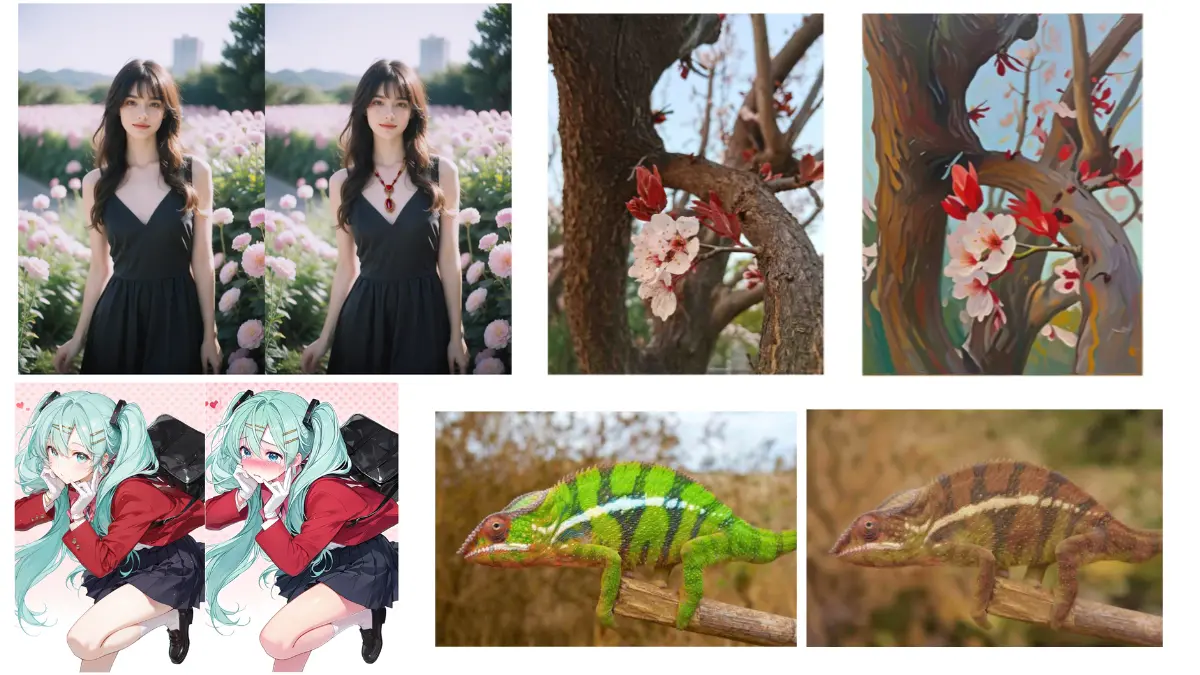
Most image editors take your instruction and run with it. Step1X-Edit does something different, it thinks before it edits.
The v1p2 version introduced native reasoning mode with an optional reflection step on top of that. You give it an instruction, it reasons through what the edit actually requires, makes the change, then checks its own work before finalizing. The numbers back this up — with thinking and reflection enabled it scores 60.93 on KRIS-Bench, the highest on that benchmark compared to every other model on this list including Qwen.
That reasoning capability matters most for complex edits where a literal interpretation of your instruction would miss the point. Adding context aware elements, edits that require understanding relationships between objects, instructions that need some interpretation rather than just execution.
It’s also one of the more flexible models on this list for optimization. FP8 quantization, CPU offload, multi-GPU support, LoRA finetuning on a single 24GB GPU, there’s a lot of room to tune it for your specific hardware situation.
Best for
- Complex edits requiring context understanding
- Iterative workflows where accuracy matters more than speed
- Developers who want fine grained control over inference settings
- LoRA finetuning for specific use cases
Limitations: Heavy on VRAM in full precision. 42-49GB at 1024 resolution without optimization. FP8 with offload brings it down to 18GB but at the cost of speed.
Minimum Hardware: 18GB VRAM with FP8 and CPU offload. 80GB recommended for full quality at 1024 resolution.
Each One Does Something Different?
There’s no single winner here. What makes this list interesting is that each model carved out its own space rather than all trying to do the same thing.
If I had to summarize where each one stands:
- FireRed-Image-Edit-1.1: best overall benchmark performance, portrait work, multi-image fusion
- Qwen-Image-Edit-2511: multi-person consistency, industrial design, wide range of tasks
- LongCat-Image-Edit: precise iterative editing, multi-turn without drift
- HiDream-E1.1: beats Gemini on EmuEdit, strong all-round edit quality
- Step1X-Edit-v1p2: reasoning before editing, best for complex context-aware edits
- FLUX.2 klein: most accessible hardware wise, real-time capable, consumer GPU friendly
The open source community built all of this in under a year. That’s not a small thing.