


File Information
| Name | Synfig Studio |
|---|---|
| Version | 1.5.3 (latest stable release) |
| File Size | Windows: ~106 MB (.exe) • macOS: ~70 MB (.dmg) • Linux: ~111 MB (.AppImage) |
| Platforms | Windows • macOS • Linux |
| License | Open Source (GPL-3.0 license) |
| Official Repository | Synfig Github |
| Official Site | synfig |
Table of contents
Description
Synfig Studio is a powerful, open-source 2D animation software developed to create high-quality animations using vector and bitmap artwork. It is widely regarded as a superior alternative to expensive commercial animation tools, providing a robust set of features that appeal to animators, artists, and educators alike. With its advanced features, Synfig allows you to produce animations efficiently without the need to manually animate every frame.
This software supports various animation techniques including cut-out animation, bitmap animation, and vector animation, ensuring full freedom to explore creative concepts. Synfig’s bones system and advanced controls generate smooth animations by interpolating between keyframes, making it ideal for both novice and experienced animators.
Synfig also seamlessly integrates with other open-source graphics tools (like GIMP and Blender), promoting a well-rounded creative workflow. Its cross-platform support across Windows, macOS, and Linux allows animators to work on their projects regardless of the operating system.
Features of Synfig Studio
Key Features
| Feature | Description |
|---|---|
| Powerful Animation Techniques | Utilizes both vector and bitmap graphics for versatile animation choices. |
| High-Quality Output | Support for rendering in various formats, including SVG, GIF, and video formats. |
| Advanced Keyframe Animation | Supports interpolation between keyframes for smoother transitions and complex animations. |
| Layer System | Organize your project with layers for enhanced control and organization of assets. |
| Bones System | Simplifies character animation with an advanced bones control setup. |
| Import & Export Formats | Import artwork from various formats and export final animations in multiple file types. |
| Real-Time Preview | Instant feedback on your animation changes with real-time rendering capabilities. |
| Open Source Community | Engage with an active community for plugins, updates, and support, enhancing the software’s capabilities. |
Screenshots
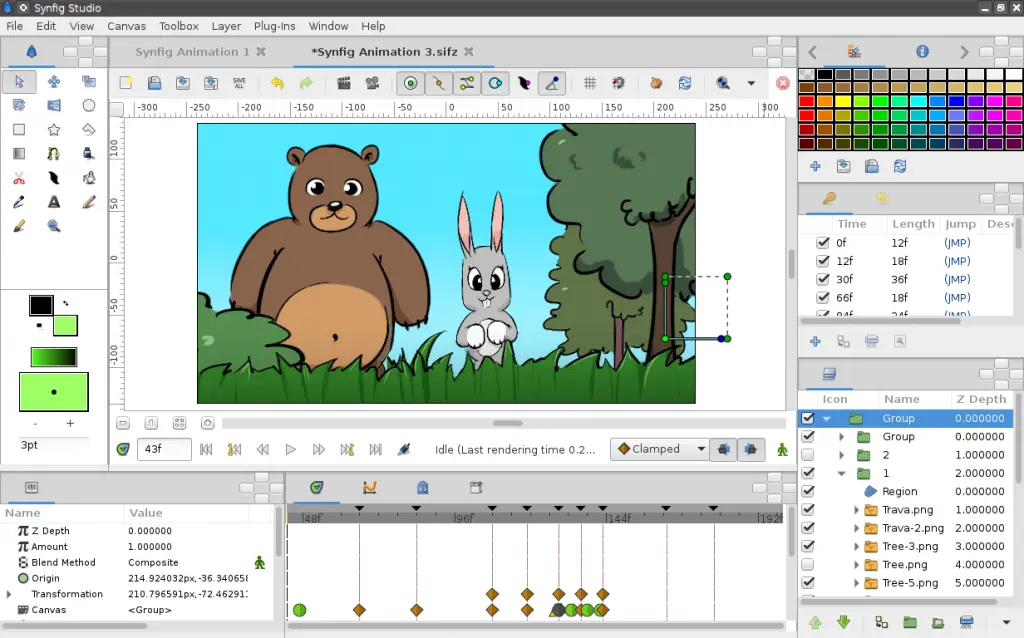
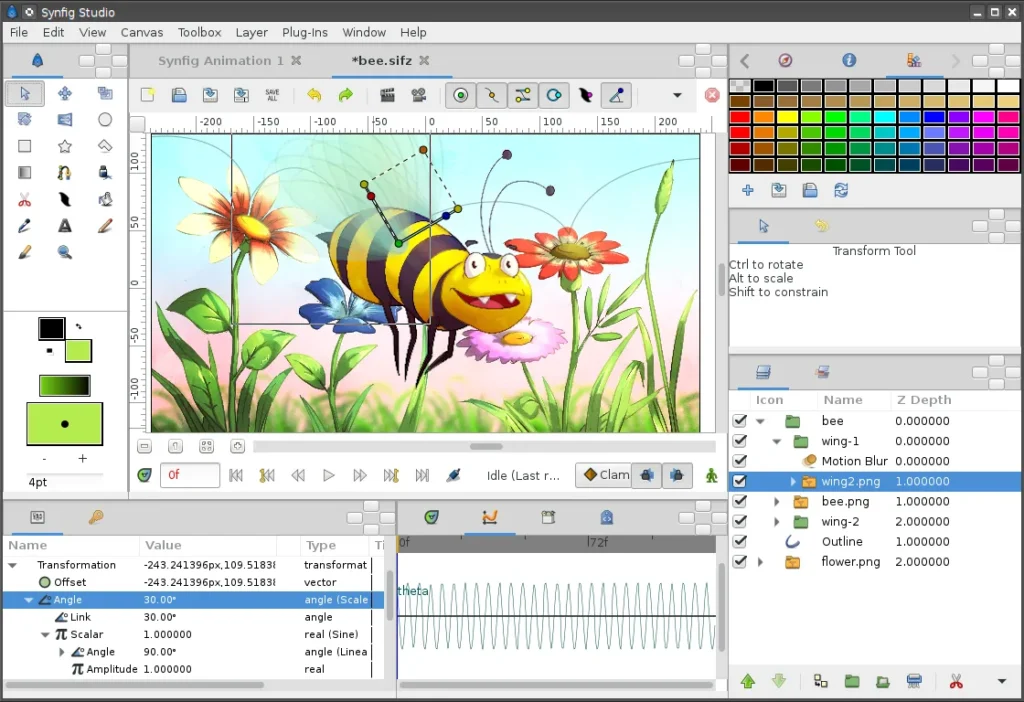
System Requirements
| Platform | Minimum Specification |
|---|---|
| Windows | Windows 7 or newer, Intel/AMD 64-bit, 4 GB RAM (8 GB recommended), OpenGL-compatible GPU, 200 MB free disk space |
| macOS | macOS 10.12 or newer, Intel or Apple Silicon, 4 GB RAM, 200 MB free disk space |
| Linux | Modern Linux distribution, 64-bit processor, 4 GB RAM (8 GB recommended), OpenGL-compatible GPU, 200 MB free disk space |
How to Install Synfig Studio??
Before installation, scroll down to the Download Section and choose the correct installer for your platform.
Windows (.exe)
- Download the Windows installer
.exe. - Double-click to run the installer.
- Follow the installation wizard prompts and complete setup.
- Launch Synfig from the Start Menu and start animating.
macOS (.dmg)
- Download the macOS package
.dmg. - Open the package and drag Synfig into your Applications folder.
- Once installed, open Synfig from Applications.
- If macOS Gatekeeper alerts you, right-click to allow it to open.
Linux (.AppImage)
- Download the
.AppImagefile for Linux. - Make it executable:
chmod +x Synfig-1.5.x.AppImage. - Run it:
./Synfig-1.5.x.AppImage. - The AppImage runs without complete installation, perfect for testing or multi-distro use.
Download Synfig Studio Free Open Source 2D Animation Software for Windows, macOS & Linux
Support SynFig Studio Project
Support the continuous improvement and development of Synfig Studio by donating on their official website. Your contributions help keep this powerful open-source 2D animation software free and accessible to creators around the world.
Conclusion
Synfig Studio is your go-to solution for creating stunning 2D animations, if you’re a beginner eager to learn or a seasoned professional seeking powerful, no-cost tools. With its impressive feature set and open-source nature, Synfig enables you to bring your artistic vision to life without compromise.
Experience the freedom of professional animation tools in a welcoming and supportive environment, dive into Synfig Studio today!




