

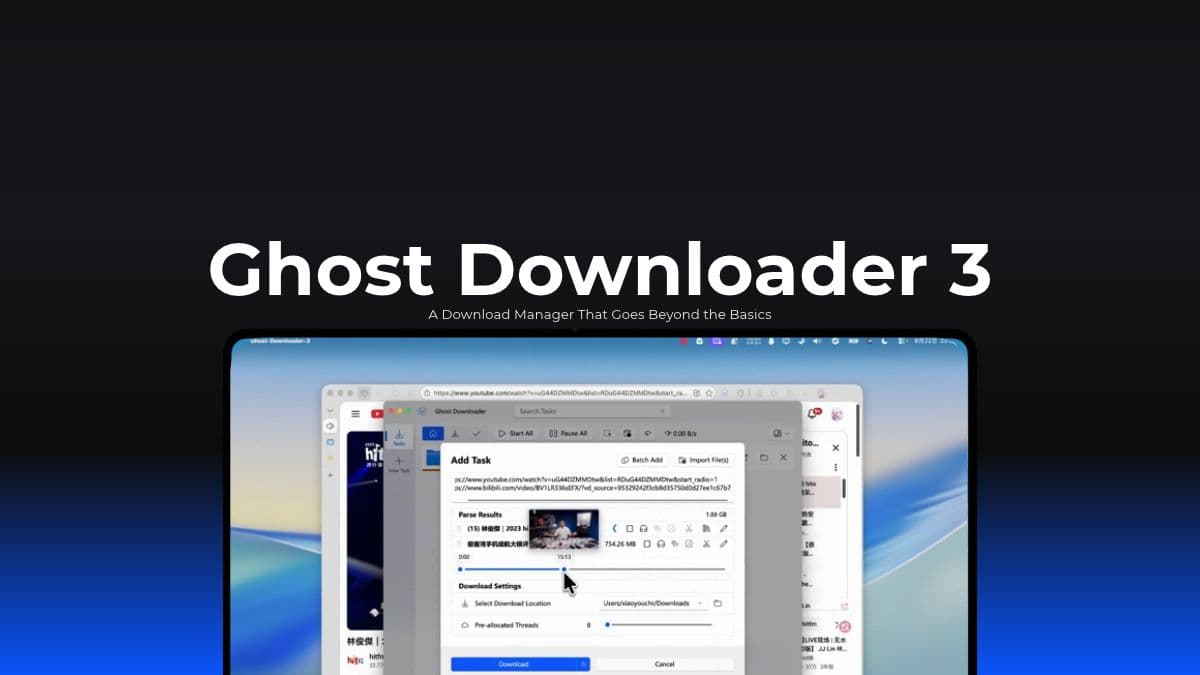

File Info
| Detail | Information |
|---|---|
| Software | Ghost Downloader |
| Developer | XiaoYouChR |
| Version | v4.5.11 |
| License | GPL-3.0 License |
| Operating Systems | Windows, macOS, Linux |
| File Type | Installer |
| Browser Support | Companion browser extension |
| Github Repository | XiaoYouChR Ghost-Downloader-3 |
Table of Contents
Description
Downloading files from the internet isn’t always as simple as clicking a download button. A video might require a separate downloader and extracting media from a webpage can involve copying links between different tools. Ghost Downloader aims to bring these tasks together in one place.
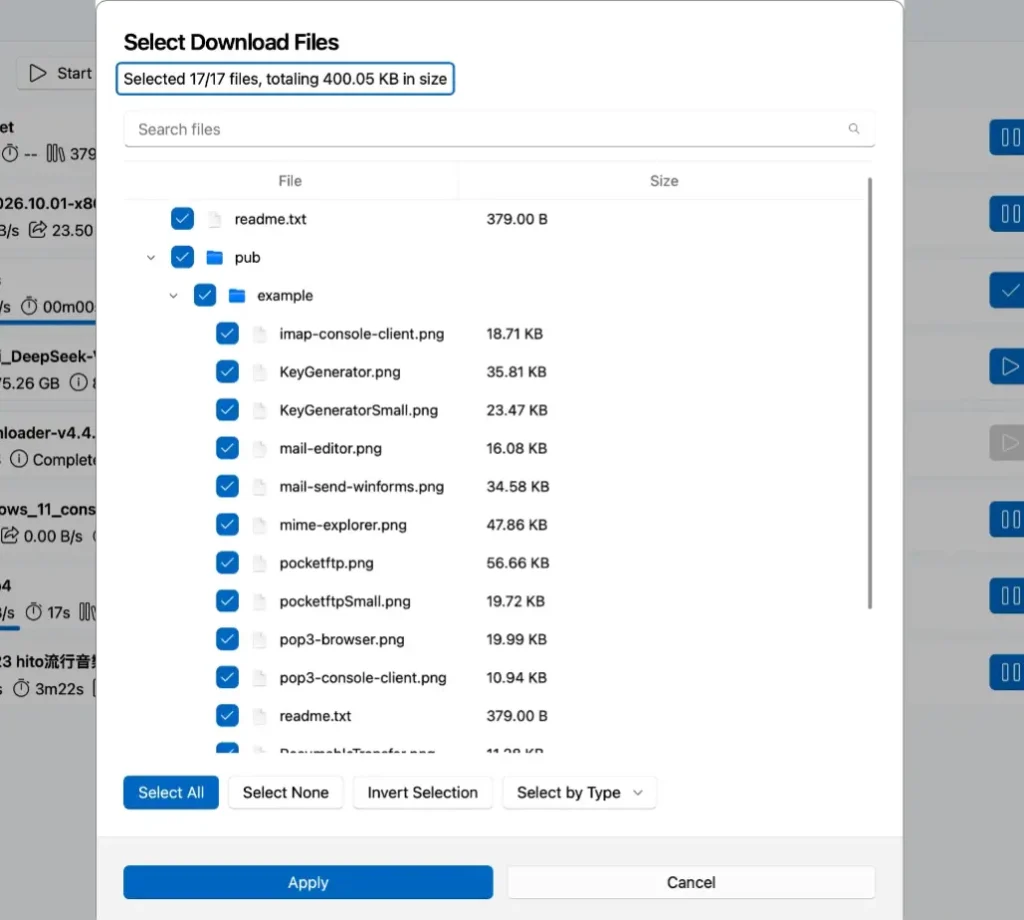
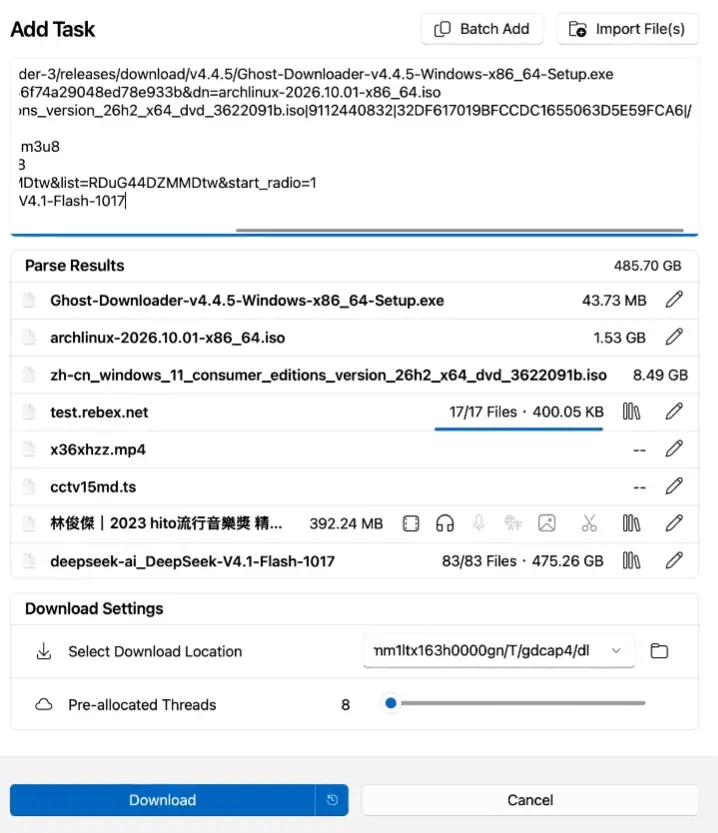
It is a free and open source download manager that supports multiple download protocols, including HTTP, FTP, BitTorrent, Magnet links, M3U8, MPEG-DASH and eD2k. It also supports downloading videos from platforms such as YouTube and Bilibili with options for selecting video quality, subtitles, clips, playlists and multi-part episodes.
The application goes beyond conventional file downloading with its browser extension. It can detect downloadable media on webpages and display available resources through the extension popup. You can select what you want to download, or let the extension pass the task to the desktop application. It also transfers authentication information, helping avoid the need to manually copy URLs between your browser and download manager.
Download performance is another area the project focuses on. It uses smart chunking, automatically detects available bandwidth and supports browser-like TLS fingerprinting to help with websites that apply automated traffic checks. You can also modify download URLs, request headers and proxy settings while a task is running, without losing its progress.
Its Android version adds background downloading and live M3U8 stream recording, while desktop users also get a command-line interface and an aria2-compatible RPC API for integrating downloads with other applications.
Use Cases
- Download large files more efficiently using intelligent chunking and automatic bandwidth detection.
- Save videos from supported platforms like YouTube and Bilibili with options for video quality, subtitles and clip selection.
- Detect and download embedded media from websites using the companion browser extension.
- Download supported M3U8 and MPEG-DASH streams, including live stream recording on Android.
- Manage downloads from GitHub and Hugging Face, including large development resources and AI models.
- Organize and manage multiple downloads from a single application instead of switching between different download tools.
- Automate download tasks using the built-in command-line interface and RPC API.
Screenshots
Features of Ghost Downloader 3
| Feature | Description |
|---|---|
| Intelligent Download Acceleration | Uses smart download chunking and automatic bandwidth detection to optimize download speeds without requiring manual configuration. |
| Browser-Like TLS Fingerprinting | Uses browser-style TLS fingerprints to improve compatibility with websites that employ anti-bot checks. |
| Multiple Download Protocols | Supports HTTP, FTP, M3U8, MPEG-DASH and eD2k protocols. |
| YouTube and Bilibili Support | Download videos with quality selection, clip selection, subtitles, playlists and multi-part episode support. |
| GitHub and Hugging Face Downloads | Supports downloads from GitHub and Hugging Face with mirror acceleration. |
| Browser Extension | Detects media resources embedded in webpages and lets users send downloads directly to the desktop application. |
| Authentication Transfer | Carries browser authentication state into desktop downloads, reducing the need to manually copy links or recreate sessions. |
| Cross-Platform Support | Available for Windows, macOS, Linux and Android. |
| Live Stream Recording | Android version supports recording live M3U8 streams and background downloading. |
| Flexible Download Management | Allows users to modify URLs, HTTP headers and proxy settings during downloads without losing existing progress. |
| Command-Line Interface | Includes the ghd utility for adding, inspecting, pausing, resuming and monitoring download tasks. |
| RPC API | Provides an aria2-compatible RPC API for integration with third-party applications and automation workflows. |
| Feature Packs | Includes a plugin ecosystem for extending application capabilities. |
System Requirements
| Platform | Minimum Version |
|---|---|
| Windows | Windows 10 or later |
| macOS | macOS 13.0 or later |
| Linux | glibc 2.35 or later |
You May Like: Palmier Pro: AI-Powered Video Editor for macOS
Installation Process
- For Windows: Download the Setup.exe file matching your system architecture (x86_64 or ARM64), run the installer, follow the on-screen instructions and launch Ghost Downloader. For the portable version, download the ZIP file, extract it, and run the application.
- For macOS: Download the .dmg file for your processor (Apple Silicon or Intel), open it, drag Ghost Downloader into the Applications folder and launch it from there.
- For Linux: Download the package that matches your distribution and processor. For AppImage, make the downloaded file executable in its Properties and run it. If you choose the .tar.xz archive, extract it and launch the application from the extracted folder.
Download Ghost Downloader 3
Looking For More Versions? Find on their Official Release Page
A Download Manager That Goes Beyond the Basics
Ghost Downloader is a useful option for anyone looking for a free download manager that can handle more than just regular file downloads. Its browser extension, video detection, download acceleration and support for multiple platforms make it a versatile tool for managing different types of downloads from one place.
The command-line interface and RPC support are also welcome additions for users who want more control or prefer automating their downloads. While some capabilities depend on additional components and platform support, This tool offers plenty of functionality without requiring a paid subscription.