
File Information
| Attribute | Details |
|---|---|
| Name | Xournal++ Digital Note-Taking App |
| Version | v1.3.0 |
| File Size | Windows: ~47MB (.exe) • macOS: ~41.2MB (.dmg) • Linux: ~36.8MB (.AppImage) |
| Platforms | Windows • macOS • Linux |
| License | Open Source (GPL 2.0 License) |
| Official Repository | github/xournalapp |
| Official Site | Xournal++ |
Table of contents
Description
Xournal++ is a powerful digital note-taking and PDF annotation tool designed for anyone who takes their work seriously. Built for students, professionals, researchers, and creatives, this software delivers a comprehensive writing and drawing experience that goes far beyond basic note-taking.
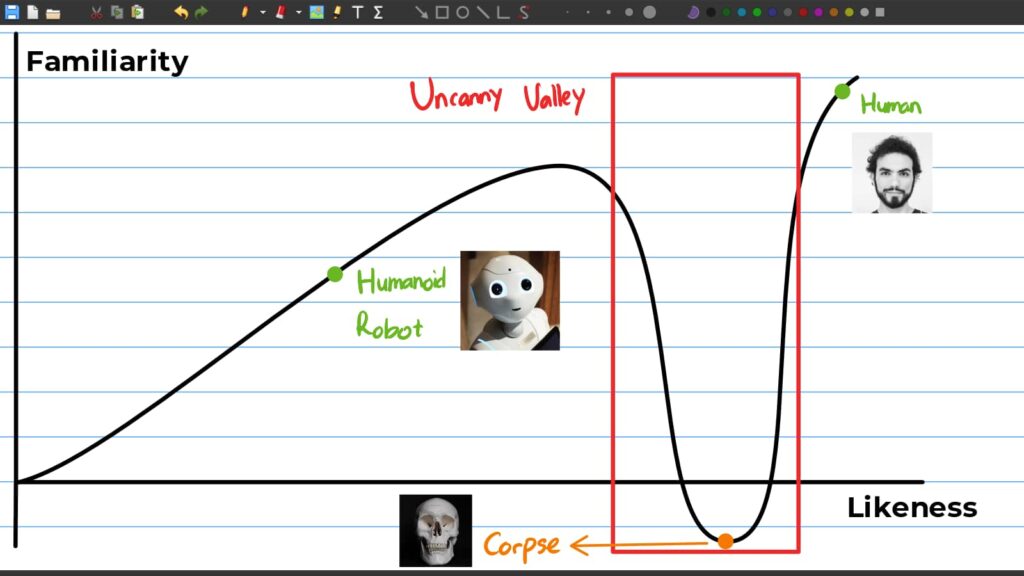
With full support for pressure-sensitive styluses, Xournal++ provides pixel-perfect precision for digital writing. Whether you’re annotating research papers, sketching design concepts, or taking detailed lecture notes, the app offers robust tools that adapt to your specific needs.
Key strengths include advanced drawing capabilities, seamless PDF interaction, and a wide range of customization options. You can highlight text, draw shapes, add layers, insert mathematical equations using LaTeX, and even record audio alongside your notes – all within a single, lightweight application.
Cross-platform compatibility means you’re not locked into one ecosystem. Whether you’re using Windows, macOS, Linux, or Android, Xournal++ delivers a consistent, feature-rich experience. As an open-source project, it continuously evolves based on real user feedback, ensuring it stays ahead of your productivity needs.
More than just a note-taking app, Xournal++ is a complete digital workspace that understands how professionals and creatives actually work. Fast, flexible, and packed with features, it transforms the way you capture, organize, and interact with digital content.
Screenshots
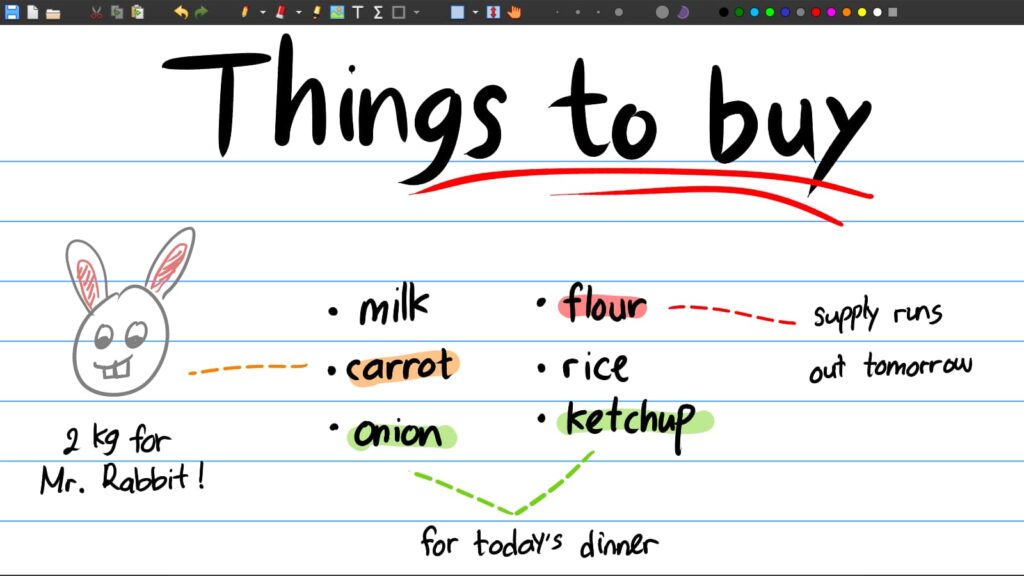
Features of Xournal++
| Feature | Description |
|---|---|
| Stylus Support | Supports pressure-sensitive styluses like Wacom, Huion, XP-Pen, and more |
| PDF Annotation | Highlight, underline, strike-through, or copy text directly from PDF backgrounds |
| Drawing Tools | Pens, highlighters, shapes, arrows, splines, fill tools, and stroke stabilization |
| Text Editing | Add text with adjustable fonts, styles, sizes, and colors |
| Export Options | Export notes and pages as PDF, SVG, PNG |
| LaTeX Support | Built-in LaTeX editor with syntax highlighting (requires LaTeX installation) |
| Audio Recording | Record and playback audio alongside handwritten notes |
| Multi-Language Support | Available in 20+ languages, with community translations |
| Custom Toolbars | Build your own toolbar layouts for portrait, landscape, or specific workflows |
| Image Insertion | Insert, resize, rotate images within notes |
| Layers & Page Management | Layer-based drawing + page preview sidebar + advanced sorting |
System Requirements
| Platform | Minimum Specifications |
|---|---|
| Windows | Windows 10 or newer, 4 GB RAM |
| macOS | macOS 10.14 (Mojave) or newer |
| Linux | Modern Linux distro with GTK 3 support |
How to Install Xournal++??
Windows (exe)
- Download the latest
.exefile from the download section below. - Double-click the installer to launch the setup.
- Choose the installation location (default recommended).
- Click Install and wait for the process to complete.
- Launch Xournal++ from the Start Menu or Desktop shortcut.
macOS (dmg)
- Download the
.dmgfile for macOS. - Open the downloaded file — a new window will appear.
- Drag Xournal++ into the Applications folder.
- Open Launchpad and run Xournal++.
- If macOS blocks the app, go to:
System Settings → Privacy & Security → Allow Xournal++ - The app will now run normally.
Linux (AppImage)
Option 2: AppImage (Universal)
- Download the
.AppImagefile. - Make it executable:
chmod +x Xournal++*.AppImage - Double-click the AppImage to start the application.
Recommended For You: Joplin: Open Source Note-Taking App for Windows, macOS & Linux
Download Xournal++ Open-Source Note-Taking & PDF Annotation App
Conclusion
Xournal++ is more than a note-taking app, it’s a complete digital workspace. With its smooth handwriting engine, advanced PDF tools, customizable toolbars, LaTeX integration, audio notes, and cross-platform availability, it delivers a professional yet flexible experience for all types of users.
Whether you’re annotating documents, sketching ideas, or creating structured notes, Xournal++ stands out as one of the most powerful open-source tools for digital writing and productivity.