
File Information
| Property | Details |
|---|---|
| Name | Joplin |
| Version | Windows: Latest, macOS: Latest (Intel & ARM64), Linux: Latest |
| File Size | Windows .exe: 219 MB, macOS .dmg: 141 MB, Linux AppImage: 147 MB |
| Platform | Windows, macOS, Linux |
| License | AGPL-3.0-or-later (Open Source) |
| Official Repository | Joplin |
Table of contents
Description
Joplin is a powerful open-source note-taking and to-do application that lets you organize your ideas, tasks, and documents across all your devices. Designed for users who value privacy, flexibility, and offline access, Joplin is the perfect alternative to proprietary note-taking apps. With support for Markdown, rich-text editing, notebooks, tags, and attachments, Joplin makes managing personal notes, professional projects, and academic materials simple and intuitive.
Whether you’re a student, professional, or developer, Joplin ensures your notes are secure, portable, and easily searchable. Joplin also supports end-to-end encryption, so you can sync your notes across multiple devices while keeping your data safe. It works seamlessly with cloud services like Nextcloud, OneDrive, Dropbox, and WebDAV, giving you full control over your content.
It is highly customizable, supports plugins and themes, and enables full Markdown editing with live preview. Users can create nested notebooks, add tags for easy search, attach files and images, and export notes to formats like PDF or HTML.
Key highlights of Joplin include:
- End-to-End Encryption: Keep your notes secure while syncing across devices.
- Cross-Platform Synchronization: Works on Windows, macOS, Linux, Android, and iOS.
- Offline Access: Notes are fully accessible offline; changes sync when internet is available.
- Rich Markdown Support: Use headings, lists, tables, code blocks, images, and checkboxes.
- Web Clipper: Save web pages and screenshots directly to Joplin from your browser.
- Task Management: Organize to-dos with reminders and priority levels.
Joplin is perfect for managing personal knowledge, project notes, research materials, or collaborative work. Its plugin ecosystem allows extending functionality, from calendar integration to advanced note filtering and automation.
Features of Joplin
| Feature | Description |
|---|---|
| Notebooks & Sub-Notebooks | Organize notes hierarchically for easy navigation |
| Tags & Filters | Quickly locate notes using tags & custom filters |
| Markdown Editor | Supports rich-text, tables, code blocks, and checkboxes |
| Attachments | Add images, PDFs, and other files to notes |
| Web Clipper | Save articles and screenshots directly from browser |
| Synchronization | Compatible with Dropbox, Nextcloud, OneDrive, WebDAV |
| End-to-End Encryption | Full security for all synced notes |
| Export Options | Export notes to PDF, HTML, or Markdown files |
| Offline Access | Notes accessible without internet connection |
| Cross-Platform | Windows, macOS, Linux, Android, iOS |
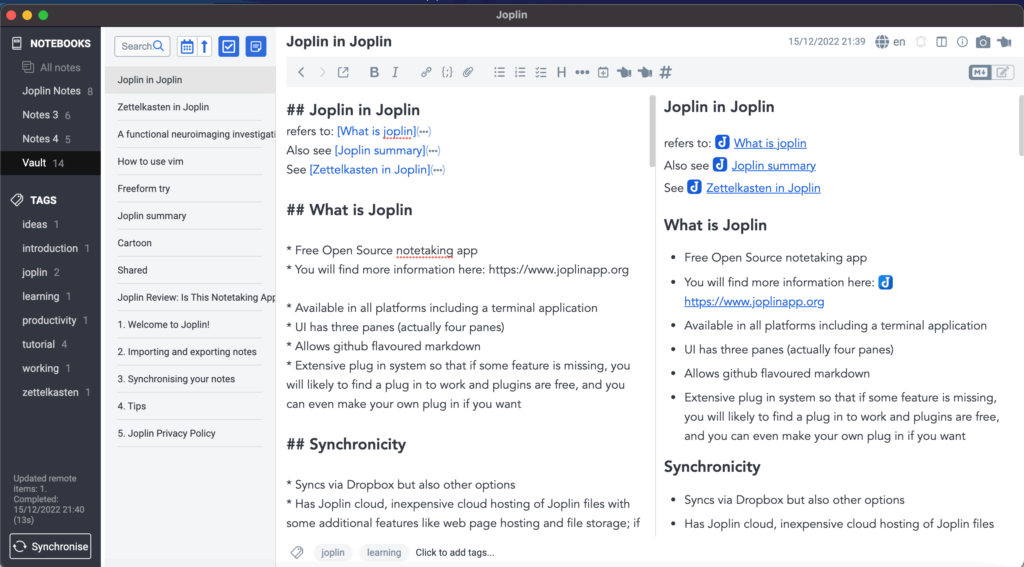
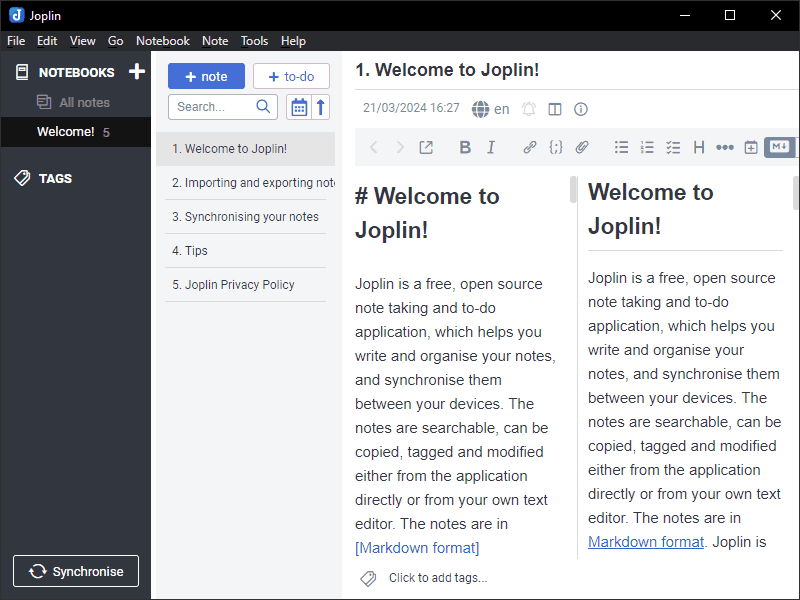
Screenshots
System Requirements
| Platform | Minimum Requirements |
|---|---|
| Windows | Windows 10 or newer, 64-bit |
| macOS | macOS 10.13 or newer, Intel & ARM64 supported |
| Linux | Most modern distros, AppImage compatible |
| RAM | 2 GB minimum, 4 GB recommended |
| Storage | 200 MB free space for installation and local notes |
How to Install Jopin??
Windows (.exe):
- Download the latest
.exeinstaller. - Double-click to run the installer and follow on-screen instructions.
- Launch Joplin and start creating or syncing your notes.
macOS (.dmg):
- Download the appropriate
.dmgfile for Intel or ARM64. - Open the
.dmgand drag Joplin to the Applications folder. - Launch the app from Applications and start using it.
Linux (AppImage):
- Download the
.AppImagefile. - Make the file executable:
chmod +x Joplin.AppImage. - Run the AppImage:
./Joplin.AppImage. - Optionally, integrate it into your system using your desktop environment.
Download Joplin: Open Source Note-Taking App for Windows, macOS & Linux
Conclusion
Joplin is the ultimate free and open-source note-taking application for anyone looking to combine power, flexibility, and privacy. From organizing research, projects, personal journals, or collaborative workspaces, Joplin brings the convenience of cloud syncing, rich Markdown editing, and secure offline access, all while being completely free and open-source. Start using Joplin today to revolutionize your note-taking workflow across Windows, macOS, and Linux.