


File Information
| File | Details |
|---|---|
| Name | PixiEditor |
| Version | v2.0.1.19 |
| License | LGPL-3.0 license (Open Source) |
| Platforms | Windows, Mac, Linux |
| Size | 40MB – 200MB (Varies by OS) |
| File Types | Windows (.zip), Mac (.dmg), Linux (.deb) & (.tar.gz) |
| Category | Raster Image Editor, Pixel Art, Sprite Editor |
| Github Repository | Github/PixiEditor |
| Official Site | Pixieditor |
Table of contents
Description
PixiEditor is a clean fast & free raster image editor designed for pixel art illustration sprite work UI mockups & everyday graphics tasks. It focuses on precision ease of use & a distraction free workflow so you can create assets for games websites apps social posts & presentations without heavy subscriptions or steep learning curves. The interface feels familiar with layers selections brushes shapes text & color tools that respond instantly even on modest hardware. It is a dedicated raster editor that pairs perfectly with those tools by giving you crisp logos buttons favicons textures & hero images
The biggest advantages of using PixiEditor are speed simplicity portability & a helpful community. Projects open quickly edits feel responsive & files export reliably to common formats for direct upload. Because it is open source you can rely on transparent development & community driven improvements
Features of PixiEditor
| Feature Category | Details |
|---|---|
| Layer-Based Editing | Supports layers with opacity control, locking, visibility toggle, and blend modes |
| Pixel Precision Tools | Grid snapping, rulers, guidelines, and smooth canvas zoom for accurate editing |
| Drawing Tools | Brush, pencil, eraser, fill, gradient, line, rectangle, ellipse, polygon, and curve tools |
| Selection Tools | Rectangle, ellipse, lasso, magic selection, and transform controls |
| Transform Controls | Non-destructive scaling, rotating, flipping, and perspective adjustments |
| Color Management | Palette swatches, eyedropper, and HSV, HSL, RGB color pickers |
| Filters & Adjustments | Brightness, contrast, saturation, hue, invert, blur, sharpen, levels, and curves |
| Text Tool | Precise text placement for UI, thumbnails, and labels |
| Tiled Mode | Create seamless textures and game-ready assets |
| Export Options | Export to PNG, JPG, WEBP, GIF, BMP with layered project saving |
| Keyboard Shortcuts | Faster workflow for drawing, selection, navigation, and exporting |
| Templates | Ready-to-use templates for icons, sprites, thumbnails, banners, and covers |
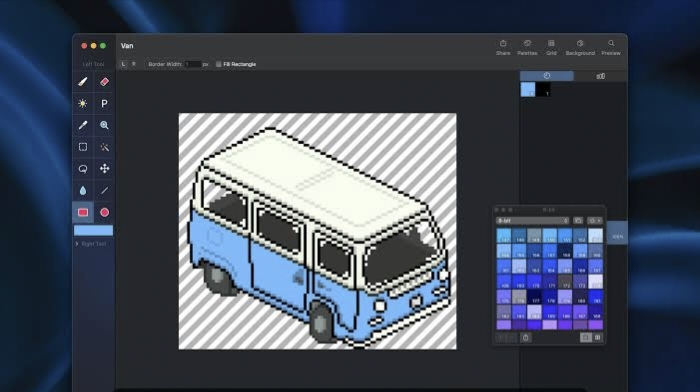
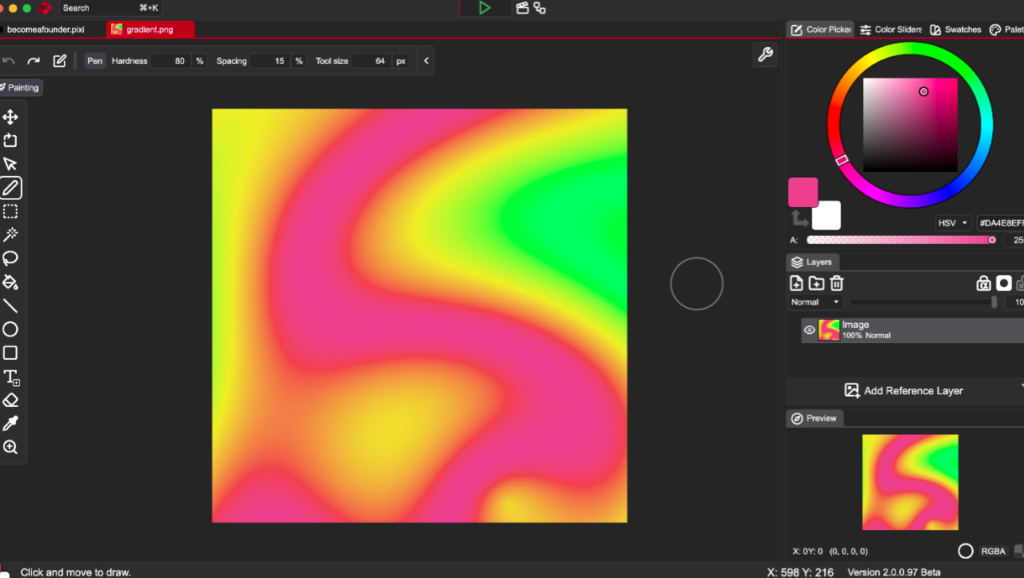
Screenshots
System Requirements
| Operating System | Minimum Requirement | Recommended Requirement |
|---|---|---|
| Windows | Windows 10, 4 GB RAM, 300 MB storage | Windows 11, 8 GB RAM or higher |
| Mac | macOS 11 or newer, 4 GB RAM, 300 MB storage | Apple Silicon or Intel with 8 GB RAM |
| Linux | Modern Linux distribution, 4 GB RAM, 300 MB storage | Latest LTS distribution, 8 GB RAM |
How to Install PixiEditor
Before installation please scroll down to the download section of this page & download the correct file for your operating system.
Windows
- Download the Windows zip from the download section
- Extract the zip to a folder you trust
- Open the folder & run the PixiEditor executable
- Pin PixiEditor to Start or Taskbar for quick access
macOS
- Download the universal dmg zip file from the download section
- Open the dmg then drag PixiEditor into Applications or unzip the archive & move the app into Applications
- On first launch you may need to open via right click open to confirm security
- Launch PixiEditor from Applications or Spotlight
Linux
- For deb based distros download the deb file then open it with your software installer or use your package manager
- For other distros download the tar gz then extract it to your home or opt folder
- Run the PixiEditor executable from the extracted directory or create a desktop entry
- Optional add PixiEditor to your launcher menu
Download PixiEditor: Best Open Source Universal 2D Graphics Editor
Choose your platform & get started now. Pick the file that matches your system then create your first sprite icon banner or hero image in minutes.
A Universal 2D Graphics Editor
Pixieditor is one of the best contribution to the open source community & if you’re looking for a effective 2D grahpics editor. This one is worth trying. You can also explore their roadmap for this software on their official site which is based on community proposals and voting system




