


File Information
| Property | Details |
|---|---|
| Name | Pencil2D |
| Version | 0.7.0 |
| File Size | Linux AMD64: 61.5 MB, Linux i386: 103 MB, macOS: 48.3 MB, macOS Legacy: 25.5 MB, Windows 32-bit: 50.9 MB, Windows 64-bit: 50.9 MB |
| Platform | Windows, macOS, Linux |
| License | GNU General Public License (Open Source) |
| Official Repository | Pencil2D |
| Official Site | pencil2d |
Table of contents
Description
Pencil2D is a lightweight, open source 2D animation software designed for artists, animators, educators & hobbyists alike. It combines a raster & vector workflow, making it easy to create hand-drawn animations, sketches, storyboards, and even full animations for films or online content. Whether you are a beginner exploring animation or a professional creating complex scenes, Pencil2D provides a simple yet powerful platform to unleash creativity without expensive tools.
Pencil2D is cross-platform, running smoothly on Windows, macOS, and Linux, and is actively maintained by a passionate community. Its interface is intuitive, distraction-free, and highly responsive, allowing animators to focus on storytelling and design.
The software is perfect for:
- Creating 2D animations for YouTube, social media, and short films
- Educational projects for schools & online courses
- Storyboarding & concept art for games & films
- Digital sketches and vector artwork
Features of Pencil2D
| Feature | Description |
|---|---|
| Cross-Platform | Works on Windows, macOS & Linux without performance compromise |
| Raster & Vector Workflow | Combine bitmap and vector graphics for flexible animation |
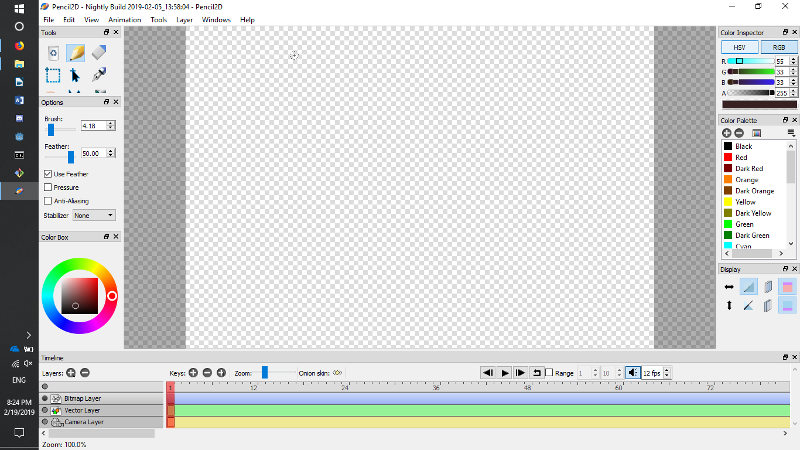
| Onion Skinning | Preview previous and next frames to create smooth animations |
| Audio Support | Import audio tracks to sync animation timing |
| Lightweight & Fast | Optimized to run on both modern and older systems |
| Customizable Interface | Adapt layout to fit your workflow and screen size |
| Frame Management | Easily duplicate, delete, or move frames in your timeline |
| Export Options | Export animations as GIF, MP4, AVI, or image sequences |
| Layer Management | Separate artwork into multiple layers for better control |
| Open Source & Free | Community-supported software with no hidden costs |
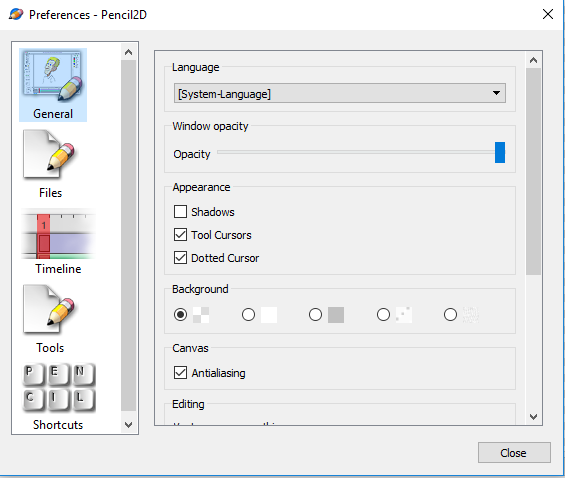
Screenshots
System Requirements
| OS | Minimum Requirements |
|---|---|
| Windows | Windows 7 or higher, 2 GB RAM, 200 MB free disk space |
| macOS | macOS 10.12+ (Intel) or 10.13+ (Apple Silicon), 2 GB RAM |
| Linux | Modern 64-bit distro or i386, 2 GB RAM, graphical environment |
How to Install Pencil2d??
Before Installation download the software for your OS from the download section and the zip files have no password so you can simply extract them using 7zip , install 7zip if not already
Windows
- Download either
pencil2d-win32-0.7.0.ziporpencil2d-win64-0.7.0.zip - Extract the zip file anywhere on your computer (avoid Program Files)
- Run
Pencil2D.exeorPencil2D64.exe
macOS
- Download
pencil2d-mac-0.7.0.zip(Intel/Apple) orpencil2d-mac-legacy-0.7.0.zip(older macOS) - Extract and drag the Pencil2D app to Applications folder
- Open the app and grant permissions if prompted
Linux
- Download the AppImage for AMD64 or i386
- Make it executable:
chmod +x pencil2d-linux-amd64-0.7.0.AppImage
- Run it:
./pencil2d-linux-amd64-0.7.0.AppImage
Tip: AppImages run independently without installation, perfect for testing multiple versions.
Download Pencil2d Free & Open Source 2D Animation Software
Conclusion
Pencil2D is an essential tool for animators and digital artists seeking a free, open source, and lightweight solution. Download it today and start bringing your 2D stories to life effortlessly on Windows, macOS, or Linux.




