
Every week brings another open source AI release, and most of them require setting up a Python environment. Find out the model card lied about VRAM requirements. By the time something actually runs, the appeal has mostly worn off.
The five tools below skip most of that. One turns image and video generation into something closer to a desktop app. One gives DeepSeek an actual workspace instead of a browser tab. One builds UI prototypes using coding agents you probably already have installed. One builds a memory system out of your own apps. And one is, literally, a desktop pet.
Table of Contents
1. Amuse
If you wish to run AI models locally on your system, you’ve got few open source options out of them ComfyUI is the most popular one but it comes with its own learning curve and setup complexity.
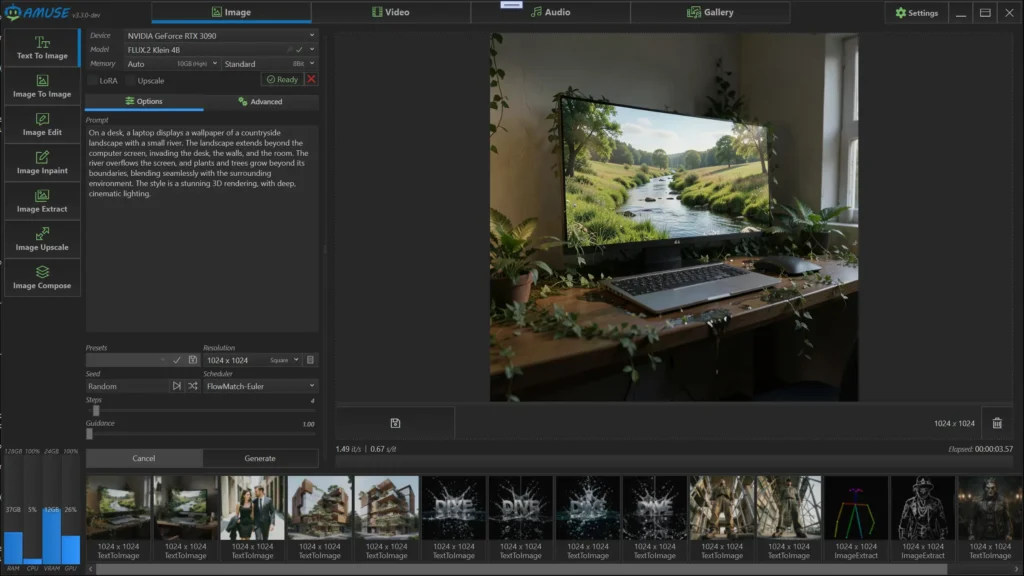
Amuse skips past most of that. Install the app, pick a model, start generating. It sets up its own isolated Python environment automatically, so there’s no manual dependency wrangling before you get to the part you actually wanted to do.
Its like a local AI studio. Image generation runs through FLUX, SDXL, SD3, and Qwen. Video comes from Wan, LTX, CogVideoX, and Helios. There’s speech generation through Supertonic, speech-to-text through Whisper, and a full set of editing tools including inpainting, masking, object removal, upscaling, and frame interpolation for smoother motion or slow-motion clips. LoRA and ControlNet support are both in there too, for anyone who wants more control than a basic prompt box gives you.
The format support is worth a mention. Safetensors, GGUF, and ONNX all work, which means Amuse isn’t locked into one corner of the model ecosystem the way a lot of these tools end up being.
None of this requires touching a terminal.
Platforms: Windows
2. MiniCPM Desk Pet
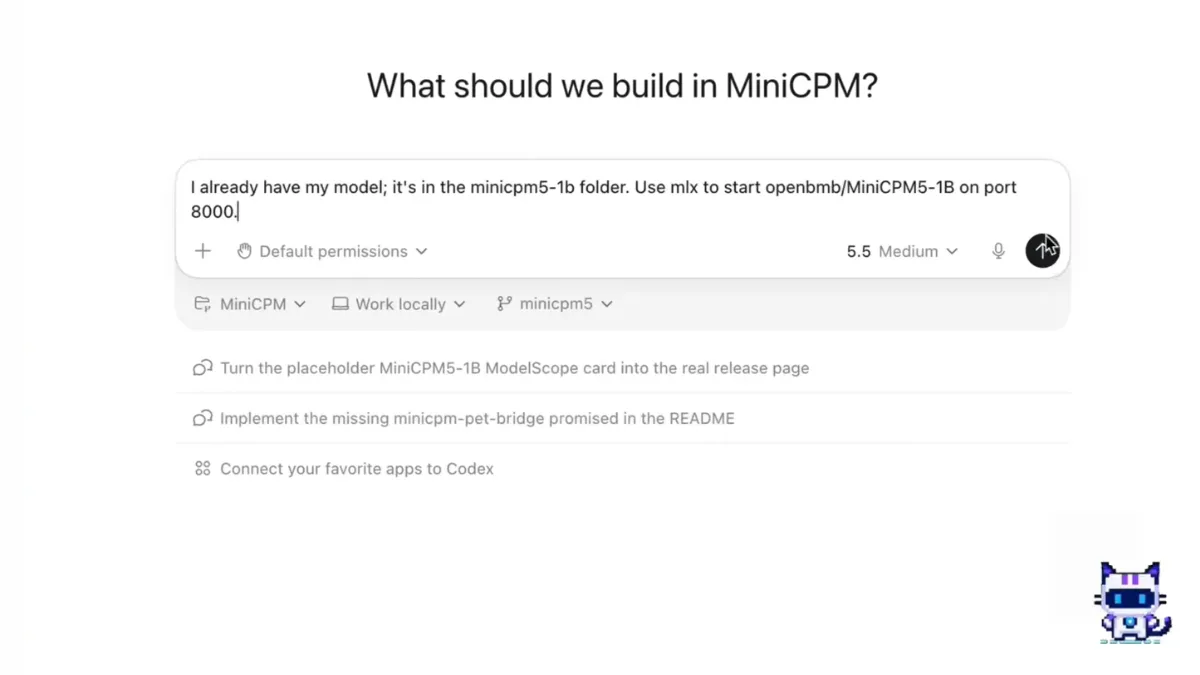
It’s a floating companion that sits on your desktop while you work, and underneath that is a local model doing conversation, just wrapped in something that’s actually fun to have open.
Setup follows the same philosophy as Amuse, a guided wizard checks your environment, downloads the model from Hugging Face or ModelScope, warms it up, and gets out of your way. No manual GGUF file hunting unless you want to go custom, which the app also supports if you’d rather choose your own model.
The pet reacts to activity from tools like Cursor, Claude Code, and Codex, so it’s not just sitting there idle while you code, it’s loosely aware of what you’re doing. Persona adapters let you swap character behavior, keyboard shortcuts give quick access to chat and thinking mode, and everything runs locally once the model’s downloaded.
Platform: macOS and Windows.
3. DeepSeek GUI
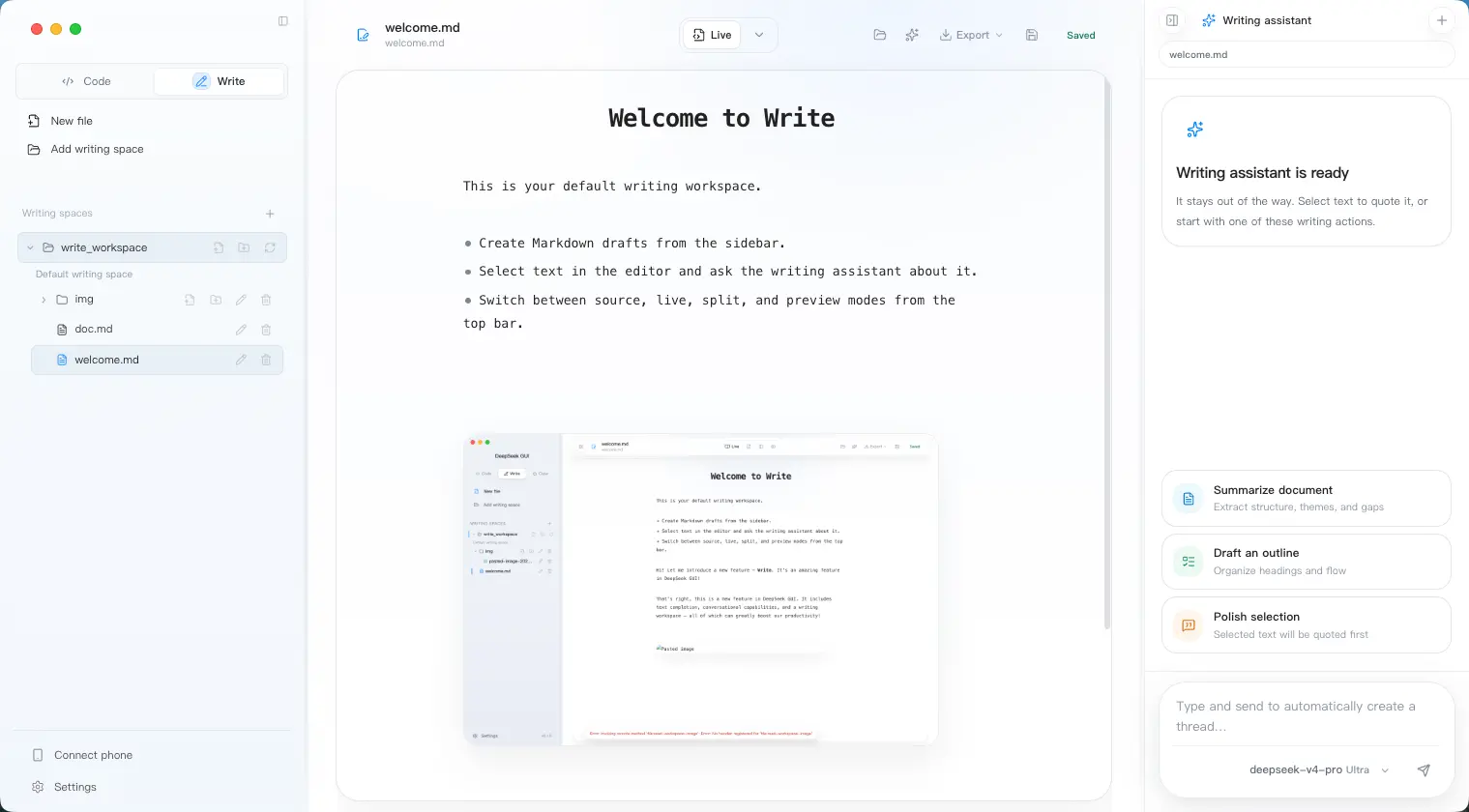
DeepSeek is genuinely good at coding and technical work, but using it seriously usually means a spread of browser tabs, API keys, and terminal windows that don’t talk to each other. DeepSeek GUI’s whole premise is that this is a workspace problem, not a model problem, and it solves it by giving DeepSeek an actual desktop environment.
Underneath is Kun, a local runtime that manages threads, tools, approvals, and execution. That’s a meaningful design choice, instead of just streaming chat responses, Kun keeps agent sessions organized and actively works to reduce wasted tokens through cache optimization and progressive tool discovery, which matters more than it sounds once you’re running longer agentic sessions through MCP environments.
The feature set reflects an actual workflow rather than a chatbot wrapper. Code Mode handles repositories, reviews, and debugging. Write Mode is a markdown editor for drafting. The SDD workflow turns requirements directly into implementation plans and tracked tasks, and the review system generates findings before anything ships. Goals and plans persist across sessions instead of resetting every time you open a new tab, and tool approvals mean nothing executes without you greenlighting it first.
Everything including settings, logs, plans, session data, stays local.
Platform: macOS and Windows.
You May Like: Open Source Tools That Turn Your PC Into a Full Creator Studio
4. Open Design
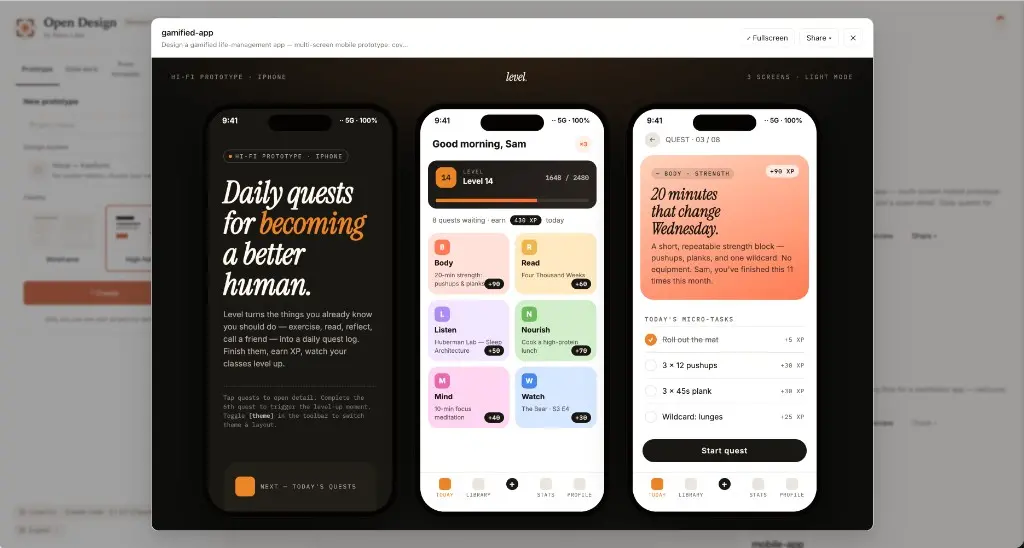
Open Design is simply an open source alternative to Claude Design. It runs locally, plugs into your own API keys, and the useful part is that it doesn’t bring its own coding agents, it finds the ones you already have. Codex, Claude Code, Gemini CLI, and more than ten others. If you’ve got them installed, Open Design just uses them.
That’s the actual engine here. The agents do the work, and Open Design wraps that with over 70 brand-grade design systems and more than 30 reusable skills you can combine depending on what you’re building. It doesn’t just take a prompt and generate something either, it asks structured questions first, which cuts down on the usual back-and-forth of regenerating something five times because the first attempt guessed wrong about what you wanted.
Output comes with a live sandboxed preview before you commit to anything, and exports cover HTML, PDF, PPTX, ZIP, and Markdown, so whatever you build doesn’t stay trapped inside the tool. It also handles image, video, and animation generation alongside static design work, and every project saves locally with full history.
The fallback for people without CLI tools installed is the detail that makes this accessible rather than just powerful. You’re not locked out for not having a terminal setup already, but if you do have one, Open Design gets noticeably more capable.
Platforms: macOS, Windows and Web (Vercel Deploy)
5. OpenHuman
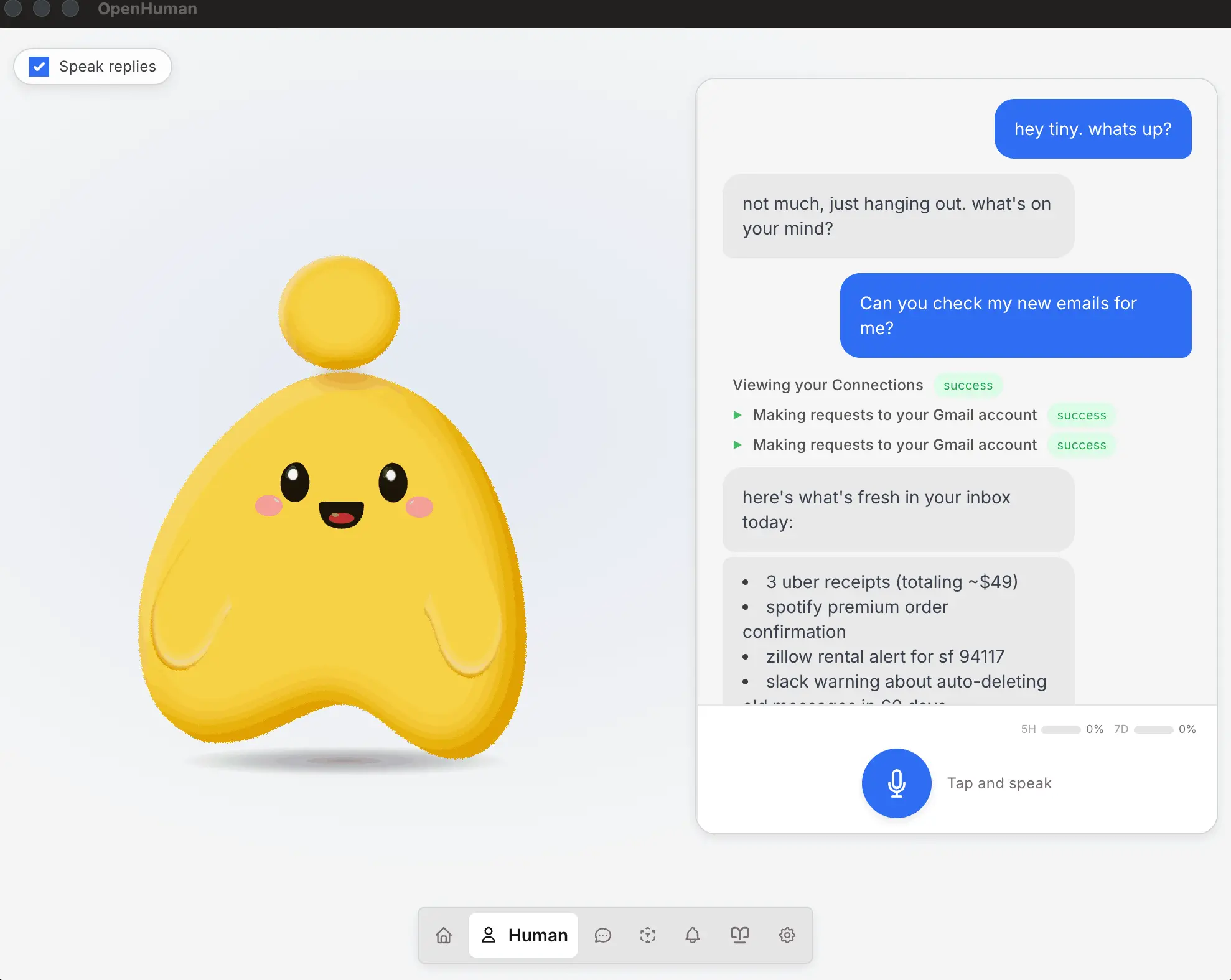
Most AI assistants reset the moment you close the tab. OpenHuman actually remembers you, builds context over time, and feels less like a tool you open and more like something that’s just running in the background of your life.
The core of it is a persistent memory graph built from your own data. Connect Gmail, Slack, GitHub, Notion, Calendar, and over 118 other integrations, and OpenHuman starts syncing automatically in the background, slowly accumulating context about your work and your life without you having to feed it anything manually. That memory gets stored as editable Markdown inside an Obsidian-compatible vault, which is a genuinely good decision, your data isn’t locked in some proprietary format, you can open the vault yourself and see exactly what it knows.
Voice support goes deeper than the usual speech-to-text bolt-on. There’s text-to-speech, mascot reactions, and even Meet support built in. For anyone who wants to keep things fully local, Ollama integration handles that, and a model routing system automatically picks different models for different tasks instead of forcing everything through one model regardless of fit.
The detail that stood out most is TokenJuice, which compresses tool outputs before they get sent to a model. That’s a quiet but smart fix for one of the most annoying parts of agentic workflows, tool calls that return huge, mostly irrelevant blobs of data and quietly burn your context window.
It’s still early and that shows in places. But the direction, a private assistant that actually accumulates memory instead of starting from zero every session, is one of the more interesting bets in this list.
Platforms: Windows, macOS and Linux
Five different problems, one shared idea
None of these tools are solving the same thing. Amuse is a creative studio. MiniCPM Desk Pet is, honestly, just a desktop pet with an open model behind it. DeepSeek GUI and Open Design are both agentic workspaces but built for different jobs. OpenHuman is trying to be something closer to a second brain.
What connects them is that someone clearly sat down and asked what happens after the model works, Whether a normal person can actually get to the part where that tech is useful without losing an afternoon to setup first.
That’s a smaller problem than building the models themselves. It’s also the one that decides whether anyone outside a GitHub README ever touches them.