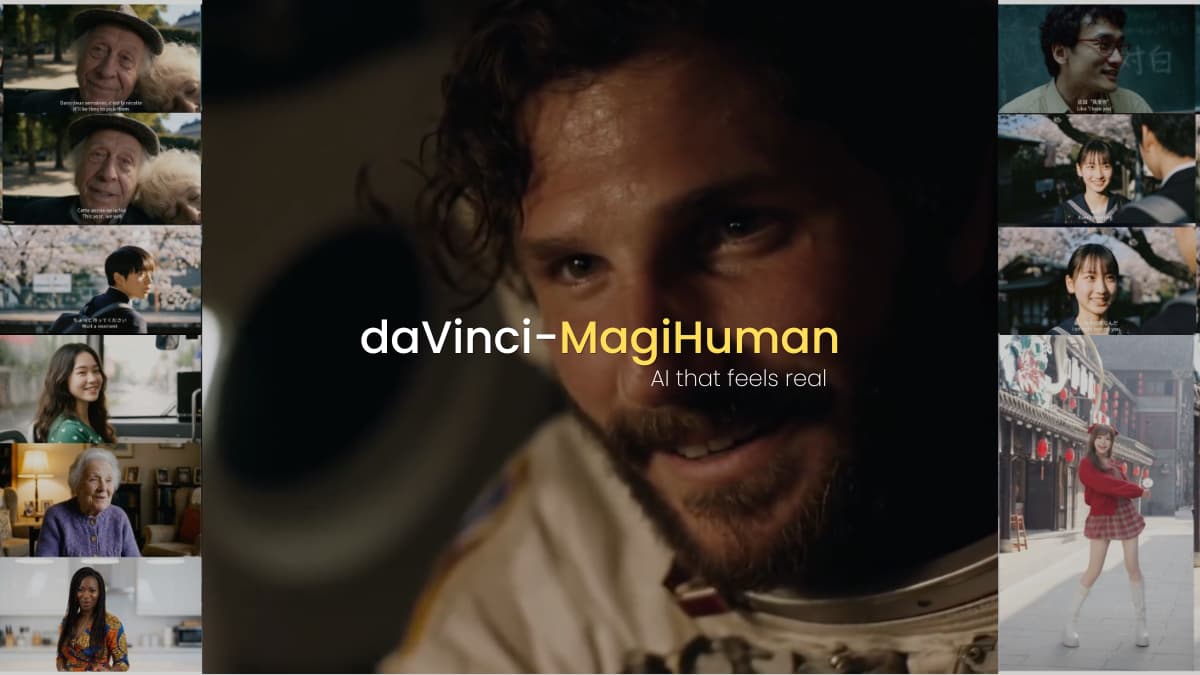

AI generated human video has been around long enough that we should be impressed by now. We are not. Movements look right at a glance, but something always feels off. The lips sync almost but not quite. and the audio never quite feels like it belongs to the person on screen. You watch it, and your brain flags it as wrong even if you cannot explain why.
That gap between AI video and something that actually feels human has been the real problem. Not resolution or even quality in the technical sense. Just that uncanny feeling that never quite goes away.
daVinci-MagiHuman is trying to change that. And the approach is different enough to be worth paying attention to.
Table of contents
daVinci-MagiHuman in a Nutshell
daVinci-MagiHuman is an open source AI model built specifically for generating realistic human videos with synchronized audio. Not a general video generation. This one is built around humans, how they move, how they speak, how their expressions shift mid sentence.
It is a 15B parameter single stream transformer developed by SII-GAIR and Sand.ai. What that means in practice is that text, video and audio are all processed together inside one unified model rather than being handled separately and stitched together after. That architectural decision is what makes the lip sync and expression coordination feel more natural than most alternatives.
It supports six languages. English, Chinese in both Mandarin and Cantonese, Japanese, Korean, German and French. You give it a reference image or a text prompt and it generates a video of that person speaking with matching facial dynamics, body motion and audio.
Its Apache 2.0 licensed. Complete model stack on HuggingFace including base model, distilled model and super resolution model.
Why Most Models Break (and This One Doesn’t)
The standard approach in AI video generation is to handle video and audio separately. One model generates the visuals, another handles the audio, then everything gets aligned in post processing. That pipeline works well enough until you actually watch the result and notice the half second delay between a word being spoken and the corresponding lip movement. Or the expression that does not quite match the emotional tone of what is being said.
daVinci-MagiHuman processes text, video and audio inside a single unified transformer simultaneously. No separate models, no post processing alignment. The lip sync and facial dynamics are not corrected after generation. They are generated correctly from the start because all three streams are being denoised together.
The architecture uses what they call a sandwich design. The first and last four layers handle modality specific processing while the middle 32 layers share parameters across all three inputs. That shared middle section is where the coordination actually happens. The model does not need to be told to sync audio with video because at the point where the decision is made they are the same sequence.
One more thing worth mentioning. It only needs 8 denoising steps to generate output thanks to DMD-2 distillation. Most diffusion models need significantly more. Fewer steps means faster generation without sacrificing quality
How It Performs Against Leading Models
daVinci-MagiHuman was tested against two established models in 2000 pairwise comparisons where real humans chose which video looked better. It beat Ovi 1.1 in 80% of those comparisons. It beat LTX 2.3 in 60.9%. Those are not small margins.
On quantitative benchmarks it also leads. Visual quality 4.80, text alignment 4.18, physical consistency 4.52. The word error rate on speech is 14.60% compared to 19.23% for LTX 2.3 and 40.45% for Ovi 1.1. This matters specifically for multilingual use cases where accurate speech reproduction is the whole point.
Speed is where it surprises most. On a single H100 GPU it generates a 5 second video at 256p in 2 seconds. At 1080p that same 5 second clip takes 38 seconds. For a model doing joint audio video generation at this quality level that is genuinely fast.
These results come from the official paper so take them as a strong signal, not absolute truth. Independent community testing will give a fuller picture as more people run it. But the human evaluation numbers specifically are hard to dismiss. Two thousand comparisons is a meaningful sample.
What it cannot do yet
daVinci-MagiHuman requires an H100 GPU which puts it out of reach for most individual users right now. The setup is not straightforward either. You need three external models downloaded separately before anything runs and the first generation is slower than reported speeds due to compilation warmup. If you need a one click tool this is not it yet.
Three versions, three use cases
daVinci-MagiHuman ships as a complete model stack, You get three versions depending on what you need:
- Base model: generates 256p video, the starting point for most use cases. Slower but highest fidelity output straight from the diffusion process.
- Distilled model: also 256p but generates in just 8 denoising steps instead of the full process. Significantly faster, quality stays competitive. This is the one to start with if you want quick iteration.
- Super resolution model: takes the 256p base output and upscales it to 540p or 1080p in latent space rather than pixel space. That distinction matters because it avoids an extra VAE encode decode round trip, keeping quality high and adding minimal time.
In practice the recommended workflow is distilled model first for speed, then super resolution on top if you need higher output quality. The full pipeline gets you 1080p in 38 seconds on a single H100.
Related: Open-Source AI Video Models That Look Scarily Realistic
Can you run it right now?
If you have access to an H100 GPU, yes. Docker is the recommended path and the repo has clear instructions. You will also need to download three external models separately before running anything. The full setup guide is at Their Official Github
If you do not have H100 access, the demo is available online on HuggingFace Spaces. Worth trying there first before committing to a local setup.
Who this is actually for
This is not for everyone and that is okay. If you have H100 access and work in content creation, research or multilingual video production, this is worth serious attention right now. The audio video synchronization alone puts it ahead of most open source alternatives and the six language support makes it genuinely useful for non English content.
If you are a developer experimenting with avatar generation or building products around realistic human video, the Apache 2.0 license means less restrictions on how you use or deploy it.
If you do not have the hardware, watch the demo, bookmark the repo and check back when cloud access options become more available.
Open source AI video finally feels less like a demo and more like something you could actually use.