
File Info
| File | Details |
|---|---|
| Name | World Monitor |
| Version | v2.5.23 |
| Type | AI-Powered Global Intelligence Dashboard |
| Size | 30MB (may vary by OS) |
| Developer | Elie Habib & Contributors |
| License | AGPL-3.0 (Open Source) |
| Platform | macOS • Windows • Linux |
| Primary Use | Monitor global news, geopolitics, markets, and infrastructure in one dashboard |
| Github Repository | Koala73 / worldmonitor |
Table of Contents
Description
Keeping up with world events usually means jumping between multiple news websites, financial dashboards, live maps, and social media feeds.
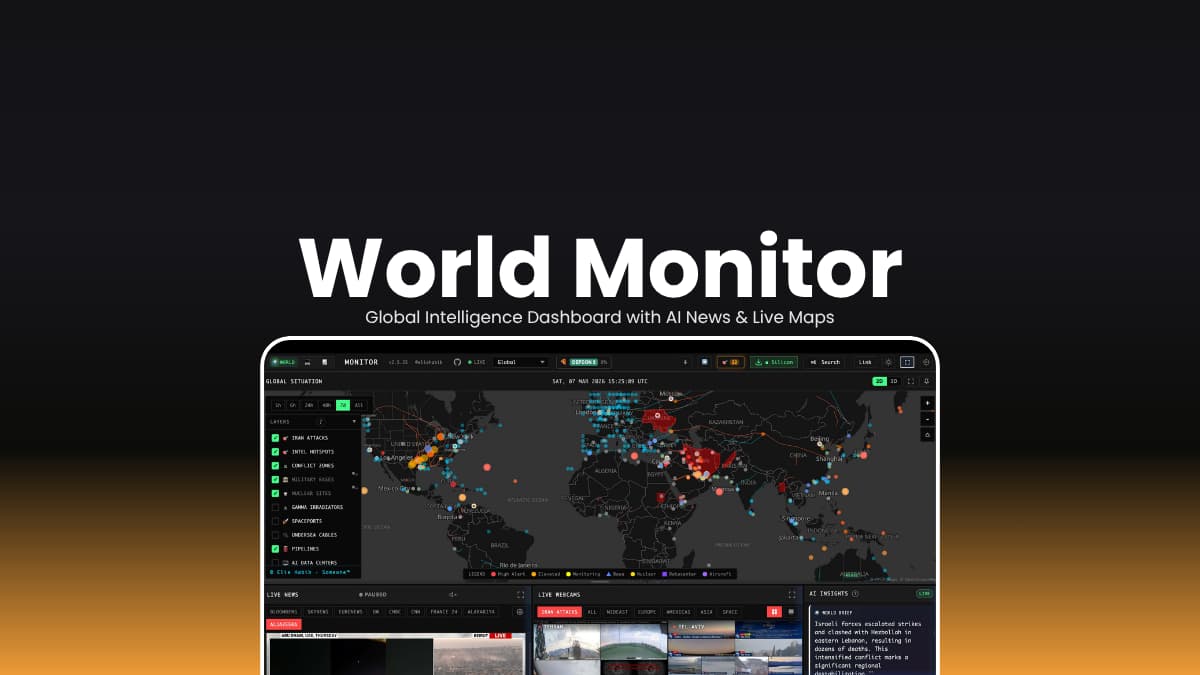
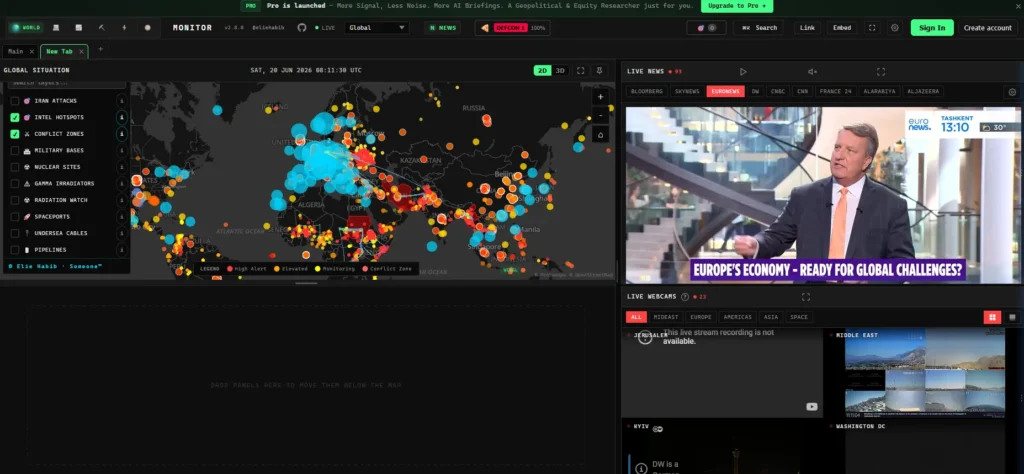
World Monitor brings everything into one place. It combines AI-powered news summaries, interactive maps, financial markets, geopolitical tracking, and infrastructure monitoring inside a single desktop application. Instead of manually checking multiple sources, you get a real-time overview of what’s happening around the world from one interface.
One of its biggest advantages is flexibility. You can connect it to local AI models through Ollama for completely local analysis, or use supported cloud providers if you prefer.
The application also includes multiple specialized views including technology, finance, commodities, energy, and positive news, which makes it useful if you’re following markets, researching international events, or simply staying informed.
Since it’s open source, users can inspect the code, self-host it, or customize the platform for their own workflows.
Use Cases
- Monitor global news and geopolitical developments from one dashboard
- Track financial markets, commodities, and cryptocurrency activity
- Use local AI models with Ollama for private news analysis
- Research international events without switching between multiple websites
- Follow technology, energy, or finance using dedicated dashboard variants
Screenshots
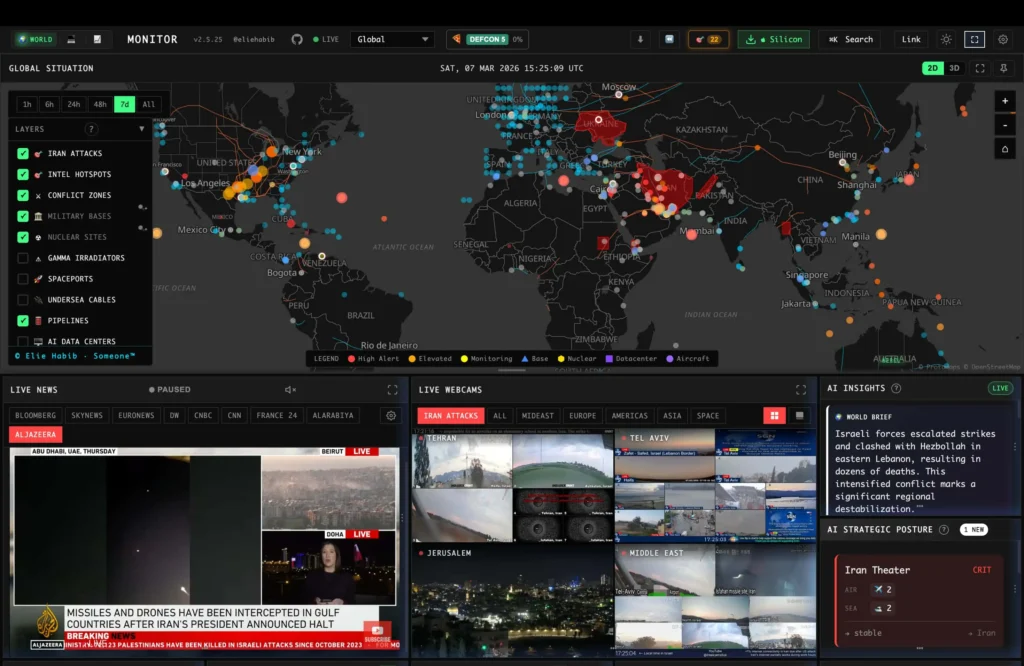
Features of World Monitor
| Feature | Description |
|---|---|
| AI News Summaries | Condenses hundreds of news sources into easy-to-read briefings |
| Global Intelligence Dashboard | Monitor world events from a unified interface |
| Interactive Maps | Explore live events using both 3D globe and flat map views |
| Finance Tracking | Follow stock markets, commodities, crypto, and economic indicators |
| Geopolitical Monitoring | Track military activity, conflicts, disasters, and global developments |
| Country Instability Index | Monitor geopolitical stress across supported countries |
| Local AI Support | Works with Ollama for offline AI processing without API keys |
| Multiple Dashboard Variants | Includes World, Tech, Finance, Commodity, Happy, and Energy modes |
| Desktop Application | Native Windows desktop experience |
| Multi-language Support | Supports 24 languages with localized news feeds |
| Open Source | Fully transparent and community-driven development |
System Requirements
| Component | Requirement |
|---|---|
| Operating System | Windows 10/11, macOS, or Linux |
| Processor | 64-bit Intel/AMD processor or Apple Silicon (M1/M2/M3/M4) |
| RAM | 8 GB minimum (16 GB recommended) |
| Storage | At least 1 GB of free disk space |
| Internet | Required for live news, market data, and online feeds |
| Optional | Ollama installed for local AI-powered summaries and analysis |
You May Like: Open-Source AI Tools You Probably Haven’t Tried Yet
How to Install World Monitor?
Windows
- Download the Windows installer from this page.
- Run the installer and complete the setup.
- Launch World Monitor.
macOS
- Download the appropriate DMG for Apple Silicon or Intel Macs.
- Open the DMG and drag World Monitor into the Applications folder.
- Launch the application.
Linux
- Download the AppImage package.
- Make it executable if needed.
- Launch the AppImage to start using World Monitor.
After installation, allow the application to access the internet so it can fetch live news, maps, and market data. If you want local AI processing, install Ollama separately and connect it from within the application.
Download World Monitor Global Intelligence Dashboard
Who Should Use World Monitor?
If you regularly follow world news, financial markets, technology, or geopolitical developments, World Monitor offers a much more organized way to stay informed.
Its combination of AI-powered summaries, interactive maps, market data, and optional local AI support makes it a powerful desktop dashboard for researchers, analysts, journalists, and everyday users who want a broader view of what’s happening around the world.