



File Imformation
| Name | Trilium Notes – Free Open Source Hierarchical Note Taking Application |
|---|---|
| Version | Latest stable release (recommended) |
| File Size | Windows: ~120 MB (.exe) • macOS: ~150 MB (.dmg) • Linux: ~110 MB (.AppImage) |
| Platforms | Windows • macOS • Linux |
| License | Open Source (AGPL) |
| Official Repository | GitHub / TriliumNext |
| Official Site | triliumnotes |
Table of contents
Description
Trilium Notes is a free, open source, cross platform note taking application built for users who want a powerful & structured knowledge management system. It is designed for creating deep, hierarchical note trees that can scale from simple personal notes to massive knowledge bases with over 100,000 notes.
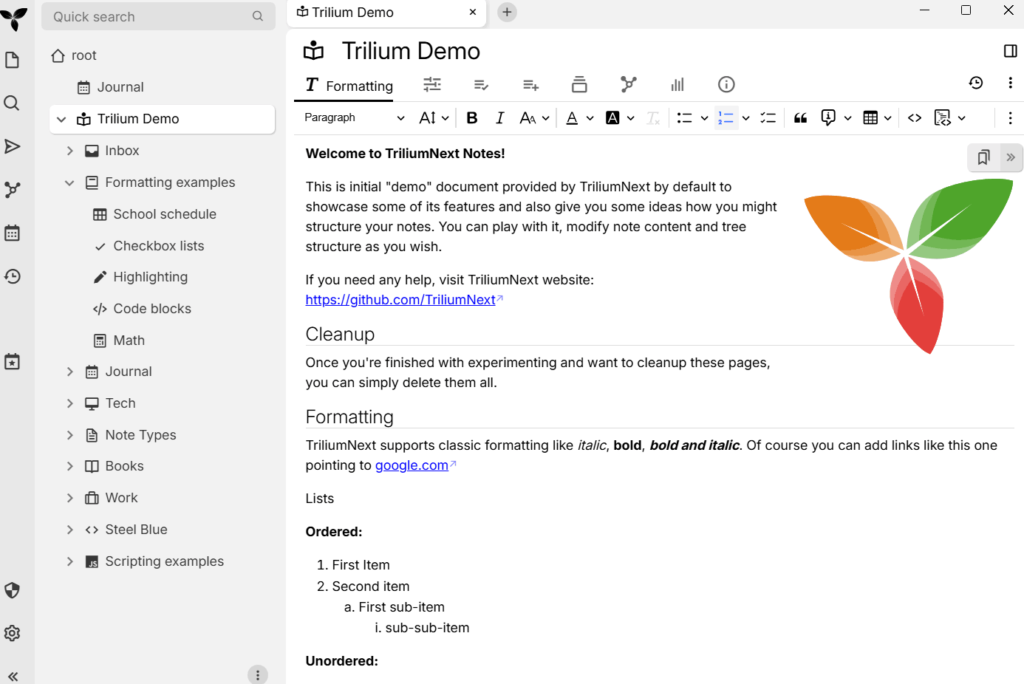
Unlike typical note apps, Trilium focuses on long term knowledge organization, automation, advanced linking, & flexible workflows. Notes can be arranged into an arbitrarily deep tree, cloned into multiple locations, or enhanced with attributes for querying & scripting. The interface provides fast navigation, full text search, rich editing tools, & seamless versioning to help users manage information efficiently.
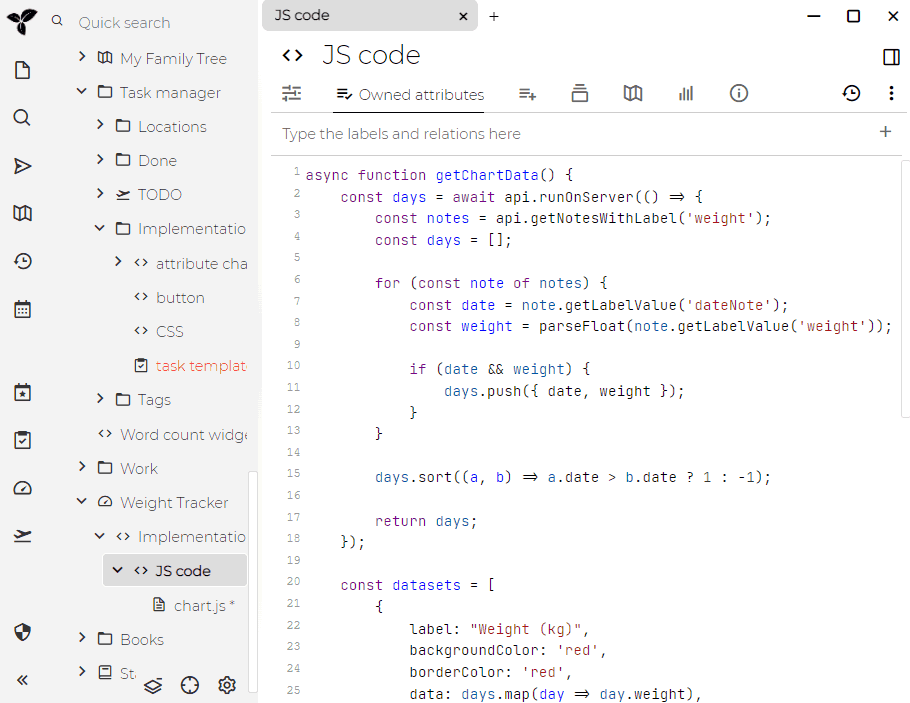
Trilium includes advanced features like WYSIWYG editing, code highlighting, encryption, mind maps, excalidraw based sketching, REST API automation, relation maps, diagrams, mobile web app, & integration with OpenID. The ecosystem also includes community themes, scripts, plugins, and external resources like tutorials & knowledge base patterns.
The project is maintained by the TriliumNext community, which continues to improve stability, add features, and support new platforms.
Screenshots
Features of Trilium Notes
| Feature | Description |
|---|---|
| Deep Tree Structure | Notes can be organized into an infinitely deep hierarchy with options to clone notes into multiple places. |
| Rich WYSIWYG Editor | Supports tables, images, math, markdown autoformat, & full styling control. |
| Code Editing | Syntax highlighting for dozens of languages, ideal for technical notes. |
| Fast Navigation | Includes full text search, note hoisting, quick jump, & efficient browsing. |
| Versioning | Automatically saves previous versions of notes for rollback and safety. |
| Attributes System | Use attributes for tagging, querying, automation, or building custom workflows. |
| Multi Language UI | Available in English, German, French, Spanish, Romanian, Chinese (both simplified & traditional). |
| Secure Login | Includes OpenID and TOTP support for enhanced login security. |
| Synchronization | Sync with a self hosted sync server. Third party hosting options are also available. |
| Publishing | Share selected notes publicly with a clean publishing interface. |
| Strong Encryption | Per note encryption for sensitive content. |
| Diagram & Sketching Tools | Canvas based drawings using Excalidraw. |
| Relation Maps & Link Maps | Visualize connections between notes. |
| Mind Maps | Built using Mind Elixir for visual organization. |
| Geo Maps | Add location pins & GPX tracks. |
| Scripting | Automate workflows with built in scripting capabilities. |
| REST API | Extensive API for automation, integration, & external tools. |
| Scalability | Built to perform smoothly with knowledge bases of over 100,000 notes. |
| Mobile Interface | Optimized web based mobile UI for phones & tablets. |
| Themes | Includes dark mode and supports custom user themes. |
| Import & Export | Evernote import, markdown import & export, and various export formats. |
| Web Clipper | Save web pages directly into Trilium with the browser extension. |
| Customizable UI | Add widgets, sidebar buttons, & personalize the layout. |
| Metrics & Monitoring | Built in metrics with Grafana dashboard support. |
System Requirements
| Platform | Minimum Specification |
|---|---|
| Windows | Windows 8 or newer, 64 bit CPU, 4 GB RAM (8 GB recommended), 250 MB free disk space |
| macOS | macOS 10.13 or newer, Intel or Apple Silicon, 4 GB RAM (8 GB recommended), 250 MB free disk space |
| Linux | Modern 64 bit Linux distribution, 4 GB RAM (8 GB recommended), 250 MB disk space |
How to Install Trilium Notes??
First scroll to the Download Section & select the appropriate installer for your operating system.
Windows (.exe)
- Download the Windows installer.
- Unzip the downloaded archive.
- Run the trilium executable.
- Start organizing your notes immediately.
macOS (.dmg)
- Download the macOS disk image.
- Open the .dmg file & drag Trilium to the Applications folder.
- Launch it from Applications.
- If macOS alerts you about the developer, right click the app & allow it to open.
Linux Installation
Trilium Notes provides multiple installation options for Linux users. You can install it using the .deb package or the .rpm package. Choose the method that matches your distribution.
Install Using .deb (Debian, Ubuntu, Linux Mint & other Debian based systems)
- Download the Trilium .deb package from the latest release page.
- Open your terminal in the folder where the .deb file is saved.
- Install the package using:
sudo apt install ./trilium_X.X.X_amd64.deb - Wait for the installation to complete.
- Launch Trilium from the applications menu or run:
trilium
If you encounter dependency issues, run:
sudo apt --fix-broken install
Install Using .rpm (Fedora, RHEL, CentOS, openSUSE & other RPM based systems)
- Download the Trilium .rpm package from the latest release page.
- Open your terminal in the folder containing the .rpm file.
- Install it using the system package manager.
For Fedora & RHEL based systems:
sudo dnf install trilium-X.X.X.rpm
For older RPM based systems:
sudo rpm -i trilium-X.X.X.rpm
- Once installed, launch Trilium from the applications menu or run:
triliumDownload Trilium Notes: The Best Free Open Source Knowledge Base & Note Taking App
Conclusion
Trilium Notes delivers a powerful, flexible, and deeply structured approach to building a personal knowledge base. Its combination of a rich WYSIWYG editor, advanced scripting, deep tree organization, fast navigation, and cross platform availability makes it an exceptional choice for users who want complete control over their notes. Whether you are managing research, long term projects, or a large personal knowledge system with thousands of entries, Trilium provides the performance, stability, and customizability required for serious knowledge work.
With native packages for Windows, macOS & Linux, along with browser access and server based synchronization, Trilium fits seamlessly into almost any workflow. Its open source nature ensures transparency, long term reliability, and a strong community that continues to expand its capabilities. For anyone searching for a free, capable, and scalable note taking solution, Trilium Notes stands out as one of the most complete and dependable options available today.




