


File Information
| Attribute | Details |
|---|---|
| Name | RawTherapee – Professional RAW Image Processing Software |
| Version | v5.12 (Latest Stable Release) |
| File Size | Windows: ~43MB (.exe) • macOS: ~173 MB (.zip) • Linux: ~123 MB (.AppImage) |
| Platforms | Windows • macOS • Linux |
| License | Open Source (GNU GPL v3) |
| Official Repository | Github/Rawtherapee |
| Official Site | rawtherapee |
Table of contents
Description
RawTherapee is a cutting-edge, libre software solution that revolutionizes digital photo processing for photography enthusiasts and semi-professional photographers. This powerful cross-platform application offers unprecedented control over image development, providing photographers with a sophisticated toolset for transforming raw image files into stunning visual masterpieces.
Unlike proprietary photo editing software, RawTherapee delivers professional-grade image processing capabilities completely free of charge. Its advanced algorithms and deep technical approach make it a go-to choice for photographers who want to dive deep into the intricacies of digital image manipulation.
Screenshots
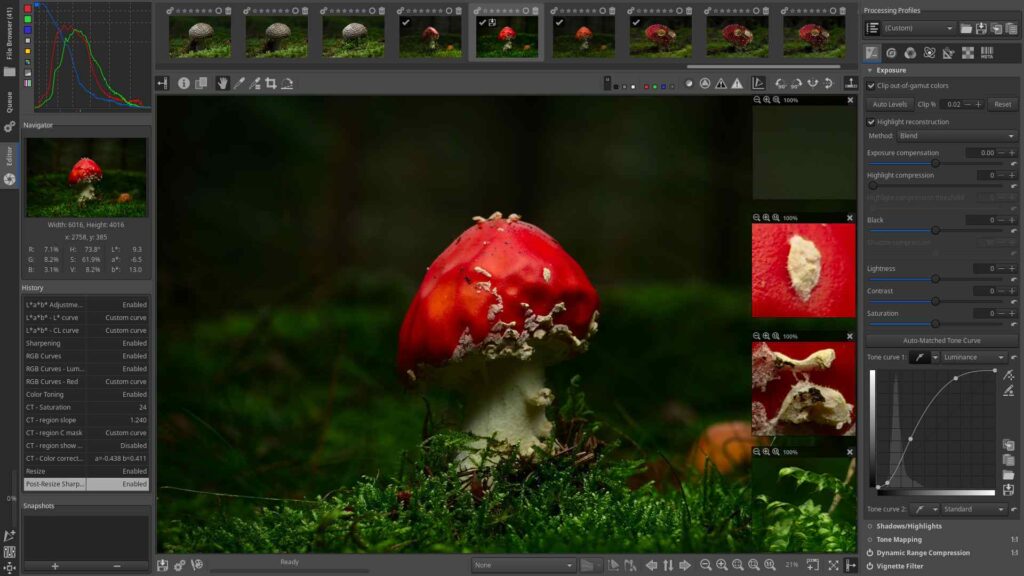
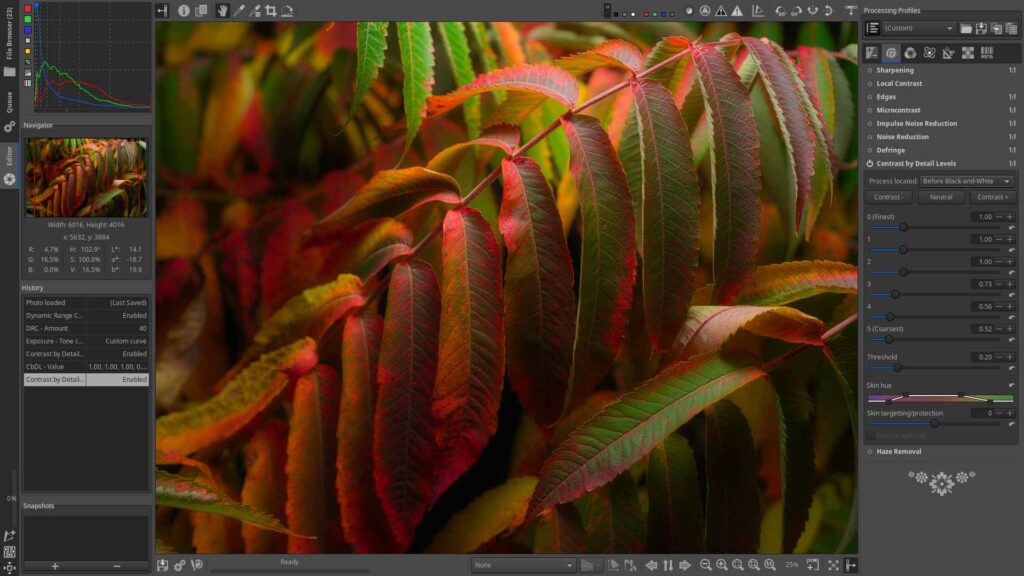
Features of Rawtherapee
| Feature | Description |
|---|---|
| Advanced RAW Processing | Supports extensive range of digital camera RAW formats |
| Precision Color Management | Detailed color science and development controls |
| Multi-Platform Compatibility | Seamless operation across Windows, macOS, and Linux |
| High Dynamic Range Support | Advanced HDR DNG file processing |
| Non-Destructive Editing | Preserve original image integrity |
| Comprehensive Demosaicing Options | Unparalleled control over image reconstruction |
| Extensive Metadata Handling | Complete image information management |
System Requirements
| Platform | Minimum Specifications |
|---|---|
| Windows | Windows 10/11, 64-bit, 8 GB RAM, OpenGL-capable GPU |
| macOS | macOS 10.14+, 8 GB RAM, Intel or Apple Silicon |
| Linux | 64-bit Linux, 8 GB RAM, Modern desktop environment |
Also See: RapidRAW: The Best Free Lightroom Alternative for Windows, macOS & Linux
How to Install RawTherapee??
RawTherapee is available for Windows, macOS & Linux, with standalone installers and portable builds provided for each platform. Follow the steps below to set it up on your system and start processing RAW photos with full control and professional quality.
Windows Installation (.exe)
- Download the RawTherapee Windows installer (.exe) from the download section.
- Double click the installer to begin setup.
- Choose your preferred installation directory and continue with the on screen instructions.
- Once installed, launch RawTherapee from the Start Menu.
- Import your RAW files or select a photo folder to begin editing.
macOS Installation (.zip Portable)
- Download the macOS ZIP archive.
- Extract the ZIP file to your Applications folder or any location you prefer.
- Open the extracted folder and run RawTherapee.
- If macOS shows a security prompt, go to System Settings > Privacy & Security and allow the application.
- RawTherapee will now run in portable mode without modifying system files.
Linux Installation (.AppImage)
RawTherapee provides an AppImage build which works across most Linux distributions without requiring installation.
- Download the RawTherapee AppImage.
- Make the AppImage executable using the command:
chmod +x RawTherapee-*.AppImage
- Run the AppImage:
./RawTherapee-*.AppImage
Download RawTherapee: The Ultimate Free Professional RAW Photo Editing Software
Why RawTherapee is Good For Photographers?
RawTherapee is meticulously designed for:
- Photography Enthusiasts
- Semi-Professional Photographers
- Image Processing Learners
- Open-Source Technology Advocates
Why Choose RawTherapee?
- Deep Technical Customization: For those who want ultimate image control
- Complete Creative Freedom: Uncompromised image processing controls
- Zero-Cost Professional Tools: Comprehensive features without subscription
- Continuous Community Development: Regular updates and improvements
Conclusion
RawTherapee represents more than just photo processing software, it’s a gateway to understanding the intricate science behind digital imaging. By providing unprecedented control and transparency, this tool empowers photographers to transform their raw captures into true artistic expressions.




