


File Information
| Name | PhotoDemon: Portable Photo Editor |
|---|---|
| Version | v2025 (Latest Stable Build) |
| File Size | ~20 MB (Compressed .zip) |
| Platform | Windows (XP to Windows 11) |
| File Format | .zip (extract and run PhotoDemon.exe) |
| License | BSD 2-Clause License (Free and Open Source) |
| Official Repository | GitHub – tannerhelland/PhotoDemon |
| Official Website | photodemon |
Table of contents
Description
PhotoDemon is a powerful, portable, and completely open-source photo editor designed for Windows users who value both performance and simplicity. Unlike bulky photo editors, PhotoDemon runs seamlessly without installation simply download, extract, and launch the file to start editing instantly.
With a remarkably small footprint of just 20 MB, PhotoDemon packs in professional-grade photo editing tools, batch processing, macro recording, and support for advanced file formats like PSD, XCF, and RAW.
Whether you’re a beginner or a pro photographer, PhotoDemon’s focus on speed, usability, and flexibility makes it an excellent open-source alternative to Photoshop and PaintShop Pro.
It runs entirely from a USB stick or portable drive, leaving no traces or registry entries on your system. Perfect for users who value privacy, portability, and performance.
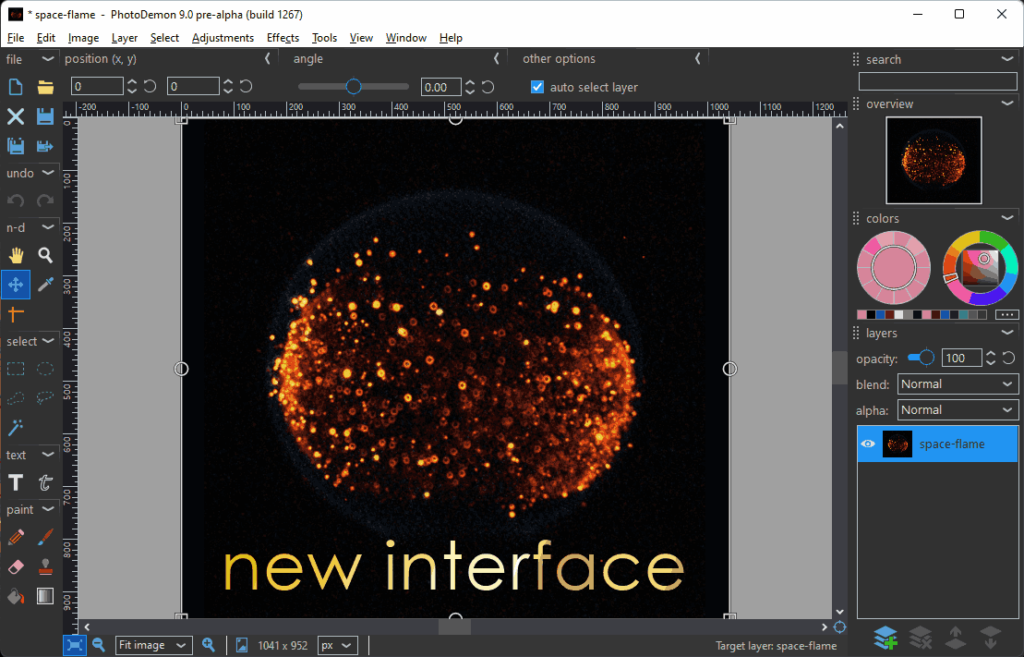
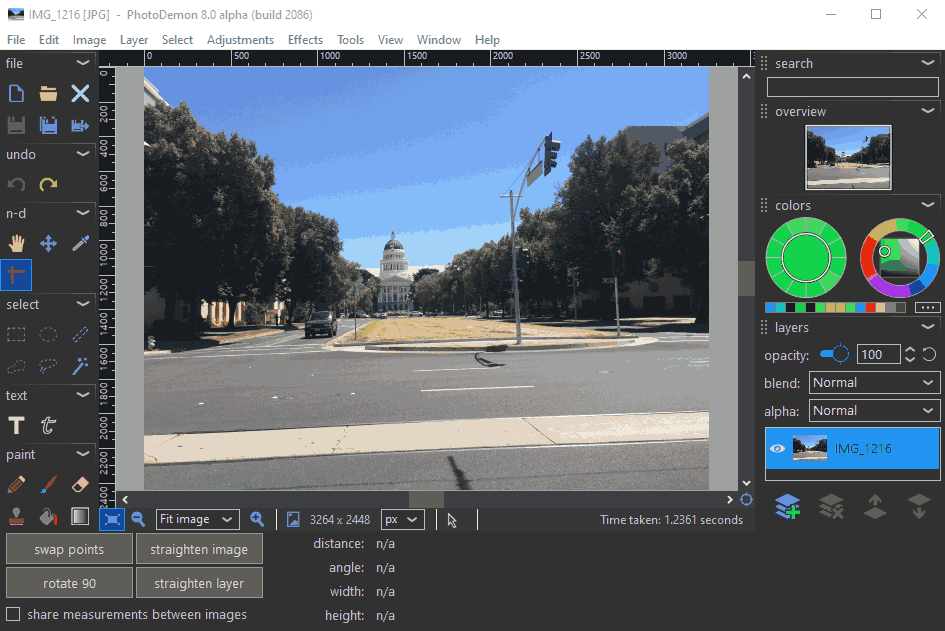
Screenhsots
Features of PhotoDemon
| Category | Highlights |
|---|---|
| Lightweight & Portable | No installation required — runs directly from a USB or portable drive. |
| Wide Format Support | Supports PSD, PSP, XCF, RAW, and other popular image formats. |
| Macro Recording | Record complex editing actions and automate workflows. |
| Batch Processing | Apply recorded macros to multiple images simultaneously. |
| User-Friendly Interface | Real-time effect previews, unlimited Undo/Redo, customizable shortcuts, and descriptive icons. |
| Advanced Editing Tools | Layers, text editing, non-destructive effects, gradients, and brushes. |
| Professional Adjustments | Levels, curves, HDR, color balance, white balance, and shadow recovery. |
| Creative Filters | Edge enhancement, noise removal, perspective correction, and content-aware fill. |
| Color Management | Full ICC color profile support and color-managed workflows. |
| Privacy-Focused | Leaves zero trace on the host system — ideal for secure environments. |
System Requirements
| Component | Minimum | Recommended |
|---|---|---|
| Operating System | Windows XP or later (Windows 11 supported) | Windows 10/11 (64-bit) |
| Processor | Intel Pentium 4 or equivalent | Intel i5 / AMD Ryzen or better |
| RAM | 2 GB RAM | 4 GB or higher |
| Storage | 100 MB free space | SSD recommended for faster load times |
| Graphics | Any DirectX 9-compatible GPU | Dedicated GPU for advanced effects rendering |
| Other | No installation required (Portable App) | Internet connection for updates (optional) |
How to Install PhotoDemon??
Since PhotoDemon is portable, setup is extremely simple — no installer, no registry edits, and no system modifications.
- Download the .zip file from the download page below
- Right-click the downloaded
.zipfile and select Extract All… - Once extracted, open the folder and locate
PhotoDemon.exe. - Double-click
PhotoDemon.exeto launch the app. - Start editing your photos, no setup or admin permissions required!
- (Optional) You can copy the extracted folder to a USB stick or portable drive to use PhotoDemon anywhere.
Download PhotoDemon: Lightweight Portable Photo Editor for Windows
Conclusion
PhotoDemon stands out as one of the most efficient, privacy-respecting, and portable photo editors ever created. With a file size of just 20 MB, it delivers the power and flexibility of full-scale professional editors without the heavy installations or system clutter. Its macro automation, batch processing, and extensive format support make it perfect for both beginners and advanced users who value speed, usability, and control.
Whether you’re editing RAW images, retouching portraits, or experimenting with creative filters, PhotoDemon provides all the tools you need in a compact, no-installation package. Being open-source under the BSD license, it also invites collaboration and transparency, allowing the global community to shape its evolution.
If you’ve been searching for a lightweight, open-source alternative to Photoshop or PaintShop Pro, look no further. PhotoDemon brings professional-grade editing within everyone’s reach, free, portable, and truly powerful.




