


- Advertisement -
File Information
| Name | OpenShot Video Editor |
|---|---|
| Version | v3.3.0 (latest stable) |
| File Size | Windows: ~190MB • macOS: ~250MB • Linux: ~290MB |
| Platforms | Windows • macOS • Linux |
| License | Open Source (GNU GPLv3) |
| Official Repository | GitHub – openshot-qt |
| Official Site | openshot |
Table of contents
Description
OpenShot Video Editor is an award-winning free and open-source video editor available for Linux, macOS, and Windows. Designed for creators of all skill levels, OpenShot provides high-quality video editing, animation, and compositing tools for both professional and personal projects. Whether you’re making YouTube videos, short films, or educational content, OpenShot delivers a powerful, intuitive, and flexible editing experience.
Features of OpenShot Video Editor
| Feature | Description |
|---|---|
| Cross-Platform | Available for Linux, macOS, and Windows |
| Multi-format Support | Supports almost all video, audio, and image formats (via FFmpeg) |
| Curve-Based Keyframe Animation | Create smooth, custom animations for clips, effects, and titles |
| Unlimited Tracks/Layers | Add as many video/audio tracks as needed |
| Clip Editing | Resize, scale, trim, snap, rotate, and cut clips easily |
| Video Transitions | Real-time previews for smooth transitions |
| Compositing & Overlays | Add images, watermarks, and graphics over videos |
| Titles & Subtitles | Create professional titles, 3D animated titles, scrolling credits, and SVG-friendly vector text |
| Advanced Timeline | Drag-and-drop editing, panning, scrolling, zooming, frame-accurate control |
| Speed & Time Effects | Slow motion, fast forward, reverse playback, time remapping |
| Audio Mixing & Editing | Mix multiple tracks and adjust volume/effects |
| Video Effects | Brightness, gamma, hue, greyscale, chroma key, and more |
| Hardware Acceleration | Experimental VA-API, NVDEC, D3D9, D3D11, VTB support |
| Import & Export | EDL, XML, and multiple video/audio formats supported |
| 2D Animation | Import image sequences for 2D animations |
| Digital Video Effects | Wide range of built-in filters for professional editing |
Screenshots
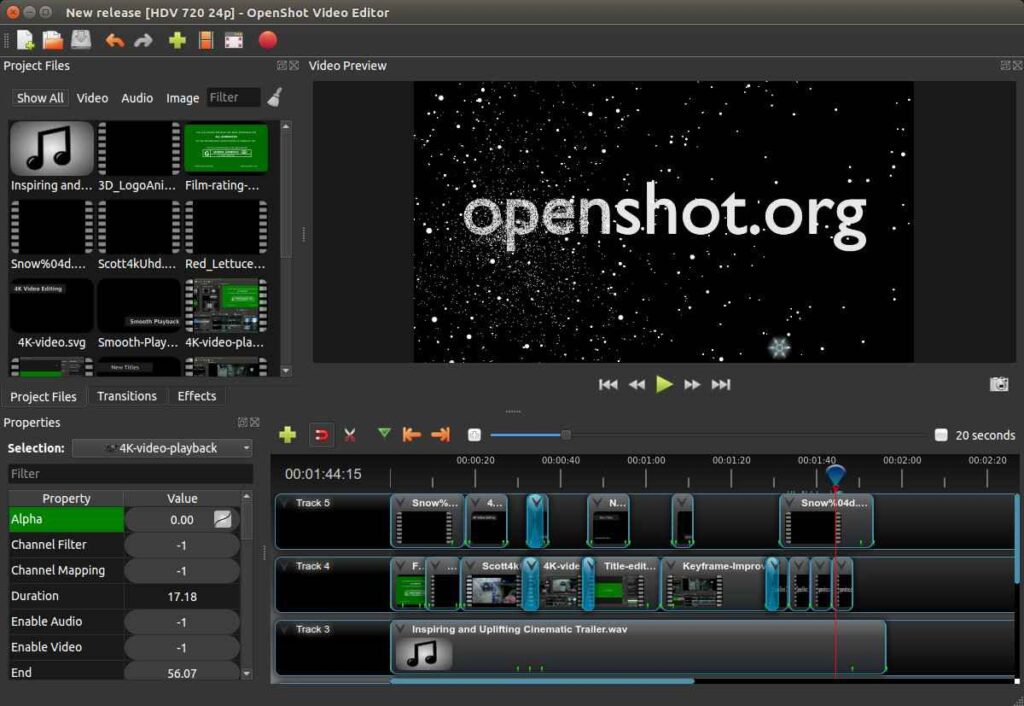
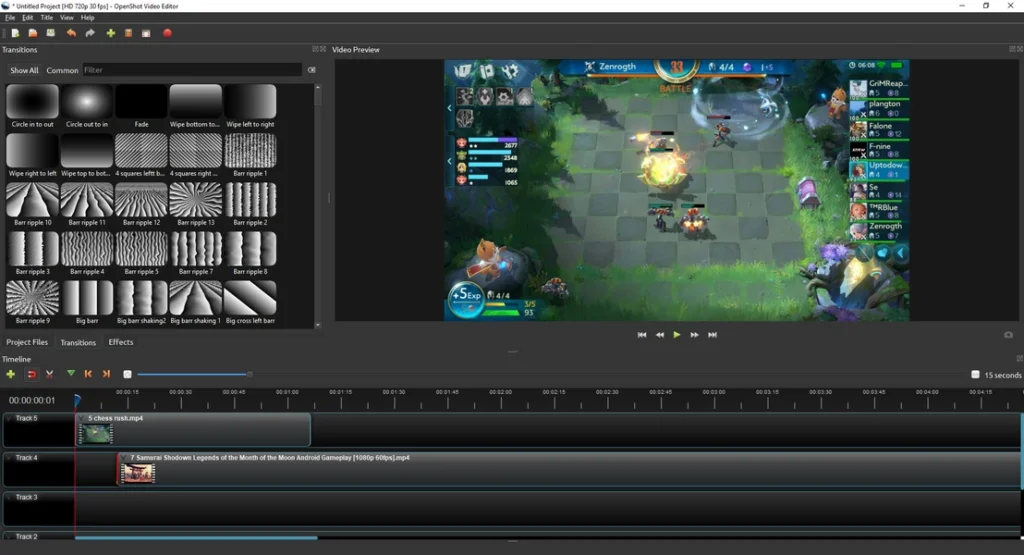
System Requirements
| Platform | Minimum Requirements | Recommended Requirements |
|---|---|---|
| Windows | Windows 7 or later, 4 GB RAM, 1 GHz CPU, 500 MB free disk | Windows 10/11, 8 GB RAM, Multi-core CPU, SSD for storage |
| macOS | macOS 10.13+, 4 GB RAM, 500 MB free disk | macOS 11+, 8 GB RAM, Multi-core CPU, SSD for storage |
| Linux | Ubuntu 18.04+, 4 GB RAM, 500 MB free disk | Latest Ubuntu/Debian/Fedora, 8 GB RAM, Multi-core CPU, SSD |
How to Install OpenShot??
Windows (.exe)
- Download
.exefrom Download Section Below. - Double-click the installer and follow the wizard.
- Launch OpenShot from Start Menu or desktop shortcut.
macOS (.dmg)
- Download
.dmgfrom Download Section Below. - Drag OpenShot to Applications folder.
- Launch OpenShot from Applications; allow permissions if prompted.
Linux (.AppImage)
- Download
.AppImage. - Make it executable:
chmod +x OpenShot-x.x.x-x86_64.AppImage - Run it:
./OpenShot-x.x.x-x86_64.AppImage
Download OpenShot Video Editor: Free Open‑Source & Cross‑Platform Video Editing Software
Why OpenShot is the Best Choice
- Free & Open-Source: No subscription, fully GPLv3 licensed
- Cross-Platform: Linux, macOS, Windows
- Beginner-friendly yet professional: Ideal for creating videos offline
- Supports unlimited tracks & layers: Great for advanced projects
Conclusion
OpenShot Video Editor is the perfect small offline alternative to commercial video editors, making professional video creation accessible to everyone.




