


File Information
| File | Details |
|---|---|
| Name | OpenClaw |
| Version | v2026.2.3 |
| File Formats Provided | CLI Installer • .dmg (macOS App) |
| Platforms | macOS • Linux • Windows |
| License | Open Source (MIT License) |
| Official Repository | GitHub OpenClaw |
| Official Site | OpenClaw |
| Category | Personal AI Assistant • Automation • AI Gateway |
Table of contents
Description
OpenClaw is a local-first personal AI assistant that runs on your own machine and connects directly to the communication tools you already use like WhatsApp, Telegram, Slack, Discord, Google Chat, Signal, iMessage, and more.
It acts as a control plane for your AI. The assistant lives locally, routes messages across platforms, and can speak, listen, automate tasks, render live canvases, and execute tools under your control.
It feels fast, private, and deeply customizable, making it ideal for developers, power users, founders, and privacy-conscious users who want their own AI while keeping their data on their own machine.
Use Cases
- Run a personal AI assistant across all your messaging apps
- Automate workflows and commands locally
- Build a multi-channel AI inbox (WhatsApp, Slack, Discord, etc.)
- Use voice-based interaction on macOS and mobile nodes
- Control browser actions, files, and system tasks
- Experiment with agent routing & AI automation
- Own your assistant without cloud dependencies.
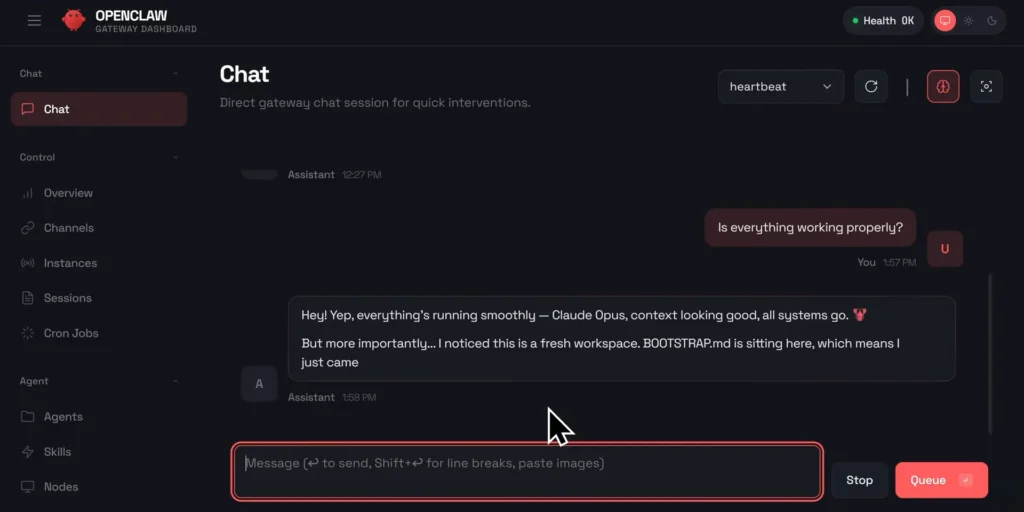
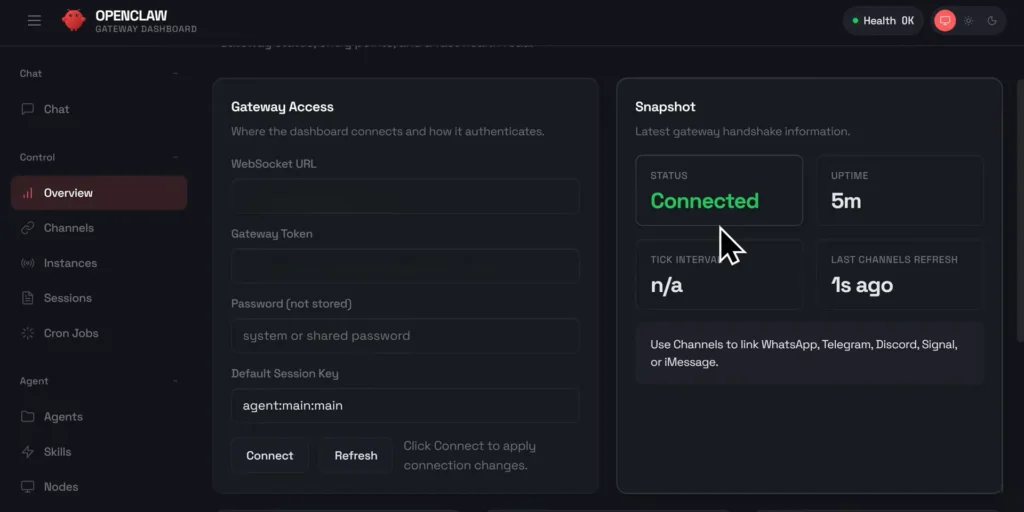
Screenshots
Features of OpenClaw
| Feature | Description |
|---|---|
| Local-First Architecture | Runs on your own machine with full control |
| Multi-Channel Messaging | Works with WhatsApp, Telegram, Slack, Discord, and more |
| Voice Interaction | Speak and listen on macOS, iOS, and Android nodes |
| AI Model Flexibility | Supports OpenAI, Anthropic, and other providers |
| Gateway Control Plane | Central hub for sessions, tools, and channels |
| CLI & Wizard Setup | Guided onboarding with simple commands |
| Live Canvas | Agent-driven visual workspace |
| Automation Tools | Browser control, cron jobs, system actions |
| Open Source | Fully transparent and community-driven |
| Security Controls | Pairing, allowlists, sandboxing options |
System Requirements
| Requirement | Details |
|---|---|
| Runtime | Node.js ≥ 22 |
| Operating System | macOS • Linux • Windows (WSL2 recommended) |
| RAM | 8 GB recommended |
| Disk Space | ~300 MB |
| Internet | Required for model APIs & updates |
How to Install OpenClaw??
OpenClaw is primarily installed via one-line commands and a guided wizard.
Windows
Just open your windows powershell & type the below command.
iwr -useb https://openclaw.ai/install.ps1 | iex
Follow the terminal instructions to:
- Select an AI model
- Configure authentication
- Choose messaging platforms (WhatsApp, Slack, Telegram, etc.)
macOS & Linux
curl -fsSL https://openclaw.ai/install.sh | bash
The onboarding wizard will:
- Install OpenClaw
- Configure the Gateway daemon
- Walk you through model selection
- Connect your preferred messaging platforms
- Provide your local dashboard URL
Once completed, your assistant is live and ready.
macOS App (.dmg) (Optional)
If you’re on macOS and want a dedicated UI:
- Download the OpenClaw
.dmgfile. - Open the
.dmgfile by double-clicking it. - Drag the OpenClaw app into the Applications folder.
- Launch OpenClaw from Applications.
- On first launch, macOS may show a security prompt -> click Open.
Important Security Note
OpenClaw has deep system and messaging access by design.
For safety:
- Avoid installing on your primary personal machine
- Prefer a secondary machine or virtual machine
- Carefully configure DM pairing and allowlists
- Review permissions during onboarding
This design gives you immense power but it should be used thoughtfully.
Download OpenClaw: Local-First Personal AI Assistant
Conclusion
OpenClaw is not a simple chatbot, it’s a personal AI infrastructure you own.
If you want:
- A single AI assistant across all platforms
- Full control over data and behavior
- Powerful automation and extensibility
- An open-source, local-first approach
Then OpenClaw is one of the most ambitious and capable personal AI assistants available today.
It is built for people who want to go beyond basic AI chats and truly own their assistant.




