
File Information
| Attribute | Details |
|---|---|
| Name | Open 3D Engine (O3DE) |
| Version | v25.10.2 |
| File Size | Windows .zip – 2.2GB Linux .deb – 2.7GB |
| Platforms | Windows, Linux |
| License | Apache 2.0 License (Open Source) |
| Official Repository | o3de |
| Official Site | o3de official |
Table of contents
Description
O3DE is built for developers who want the power & flexibility of high-end engines while keeping development costs low. It provides a rich set of tools for rendering, physics, AI, animation, audio, & networking. Whether you’re creating an open-world RPG, a realistic simulator, or an experimental VR experience, O3DE offers the scalability & customization needed to achieve professional results.
With its modular architecture, O3DE allows developers to integrate only the components they need, reducing overhead & improving performance. The engine supports real-time ray tracing, physically based rendering, & multi-platform deployment, making it a robust choice for cross-platform game development. Its asset processor & scene editor streamline the pipeline, letting you focus on creativity rather than technical hurdles.
O3DE is community-driven & backed by major industry contributors, ensuring constant updates, bug fixes, & new features. Being open-source, it allows full transparency & code control, making it ideal for educational purposes, indie projects, & AAA game development alike. With O3DE, you get the power of a professional-grade engine without paying for expensive licenses, making it truly the best free open-source solution available.
Features of O3DE Game Engine
| Feature | Description |
|---|---|
| Real-time Rendering | High-quality rendering with support for ray tracing & physically based materials |
| Modular Architecture | Include only the engine modules you need to reduce overhead |
| Cross-Platform Deployment | Supports Windows, Linux, & cloud-based platforms |
| Physics & Simulation | Advanced physics engine for realistic interactions & environmental simulations |
| Animation System | Supports character rigging, skeletal animations, & cinematic cutscenes |
| Audio Engine | Integrated 3D spatialized audio for immersive experiences |
| Networking & Multiplayer | Built-in networking components for online & local multiplayer |
| Asset Management | Robust asset pipeline for importing, processing, & managing 3D assets |
| Open-Source Community Support | Constant updates, plugins, & community contributions |
| AI & Scripting | Flexible AI systems & scripting options with Lua & Python integration |
Screenshots
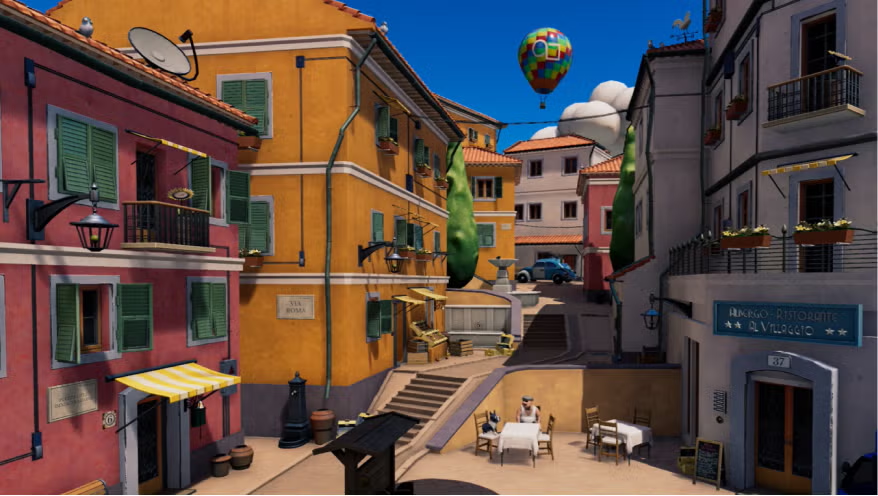
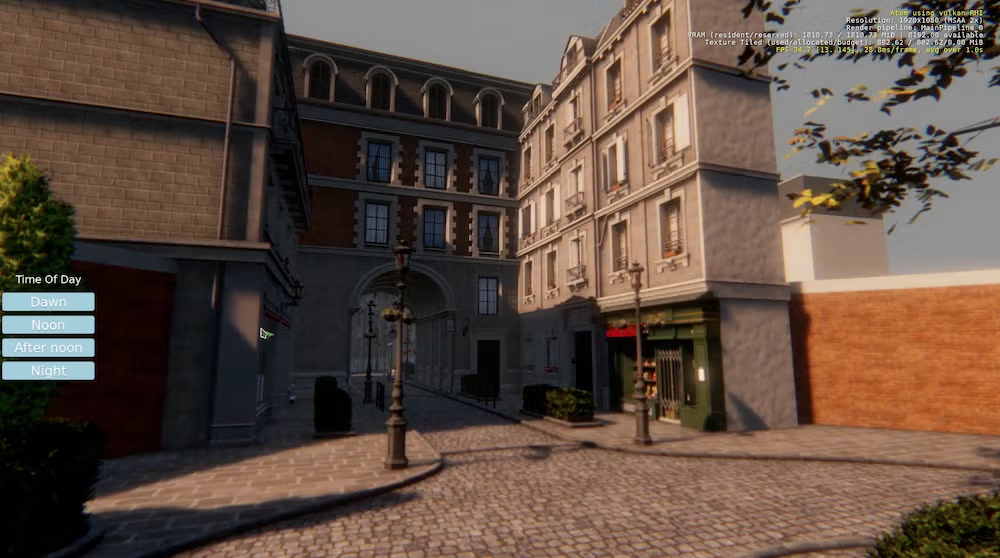
System Requirements
| Hardware Component | Minimum Required Specification |
|---|---|
| CPU | Quad-core (4 cores) 64-bit x86-capable Intel or AMD processor, 2.5 GHz, with the SSE 4.1 SIMD instruction set |
| RAM | 16 GB RAM (8 GB may be acceptable if you limit the number of threads used for compilation) |
| GPU | DirectX 12 or Vulkan-compatible video card with 2 GB VRAM, Shader Model 6.2 (Shader Model 6.3 for raytracing features); NVIDIA GeForce GTX 1060 (driver 471.11 or later) or AMD Radeon Pro 560 or Intel HD 630 |
| Hard Disk | 40 GB (using the pre-built installer) or 100+ GB depending on project configuration |
| Display Device | 1366 x 768 pixel screen resolution |
How to Install O3DE: Open 3D Game Engine??
Before installing, download the engine by scrolling down to the download section. We provide both Windows & Linux installers to make setup simple & efficient.
Windows Installation
- Download the
.zipfile from the download section below. - Extract the
.zipfile to your preferred directory. - Open the extracted folder & run
O3DEoffline installer. - Install the Game Engine
- Launch O3DE & start creating your projects.
Linux Installation
- Download the
.debfile from the download section below. - Open a terminal & navigate to the download location.
- Install the package with the command:
sudo dpkg -i o3de.deb. - Resolve any dependencies if prompted with
sudo apt-get install -f. - Launch O3DE from your applications menu or via terminal.
Download Open 3D Engine O3DE – Best Free Open Source AAA Game Engine for Windows & Linux
Get the power & flexibility of a professional-grade engine without any cost. With O3DE, you can create AAA-quality experiences, explore VR & AR, & experiment with advanced rendering & physics systems. Experience the engine that combines the legacy of CryEngine with modern open-source freedom.
Advantages of Using O3DE
- Completely free & open-source with Apache 2.0 license
- Full control over code & customizability
- Supported by a growing community of developers
- Modular & lightweight architecture
- Advanced rendering & physics systems comparable to top AAA engines
- Ideal for both indie & large-scale projects
- Cross-platform development made easy
Support O3DE Project
O3DE is a groundbreaking open-source game engine with the power to compete with AAA engines like Unreal Engine & RAGE. Behind this incredible technology is a dedicated team of developers, contributors, & visionaries who work tirelessly to make this engine free & accessible to everyone.
Even a small donation can make a huge difference in supporting the O3DE project. Your contribution helps fund development, improve features, enhance documentation, & maintain the open-source community that keeps O3DE growing. Supporting O3DE is not just supporting a game engine, it’s investing in the future of open-source AAA game development.
If you believe in pushing the boundaries of game creation, consider donating today & join thousands of developers who are shaping the next generation of games with O3DE.
Conclusion
O3DE stands out as the best free open-source 3D engine that combines high performance, flexibility & modern tools. Whether you are an aspiring game developer, a professional studio, or an educator, O3DE empowers you to bring your ideas to life without the financial constraints of traditional engines.