



File Information
| File | Details |
|---|---|
| Name | Greenshot: Open Source Screenshot Tool |
| Version | v1.3.312 |
| File Format Provided | .exe |
| Platforms | Windows |
| Size | 3.78MB |
| License | Open Source (GPL v3.0 License) |
| Official Repository | GitHub Greenshot |
| Official Site | Greenshot |
| Category | Screenshot Tool • Productivity • Utilities |
Table of contents
Description
Greenshot is a lightweight, open-source screenshot utility designed to make capturing and working with screenshots fast, simple, and efficient on Windows.
It allows you to capture selected regions, windows, full screens, and even scrolling web pages with just a few keyboard shortcuts. Once captured, screenshots can be instantly annotated, highlighted, blurred, or exported in multiple ways, saving valuable time in daily workflows.
Its simple interface, deep configurability, and low system usage make Greenshot especially popular among developers, testers, designers, and anyone who frequently works with screenshots.
Use Cases
- Capturing screenshots for documentation or tutorials
- Annotating images for bug reports or feedback
- Taking quick screenshots during development or testing
- Creating visuals for presentations or articles
- Daily productivity screenshots without heavy tools
Screenshots
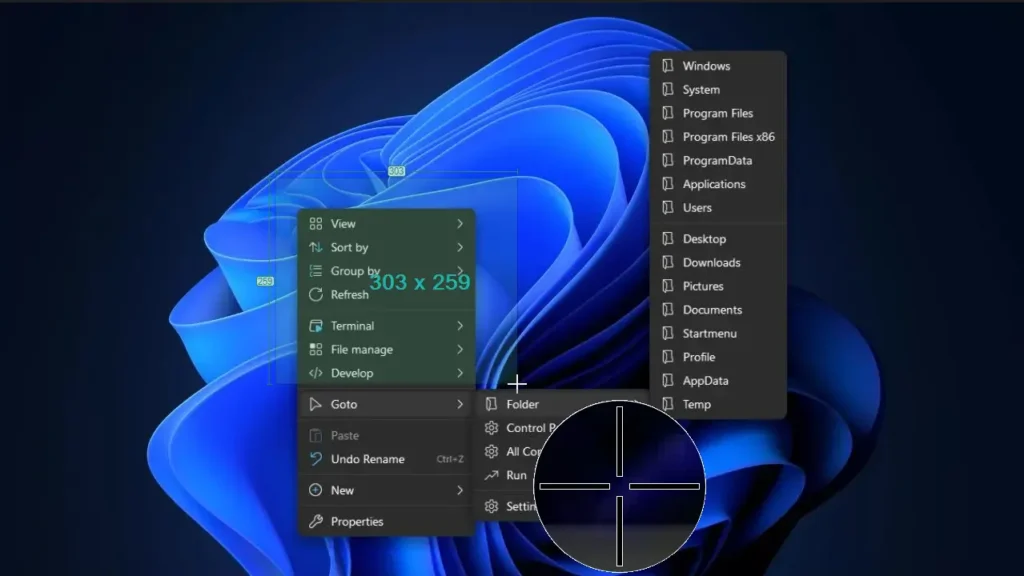
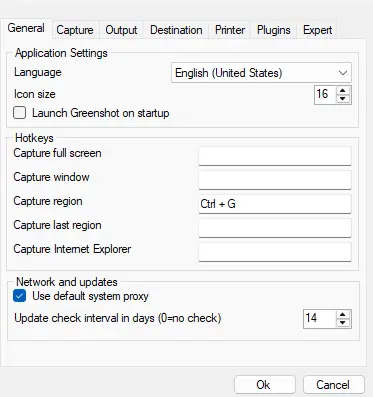
Features of GreenShot
| Feature | Description |
|---|---|
| Region & Window Capture | Capture selected areas, application windows, or full screen |
| Scrolling Screenshots | Capture complete scrolling web pages |
| Built-in Image Editor | Annotate, highlight, draw, blur, or obfuscate sensitive data |
| Multiple Export Options | Save to file, clipboard, printer, email, or other apps |
| Keyboard Shortcuts | Fast capture using customizable hotkeys |
| Lightweight & Fast | Minimal system usage, runs quietly in background |
| Highly Configurable | Customize capture behavior, output formats, and workflows |
| Productivity-Focused | Designed for frequent daily screenshot usage |
System Requirements
| Requirement | Details |
|---|---|
| OS | Windows |
| Framework | .NET Framework 4.8.0 – 4.8.1 |
| RAM | 2 GB minimum |
| Disk Space | ~50 MB |
| Admin Rights | Not required |
How to Install Greenshot??
- Download the Greenshot installer (.exe)
- Double-click the installer file
- Follow the setup instructions
- Launch Greenshot from the Start Menu
- Use keyboard shortcuts or the system tray icon to start capturing
Greenshot runs in the background and is always ready when you need it.
Recommended For You: ShareX Free Screen Recorder & Screenshot Tool For Windows
Download Greenshot: Lightweight Screenshot Tool Optimized for Productivity
Conclusion
Greenshot proves that a screenshot tool doesn’t need to be heavy or complex to be powerful. By focusing on speed, flexibility, and everyday usability, it becomes an essential utility for anyone who works with screenshots regularly.
If you want a reliable, open-source screenshot tool that stays out of your way and helps you work faster, Greenshot is an excellent choice.




