


File Information
| Property | Details |
|---|---|
| Software Name | GitHub Desktop |
| Version | 3.5.3 |
| License | MIT License |
| File Size | ~171 MB |
| Developer / Publisher | GitHub |
| GitHub Repository | GitHub Desktop |
| Supported Platforms | Windows, macOS (Intel & Apple Silicon), Linux |
| Download Options | .exe for Windows, .zip for macOS, .AppImage for Linux |
Table of contents
Description
GitHub Desktop is a powerful, user-friendly Git client that allows developers to manage their repositories with ease. It provides a seamless interface for Git operations like cloning, committing, branching, and merging without using the command line. Perfect for beginners and advanced developers alike, GitHub Desktop keeps your workflow simple and productive.
If you’re working on Windows, macOS, or Linux, GitHub Desktop makes version control intuitive and accessible.
Features of Github Desktop
| Feature | Description |
|---|---|
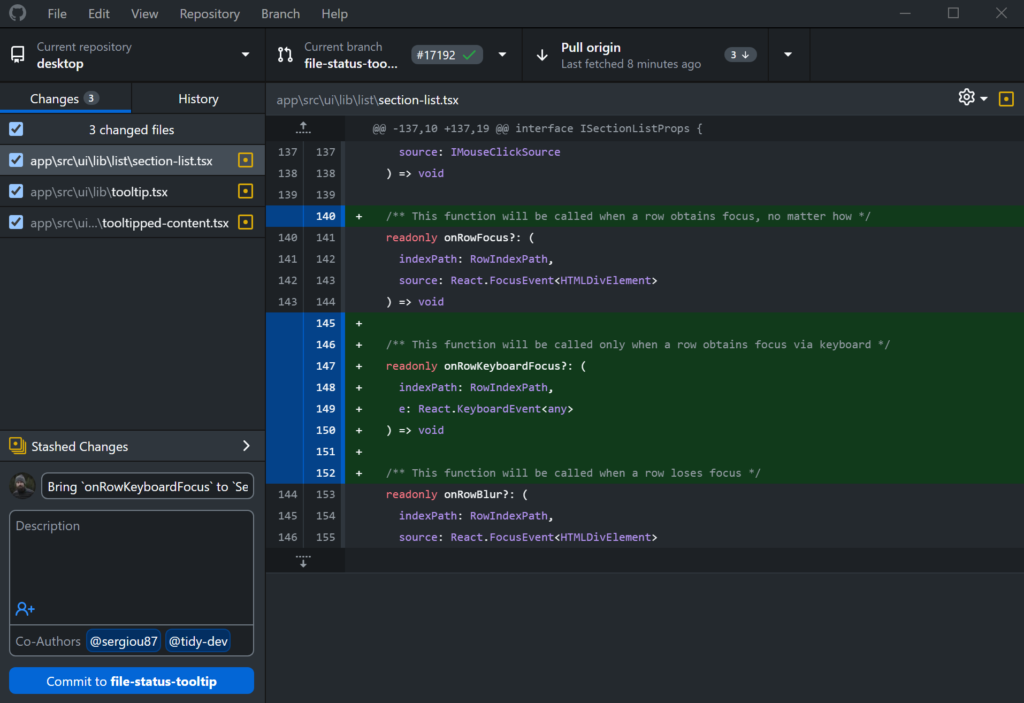
| Simple Git Interface | Perform Git operations like commit, push, pull, merge, and branch creation with just a few clicks. |
| Seamless GitHub Integration | Clone repositories, create pull requests, and manage issues directly from the app. |
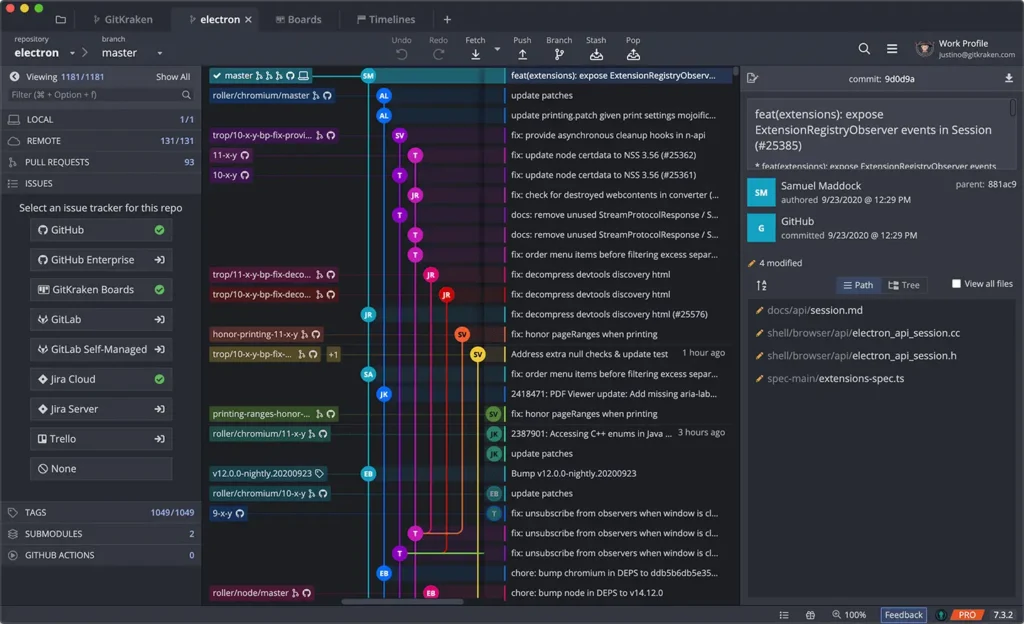
| Branch Visualization | View your repository branches and changes visually for easy navigation and management. |
| Conflict Resolution | Resolve merge conflicts efficiently using a clear visual interface. |
| Repository Management | Switch between multiple repositories with ease, and track changes across all projects. |
| Automatic Updates | Stay up-to-date with the latest GitHub Desktop releases. |
| Cross-Platform Support | Available for Windows, macOS, and unofficially for Linux via community forks. |
| Open Source | GitHub Desktop is open-source, allowing contributions and transparency. |
Screenshots
System Requirements
| Platform | Minimum Requirements |
|---|---|
| Windows | Windows 10 or later, 64-bit |
| macOS | macOS 11.0 or later (Intel or Apple Silicon) |
| Linux | Not officially supported; community builds via AppImage available |
How to Install Github Desktop??
Installation
Windows
- Download the latest
.exeinstaller. - Run the installer and follow the on-screen instructions.
- Launch GitHub Desktop and sign in with your GitHub account.
macOS (Intel & Apple Silicon)
- Download the
.zipfor Intel or Apple Silicon as per your system. - Drag the app to your Applications folder.
- Open GitHub Desktop, allow security permissions if prompted, and sign in.
Linux (Community Fork)
- Linux is not officially supported by GitHub Desktop.
- You can use an AppImage build from the community fork
Download Github Desktop For Windows , macOS & Linux
Conclusion
GitHub Desktop streamlines Git workflows for developers, combining a powerful feature set with a clean, intuitive interface. With support for Windows, macOS, and Linux (via community builds), it is the ideal solution for managing repositories, collaborating on projects, and simplifying version control, making Git accessible to everyone, from beginners to advanced users.




