
Somewhere between “just use ChatGPT” and “compile this from source,” there’s a category of AI tools that don’t get talked about enough. Apps you download once, run on your own hardware, and never pay a monthly fee to use. No data leaving your machine.
Some of them have millions of downloads. One was built by Mozilla. Another turns a 1B model into a desktop companion that reacts to your coding sessions. What they share is that after the initial setup, they answer only to you.
If your current AI workflow depends on a subscription staying affordable and a company deciding your use case still matters next quarter, these are worth knowing about.
Table of Contents
1. MiniCPM Desk Pet
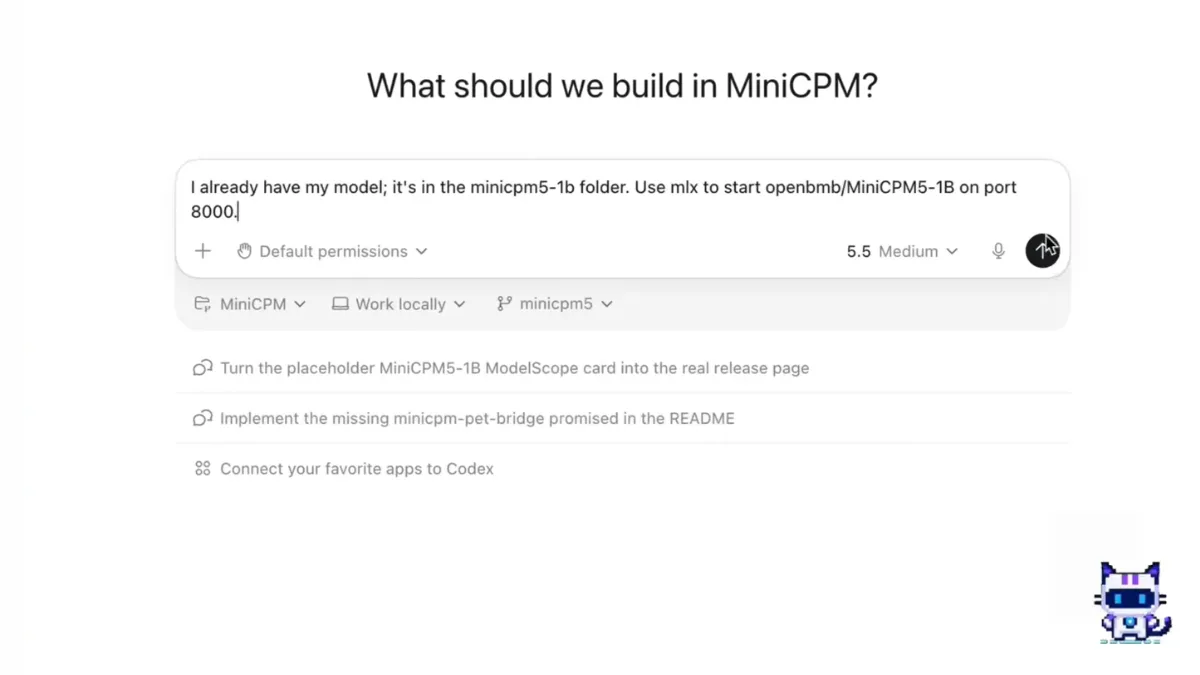
It’s a small animated companion that runs a 1B parameter model on your machine and floats beside whatever you’re working on.
The practical side is more useful than it sounds. If you run coding agents like Claude Code or Cursor, the pet watches what they’re doing and reacts in real time, summarizing what the agent just finished in a speech bubble when a session ends, playing a bell animation when the agent is waiting on your input, and generally keeping you in the loop without you having to check a separate window. For anyone running long autonomous coding sessions, that ambient awareness is genuinely handy.
Setup is easy. First launch walks you through environment check, model download, and warmup automatically. The default model is MiniCPM5-1B-GGUF, small enough to run comfortably on Apple Silicon or a Windows machine with Vulkan support, and after that first download everything runs locally with no internet required.
It also has persona adapters if you want to change the character, and a keyboard shortcut to pop the chat bubble open from anywhere without switching windows.
Platforms: macOS (Apple Silicon), Windows
Github: OpenBMB/MiniCPM-Desk-Pet
2. OpenHuman
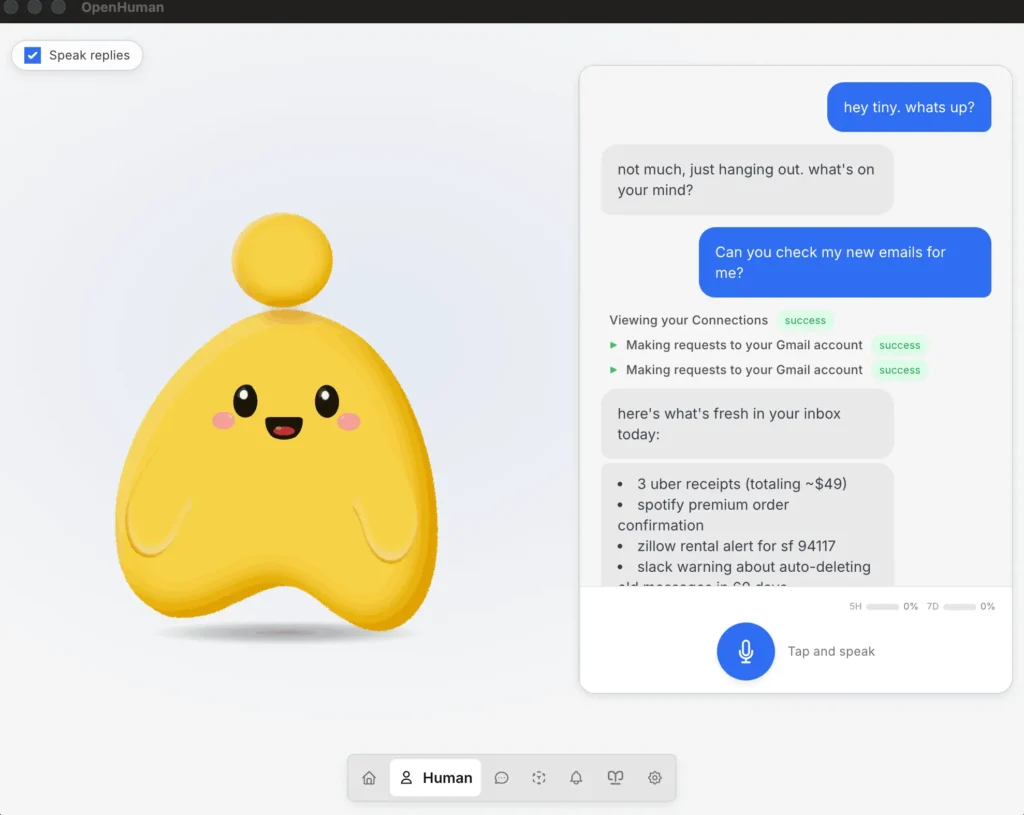
This assistant is for those who wants to connect with others applications they already use and let the assistant handle tasks.
You install it, connect the apps you already use like Gmail, Notion, GitHub, Slack, Calendar and it starts building a memory graph from your data, stored locally as Markdown files inside an Obsidian-compatible vault. Every 20 minutes it syncs your connected apps in the background, slowly accumulating context about your work without you having to feed it anything manually. The more you use it, the more useful it gets.
The built-in toolset covers a lot of ground: voice input and text-to-speech, web search, filesystem access, git tools, and local AI through Ollama if you want everything running privately without touching a cloud model. There’s also automatic model routing, so it picks the right model for the task rather than sending everything through the same endpoint.
118 integrations is a big number for a project still in early beta, which is worth noting honestly. There are rough edges, and some connections will work better than others depending on your setup. But the direction is genuinely different from everything else on this list. It’s closer to an assistant that’s actually trying to learn your life rather than answer one question at a time.
Platforms: Windows, macOS, Linux
Github : https://github.com/tinyhumansai
3. Jan AI
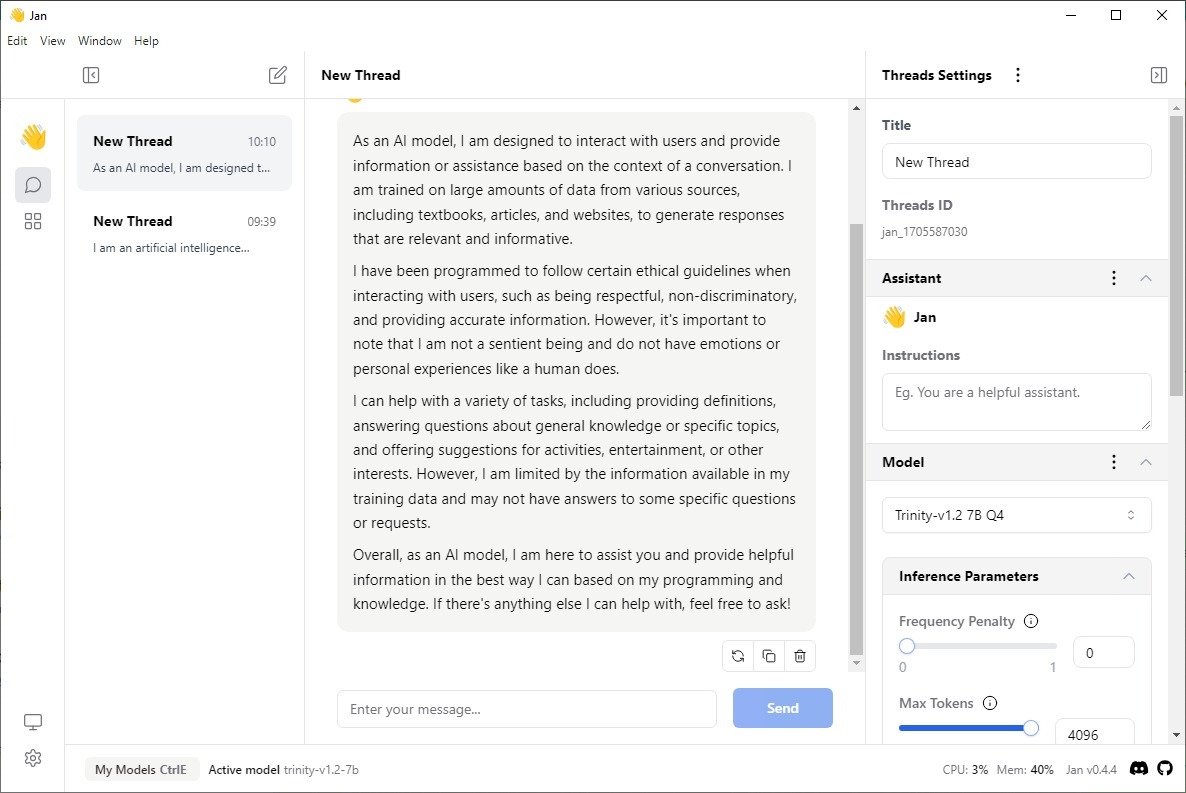
If Ollama is built for developers and LM Studio is built for tinkerers, Jan is built for everyone else. Six million downloads in and it’s still one of the easiest ways to run AI models locally without needing to touch a terminal.
It looks like a proper app, not a developer tool that got a UI bolted on. You pick a model, download it in a few clicks, and start chatting. Everything runs on your machine after that, no API calls, no usage tracking or subscription. Web search works locally too, which is what makes the Perplexity comparison people keep making feel earned.
Model support is broad inx Llama, Mistral, DeepSeek, Qwen, Gemma, and more, plus the option to connect cloud providers like Claude or ChatGPT if you want to switch between local and hosted without changing apps. Their own Jan-V1-4B model has picked up a following for being genuinely good at a size that runs comfortably on consumer hardware.
Memory is coming soon, which will let context carry across conversations without you re-explaining your preferences every session. For now it’s a clean, fast, private chat interface that happens to also support MCP and works on every major platform.
Over six million downloads suggests it’s doing something right that the more technical alternatives aren’t.
Platforms: Windows, macOS, Linux
Get it: jan.ai
You May Like: Open-Source AI Tools You Probably Haven’t Tried Yet
4. Llamafile
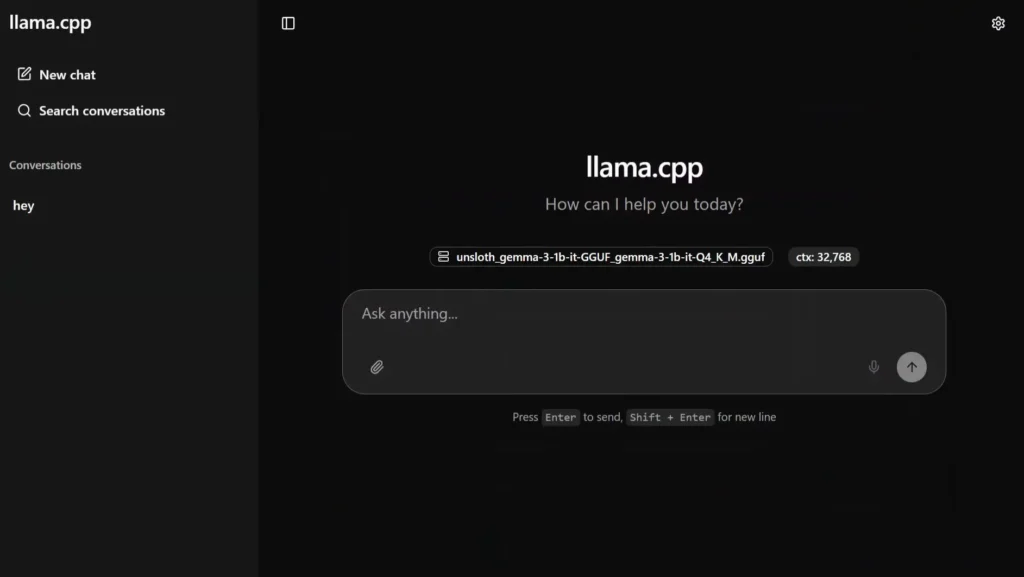
Running a local AI model usually means a Python environment, CUDA drivers, and at least one Stack Overflow tab open before you’ve even started. Llamafile skips all of that.
Mozilla built it as a single executable that contains the entire runtime. On Windows you rename it to .exe. On Mac or Linux you run chmod +x and that’s it. No package manager, no dependencies, no setup wizard. Double-click and a chat interface opens at localhost:8080 in your browser.
There are two ways to use it. Mozilla offers pre-packaged llamafiles with a model already baked in — one file, done. Or grab the bare binary and point it at any GGUF model from Hugging Face, which opens it up to basically the entire open-source model library. Either way nothing touches a server and nothing requires an internet connection after the initial download.
Small models run well on ordinary hardware. The 0.8B Qwen3.5 does around 8 tokens per second on a Raspberry Pi 5. Anything up to 8B is reasonable on a laptop. Vision models like LLaVA take image attachments directly in the browser without any additional setup.
One honest limitation: GPU acceleration on Windows isn’t there yet in v0.10.0. Mac gets Metal, Linux gets CUDA, Windows runs on CPU for now. On small models that’s livable. On anything larger it gets slow.
For anyone who just wants a local model running without touching a terminal, this is the shortest path from zero to working.
Platforms: Windows, macOS, Linux, BSD
Github: mozilla-aillamafile
5. GPT4All
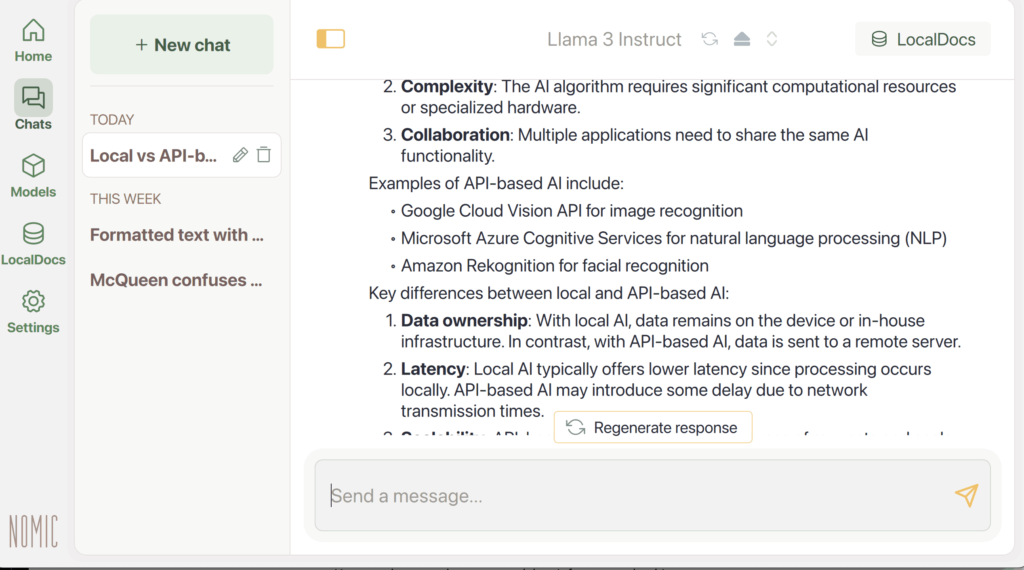
When most local AI tools were still asking for CUDA drivers and Python environments, GPT4All was already letting people run models with a double-click. Nomic built it specifically for the kind of hardware most people actually own where no GPU is required or no technical setup, just download and run.
The interface is about as straightforward as it gets. Pick a model from the built-in library, download it, start chatting. It supports Llama 3, DeepSeek R1 distillations, Mistral, and a growing list of others, with the ability to switch between them without reinstalling anything. DeepSeek R1 distillations in particular noticeably improved response quality on reasoning tasks without pushing hardware requirements higher.
What’s kept GPT4All relevant despite newer competition is the combination of genuine accessibility and an active community. Documentation, Discord, YouTube tutorials — the support infrastructure is there in a way that most open-source projects don’t bother building. For someone running this on a family laptop or setting it up for a non-technical person, that matters more than benchmark scores.
It won’t win on raw performance against tools that leverage GPU acceleration. But for anyone who just needs a private, offline AI assistant running on ordinary hardware without any friction, GPT4All has been the answer for longer than most alternatives have existed.
Platforms: Windows, macOS, Linux
Github: nomic-ai/gpt4all
Your Machine, Your Rules
None of these tools require you to trust a company with your data, your prompts, or your workflow. That’s not a small thing. The conversations you have with a local model about a client project, a health question, or an idea you’re not ready to share stay exactly where you put them.
The honest limitation is that local models aren’t as capable as the frontier ones yet. They’re catching up faster than anyone predicted, but a 4B model running on your laptop is still a different experience than Claude or GPT-5.5. What you trade in raw capability you get back in privacy, speed on short tasks, and the kind of reliability that comes from not depending on someone else’s servers.
Pick whichever one matches how you actually work. They’re all free. They’re all yours.