

Your browser knows more about you than you probably realize.
Every search, website, click, and login passes through the software you use to access the internet. And while most browsers promise some level of privacy, they don’t all protect you in the same way.
So why settle for a browser that tracks you when you can use one that actually respects your privacy? And if it can also keep unwanted trackers away, even better.
There are plenty of options out there, but this list looks at some genuinely useful alternatives that don’t get nearly as much attention as the usual names. Some offer privacy protections you might otherwise expect from a paid product, while others take a completely different approach.
And one more thing, all the browsers on this list are cross-platform, so you can use them across Windows, macOS, and Linux. Some even go further, with mobile versions.
None of them is perfect, and each comes with its own trade-offs. But if you’re looking to break free from heavily tracking browsers like Chrome, there’s likely an option here that fits the way you browse.
Table of Contents
6. DuckDuckGo Browser
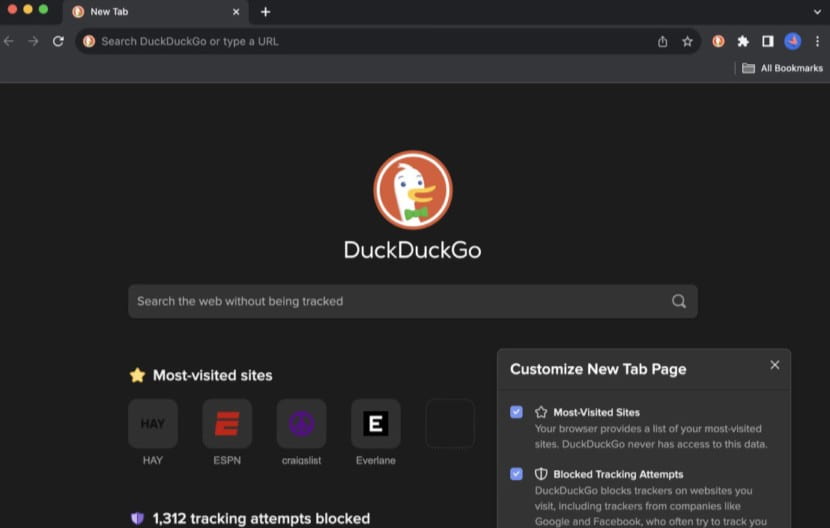
If you like DuckDuckGo for its private search, its browser takes that same idea a step further.
The DuckDuckGo Browser blocks third-party trackers, automatically upgrades connections to HTTPS, and includes several privacy protections without requiring much setup. Its Fire Button is probably its most recognizable feature, one tap can clear your open tabs and browsing data when you want to leave no trace behind.
It also goes beyond basic tracker blocking. Cookie Pop-up Protection helps deal with those endless consent banners, while Email Protection can hide your real email address behind an alias. On mobile, App Tracking Protection can also block tracking attempts from other apps.
The trade-off is simplicity. DuckDuckGo deliberately keeps the browser lightweight, which means traditional browser extensions aren’t supported. That can be a deal-breaker if you rely on extensions for ad blocking, password management, productivity, or other customizations.
So, if you want a simple, privacy-focused browser that works out of the box, DuckDuckGo is worth considering. But if browser extensions and deeper customization are important to you, its stripped-down approach may feel limiting.
Best for: Users who want straightforward privacy protection without spending time configuring their browser.
Downside: No traditional extension support
5. Thorium

If speed is what matters most to you, Thorium is one browser worth knowing about. It’s a custom-built Chromium fork that uses compiler and CPU-specific optimizations, including AVX and AVX2 builds, to squeeze more performance out of modern hardware.
But Thorium is not only just about speed. It also removes or disables several Google-specific components, enables privacy-oriented features such as Do Not Track and Global Privacy Control, and restores some features that have disappeared from modern Chrome, including JPEG XL support and the classic Chrome interface.
That makes Thorium interesting for people who want the familiar Chromium experience without quite as much of the Google baggage, while still retaining compatibility with the Chromium ecosystem.
Best for: Users who want a fast, lightweight Chromium-based browser and enjoy having more control over how their browser behaves.
Downside: Thorium’s small development team means security updates can sometimes lag behind Chromium. For a browser, that’s a limitation worth taking seriously.
4. Donut Browser
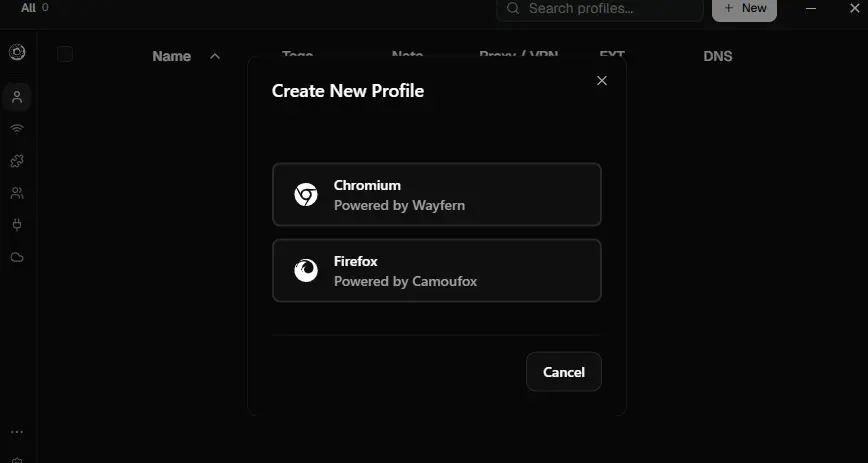
Ever wished you could keep every online account completely separate without opening five different browsers? Donut Browser is basically built around that idea.
It’s an open-source Chromium-based anti-detect browser that lets you create unlimited profiles, with each one getting its own cookies, storage, extensions, browser fingerprint and network configuration. So your work account can have one identity, your personal account another, and a client account can have its own setup without everything getting mixed together.
You can give individual profiles their own proxy or WireGuard VPN, import profiles from Chrome, Edge or Brave, and even control them through a local API or MCP server. The whole thing is designed to run locally, with the project claiming zero telemetry.
Honestly, this feels less like a browser you’d discover after realizing your workflow has become way too complicated. If you’re managing multiple accounts, clients or automated browser sessions, though, that complexity suddenly starts making sense.
Best for: People managing multiple accounts, privacy-focused workflows and browser automation.
Downside: You probably don’t need Donut just to browse the web. But if your browser is already full of profiles, accounts and workarounds to keep everything separate, Donut starts looking a lot less niche.
3. Zen Browser
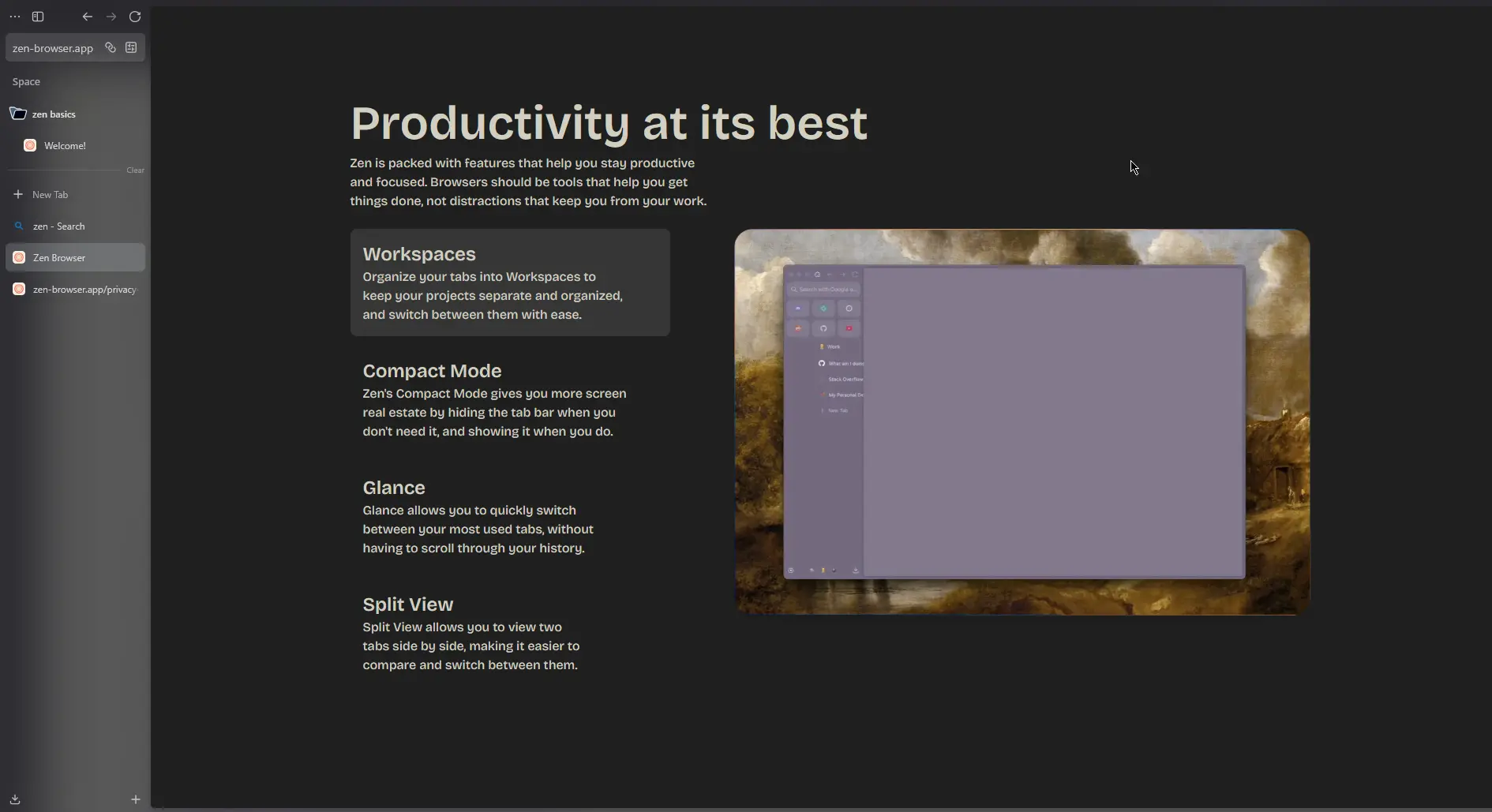
If Firefox is already your go-to alternative to Chrome, Zen might make you rethink that choice.
It’s built on the same Firefox engine, but takes a very different approach to how a browser should feel, It comes with vertical tabs, workspaces, split views, a much cleaner interface, and a lot more control over how your browser looks and behaves.
And there’s an obvious question here: why not just use Firefox?
That’s a fair question. Firefox is already one of the better alternatives to Chrome, especially if you care about privacy and browser choice. But Zen takes that idea a step further. Its current privacy policy says it doesn’t collect telemetry, browsing history, search queries, IP addresses, or personal data, and it has removed Firefox’s built-in telemetry and crash reporting.
So you’re essentially getting Firefox’s foundation without Firefox’s full set of data-collection practices, while also getting a browser that feels considerably more modern.
That’s why Zen made this list. It’s not just another Chrome alternative, it’s arguably one of the more interesting alternatives to Firefox itself.
Now, Zen isn’t perfect. It’s still a relatively young browser, and because it’s built around Firefox, there are some Firefox-related limitations you should know about. But if Chrome feels too invasive and Firefox feels a little too traditional, Zen is a pretty compelling middle ground.
Best for: People who live in their browser, especially anyone juggling lots of tabs, projects or workspaces.
Downside: It’s still a young project, so you may occasionally encounter rough edges that you wouldn’t expect from Chrome or Firefox.
You May Like: The Best Open-Source Alternatives to Adobe Products for Creators
2. Tor Browser
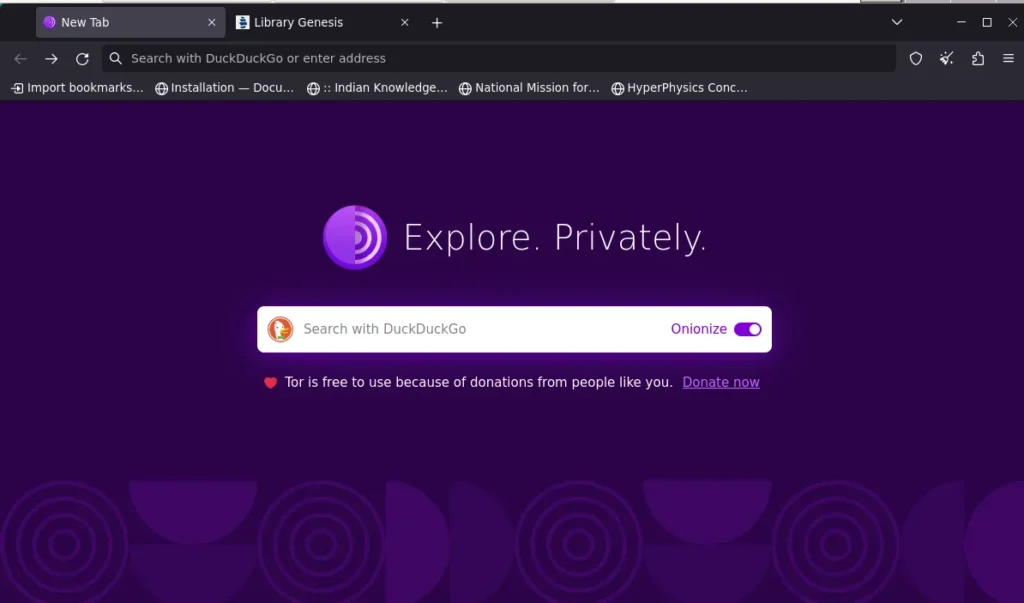
If privacy is your biggest reason for leaving Chrome, Tor Browser takes things much further than most alternatives.
Instead of connecting you directly to websites, Tor routes your traffic through several randomly selected relays around the world, encrypting it in layers along the way. Websites see the Tor network rather than your real IP address, while your internet provider can’t see which websites you’re visiting.
It also comes with built-in protections against tracking and browser fingerprinting, and doesn’t retain your browsing history by default after you close the browser.
But there’s a catch: Tor isn’t really a drop-in replacement for Chrome.
Routing traffic through the Tor network makes browsing noticeably slower, and some websites may show more CAPTCHAs or fail to work properly. You also give up much of the convenience you’d expect from Chrome, such as smooth syncing and a broad extension ecosystem.
So while Tor is excellent for anonymity, censorship resistance, journalism, and situations where privacy matters more than convenience, it’s probably overkill for everyday browsing.
Best for: People who want maximum anonymity and privacy, rather than the fastest or most convenient browsing experience.
Downside: Tor is significantly slower than Chrome, can trigger more CAPTCHAs, and some websites may not work properly.
1. Brave
If you want a Chrome alternative that doesn’t feel like you’re actually leaving Chrome, Brave is probably the easiest switch.
It’s built on Chromium, so your familiar interface, most websites, and Chrome extensions largely work the same way. The difference is what Brave does in the background, It blocks ads, trackers, and other tracking technologies by default, without routing your traffic through Tor or sacrificing the speed of a normal browser.
Its built-in Shields are the main attraction, blocking ads, cross-site trackers, and other unwanted content without requiring you to install a separate ad blocker. Brave also includes features like Brave Search, its Leo AI assistant, private windows with Tor, and optional Rewards and Wallet features.
And because Brave is open source, its code is publicly available for inspection and contribution.
Best for: Chrome users who want stronger privacy and built-in ad blocking without giving up Chromium compatibility or everyday performance.
Downside: Brave can sometimes feel little busy with its crypto and Rewards features, although you can turn them off. Its aggressive blocking can also break some websites, which require you to disable Shields for that site. And while its sync works across devices, it isn’t as smooth as Chrome’s Google-account-based syncing.
Which Chrome Alternative Should You Choose?
There isn’t one Chrome alternative that’s best for everyone. The right choice depends on what you want to change about your browsing experience.
| If you want… | Pick | Why? |
|---|---|---|
| The easiest Chrome replacement | Brave | Chrome-like experience with built-in ad and tracker blocking |
| Maximum privacy and anonymity | Tor Browser | Routes traffic through the Tor network and resists tracking and fingerprinting |
| A better browser for tabs and workspaces | Zen Browser | Vertical tabs, workspaces and split views make heavy browsing easier |
| Separate profiles and accounts | Donut Browser | Keeps cookies, storage, extensions and browser identities isolated |
| A fast, lightweight Chromium browser | Thorium | Focuses on performance while keeping Chromium compatibility |
| Simple privacy with minimal setup | DuckDuckGo Browser | Strong privacy protections without requiring much configuration |