


File Info
| File | Details |
|---|---|
| Name | AionUi |
| Version | v2.1.4 |
| License | Apache-2.0 License (Open Source) |
| Platforms | Windows • macOS • Linux |
| Formats | .exe • .dmg • .deb |
| Size | 190MB (may vary by OS) |
| Github Repository | github/aionUI |
| Official Site | aionUI |
Table of Contents
Description
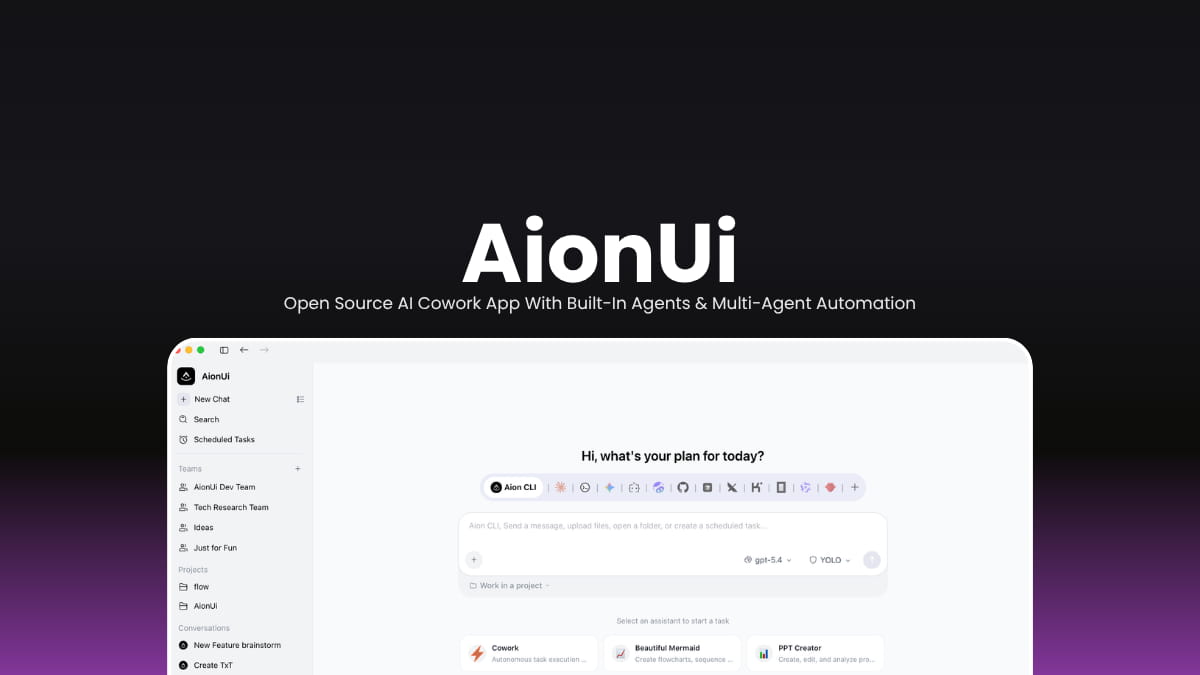
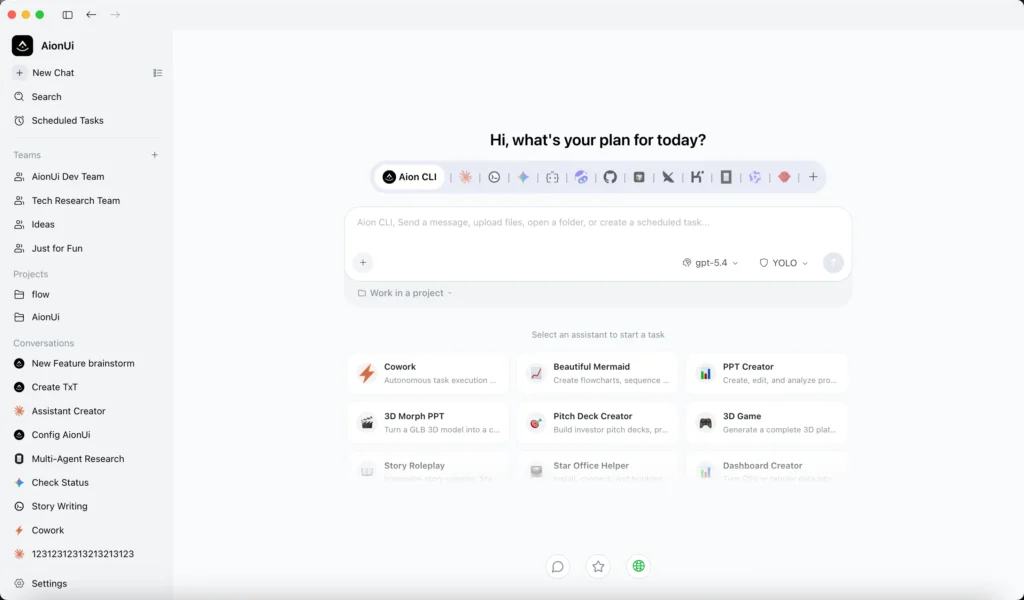
AionUI is designed more like a full AI cowork platform where multiple AI agents can work alongside you directly on your computer. Instead of only chatting, the agents can read files, generate documents, browse the web, automate workflows, organize data, and execute long multi-step tasks while you stay in control.
Most AI desktop apps require separate CLI installations and complicated setup steps before you can start using autonomous agents. AionUi removes that complexity completely. Install the app, add your preferred API key (or use Google login), and the built-in agent is ready immediately.
The platform also supports multiple external AI agent systems including Claude Code, Codex, Hermes Agent, OpenClaw, Cursor Agent, and several others through one unified interface.
Use Cases
- Run multiple AI agents together for coding, research, and automation workflows
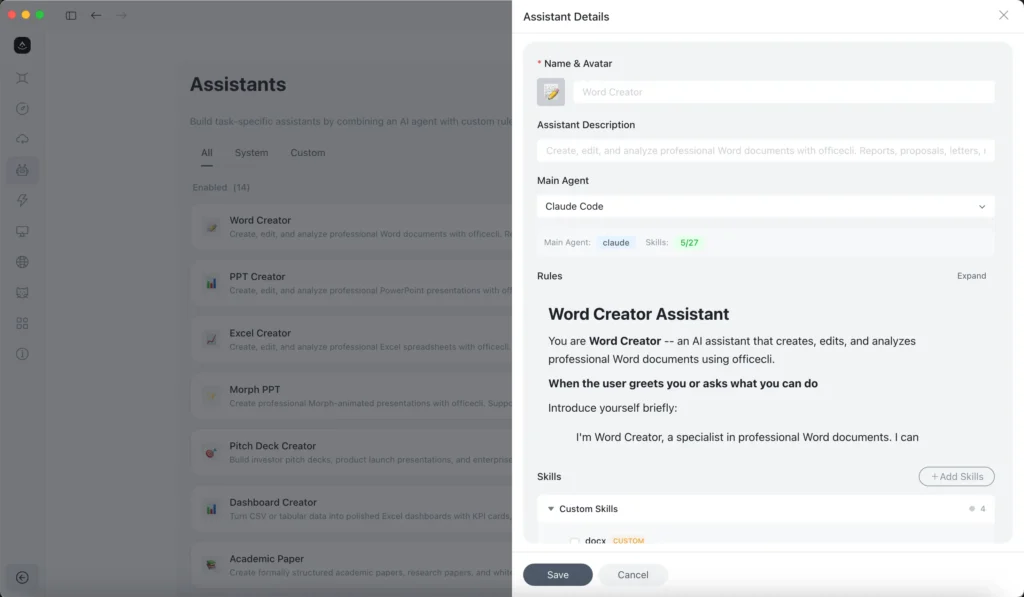
- Generate PowerPoint presentations, Word documents, and Excel reports using AI
- Access and manage AI agents remotely from browser, phone, Telegram, or WebUI
- Automate repetitive tasks with scheduled AI workflows running 24/7
- Use Claude Code, Codex, Gemini, Ollama, and other AI systems from one unified workspace
Screenshots
Features of AionUI
| Feature | Description |
|---|---|
| Built-In Agent | Works immediately without external CLI installation |
| Multi-Agent Support | Run multiple AI agents simultaneously |
| Remote Access | Access your AI workspace from browser or mobile |
| Scheduled Automation | Run recurring AI tasks automatically |
| Office Document Generation | Generate PPT, Word, and Excel files |
| MCP Support | Unified Model Context Protocol tool management |
| Team Mode | Multiple coordinated AI agents working together |
| Parallel Sessions | Independent multi-task execution |
| Custom Skills | Create your own assistants and workflows |
| Local Model Support | Supports Ollama and LM Studio |
| File Automation | AI-powered organization and processing |
| Image Generation | AI image creation and editing |
| Cross-Platform | Available for Windows, macOS, and Linux |
System Requirements
| Component | Requirement |
|---|---|
| Operating System | Windows 10+ • macOS 10.15+ • Linux |
| RAM | 4 GB minimum recommended |
| Storage | 500 MB available space |
| Internet | Required for cloud AI providers |
| Optional | Ollama or LM Studio for local AI |
You May Like: Handy: Offline Open-Source Speech-to-Text AI App For Windows, macOS & Linux
Supported AI Providers & Agents
| Category | Supported Platforms |
|---|---|
| Built-In Agent | AionUi Built-in Agent |
| Cloud AI Providers | OpenAI • Anthropic • Gemini • xAI / Grok • Venice AI • OpenRouter • AWS Bedrock • NewAPI Gateway |
| Local AI Platforms | Ollama • LM Studio |
| Supported AI Agents | Claude Code • Codex • Qwen Code • Hermes Agent • Cursor Agent • OpenClaw • Goose AI • GitHub Copilot • OpenCode and more you can find on their github repository |
How to Install AionUI?
Windows
- Download the
.exeinstaller - Launch the setup file
- Complete installation
- Open AionUi and connect your preferred AI provider
macOS
- Download the
.dmginstaller - Drag AionUi into Applications
- Launch the app
- Start using the built-in agent system
Linux
- Download the
.debpackage - Install using your package manager
- Launch the application
- Configure your AI provider or local model
Download AionUi AI Cowork App
A Different Kind of AI Workspace
Install it, connect your preferred models or APIs, and the platform gradually becomes a centralized workspace where multiple AI agents can collaborate, automate tasks, generate documents, process files, and assist with daily workflows from one interface.
For users exploring autonomous AI workflows without complicated setup, AionUi is the one to try.




