



File Information
| File | Details |
|---|---|
| Name | Stability Matrix |
| Version | v2.15.6 |
| Platforms | Windows, macOS & Linux |
| Size | 132MB (Windows), 104MB (macOS), 117MB (Linux) |
| License | Open Source (AGPL-3.0 License) |
| Category | Stable Diffusion Package Manager & Inference UI |
| Github Repository | GitHub Stability Matrix |
| Official Site | lykos |
Table of contents
Description
Stability Matrix is a multi-platform package manager and unified launcher built for Stable Diffusion and related AI tools. Instead of manually installing different WebUI builds, setting up Python environments, and managing Git updates yourself, it brings everything into one organized interface.
It supports popular environments like Automatic1111, ComfyUI, SD.Next, InvokeAI, Fooocus, and others including WAN GP and additional AI workflows depending on the selected package. You can install, update, and manage these tools from a single dashboard without jumping between folders and terminals.
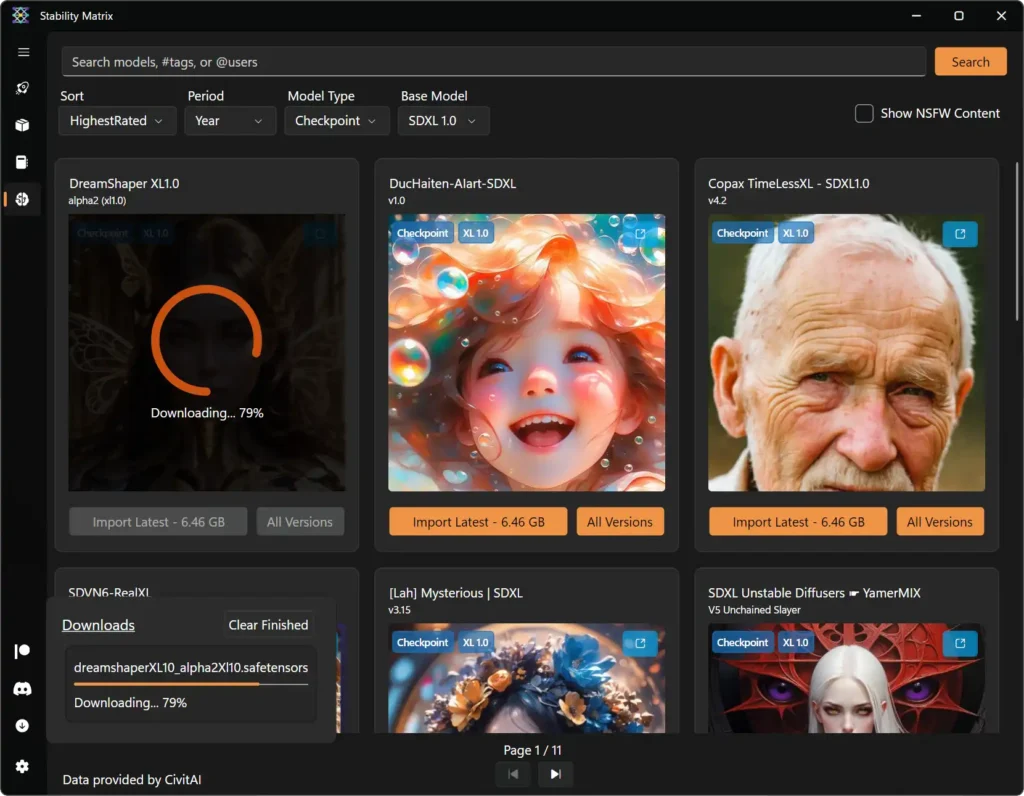
One of the biggest advantages is that Stability Matrix makes it easier to install AI models locally and use them directly on your system. With the built-in Model Browser, you can import models from sources like CivitAI and Hugging Face, automatically place them in the correct folders, and manage previews and metadata. This means you can run image generation, music generation, video generation & even TTS models on your own machine without complex manual setup.
It also includes embedded Git and Python, so there’s no need to install them globally. Everything runs in its own managed environment. You can even move the entire data directory to another drive or computer if needed, making it a flexible and portable solution.
Screenshots
Features of Stability Matrix
| Feature | What it does |
|---|---|
| Multi-package support | Install and manage Automatic1111, ComfyUI, SD.Next, InvokeAI, Fooocus, StableSwarmUI, VoltaML and more from one interface. |
| One-click install & updates | Easily install or update supported Stable Diffusion packages without manual Git commands. |
| Embedded Git & Python | No need to install Git or Python globally — everything is bundled. |
| Built-in Inference UI | Integrated inference interface with syntax highlighting and auto-completion. |
| Launcher with terminal | Includes syntax-highlighted terminal emulator and launch argument editor. |
| Model browser | Import models from CivitAI and HuggingFace with metadata and preview thumbnails. |
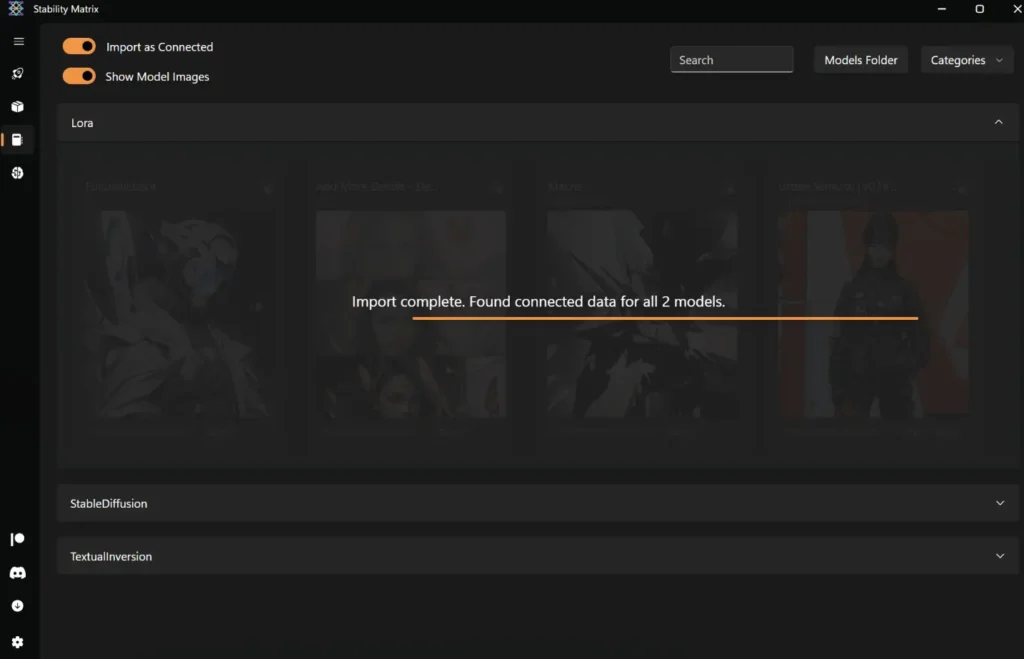
| Shared model directory | Use one model directory across multiple installed packages. |
| Checkpoint manager | Manage checkpoints and related metadata centrally. |
| Portable setup | Move the full data directory to another drive or system. |
| Localization support | Available in multiple languages including English, Japanese, Chinese, French, German, Spanish and more. |
System Requirements
| Component | Minimum Requirement |
|---|---|
| Operating System | Windows 10/11 (64-bit), macOS (Apple Silicon & Intel), Linux (64-bit) |
| RAM | 8 GB recommended (16 GB for heavier models) |
| GPU | NVIDIA / AMD GPU recommended for Stable Diffusion workloads |
| Disk Space | 5 GB+ depending on installed packages and models |
| Internet | Required for downloading packages and models |
How to Install Stability Matrix?
Windows (ZIP)
- Download the Windows
.zipfile. - Right-click the downloaded file and choose Extract All. (7-Zip recommended For extraction)
- Open the extracted folder.
- Double-click
StabilityMatrix.exe.
The app will open and you can start installing your preferred Stable Diffusion packages.
macOS (.dmg)
- Download the macOS
.dmgfile. - Double-click the
.dmgfile to open it. - Drag Stability Matrix into the Applications folder.
- Open Applications and launch the app.
- If macOS shows a security warning, click Open to confirm.
You’re ready to install packages and models.
Linux (.zip)
- Download the Linux
.zipfile. - Extract the archive.
- Open the extracted folder.
- Run the executable file.
Related: Pinokio: One-Click Launcher for Open-Source AI Models, Local Apps & Scripts (Windows, macOS, Linux)
Download Stability Matrix For Windows , macOS & Linux
Conclusion
Stability Matrix simplifies how you install, manage, and run Stable Diffusion tools on your system. Instead of juggling Python setups, Git updates, and scattered model folders, everything stays organized in one place.
If you work with local AI image generation or experiment with different Stable Diffusion builds, it provides a cleaner and more controlled way to manage your workflow.




