



File Information
| Name | Mechvibes – Mechanical Keyboard Sound Simulator |
|---|---|
| Version | v2.3.4 (Latest stable release) |
| File Size | Windows: 61.8MB (.exe) • macOS: 82.3MB (.dmg) • Linux: 62.2MB (.deb) • Linux: 81.4MB (.AppImage) |
| Platforms | Windows • macOS • Linux |
| License | Open Source (MIT License) |
| Official Repository | GitHub MechVibes |
| Official Site | mechvibes |
Table of contents
Description
Ever wished your keyboard could sound as satisfying as those clicky mechanical keyboards? Meet Mechvibes, the app that turns your regular keyboard into a typing paradise!
Just download Mechvibes, and suddenly every keystroke becomes a symphony of mechanical keyboard sounds.
Choose from tons of free community soundpacks that mimic everything from gentle tactile clicks to thunderous gaming switches. Want a quiet workspace or a loud coding session? You’re covered. It works on Windows, Mac, Linux – basically everywhere.
Screenshots
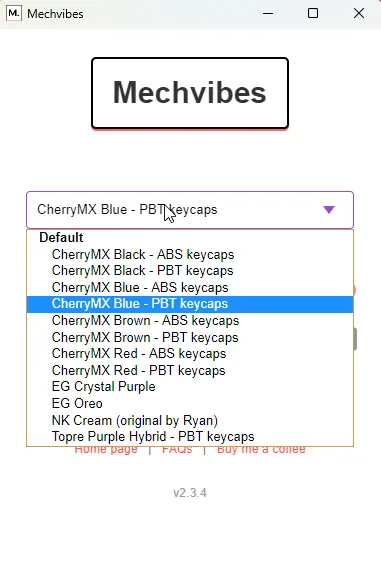
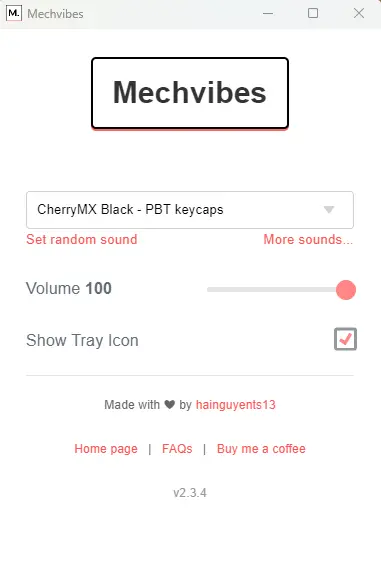
Features of Mechvibes
| Feature | Description |
|---|---|
| Cross Platform Support | Works seamlessly on Windows, macOS, & Linux. |
| Completely Free | The app & all community soundpacks are available at no cost. |
| Easy Soundpack Installation | Install new soundpacks in just a few clicks without restarting the app. |
| Keyboard & Mouse Sounds | Supports keydown, keyup, & mouse button press sounds. |
| Open Source | Fully transparent & community driven development. |
| Modern UI Design | Clean interface with theming, backgrounds, & layout customization. |
| Lightweight Performance | Optimized for low memory usage & fast startup times. |
| Community Soundpacks | Wide variety of mechanical switch sounds created by the community. |
System Requirements
| Platform | Minimum Specification |
|---|---|
| Windows | Windows 10 or newer, 64 bit processor, 4 GB RAM, 200 MB free disk space |
| macOS | macOS 11 or newer, Intel or Apple Silicon, 4 GB RAM, 200 MB free disk space |
| Linux | Modern Linux distribution, 64 bit processor, 4 GB RAM, 200 MB free disk space |
How to Install Mechvibes??
Before installation, scroll down to the Download Section & select the appropriate installer for your operating system.
Windows (.exe)
- Download the Windows exe installer.
- Double click the file to begin installation.
- Follow the setup instructions to complete installation.
- Launch Mechvibes & start customizing your typing sounds.
macOS (.dmg)
- Download the macOS dmg package.
- Open the file & drag Mechvibes into the Applications folder.
- Launch Mechvibes from Applications.
- Grant required permissions if prompted.
Linux (.deb)
- Download the deb package.
- Install it using your package manager or by double clicking the file.
- Complete installation & launch Mechvibes from the app menu.
Linux (.AppImage)
- Download the AppImage file.
- Make it executable using:
chmod +x Mechvibes.AppImage. - Run it directly without installation.
Download Mechvibes: Open Source Mechanical Keyboard Sound Simulator
Conclusion
Mechvibes transforms everyday typing into a more engaging & satisfying experience by recreating the sound of mechanical keyboards through software. With its open source foundation, modern performance improvements, & extensive customization options, Mechvibes offers a unique way to personalize your workspace across Windows, macOS, & Linux. If you enjoy the feel of mechanical switches or simply want to make typing more enjoyable, Mechvibes is an easy & fun addition to your setup.




