
I didn’t stop using Perplexity because it’s bad. I stopped because it slowly stopped feeling like mine.
At first, it was impressive with fast answers, clean summaries, citations that made Google feel outdated. I used it almost daily. Over time though, it began to feel less like a tool and more like a gate. Features I relied on sat behind prompts to upgrade, and the experience started nudging me in directions I hadn’t chosen.
That’s when I started looking sideways instead of paying up.
I wasn’t searching for a cheaper alternative. I wanted control search that runs on my machine, uses models I choose, and doesn’t turn every query into someone else’s asset. That curiosity led me to Perplexica. I tried it casually, without expectations.
It stuck.
Table of contents
What Perplexity Still Gets Right
To be fair, Perplexity does a lot of things extremely well.
If you want fast, polished answers with clean citations, it’s hard to beat. For surface-level research, summaries, or quickly understanding a topic you’re new to, it feels effortless. The UX is smooth, the results look trustworthy, and it’s clearly built by a team that understands how people search today.
I get why so many people rely on it. I did too!
But the more I used it for deeper work, the more I noticed the trade-offs. Not missing features. Just… constraints. The kind you don’t see on day one, but feel over time when a tool becomes part of your workflow.
That’s where it started to fall apart for me.
Why I Switched to Perplexica (& Haven’t Looked Back)
What finally made me stop using Perplexity wasn’t a single breaking moment. It was discovering that I didn’t actually need a closed system to get good search results.
That’s when I tried Perplexica.
At first, I didn’t expect much. Open-source search tools usually feel rough around the edges. But Perplexica surprised me in the best way possible because it was honest.
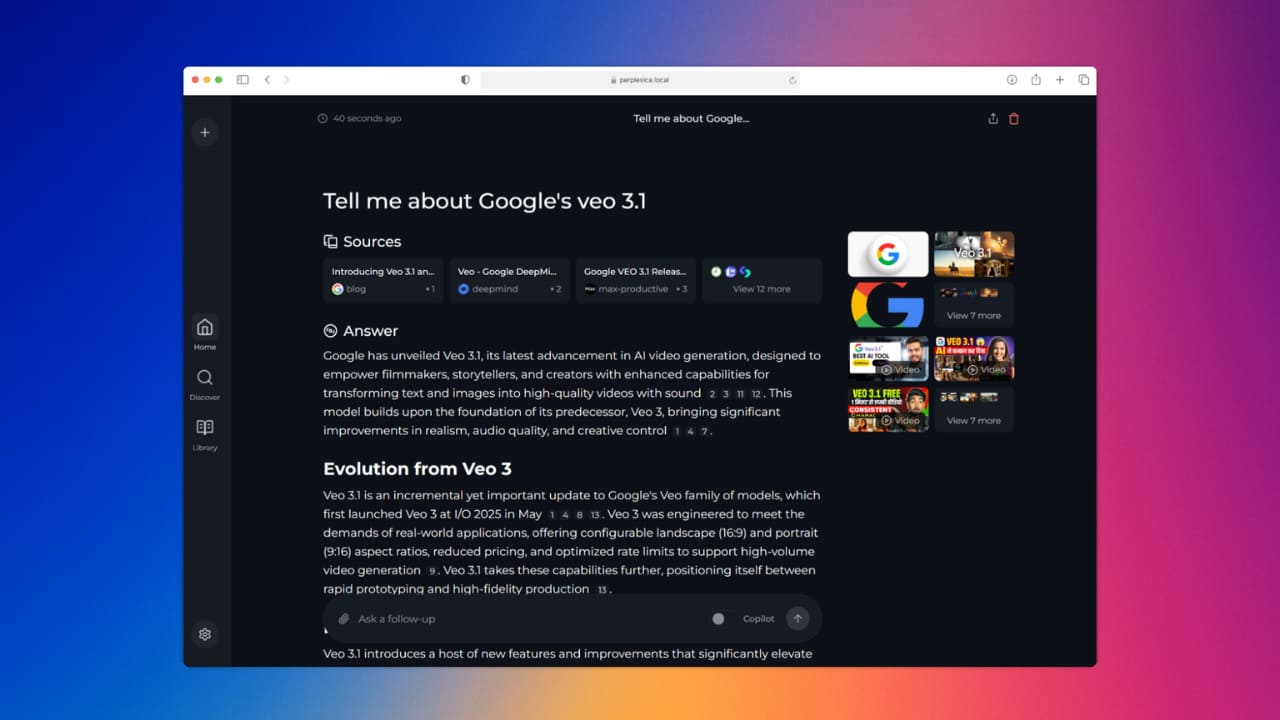
Perplexica is simple: it’s an AI-powered search engine that you can run locally or on your own server. No forced accounts. No hidden limits. I choose the model, where it runs & what happens to my data.
That alone changed how I felt while searching.
Instead of wondering “Is this being logged?” or “Am I hitting some invisible cap?”, I could focus on the actual work, researching, comparing sources, digging deeper. It felt closer to how transparent search should work.
Another thing I didn’t expect was how much I liked the results. Because Perplexica pulls from real sources and shows them clearly, I wasn’t just getting answers — I was getting context. I could see where information came from, open links freely, and verify things myself instead of trusting a polished summary.
Is it as polished as Perplexity? No.
Is it as fast out of the box? Sometimes not.
But that’s the point.
Perplexica feels like a tool that works for me, not a platform trying to optimize me. I know even Perplexity does show sources but its about artificial limitations & other trade-offs like Why to let others train their model on my data when i can utilize that same functionality with more control on my own system.
And once I experienced that level of control, going back felt impossible.
Also Read: How I Saved Nearly $2,000 a Year by Switching to These Open Source Apps
How I Actually Use Perplexica Day-to-Day
I’ll be clear about one thing upfront: Perplexity does show sources, and it does a good job at surfacing them. That’s not the issue.
What changed for me wasn’t whether I could see sources, it was how much control I had over the entire search process.
When I’m researching a topic for an article, I usually start with a broad question. Perplexica pulls results from the web and responds with citations, similar to Perplexity. But instead of feeling like I’m interacting with a polished, opinionated layer on top of the web, it feels closer to raw search just augmented with AI.
I’m not nudged toward a single “best” answer. I can inspect sources freely, follow them outward, rerun queries as many times as I want, and adjust how results are gathered. There’s no sense that I’m being guided toward a predefined summary style.
For technical research, this matters even more. When I’m comparing tools or digging into a niche concept, I often rephrase the same query multiple times, cross-check results, and intentionally look for conflicting information. With Perplexica, I don’t hesitate to do that — there are no soft limits, no friction, and no sense that I’m “using the tool the wrong way.”
Another difference is psychological but important: Perplexica runs locally or on infrastructure I control. That changes how I search. I’m more comfortable exploring half-formed ideas, asking rough questions, and iterating aggressively — because I know my searches aren’t feeding a closed system I don’t control.
Over time, that changes behavior. I verify more, explore more paths & rely less on the first answer and more on my own judgment.
So it’s not that Perplexica is magically smarter, it’s that it gets out of the way.
It doesn’t try to decide what I should trust. It helps me decide.
Also Read: The Best Open-Source Alternatives to Adobe Products for Creators
Setup Is Surprisingly Simple
One thing that genuinely surprised me was how easy Perplexica is to set up.
If you already have Docker installed, you’re basically done. You can run it locally on your own machine or deploy it on a server you control.
For a local setup, it’s as simple as cloning the repo and running it with Docker. The official GitHub includes clear instructions, and you don’t need to tweak much to get started.
If you’re comfortable with Docker, the entire setup takes just a few minutes. Once it’s running, you access it in your browser like any other search tool except this one is yours.
Closing Thoughts
Stopping Perplexity wasn’t about rejecting AI search. It was about choosing a setup that aligns with how I actually work.
Perplexica doesn’t try to lock you into a polished experience or hide how things work behind a subscription. It’s open-source, runs on infrastructure you control, and respects your privacy by design. And this isn’t some obscure side project either with 28.8k+ stars on GitHub, it’s clearly trusted, actively used, and improved by a large community.
That matters. Open source at this scale means transparency, fast iteration, and fewer incentives to quietly turn users into data sources.
Perplexica doesn’t promise to think for you. It supports how you think. You can inspect sources, rerun queries, verify claims, and explore ideas without limits or nudges. That freedom changes your behavior, you research more carefully and trust the output more because you’re not forced to blindly trust the system.
If you’re comfortable with closed, hosted tools, Perplexity might still be enough. But if you value control, openness, and privacy — and want a tool that’s proven itself in the open — Perplexica is hard to ignore.