


File Information
| Name | Scribus – Free Open Source Desktop Publishing Software |
|---|---|
| Version | 1.6.x (latest stable release) |
| File Size | Windows: 119MB (.exe) • macOS: 229MB (.pkg) • Linux: 116MB (.AppImage) |
| Platforms | Windows • macOS • Linux (community AppImage for Linux) |
| License | Open Source (GNU GPL) |
| Official Repository | scribus |
| Official Site | scribus |
Table of contents
Description
Scribus is a powerful, open-source desktop publishing (DTP) application designed for creating professional-quality publications including magazines, newsletters, posters, books and interactive PDFs. It is widely regarded as the best free alternative to proprietary tools such as Adobe InDesign, offering robust typographic control, colour management, CMYK workflows and print-ready PDF export.
With Scribus, you gain full control of page layout, precisely placing text, images and vectors, working with master pages, layers, guides and complex vector drawings. It supports high-end printing needs including ICC colour profiles, spot colours and PDF/X output.
Because it is free and open source, Scribus is ideal for freelancers, print designers, educators and small studios who need professional layout tools without subscription fees. The cross-platform availability on Windows, macOS and Linux ensures you can work wherever you are. It also integrates well with other open-source tools (such as GIMP and Inkscape) for a full creative pipeline.
Features of Scribus
| Feature | Description |
|---|---|
| Professional Colour Management | Supports CMYK, spot colours, ICC profiles and print-ready PDF/X output. |
| Master Pages & Templates | Create consistent layouts across multi-page publications with master pages and page templates. |
| Text & Typography Control | Full typographic control with styles, kerning, tracking, OpenType support and ICC fonts. |
| Import & Export Formats | Supports PDF, SVG, EPS, TIFF, JPEG, AI, PSD and more. |
| Layers, Guides & Frames | Organise content with layers, guides and frames for precise layout control. |
| Interactive PDFs & Forms | Create animated or interactive PDFs, forms and presentations. |
| Python Scripting & Automation | Extend functionality using Python scripting for layout automation and workflow customisation. |
| Open Source Freedom | Completely free to use, modify and distribute—no subscription required. |
| Cross-Platform Compatibility | Works on Windows, macOS and Linux providing consistency across desktop environments. |
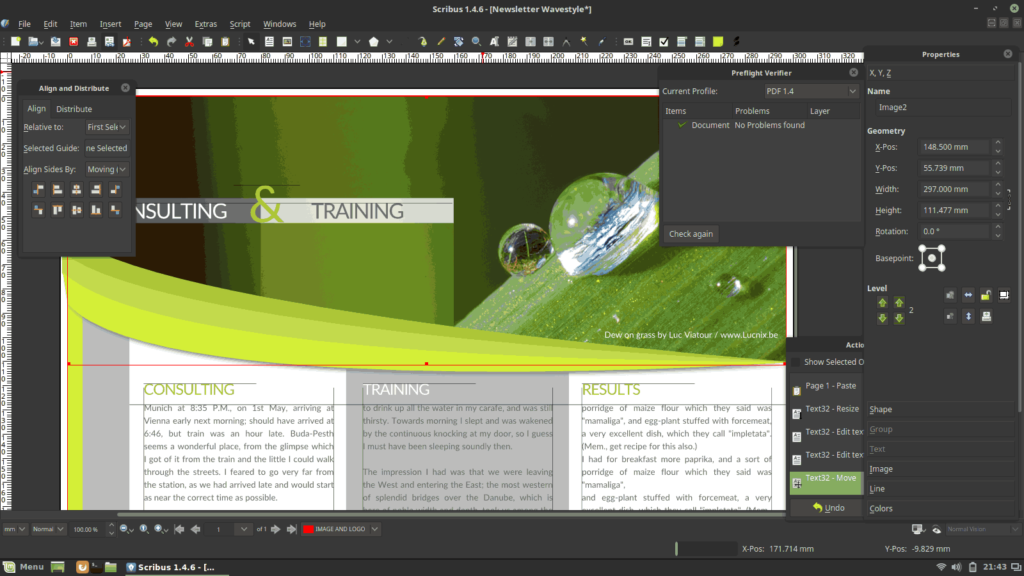
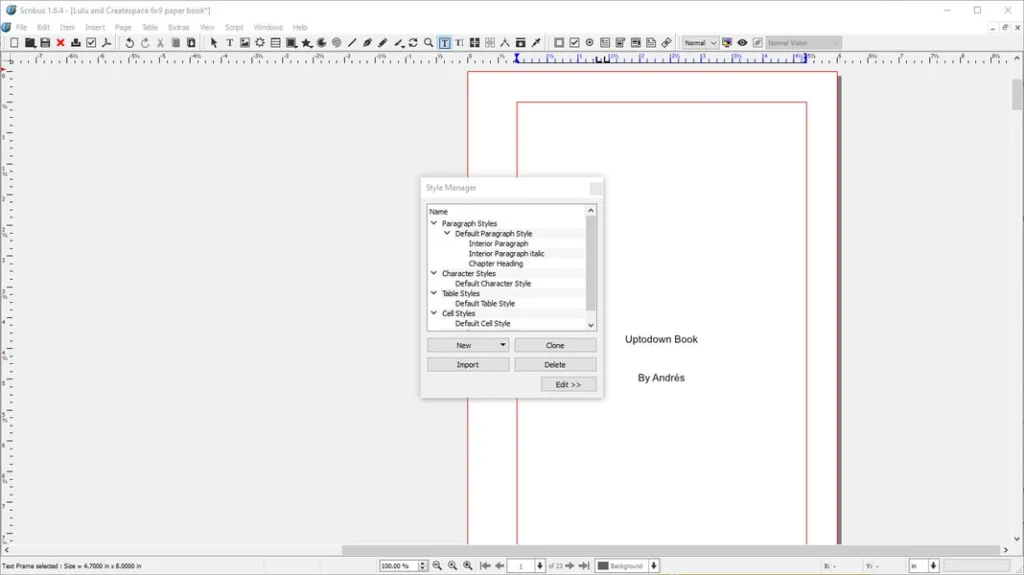
Screenshots
System Requirements
| Platform | Minimum Specification |
|---|---|
| Windows | Windows 7 or newer, Intel/AMD 64-bit, 4 GB RAM (8 GB recommended), OpenGL/DirectX compatible GPU, 200 MB free disk space |
| macOS | macOS 10.12 or newer, Intel or Apple Silicon, 4 GB RAM, 200 MB free disk space |
| Linux | Modern Linux distribution, 64-bit processor, 4 GB RAM (8 GB recommended), OpenGL compatible GPU, 200 MB free disk space |
How to Install Scribus??
Before installation, scroll down to the Download Section and pick the correct installer for your platform.
Windows (.exe)
- Download the Windows installer
.exe. - Double‑click to run the installer.
- Follow the installation wizard prompts and complete setup.
- Launch Scribus from the Start Menu and create your first document.
macOS (.dmg)
- Download the macOS disk image
.dmg. - Open the
.dmgand drag Scribus into your Applications folder. - Launch Scribus from Applications.
- If macOS Gatekeeper alerts you, open via right-click → Open to allow.
Linux (AppImage)
- Download the
.AppImagefile (community release for Linux). - Make it executable:
chmod +x Scribus‑1.6.x.AppImage. - Run it:
./Scribus‑1.6.x.AppImage. - The AppImage runs without full installation; ideal for testing or multi‑distro use.
Download Scribus: Desktop Publishing Software & Professional Layout Tool
Conclusion
Scribus is an exceptional open source desktop publishing software that provides professional-level tools without the high cost of commercial alternatives like Adobe InDesign. Its cross-platform availability, powerful layout & typesetting features, and active community support make it ideal for designers, publishers, and hobbyists alike. Whether you are creating brochures, magazines, newsletters, or books, Scribus gives you full control over your design workflow. With its free and open source nature, you can experiment freely, contribute to the community, and enjoy a stable, feature-rich publishing experience.




