I didn’t plan to stop paying for software.
Like most people, I slowly built a stack of subscriptions over the years like a note-taking app here, a design tool there, a video editor, AI tools, an automation service. None of them felt expensive on their own. Ten bucks a month doesn’t sound like much, right? Twenty dollars here, forty dollars there – it all just feels… normal. Until it isn’t.
The wake-up call came when I totaled up my yearly spending & that’s when I realized. I was paying nearly $2,000 a year just to keep my everyday workflow running.
Surprisingly I noticed, most of these tools weren’t doing anything magical. They were just convenient & familiar. Meanwhile, this whole time, the open-source world had been building some seriously impressive alternatives that were not only capable, but in many cases good enough for what I actually needed.
So I started experimenting.
One by one, I replaced paid software with open-source apps for notes, automation, design, video editing, PDFs, meetings. Some swaps were instant wins. A few took adjustment. Not every tool was a perfect clone & that’s okay.
By the end of it, my subscription costs nearly dropped to zero.
In this article, I’ll break down the exact paid apps I stopped using, the open-source replacements I switched to, and how that decision ended up saving me almost $2,000 per year without breaking my workflow.
This isn’t about “open source is always better.”
It’s about knowing when paid software is actually worth it & when it isn’t.
Pricing is based on publicly listed US plans at the time of writing. Open source tools are free to use, though some may require self-hosting. Savings vary by usage.
Table of contents
Before diving into individual tools, I audited every recurring software cost I had. Here’s what the math actually looked like.
| Paid Software | Monthly | Annual Cost | Open Source Replacement |
|---|---|---|---|
| Adobe Creative Cloud | $67.99 | $815.88 | Krita, Gimp, Inkscape, Kdenlive, Stirling-PDF |
| Topaz Studio | $37.00 | $444.00 | Upscayl + Video2X |
| Midjourney (Standard) | $8 | $96 | Nano Banana (via Gemini) |
| Zapier Pro | $19.99 | $239.88 | n8n (self-hosted) |
| Evernote Starter | $14.99 | $179.88 | Joplin |
| Zoom Pro | $13.32 | $159.84 | Jitsi Meet |
| Notion Plus | $10.00 | $120.00 | AppFlowy / Logseq |
| Total | $171.29 | $2,055.48 | $0 |
I’ve grouped these open-source apps into categories based on their primary function: Creative & Media, Automation & Workflow, and Notes & Meetings.
Creative & Media Tools
Adobe Creative Cloud: Open Source Alternatives

Let’s talk about the elephant in the creative room: Adobe Creative Cloud. For years, it’s been the holy grail for designers and creatives – those iconic apps like Photoshop and Illustrator that basically scream “professional work” the moment you open them. I used to wear my Adobe subscription like a badge of honor, thinking it was the only way to look legit.
But here’s the truth: That convenience was costing me $815 per year. And for what, exactly?
I started doing an honest audit of my actual usage. Turns out, I wasn’t some power user leveraging every single mind-blowing feature. I just needed a handful of core tools – something for digital painting, vector design, video editing, and handling PDFs.
The Adobe price tag started feeling less like a professional investment and more like a monthly punch to my wallet. Each time that subscription renewed, it was like watching money evaporate for features I’d probably never touch. Those constant updates? More like constant reminders that I was paying for complexity I didn’t need.
So I did what any frustrated creative on a budget would do. I started hunting for alternatives that could actually do what I needed
Here’s what I switched to:
- Photoshop to Krita
Krita surprised me. It’s designed for digital painting, and it handles layers, brushes, masks, and even color management beautifully. For most everyday image editing tasks, it’s more than enough & it runs completely offline. No subscriptions, just pure painting power. - Illustrator to Inkscape
Inkscape covers all the vector design basics I needed. Logo creation, icons, and illustrations? Done. Advanced SVG support and path editing make it a surprisingly professional-grade alternative. Plus, exporting to multiple formats is painless. - Premiere Pro to Kdenlive
Kdenlive replaced my video editing workflow. Multi-track editing, transitions, color grading, it handles everything I used Premiere for. Sure, it doesn’t have Adobe’s polished interface, but once you get familiar, editing videos is smooth and responsive. Best part? No time limits, no subscriptions. - Acrobat Pro to Stirling-PDF
Stirling-PDF handles all my PDF needs: viewing, editing, combining files, and even exporting to images. It’s lightweight, fast, and self-contained. The feature set isn’t 100% Adobe Pro, but for most tasks, it’s perfect.
Switching this entire stack wasn’t about abandoning Adobe out of principle, it was about realizing I was paying for features I rarely touched, while open-source alternatives could cover my workflow for $0/year.
If you want a deeper dive into Open Source Adobe Alternatives, I’ve written a full guide here
The Best Open-Source Alternatives to Adobe Products for Creators
AI Enhancement & Image Generation
Once I broke free from Creative Cloud, I thought I was done paying the creative tax.
Turns out, I had only escaped half of it.
The other half was hiding in plain sight AI “enhancement” tools. Upscaling. Denoising. Image magic that promises to save bad photos and rescue low-res assets. And sitting right at the center of that promise was Topaz Studio.
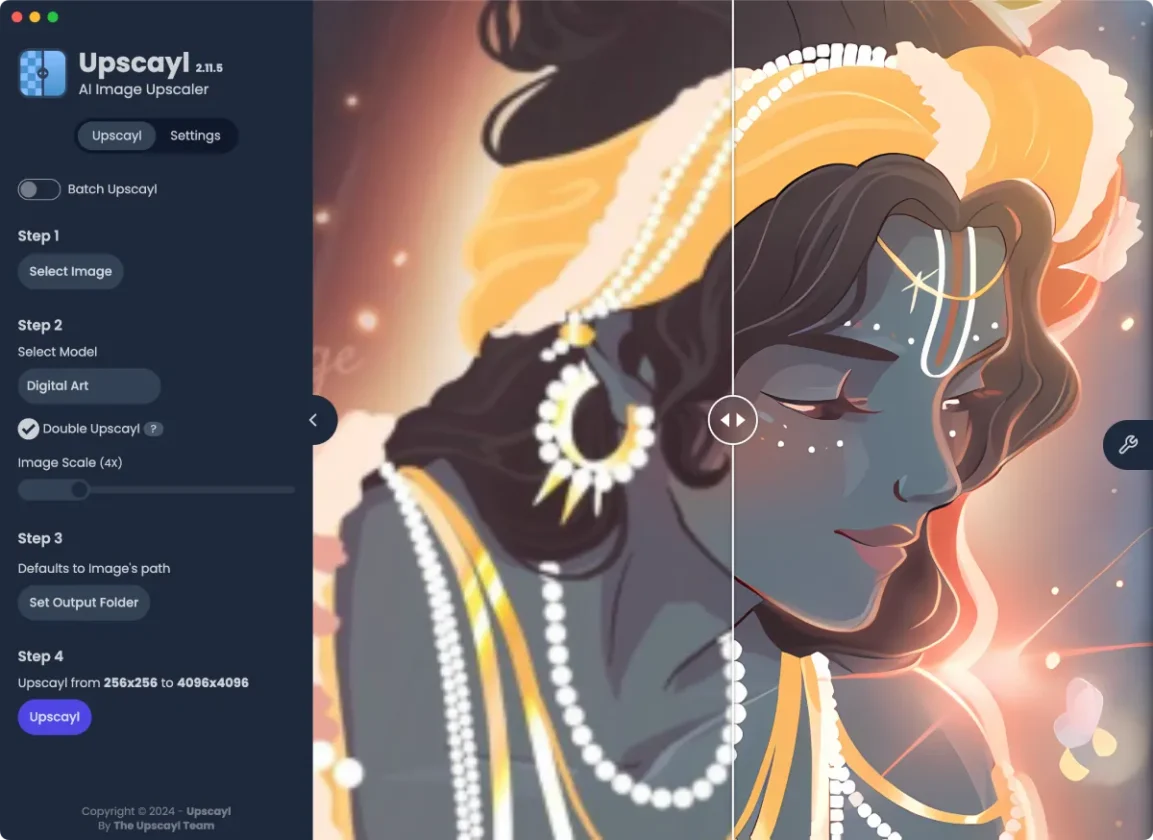
Topaz Studio ($444/year) → Upscayl ($0/year)
Topaz Studio is one of those tools that feels irresistible at first.
You throw a blurry image at it, wait a few seconds, and boom — sharper details, cleaner edges, AI magic.
But here’s what I realized, I wasn’t paying for results. I was paying for access.
At $37/month ($444/year), Topaz had quietly become another subscription that only got opened occasionally mostly when I needed to upscale an image or clean up noise. That’s it. No deep dependency.
So I asked myself a simple question:
Why am I paying every month for something my GPU can already do?
My system has an 8 GB VRAM GPU, which is more than capable of running modern upscaling models locally. Now, to be fair, Topaz does offer a wider selection of models & fine-grained controls.
If you’re doing very specialized restoration work every single day, that depth might matter. But for the kind of work most creators actually do, I realized something important: Upscayl was more than enough.
In fact, many Upscayl models run comfortably on 4 GB VRAM, and some even fall back to CPU-based inference if you don’t have a strong GPU at all. It’s slower on CPU, sure but it works. No subscriptions, no limits, no cloud dependency.
That’s when I switched to Upscayl.
Upscayl is open-source, runs entirely on your local machine, and uses ESRGAN-based models to upscale images without uploading a single pixel to the cloud.
Midjourney → Nano Banana
Midjourney deserves credit. It produces incredible results, and for many creators, it feels affordable at first glance.
The Basic Plan is priced at $96 per year ($8/month), which sounds reasonable — until you look at what you’re actually buying.
That plan includes:
- 3.3 hours (200 minutes) of Fast GPU time per month
- No Relax mode
- SD output
- Extra GPU time at $4 per hour
In other words, you’re not paying for “unlimited creativity.”
You’re paying for metered compute.
And once you start experimenting like regenerating prompts, iterating styles, testing compositions — those minutes disappear fast. Upgrading to the Standard or Pro plan doesn’t remove the core issue either; it just raises the ceiling while keeping the meter running.
This is fine if Midjourney is central to your business.
But for many people, it’s used for:
- Thumbnails
- Concept art
- Visual exploration
- Placeholder graphics
Which is where I started questioning the subscription.
Where Nano Banana Fits In (And Where It Doesn’t)
Instead of paying monthly for limited GPU minutes, I began using Google’s Nano Banana via Gemini for early-stage image generation.
Nano Banana is not a one-to-one replacement for Midjourney.
It comes with trade-offs:
- Less prompt control
- watermarks
- Fewer stylistic knobs
But for idea generation, rough concepts, and fast visuals, it works surprisingly well especially when combined with local tools.
My current flow looks like this:
- Generate a base image or concept using Nano Banana
- Clean or edit it in Krita / GIMP
- Upscale and enhance locally using Upscayl
Automation & Workflow
Zapier Pro ($240/year) → n8n (Self-Hosted)
Zapier is brilliant. There’s no denying that.
It’s often the first automation tool people discover, and for good reason, it makes complex workflows feel simple.
But simplicity comes at a cost.
At $240 per year, Zapier doesn’t just limit features, it limits thinking.
Every workflow runs on a meter. Every idea gets filtered through one question: “Is this worth spending tasks on?”
That’s a terrible way to build systems.
With Zapier, you’re paying for:
- Task limits
- Usage tiers
- The constant fear of hitting a cap
And once you cross a certain threshold, the price climbs fast.
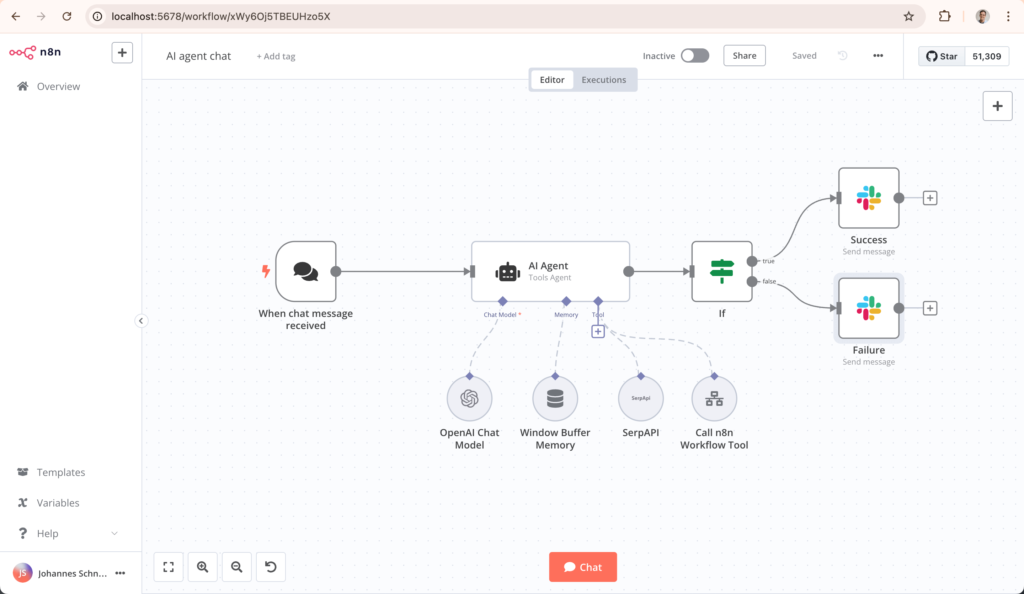
That’s when I switched to n8n.
n8n is open-source and self-hosted, which means:
- Unlimited workflows
- Unlimited executions
- No per-task pricing
- Full control over your data
Yes, it requires a bit of setup. But once it’s running, it feels like Zapier with more control.
Notes & Meetings
Zoom Pro ($159/year) → Jitsi Meet (Free & Open Source)

Zoom works great but the 40-minute limit on the free tier is more than an inconvenience.
A reminder that your conversations are being timed.
At $159 per year, Zoom Pro removes the limit but the product itself doesn’t fundamentally change. You’re still relying on a centralized service for something as basic as a video call.
Jitsi Meet flipped that entirely.
Jitsi is open-source, works directly in the browser, and offers:
- Unlimited meeting duration
- No accounts required
- Up to ~100 participants
- Optional self-hosting
No timers. No “your meeting will end in 10 minutes” anxiety.
For casual meetings, interviews, team calls, or internal discussions, Jitsi does the job without turning time into a paid feature.
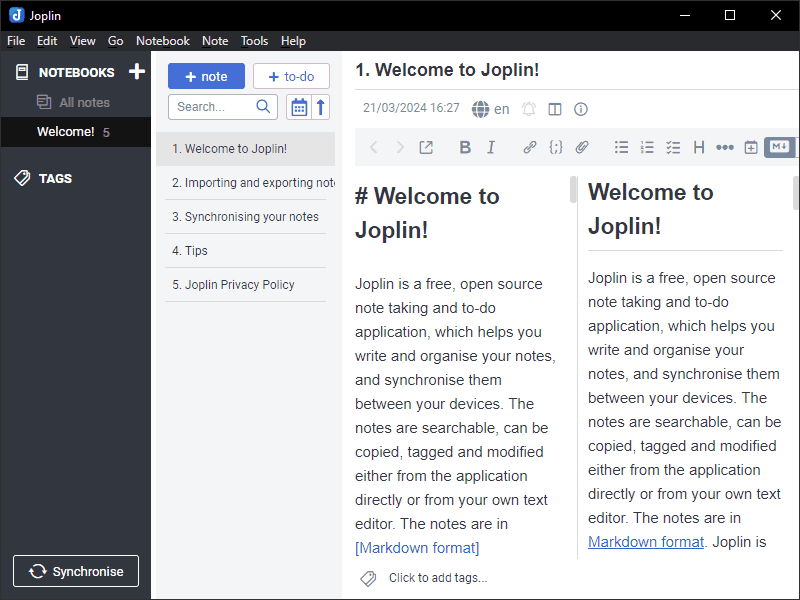
Evernote Starter ($99.00/year) → Joplin (Local & Markdown-Based)
Evernote used to be the gold standard for notes. Over time, it evolved into a subscription-first product.
At $99.00 per year, you’re paying to access notes you already wrote.
That realization alone was enough to push me out.
Joplin gave me exactly what I wanted:
- Local-first storage
- Markdown-based notes
- End-to-end encryption
- Sync options if I want them
My notes stopped living on someone else’s server and started living with me.
No lock-in. No artificial limits. Just text, organized the way it should be.
Also Read: 10 Pro-Level Offline AI Tools to Reclaim Your Privacy and Productivity in 2026
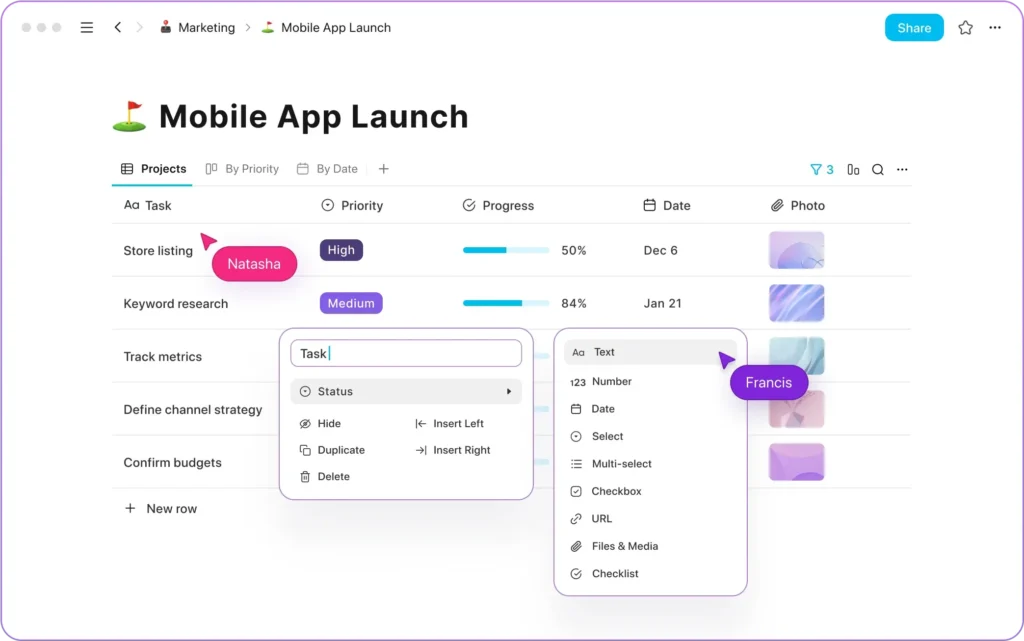
Notion Plus ($120/year) → AppFlowy / Logseq
Notion is powerful but it’s also heavy, cloud-dependent, and always online.
At $120 per year, you’re not paying for features.
You’re paying to keep your second brain hosted.
AppFlowy and Logseq take a different approach:
- Local-first
- Offline-friendly
- Open file formats
- No account required
AppFlowy feels familiar if you’re coming from Notion, while Logseq stands out if you like linking ideas and thinking in graphs.
Once again, the pattern repeated:
I didn’t lose productivity — I gained ownership.
The Bigger Pattern
By this point, it wasn’t about individual apps anymore.
It was clear that:
- SaaS tools sell convenience
- Open-source tools give control
- Subscriptions charge rent on your workflow
- Local-first tools let you build with ease
And when I finally added everything up, the numbers told the full story.
Wrapping Up
To be clear, this isn’t about dismissing or undermining the work behind these SaaS products. Tools like Adobe, Zapier, Notion, Zoom, and Evernote exist for a reason, they’re reliable & genuinely powerful. For teams and professionals who fully leverage their advanced features, the pricing can absolutely make sense.
But the reality is that many people don’t need everything these tools offer. In practice, most users rely on a small subset of core features while paying for a much larger bundle they rarely touch.
That’s why it’s important to know there are alternatives.
Open-source and local-first tools have quietly reached a point where they’re not just “good enough”, they’re genuinely capable, thoughtfully designed, and in many cases, more aligned with how people actually work. For creators, builders, and everyday users who value simplicity & ownership, these options can be a better fit.