
File Information
| File | Details |
|---|---|
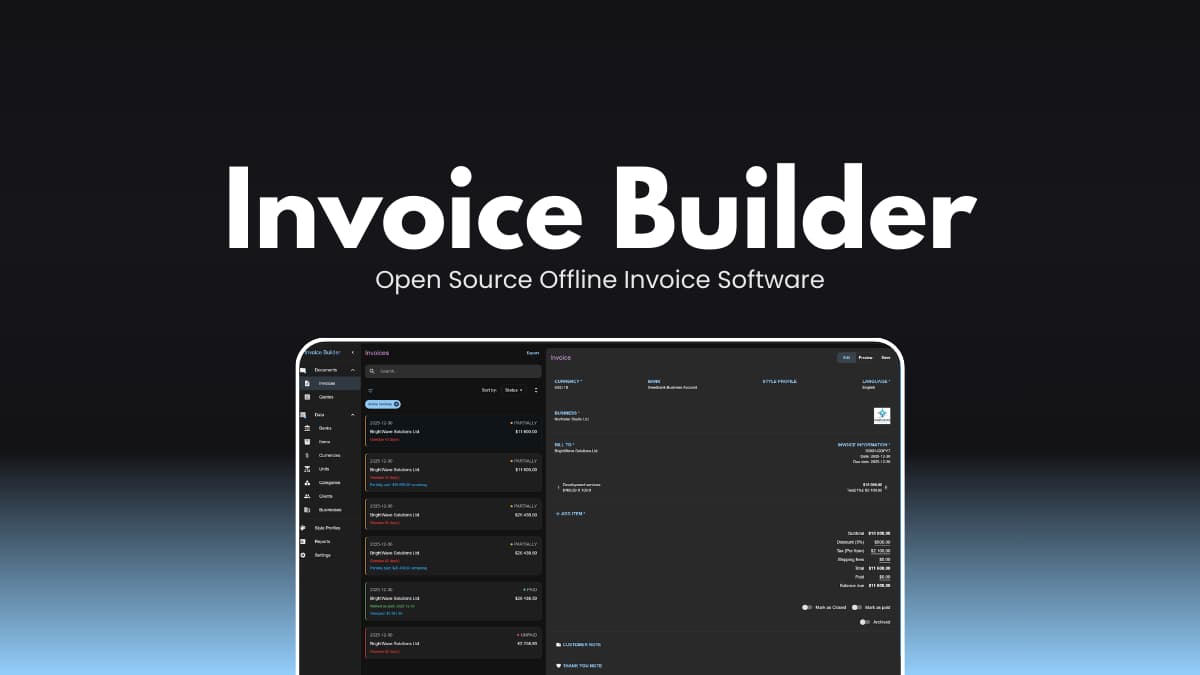
| Name | Invoice Builder |
| Version | v2.2.0 |
| Platforms | Windows , macOS , Linux |
| Size | 126MB (.exe), 162MB (.dmg) , 123MB (.deb) |
| License | MIT License (Open Source) |
| GitHub Repository | Github/invoice-builder |
Table of contents
Description
Most invoicing apps start by asking you to create an account. Invoice Builder doesn’t.
It runs locally on your machine & your invoices are stored in a database file that you control.
This is an offline-first, open-source invoicing and quoting application built for freelancers, contractors, and small businesses who prefer owning their data instead of renting access to it.
Screenshots
Features of Invoice Builder
| Feature Area | What it does |
|---|---|
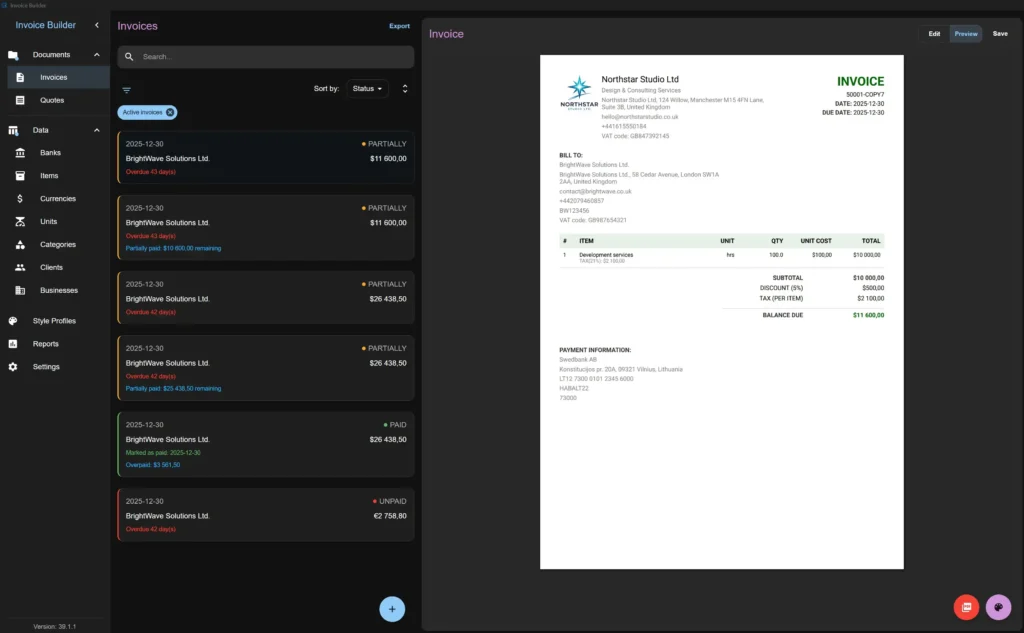
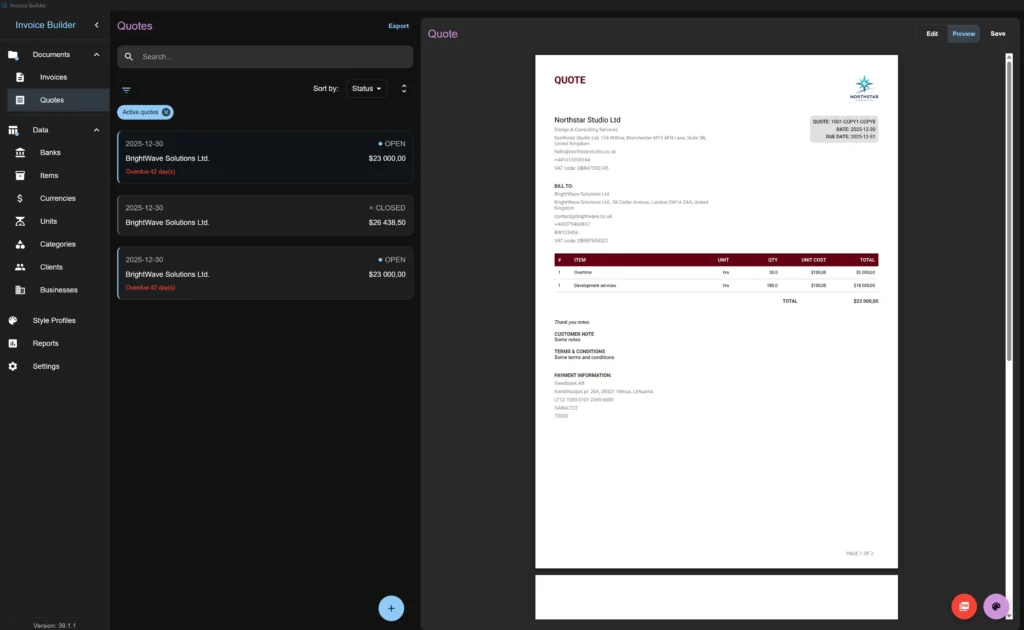
| Invoice & Quote Creation | Create and manage invoices and quotes offline with full document history. |
| Offline-first Architecture | Works without internet. All data stored locally in a database file. |
| Snapshot System | Stores snapshots of business, client, currency, bank, item, and style data per document to preserve historical accuracy. |
| Multi-currency Support | Choose currency individually for each invoice or quote. |
| Business Data Management | Manage banks, businesses, clients, items, categories, units, and currencies with search, sort, filter, and archive options. |
| Financial Controls | Fixed/percentage discounts, shipping fees, tax (inclusive/exclusive, per-item or total), deducted tax, partial payments, balance tracking. |
| Document States | Invoice states (unpaid, partially paid, paid, closed). Quote states (open, closed). |
| PDF Customization | Live preview, A4/Letter, layout presets, customizable fonts (Helvetica, Times-Roman, Courier, Roboto, Inter), colors, logo size, table styling, watermarks. |
| Signature & QR Support | Upload or draw signatures. Add QR codes for payments directly into PDF. |
| Column & Label Control | Reorder PDF table columns, customize labels and headers. |
| Reports | Aggregated financial data with charts and summaries. |
| Import/Export | JSON export/import, XLSX export for most entities, full database backup and restore. |
| Style Profiles & Presets | Predefine invoice/quote defaults (business, client, currency, notes, language, signature) for faster document creation. |
| Cross-platform | Available for Windows, macOS, and Linux. |
| Update Checking | Check for updates via GitHub releases. |
System Requirements
| Component | Minimum Requirement |
|---|---|
| Operating System | Windows 10+ (64-bit), macOS 11+ (Apple Silicon or Intel), or modern 64-bit Linux distribution (.deb support) |
| RAM | 2 GB minimum (1 GB may work for very small datasets) |
| Internet | Not required for core functionality |
How to Install Invoice Builder ??
Windows (.exe)
- Download the latest .exe file.
- Run the installer.
- Follow the setup wizard.
- Launch the application from Start Menu.
macOS (.dmg)
- Download the latest .dmg file.
- Open it and drag Invoice Builder into Applications.
- Launch from Applications.
Linux (.deb)
- Download the .deb package.
- Open with Software Installer.
- Launch from Applications menu.
Recommended For You: BentoPDF: 50+ Offline PDF Tools That Run 100% in Your Browser
Download Invoice Builder Open Source Offline Invoice Software
PostgreSQL Support
Invoice Builder supports two database backends:
| Storage Type | Description | Best For |
|---|---|---|
| SQLite (local file) | Single portable database file stored locally | Solo users, offline desktop use |
| PostgreSQL (server) | Network-accessible database server | Multi-user setups, Docker deployments, NAS/server environments |
You can either:
- Create or open a local SQLite database file
- Connect to a PostgreSQL server using host, port, username, password, and database name
This makes it usable for both individual freelancers and small teams running it on shared infrastructure.
License Disclaimer
Invoice Builder is released under the MIT License. The complete license text is available in the official GitHub repository.
The developer has included important terms of use regarding warranties and responsibility. The application is provided under standard open-source terms, and users should review the full license details before using it.
All data is stored locally on your device. The developer does not collect or access user information.
For complete legal terms, please refer to the LICENSE file in the official repository.
Conclusion
Invoice Builder is a straightforward offline invoicing tool. It doesn’t try to sync your data across the internet or bundle analytics into your financial documents.
If you want local control, open-source transparency, and flexible PDF customization, it’s worth trying.
If you prefer fully managed cloud accounting software, this probably isn’t the right fit.