
For deep research tasks, the options are mostly proprietary. Perplexity, ChatGPT DeepResearch, paid tools that do the job but keep your data on their servers and charge you monthly for the privilege. Yes you can use open source reasoning models like DeepSeek-R1 or Qwen3 for complex analysis and they are genuinely capable. But they are not built specifically for agentic deep research. They reason well. They do not orchestrate.
That gap is exactly what MiroThinker 1.7 is designed to fill. An open source model built from the ground up for long horizon research tasks, step by step verification and up to 300 sequential tool calls without losing the plot.
If you handle sensitive research and cannot pipe it through a third party server, this is worth paying close attention to.
Table of contents
MiroThinker 1.7 in a nutshell

MiroThinker 1.7 is an open source AI research agent built specifically for long horizon tasks. Not a chatbot or a reasoning model you prompt manually. An agent that searches, verifies, cross references and works through complex multi-step research problems autonomously.
It comes in two sizes. The mini version at 30B parameters is the accessible entry point, runnable on capable consumer hardware. The full 235B version is for serious deployments with more compute available. Both support a 256K context window and both handle up to 300 tool calls per task.
Most agents lose coherence well before they hit 50 tool calls. MiroThinker is built for the kind of research that actually needs hundreds of sequential steps without losing track of where it started or what it is trying to prove.
Where Most AI Agents Break and How MiroThinker Handles It
Most AI agents don’t fail because they can’t reason. They fail because they can’t stay consistent.
Things usually go wrong a few steps in. A tool returns messy data. The model misreads it. The next step builds on that mistake. By step 20 or 30, the agent is either looping or contradicting itself. This gets worse with scale. A lot of systems can handle short tasks. But when you push them into long, multi-step research, they start losing track of the goal itself.
Tool use makes this harder for agents. Every step is a decision. What tool to use, what inputs to pass, how to interpret the result. Most models were never really built to handle that level of coordination over hundreds of steps.
MiroThinker is built around that problem. It is designed to handle up to 300 tool calls in a single task while keeping the chain intact & staying aligned with the original objective.
It focuses on verifying the process, not just the answer. Instead of just generating output, it structures reasoning in a way that can be checked step by step. That makes a difference when the task is long enough that small mistakes would normally compound.
Two sizes, two use cases
MiroThinker 1.7 comes in two versions and the choice between them is straightforward.
The mini version at 30B parameters is where most people should start. It is the accessible entry point, built for researchers, developers and teams who want serious agentic research capability without enterprise grade infrastructure. Both context window and tool call limits are identical to the full version, 256K and 300 respectively. You are not getting a stripped down experience. You are getting the same architecture at a size that is actually deployable on capable hardware.
The full 235B version is for teams with serious compute available. More parameters means stronger reasoning on genuinely complex tasks, better handling of long documents and more reliable performance when the research goes deep. If you are running this in production for high stakes research workflows, this is the version worth considering.
Both are Apache 2.0 licensed. Both have weights on HuggingFace. Neither locks you into a platform or a subscription.
One thing worth knowing. MiroMind also has a proprietary agent called MiroThinker-H1 which uses global verification across entire research outputs. That is not open source. But the 1.7 family we are talking about here is fully open and free to use.
What the Benchmarks Actually Show
On paper, MiroThinker 1.7 looks strong.
It reports 74.0% on BrowseComp, 75.3% on BrowseComp-ZH, 82.7% on GAIA-Val-165, and 42.9% on HLE-Text. That puts it in a competitive spot among open models, especially for research-style tasks.
One detail that stands out is BrowseComp-ZH, where it claims state-of-the-art performance. That is a hard benchmark focused on long, multi-step browsing and reasoning, which aligns closely with what this model is trying to solve.
But there are some caveats. These evaluations were done in controlled settings. Certain websites were blocked during testing to prevent data leakage, which makes sense, but also means real-world performance could look different.
There is also no broad independent testing yet. Right now, most of what we have comes from the team itself. The numbers are useful, but they are not the full picture. So the takeaway is simple. The benchmarks point in the right direction, especially for long-horizon research tasks. But until more people test it outside curated setups, it is still early.
Recommended: NVIDIA Nemotron 3 Super Is Here: The 120B Open Model That Ends the Thinking Tax for AI Agents
Getting it running locally
There are multiple ways to run MiroThinker, but the easiest starting point is using vLLM.
Step 1: Install vLLM
Set up vLLM on your system. If you already have a GPU environment ready, this should be straightforward.
Step 2: Run the model
Use the command below to start the model locally.
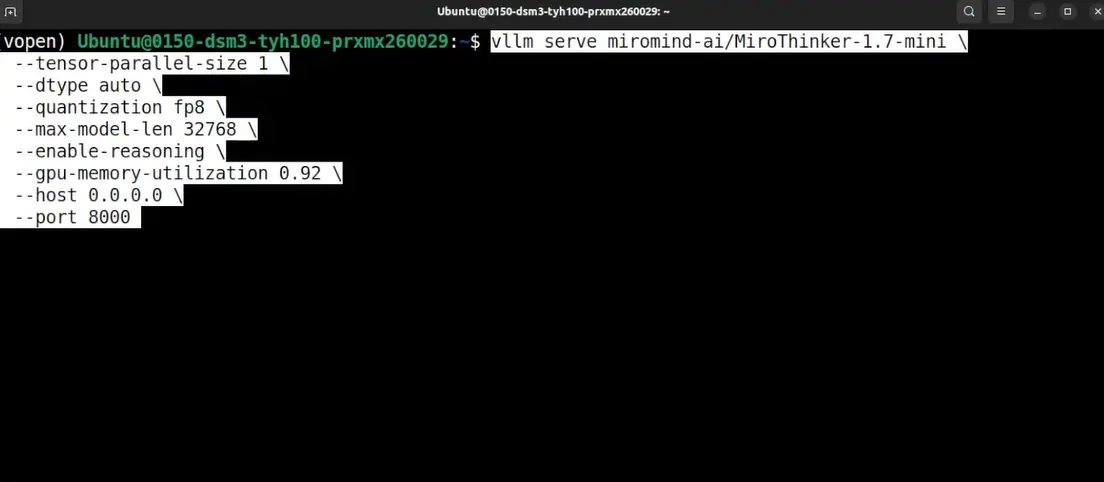
This will download the Mini version of the model and launch it as a local server. If you wanna tweak Model version, quantization, port or any details, you can go ahead with them and hit enter.
Step 3: Connect a UI
Once the model is running, you can connect it to tools like OpenWebUI or any client that supports custom endpoints. This makes it much easier to interact with instead of using the terminal.
Step 4: Use it as an agent
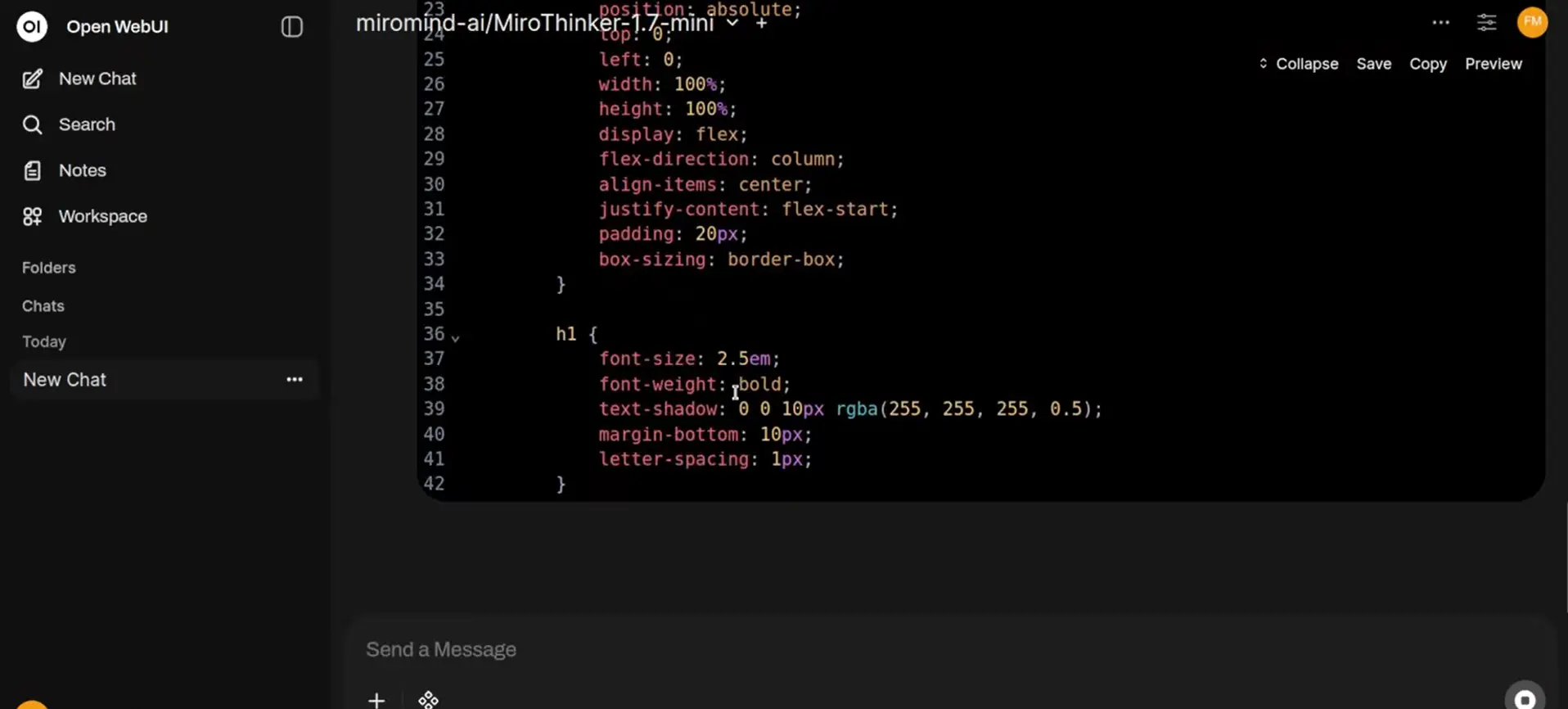
To actually get the full value, you need to use it with tool calling enabled. MiroThinker is built for agent workflows, not just simple prompts.
For More Information on Setup You can visit their Github Repository
Is This the DeepResearch Alternative Developers Have Been Waiting For
MiroThinker 1.7 gets closer than most open models so far.
It is not just another reasoning model. It is built for long, multi-step research with tool use. That puts it in a different category from models that can think, but cannot act over extended workflows.
But it is not a complete replacement yet. Right now, a lot of what we have comes from early results and controlled evaluations. There is promise, especially around long chains and consistency, but real-world testing is still limited.
There is also the setup. Running this is not as simple as opening a website and typing a prompt. You are hosting the model, wiring up tools, and managing the workflow yourself. For some teams, that is exactly the point. For others, it is still inconvinient.
So where does that leave us? If you want a fully managed, plug-and-play experience, tools like ChatGPT DeepResearch or Perplexity are still ahead.
But if you care about control, privacy, and building your own research workflows, MiroThinker is one of the first open releases that actually feels designed for that.