

File Information
| Name | LosslessCut – Cross-Platform Lossless Video/Audio Cutter (FFmpeg GUI) |
|---|---|
| Platforms | Windows 10/11, macOS Intel/Apple Silicon, Linux (x64 / arm64) |
| License | Open Source (GPL v2.0 License) |
| Official Repo | Github lossless-cut |
| Website | losslesscut |
| Developer | Mikael Finstad (mifi) |
Table of contents
Description
LosslessCut is a fast, no-reencode video/audio cutter built on top of FFmpeg.
Its main goal is to provide extremely fast, lossless trimming so you can cut huge video files GoPro, drones, cameras within seconds, without losing quality. It support wide range of format including MP4, MOV, WebM, Matroska, OGG and WAV. Audio codecs: FLAC, MP3, Opus, PCM, Vorbis and AAC. Video codecs: H264, AV1, Theora, VP8, VP9 and H265 (with hardware decoder).
Using direct stream copy, LosslessCut lets you:
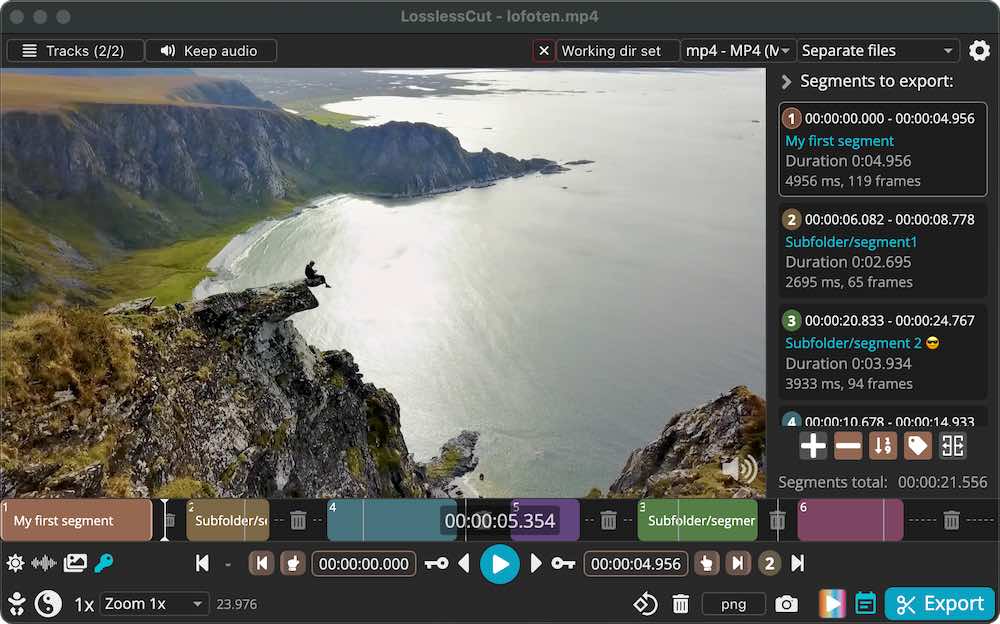
- Extract highlights
- Remove unwanted clips
- Reorder segments
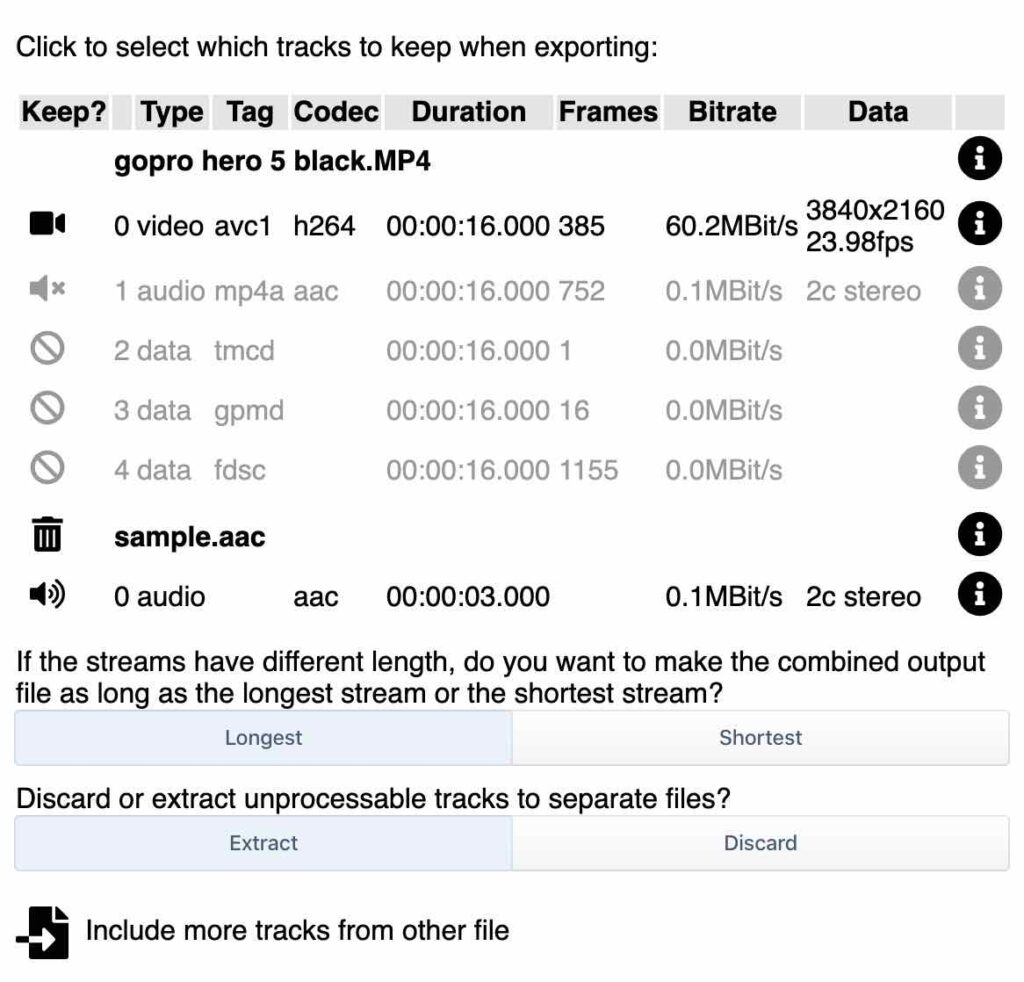
- Merge files
- Work with subtitles, metadata, thumbnails, chapters and more
Everything happens without re-encoding, making it the fastest possible workflow.
Screenshots
Features of LosslessCut
| Category | Features |
|---|---|
| Lossless Editing | Cut, trim, split, merge, reorder video/audio with zero quality loss |
| Tracks & Streams | Add/remove audio tracks, subtitle tracks, metadata; extract all tracks |
| Smart Tools | Smart Cut (experimental), scene detection, silent detection |
| Exporting | Export frames, thumbnails, chapters, CSV, EDL, YouTube chapters |
| Container Tools | Remux to MP4/MOV/MKV/WebM without re-encoding |
| Metadata Editing | Change rotation, orientation, language, title, GPS data, timestamps |
| Visualization | Video thumbnails, audio waveform, timeline zoom, frame jumps |
| Snapshots & Images | Export high-res frames, nth-frame exports, time-range exports |
| Batch & Advanced | Undo/redo, multi-step workflows, CLI API, JS expression editor |
| Playback Tools | Select tracks, play multiple audio tracks simultaneously |
| Other | Embedded GPS map view, customizable shortcuts, project-based segment saving |
System Requirements
| Platform | Requirements |
|---|---|
| Windows | Windows 10/11 (x64) – FFmpeg bundled – 4GB RAM recommended |
| macOS | macOS 10.13+ – Intel or Apple Silicon – 4GB RAM |
| Linux | Ubuntu/Debian/Fedora/openSUSE/Arch – 64-bit – FUSE for AppImage |
How to Install LosslessCut??
Windows (.7z)
- Download:
LosslessCut-<version>-win.7z - Extract using 7-Zip / WinRAR.
- Open the folder.
- Run:
LosslessCut.exe - (Optional) Create a desktop shortcut.
macOS (.dmg)
- Download the
.dmgfile. - Double-click to mount.
- Drag LosslessCut.app to Applications.
- Open Launchpad → run LosslessCut.
- macOS Gatekeeper warning?
Open System Settings → Privacy → Allow Anyway.
Linux (.AppImage)
- Download:
LosslessCut-<version>-x86_64.AppImage - Make it executable:
chmod +x LosslessCut-*.AppImage - Run it:
./LosslessCut-*.AppImage
Download LosslessCut: Ultra-Fast, Lossless Video & Audio Editor
Support LosslessCut Development
If you find this open source project helpful then consider supporting the community behind this great creation, visit Losslesscut donate page to support the project
Conclusion
LosslessCut is one of the fastest and most efficient tools for creators who want instant, zero-quality-loss video and audio trimming. Whether you’re working with gigabytes of drone footage, editing YouTube chapters, cleaning up podcasts, or merging GoPro clips, it delivers speed, simplicity, and precision.
With support for Windows (.7z), macOS (.dmg), and Linux (.AppImage), installation is effortless across all platforms. Combine that with its massive feature set, project workflow, and powerful FFmpeg engine, LosslessCut becomes an essential, open-source tool for any media workflow.