
File Information
| Software Name | LMMS (Linux MultiMedia Studio) |
|---|---|
| Category | Digital Audio Workstation (DAW) |
| License | Free & Open Source |
| Platforms | Windows, macOS, Linux |
| File Formats | .exe (Windows), .dmg (macOS), .tar.gz (Linux) |
| Size | 40MB |
Table of contents
Description
LMMS (Linux MultiMedia Studio) is a professional-grade free & open source digital audio workstation designed for music production across Windows, macOS & Linux. It is widely regarded as the best free alternative to FL Studio, Ableton Live & Logic Pro, making it a top choice for beginners, hobbyists & professional producers who want high-quality results without the cost.
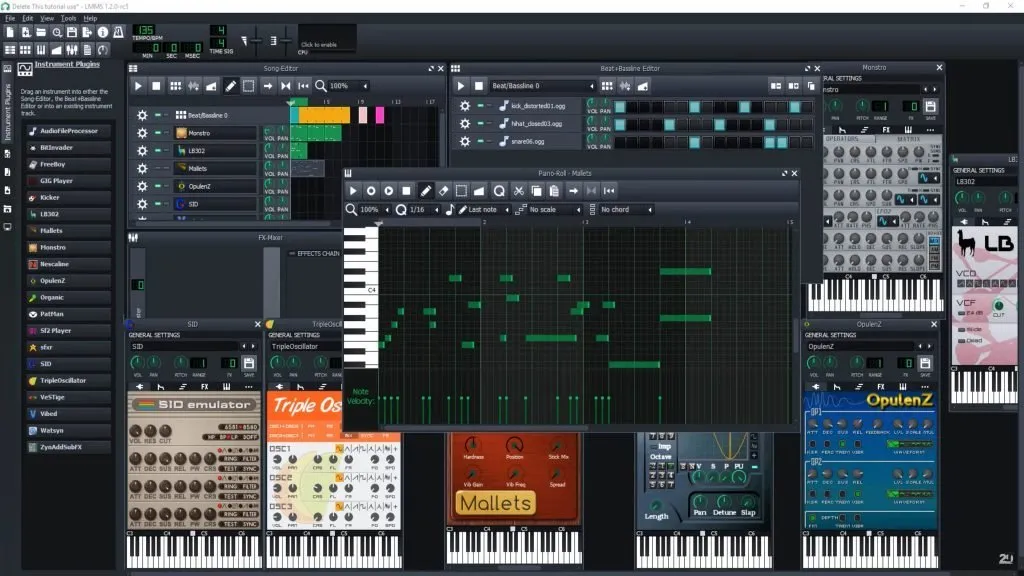
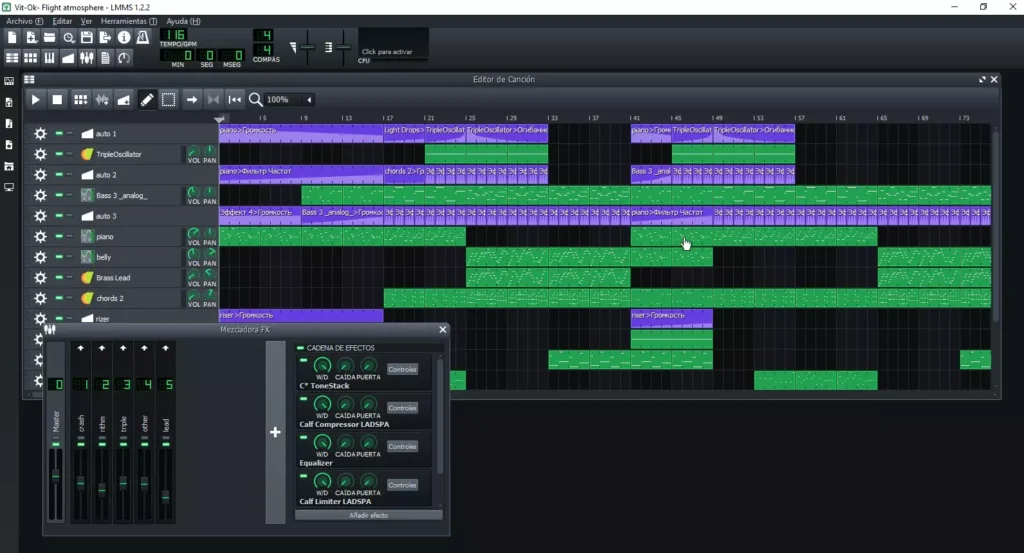
LMMS includes a Song Editor, Beat + Bassline Editor, Piano Roll, Mixer & automation tools, all in an intuitive interface that is easy to learn but powerful enough for advanced compositions. With more than 15 built-in synthesizers & effect plugins, you can start producing music right away. LMMS also supports industry standards like VST(i), LADSPA, SoundFont2, MIDI & GUS Patches, allowing seamless integration with your existing plugins & files.
One of the biggest strengths of LMMS is its cross-platform support & open source nature, which means no subscriptions, no vendor lock-in & full freedom to customize your workflow. Whether you want to arrange melodies, design beats, edit audio samples or export professional-quality tracks, LMMS gives you all the tools you need.
If you are searching for the best free DAW software or looking for a free alternative to FL Studio, LMMS is one of the most reliable & feature-packed choices available. Scroll down to the download section & start your music production journey today.
Features of LMMS
| Feature | Details |
|---|---|
| Song Editor | Arrange melodies, audio samples, patterns & automation |
| Beat + Bassline Editor | Create drum patterns & basslines with precision |
| Piano Roll | Intuitive tool for composing & editing melodies |
| Mixer | Unlimited mixer channels with effects support |
| Plugins | Comes with 15+ synthesizer & effect plugins |
| Automation | Full track-based automation & controller support |
| Compatibility | Supports VST(i), SoundFont2, LADSPA, MIDI & more |
| Import & Export | Import MIDI & export audio in multiple formats |
Screenshots
System Requirements
| Platform | Minimum Requirements |
|---|---|
| Windows | Windows 7 or later, 4GB RAM, Dual-core CPU, 200MB free space |
| macOS | macOS 10.13 or later, 4GB RAM, Intel or Apple Silicon, 200MB free space |
| Linux | Modern Linux distribution, 4GB RAM, Dual-core CPU, 200MB free space |
How to Install LMMS?
Windows (.exe)
- Download the LMMS
.exeinstaller from the download section below. - Open the installer & follow the on-screen setup wizard.
- Choose the installation folder & complete setup.
- Launch LMMS from the Start Menu.
macOS (.dmg)
- Download the
.dmgfile. - Open it & drag LMMS to the Applications folder.
- Grant permission if prompted.
- Open LMMS from Applications to start producing music.
Linux (.AppImage)
- Download the
.AppImagefile from the download section. - Open a terminal & navigate to the folder containing the AppImage.
- Make it executable with the command:
chmod +x lmms-x.x.x.AppImage - Run the AppImage using:
./lmms-x.x.x.AppImage - LMMS will launch without the need for installation, keeping your system clean & portable.
LMMS Free Download for Windows, macOS & Linux Best Free Open Source Alternative to FL Studio
Conclusion
LMMS is more than just a free DAW, it is a complete music production environment that rivals expensive software like FL Studio & Ableton Live. With cross-platform support, powerful features & zero cost, it empowers musicians, producers & hobbyists to create professional-quality tracks without restrictions. If you are looking for the best free & open source music production software, LMMS is the answer.