


File Information
| Name | Lapce – Rust-Based Lightning-Fast Code Editor |
|---|---|
| Version | Latest Stable Release |
| File Size | Windows: 19.7MB (.exe) • macOS: ~44MB (.dmg) • Linux: ~16MB (.deb / .rpm) |
| Platforms | Windows • macOS • Linux |
| License | Open Source (Apache License 2.0) |
| Official Repository | GitHub / Lapce |
| Official Site | lapce |
Table of contents
Description
Lapce (IPA: /læps/) is a next-generation, ultra-fast code editor written entirely in Rust, designed with the cutting-edge principles of Rope Science from the Xi-Editor. With Floem powering its native UI and wgpu driving high-performance GPU-accelerated rendering, Lapce aims to deliver one of the fastest and most efficient code editing experiences available today.
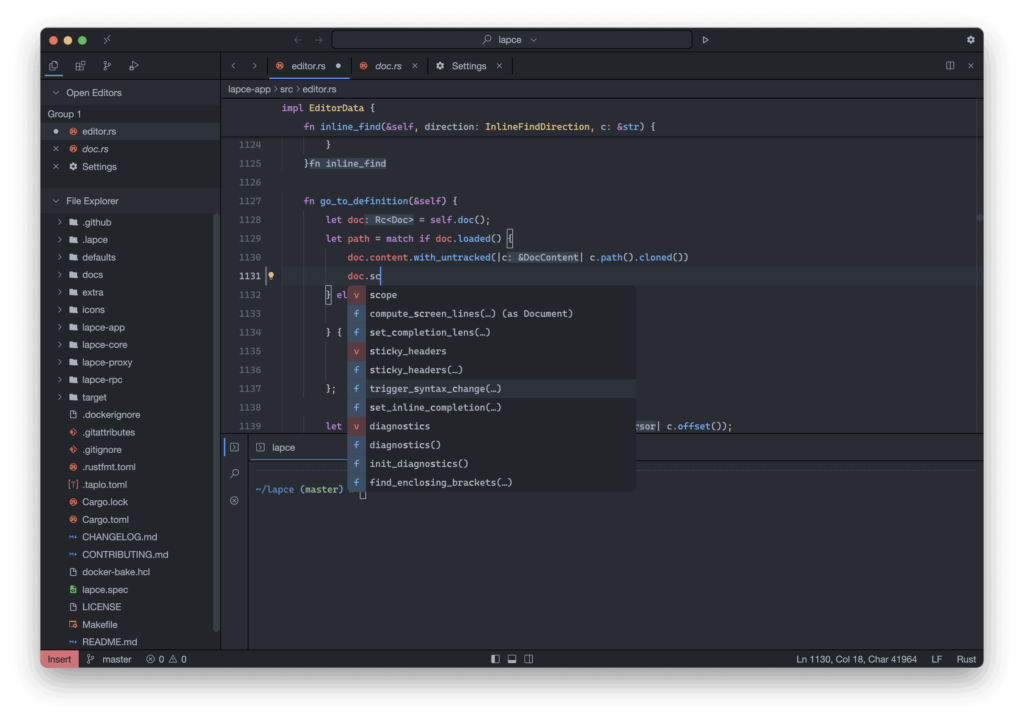
It features built-in LSP support, modal editing (Vim-like), powerful remote development (VS Code Remote-style), plugin support using WASI-compatible languages, and an integrated terminal.
Lapce focuses on speed, simplicity, and a fully offline, native experience, making it a perfect choice for developers looking for performance beyond Electron-based editors.
Screenshots

Features of Lapce Code Editor
| Feature | Description |
|---|---|
| Native Rust Performance | Built entirely in Rust with Rope Science for extremely fast typing, rendering, and navigation. |
| Built-in LSP Support | Provides intelligent coding features like autocompletion, diagnostics, code actions, and inline hints. |
| Modal Editing (Vim-like) | First-class support for Vim-style modal editing, easily toggled on or off. |
| Remote Development | Similar to VSCode Remote; connect to remote machines while enjoying a local-like editing experience. Supports Lapdev for managing cloud dev environments. |
| Powerful Plugin System | Plugins can be written in any language compiling to WASI (Rust, C, AssemblyScript, etc.). |
| Integrated Terminal | Run commands directly inside Lapce without switching windows. |
| GPU-Accelerated Rendering | Powered by wgpu for smooth animations and efficient rendering. |
| Cross-Platform UI | Floem UI provides a cohesive, responsive interface across Windows, macOS, and Linux. |
| Open-Source & Community-Driven | Actively developed, fully open, and welcoming contributors. |
System Requirements
| Platform | Minimum Specification |
|---|---|
| Windows | Windows 10 or newer, 4 GB RAM, 64-bit processor, 300 MB free disk space |
| macOS | macOS 10.13+ (Intel & Apple Silicon), 4 GB RAM, 300 MB disk space |
| Linux | Debian/Ubuntu/Fedora/openSUSE or any modern distro, 4 GB RAM, 300 MB disk space |
How to Install Lapce Code Editor??
Scroll down to the Download Section and choose the version for your operating system.
Windows (.msi)
- Download the Lapce Windows installer (.msi).
- Double-click to start installation.
- Follow the setup wizard to complete installation.
- Launch Lapce from the Start Menu.
macOS (.dmg)
- Download the macOS .dmg file.
- Open it and drag Lapce into your Applications folder.
- Run Lapce from Applications.
- If macOS blocks the app, right-click → Open → confirm access.
Linux (.deb)
- Download the .deb package for Debian/Ubuntu.
- Install using:
sudo dpkg -i lapce_x.xx_amd64.deb - If there are dependency errors, run:
sudo apt --fix-broken install - Launch Lapce from your applications menu.
Linux (.rpm)
Launch Lapce from your system menu.
Download the .rpm package for Fedora/openSUSE/RHEL.
Install using: sudo rpm -i lapce-x.xx-1.x86_64.rpm
Download Lapce Ultra-Fast Open-Source Code Editor in Rust
Conclusion
Lapce is a breakthrough in the world of code editors — combining the raw speed of Rust, a modern GPU-accelerated UI, remote development capabilities, powerful plugin support, and built-in LSP intelligence. Whether you’re a developer seeking a fast, lightweight alternative to Electron-based editors or someone who wants a native, offline, open-source solution, Lapce is an exceptional choice.
Experience unmatched performance and a clean, modern development workflow with Lapce across Windows, macOS, and Linux.




