
File Information
| File | Details |
|---|---|
| Name | KeePassDX – Open Source Android Password Manager |
| Version | v4.2.4 |
| File Size | 15.8MB (APK) |
| Platforms | Android |
| License | Open Source (GNU GPL v3 License) |
| Official Repository | GitHub KeePassDX |
| Official Site | KeePassDX |
Table of contents
Description
KeePassDX is a lightweight, privacy-focused password manager for Android that helps you securely store and manage all your credentials in a single encrypted database. Built on the trusted KeePass format, it gives you full control over your passwords without relying on cloud services.
It works entirely offline. Your data stays on your device or wherever you choose to store it. There are no accounts to create, just strong encryption and full transparency through open-source code.
It also supports modern security standards, biometric unlocking, autofill, and two-factor authentication, making it practical for everyday use while remaining suitable for power users who care deeply about security.
Use Cases
- Managing passwords securely on Android
- Using strong, unique passwords for every account
- Offline-first password storage
- Two-factor authentication (TOTP / HOTP) management
- Syncing KeePass databases across devices
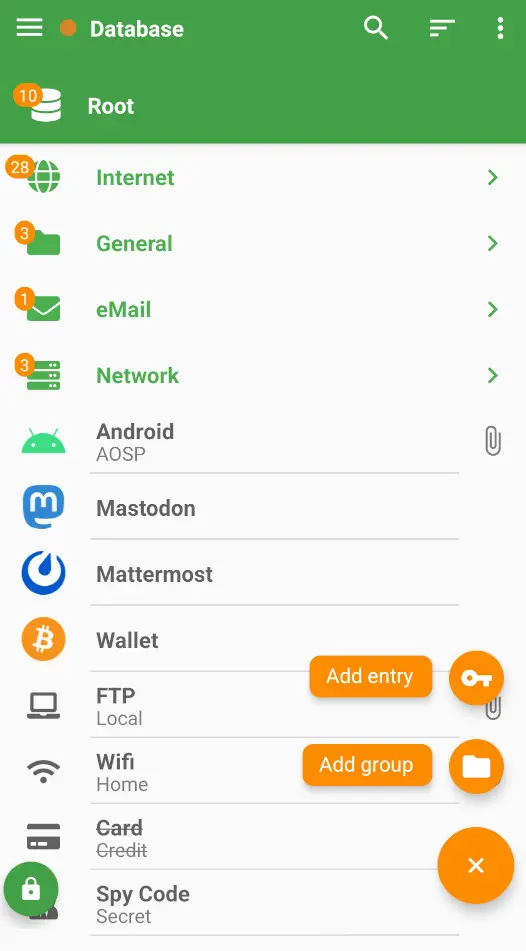
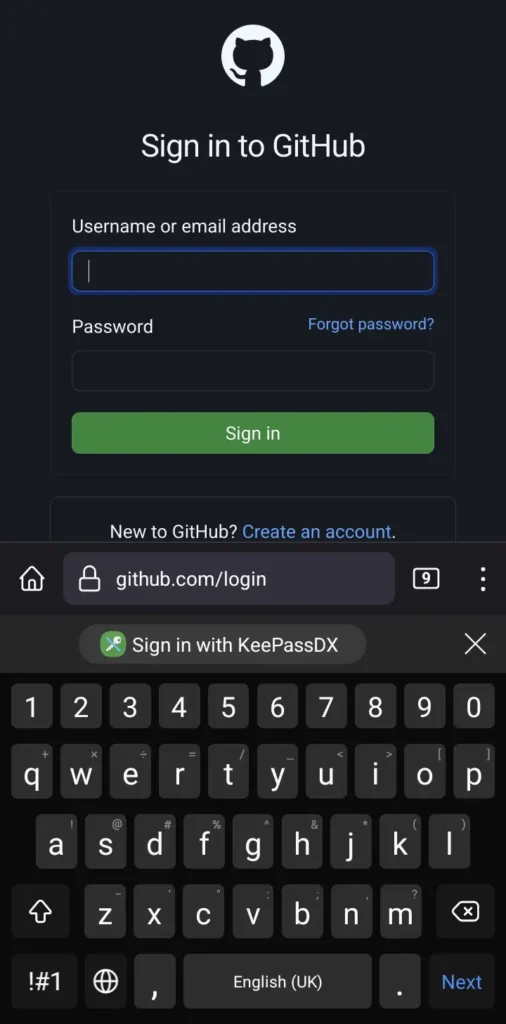
Screenshots
Features of KeePassDX
| Feature | Description |
|---|---|
| Strong Encryption | Uses AES, Twofish, or ChaCha20 with Argon2 key derivation |
| KeePass Compatible | Supports .kdb and .kdbx databases (v1–v4) |
| Biometric Unlock | Fingerprint, face unlock, and device authentication |
| Autofill Support | Fill login forms securely across apps and browsers |
| Built-in 2FA | Manage TOTP and HOTP codes inside the app |
| Offline First | No cloud dependency |
| Open Source | Fully auditable GPLv3-licensed code |
| Material Design | Clean UI with light and dark themes |
System Requirements
| Platform | Minimum Specification |
|---|---|
| Android | Android 6.0 or newer |
| Storage | ~30 MB free space |
How to Install KeePassDX??
- Download the apk from download section below.
- Open the APK file
- Allow installation from unknown sources if prompted
- Install and launch the app
Recommended For You: KeePassXC: Open-Source Password Management Solution for Privacy-Conscious Users For Windows, macOS & Linux
Download KeePassDX – Secure Open Source Password Manager for Android
Open Source & Community
KeePassDX is released under the GNU GPL v3 license, ensuring transparency, security, and long-term freedom. The project is actively maintained and widely audited, making it one of the most trusted open-source password managers on Android with 6.1K+ stars on Github.
The community contributes through translations, bug reports, feature requests, and code contributions, helping the app evolve while staying true to its privacy-first philosophy.
Support KeePassDX Project
KeePassDX is developed and maintained by independent open-source contributors. If you find the app useful in your daily life, consider supporting the project by donating through its official website. Supporting the project is a great way to give back and keep high-quality open-source software thriving.
Conclusion
If you want a powerful, open-source password manager that puts control back in your hands, KeePassDX is one of the best choices available on Android. Reliable, transparent, and built with security at its core.