
File Information
| Property | Details |
|---|---|
| Name | Kdenlive |
| Version | Latest stable release (adjust as needed) |
| License | GNU General Public License v3.0 (Open Source) |
| Platforms | Windows, macOS, Linux |
| File Types | .exe (Windows), .dmg (macOS), .AppImage (Linux) |
| Developer / Project | KDE Community |
| Official Repository | kdenlive |
Table of contents
Description
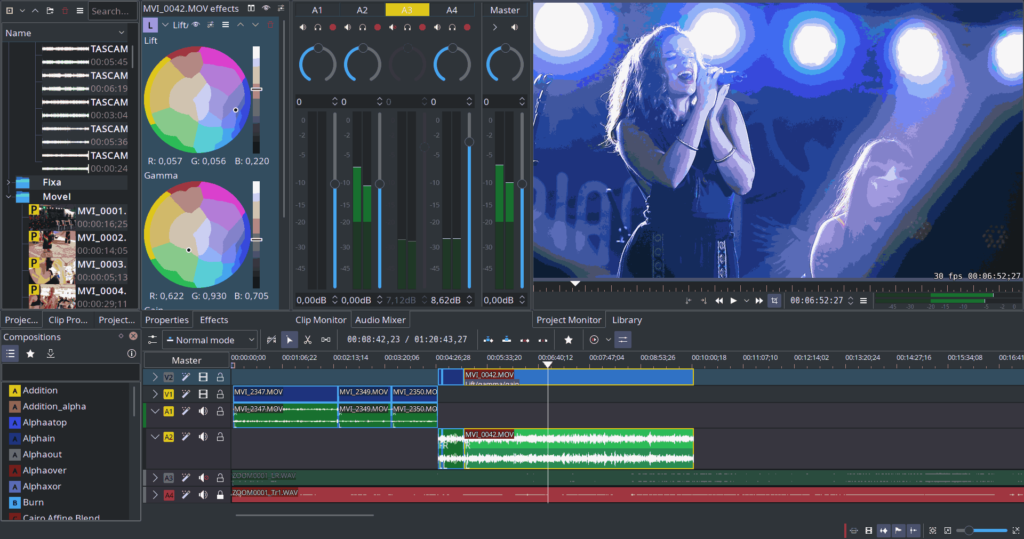
Kdenlive combines powerful editing tools with an intuitive interface that caters to both beginners and experts. It offers multi-track video editing, meaning you can layer videos, audio, and images, while advanced effects and transitions allow for cinematic quality productions.
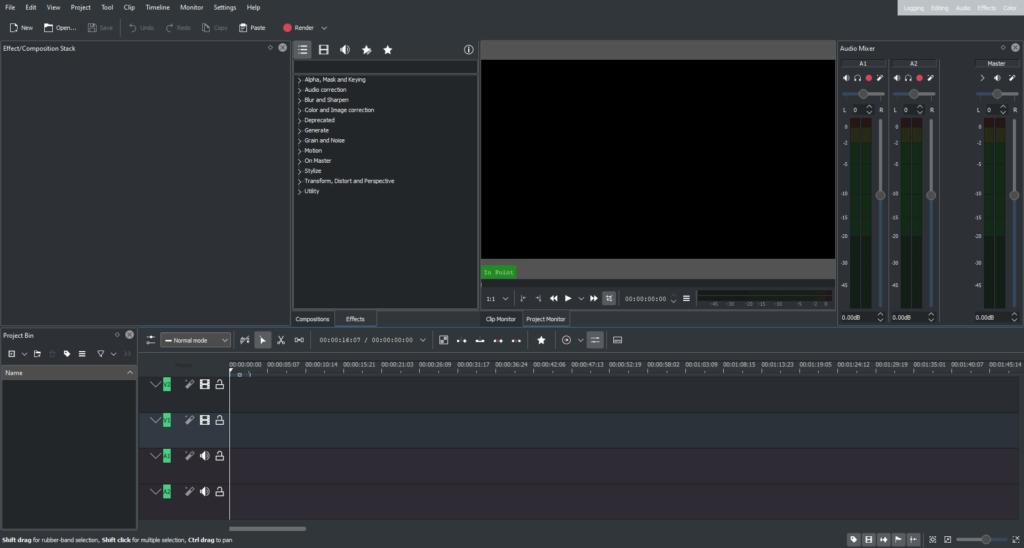
Kdenlive supports proxy editing for smoother workflow with high-resolution footage, customizable shortcuts for faster editing, and a flexible workspace layout that can be tailored to your editing style. Its real-time previews, keyframeable effects, and audio/video scopes ensure precise control over your final output.
Additionally, Kdenlive has strong community-driven development, ensuring frequent updates, new effects, and compatibility with the latest video codecs. Being open-source, it is a great alternative to paid editors like Adobe Premiere Pro, Final Cut Pro, and DaVinci Resolve.
If you’re producing YouTube content, short films, or professional presentations, Kdenlive gives you all the tools to craft stunning videos while staying completely free and open-source under the GNU GPL license. It supports a variety of video, audio, and image formats, making it flexible for any project.
Features of Kdenlive
| Feature | What It Enables You To Do |
|---|---|
| Multi-Track Editing | Layer multiple video & audio tracks for complex projects |
| Real-Time Effects & Transitions | Add effects & transitions with live previews |
| Proxy Editing | Edit smoothly with high-resolution footage using low-res proxies |
| Keyframeable Effects | Animate effects and parameters over time |
| Audio & Video Scopes | Monitor levels and color grading accurately |
| Flexible Workspace | Customize layouts to suit your workflow |
| Wide Format Support | Import/export videos in MP4, AVI, MOV, MKV, and many formats |
| Open-Source Plugins | Extend functionality with community plugins & effects |
| Cross-Platform | Same experience on Windows, macOS & Linux |
Screenshots
System Requirements
| Platform | Minimum Suggested Specs |
|---|---|
| Windows | Windows 10 / 11, 4 GB RAM, GPU with OpenGL 2.0+, 500 MB disk |
| macOS | macOS 10.14 or higher, 4 GB RAM, Metal/OpenGL GPU |
| Linux | Modern 64-bit distro, 4 GB RAM, OpenGL 2.0+ GPU |
How to Install Kdenlive??
Windows (.exe)
- Download the
.exeinstaller. - Run the installer and follow the on-screen instructions.
- Launch Kdenlive from Start Menu or desktop shortcut.
macOS (.dmg)
- Download the
.dmgfile. - Open the disk image and drag Kdenlive.app into Applications.
- If macOS warns about unidentified developer, go to System Preferences → Security & Privacy → Allow.
- Launch from Applications folder.
Linux (.AppImage)
- Download the
.AppImagefor your architecture. - Make it executable:
chmod +x Kdenlive‑X.Y.Z.AppImage
Run it:./Kdenlive‑X.Y.Z.AppImage
Optionally, create a desktop shortcut for easy access.
AppImages are self-contained, so no installation is needed and they can run on most Linux distros directly.
Download Kdenlive Video Editor Download for Windows macOS & Linux
Conclusion
Kdenlive is the ideal open-source alternative to commercial editors, offering professional-level tools without subscription fees. Perfect for creators, educators, students, or hobbyists, Kdenlive allows you to produce high-quality videos effortlessly.
Start editing today with Kdenlive and unleash your creativity across platforms!