
File Information
| Name | HeliBoard – Secure & Customizable Open Source Keyboard for Android |
|---|---|
| Version | v1.0.0 (Latest Stable Release) |
| File Size | Android APK: ~21MB |
| Platforms | Android Smartphones & Tablets |
| License | Open Source (GPL Version 3.0) |
| Official Repository | GitHub – Helium314/HeliBoard |
| Official Wiki | HeliBoard Wiki |
Table of contents
Description
HeliBoard is a lightweight, open-source, and fully offline keyboard app for Android that puts your privacy and customization first.
Based on AOSP and OpenBoard, HeliBoard removes all internet permissions, ensuring that no typing data ever leaves your device.
With advanced customization options, multilingual typing, clipboard history, and the ability to design your own layouts and themes, HeliBoard is the perfect open-source alternative to proprietary keyboards like Gboard and SwiftKey. Fast, secure, and completely offline.
Features of HeliBoard Keyboard
| Category | Feature Description |
|---|---|
| 100% Offline | No internet permission at all — ensuring total privacy. |
| Custom Dictionaries | Add your own dictionaries for word suggestions, emojis, and symbols. |
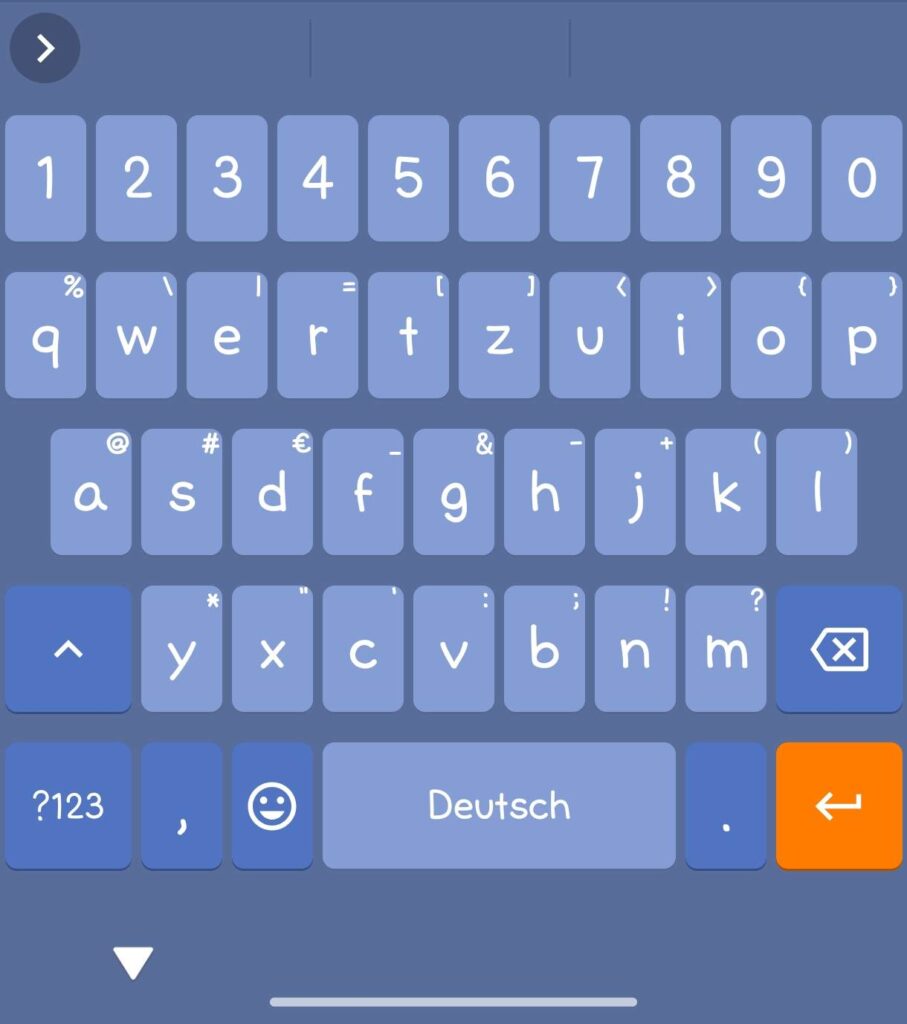
| Keyboard Themes | Fully customizable colors, backgrounds, and layouts. Supports Android 12+ dynamic colors. |
| Layout Customization | Design your own key layout or modify special keys (numbers, symbols, etc.). |
| Multilingual Typing | Switch easily between multiple languages and locales. |
| Clipboard History | Save and access previously copied text easily. |
| One-Handed Mode | Perfect for large devices and single-hand typing. |
| Split Keyboard | Use a split layout for tablets or large phones. |
| Backup & Restore | Save your settings and learned words for quick recovery. |
| Number Pad Mode | Dedicated numeric keypad for fast input. |
| Glide Typing (Optional) | Supports swipe input with an external library (not included by default). |
| Day/Night & Material You Support | Automatically follow Android’s system theme and color scheme. |
| Open Source & Transparent | 100% open-source under Apache 2.0 license — no hidden code or telemetry. |
Screenshots

System Requirements
| Requirement | Details |
|---|---|
| Operating System | Android 7.0 (Nougat) or higher |
| RAM | Minimum 2 GB |
| Storage Space | At least 50 MB free space |
| CPU Architecture | ARM64 / ARMv7 supported |
| Internet | Not required after installation |
| Root Access | Not required |
| Permissions | Input access, optional microphone access for voice typing |
How to Install HeliBoard??
Download the APK File
Get the latest HeliBoard APK from the download section below.
Enable Unknown Sources
- Go to Settings → Security → Install unknown apps
- Grant permission for the app (e.g., Chrome, Files, or your browser)
Install the App
- Open the downloaded
.apkfile - Tap Install and wait for it to complete
Set HeliBoard as Default Keyboard
- Navigate to Settings → System → Languages & Input → On-screen Keyboard → Manage Keyboards
- Enable HeliBoard and set it as your default keyboard
Customize Your Experience
- Open HeliBoard settings to choose a theme, edit layouts, enable clipboard history, or import your dictionary
Download HeliBoard APK: The Privacy-Focused Open-Source Keyboard for Android
Conclusion
HeliBoard stands as the perfect blend of privacy, performance, and personalization for Android users.
With zero internet permissions, deep customization, and a vibrant community, it’s the best open-source keyboard for Android, a secure and private alternative to mainstream keyboards.
Enjoy a faster, safer, and more personal typing experience with HeliBoard, everything stays on your device.