
File Information
| Name | GnuCash – Free Accounting Software for Personal & Small Business Finance |
|---|---|
| Version | Latest Stable Release |
| File Size | Windows: ~172 MB (.exe) • macOS: ~178 MB (.dmg) • Linux: ~20 MB (.tar.gz) |
| Platforms | Windows • macOS • Linux |
| License | Open Source (GNU GPL v3) |
| Official Repository | GitHub / GnuCash Source Repository |
| Official Site | gnucash |
Table of contents
Description
GnuCash is a powerful, free, and open-saaource accounting software designed to help individuals, freelancers, and small businesses manage their finances with ease. It includes professional-grade features such as double-entry accounting, expense tracking, budgeting tools, invoicing, vendor/customer management, investment tracking, and comprehensive financial reporting.
With cross-platform compatibility and a clean, user-friendly interface, GnuCash provides the flexibility to maintain your financial records securely without relying on cloud-based or subscription-based services.
Whether you’re running a small business, managing personal finances, or tracking investments, GnuCash delivers a complete accounting toolkit that matches many premium software solutions, entirely free of cost.
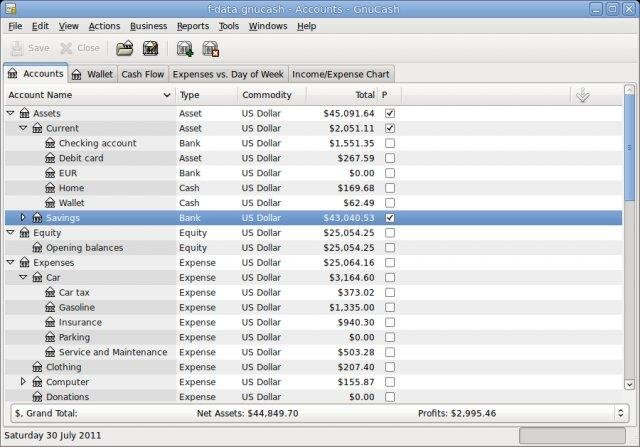
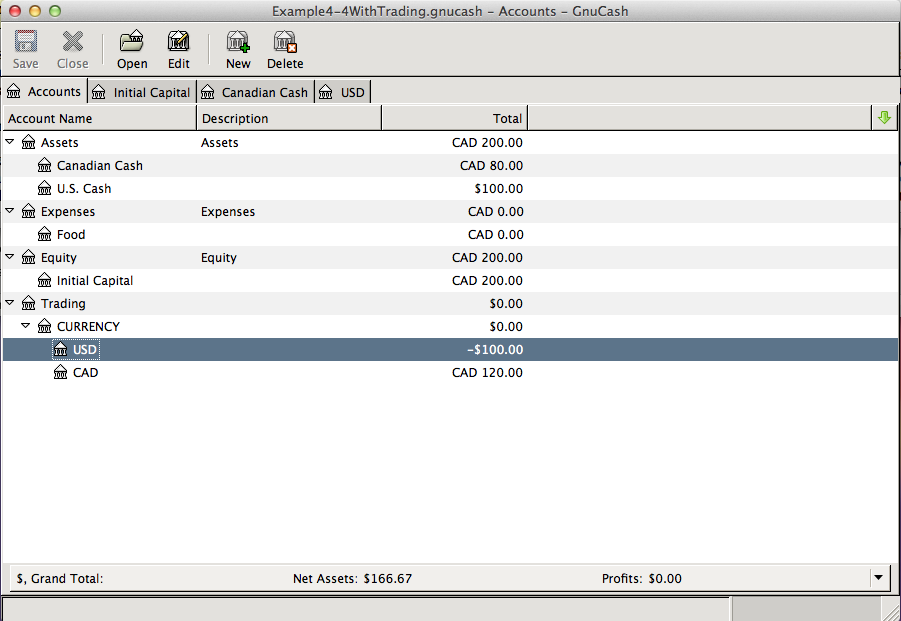
Screenshots
Features of GnuCash
| Feature | Description |
|---|---|
| Double-Entry Accounting | Ensures financial accuracy with a reliable double-entry bookkeeping system. |
| Income & Expense Tracking | Categorize, monitor, and analyze your financial activity effortlessly. |
| Professional Invoicing | Create, customize, and manage invoices and customer statements. |
| Vendor & Customer Management | Track bills, payments, vendor contracts, and customer details. |
| Budgeting Tools | Plan annual or monthly budgets and monitor performance using reports. |
| Investment Portfolio Tracking | Record stocks, mutual funds, and investment performance over time. |
| Bank Reconciliation | Match internal records with bank statements for precise financial management. |
| Multiple Currency Support | Manage accounts in different currencies with automatic exchange rate handling. |
| Extensive Reports & Graphs | Generate balance sheets, profit/loss reports, cash flow reports, and more. |
| Scheduled Transactions | Automate recurring payments such as bills, EMIs, SIPs, and monthly expenses. |
| Import/Export Support | Supports QIF, OFX, CSV, and XML formats to integrate bank or external data. |
| Cross-Platform Availability | Fully compatible with Windows, macOS, and major Linux distributions. |
System Requirements
| Platform | Minimum Specification |
|---|---|
| Windows | Windows 10 or newer, Intel/AMD CPU, 4 GB RAM, 300 MB free disk space |
| macOS | macOS 10.13 or newer, Intel or Apple Silicon, 4 GB RAM, 300 MB free disk space |
| Linux | Any modern Linux distro, 64-bit processor, 4 GB RAM, 300 MB free disk space |
How to Install GnuCash??
Before installing, scroll to the Download Section and choose the correct installer for your operating system.
Windows (.exe)
- Download the Windows installer (.exe).
- Double-click the file to begin installation.
- Follow the setup instructions to complete installation.
- Launch GnuCash from the Start Menu.
macOS (.dmg)
- Download the macOS installer (.dmg).
- Open the DMG and drag GnuCash into the Applications folder.
- Launch the app from Applications.
- If macOS Gatekeeper blocks it, right-click → Open → confirm access.
Linux (.tar.gz)
- Download the Linux tar.gz package.
- Extract the file to a directory of your choice.
- Install dependencies if required (common GTK and Gnome libraries).
- Run GnuCash using the executable or from your package manager (depending on distro).
GnuCash: Free & Open-Source Accounting Software for Businesses and Individuals
Choose your platform and begin managing your finances professionally completely offline and open-source:
Conclusion
GnuCash is a reliable, feature-rich, and fully open-source accounting solution suitable for individuals, startups, and small businesses. With its intuitive interface, double-entry accounting system, and powerful reporting tools, it allows you to take full control of your finances without any subscription fees.
Start simplifying your financial management today with GnuCash — a complete offline accounting toolkit for all platforms.