



File Information
| Name | Bruno |
|---|---|
| Version | 2.13.2 |
| File Size | Windows: ~150 MB (.exe) • macOS: ~160 MB (.dmg) • Linux: ~170 MB (.deb / .AppImage) |
| Platforms | Windows • macOS • Linux (Debian/Ubuntu x86_64 & Arm64, Red Hat/Fedora/SUSE x86_64 & Arm64, AppImage) |
| License | Open Source (MIT License) |
| Official Repository | bruno |
| Official Site | usebruno |
Table of contents
Description
Bruno is a fast, open-source API client designed to revolutionize the way developers interact with APIs. Bruno stores your API collections directly on your filesystem using a plain text markup language called Bru. This approach allows you to leverage version control systems like Git, enabling seamless collaboration and versioning of your API requests.
Bruno is built with a strong emphasis on data privacy and offline functionality. It operates entirely offline, ensuring that your data remains on your device without any cloud synchronization. This makes it an ideal choice for developers who prioritize security and control over their data.
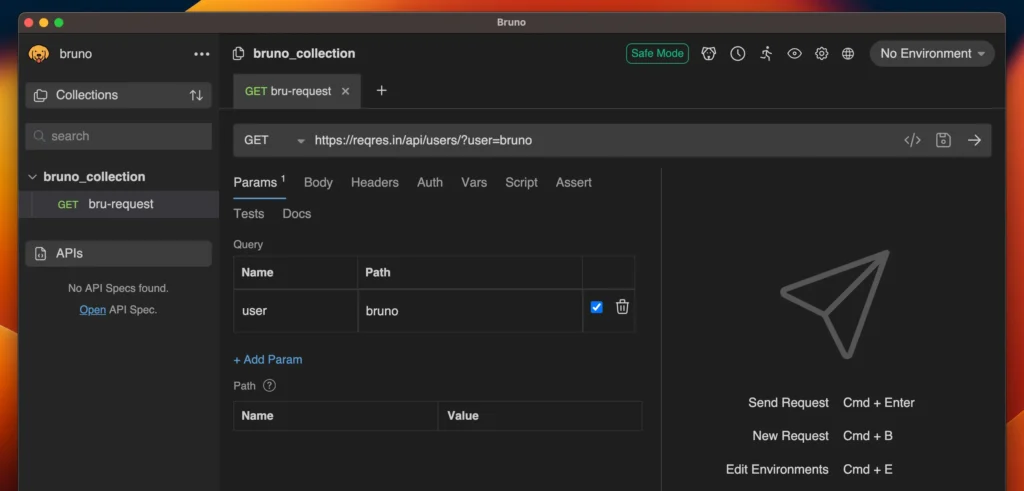
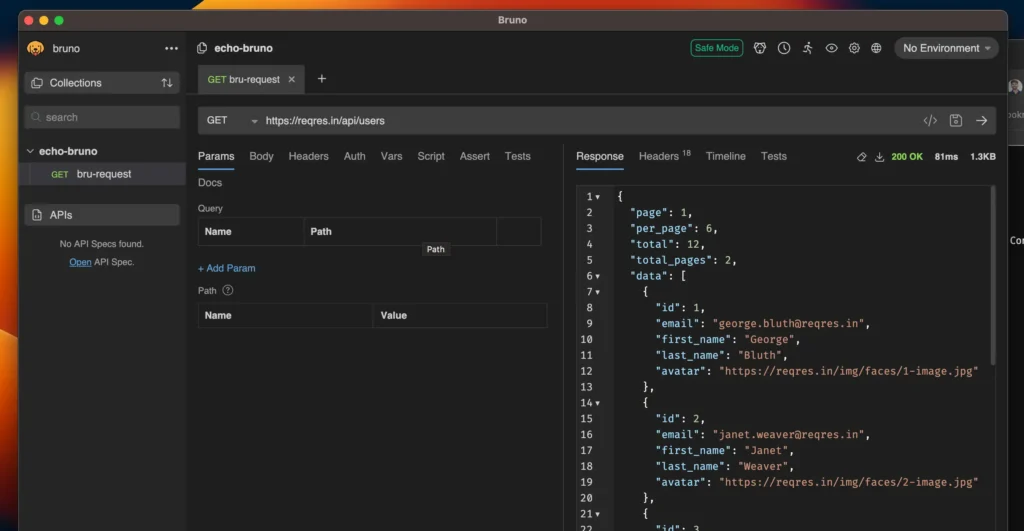
The user interface is clean and intuitive, providing a comfortable environment for crafting and testing API requests. Whether you’re working with REST, GraphQL, or gRPC APIs, Bruno offers the tools you need to streamline your development workflow.
Features of Bruno
| Feature | Description |
|---|---|
| Git Integration | Stores API collections as plain text files, allowing full version control & collaboration using Git or other VCS. |
| Offline-First Design | Entirely offline; no cloud sync, ensuring data privacy & security on your local device. |
| Multi-Protocol Support | Supports REST, GraphQL, & gRPC APIs for versatile API development & testing. |
| Environment Variables | Manage multiple configurations for development, staging & production environments easily. |
| Authentication Methods | Supports Bearer tokens, Basic Auth & other authentication schemes for secure API access. |
| Request Scripting | Allows pre-request & post-response scripts for automation & advanced testing scenarios. |
| Client Certificates | Add & manage client certificates for secure API communication. |
| OpenAPI Import | Quickly import OpenAPI specifications to generate request collections and streamline workflows. |
| Cross-Platform Compatibility | Available for Windows, macOS & Linux ensuring consistent experience across devices. |
Screenshots
System Requirements
| Platform | Minimum Requirements |
|---|---|
| Windows | Windows 7 or later, 2 GHz CPU, 2 GB RAM, OpenGL 2.1 compatible GPU, 500 MB free disk space |
| macOS | macOS 10.12 or later, Intel or Apple Silicon, 2 GB RAM, 500 MB free disk space |
| Linux | Any modern distribution, 2 GHz CPU, 2 GB RAM, OpenGL 2.1 compatible GPU, 500 MB free disk space |
How to Install Bruno : Open Source API Client??
Before starting the installation, scroll down to the Download Section to get the correct file for your platform. Bruno is lightweight, offline-only, and stores all your API collections directly on your device, keeping your data private.
Windows Installation
- Download the
.exefile from the Download Section. - Double-click the
.exefile to start the installer. - Follow the on-screen instructions to complete the installation.
- Once installed, you can launch Bruno from the Start Menu or Desktop shortcut.
macOS Installation
- Download the
.dmgfile from the Download Section. - Open the
.dmgfile; a new window will appear with the Bruno icon. - Drag the Bruno icon into your Applications folder.
- Open Bruno from the Applications folder. If macOS blocks it due to Gatekeeper, control-click the app and choose Open to bypass.
Linux Installation
Linux AppImage (x86_64 & Arm64)
- Download the
.AppImagefile from the Download Section. - Open a terminal and make it executable:
chmod +x bruno-2.13.2.AppImage. - Run the file with
./bruno-2.13.2.AppImage. - Optionally, integrate it with your system using AppImage tools for easier access.
Debian/Ubuntu (x86_64 & Arm64)
- Download the
.debfile from the Download Section. - Open a terminal and navigate to the folder where the file is downloaded.
- Run
sudo dpkg -i bruno-2.13.2*.debto install. - Resolve dependencies with
sudo apt-get install -f. - Launch Bruno from your applications menu.
Red Hat/Fedora/SUSE (x86_64 & Arm64)
- Download the
.rpmfile from the Download Section. - Open a terminal and navigate to the download folder.
- Run
sudo rpm -i bruno-2.13.2*.rpmto install. - Launch Bruno from your applications menu.
Download Bruno API Client – Best Free Offline API Testing Tool to Replace Postman for Windows, macOS & Linux
Conclusion
If you’re looking for a Postman alternative , you should definitely check Bruno, open-source API client designed to revolutionize the way developers interact with APIs. It stores your API collections directly on your filesystem using a plain text markup language called Bru. It supports REST, GraphQL, or gRPC APIs. It is one of the most trusted open source API client.




