
Open almost any “best AI coding tools” list and you’ll see the same names: Cursor, GitHub Copilot, Claude Code.
They’re good tools but they’re also closed source and paid.
What’s changed over the past year isn’t the quality of those products, it’s how quickly the open-source alternatives have caught up.
Some can orchestrate multiple agents, remember your projects across sessions, and automate complex development workflows. Many let you bring your own model, whether that’s a local LLM, OpenRouter, OpenAI, Claude or something else.
More importantly, you’re in control. You decide where your code runs, which model powers it, and how your workflow evolves without being locked into a single company’s ecosystem.
If you’ve only looked at the paid options, these are the open-source AI coding tools worth knowing about.
Table of Contents
1. MiMoCode
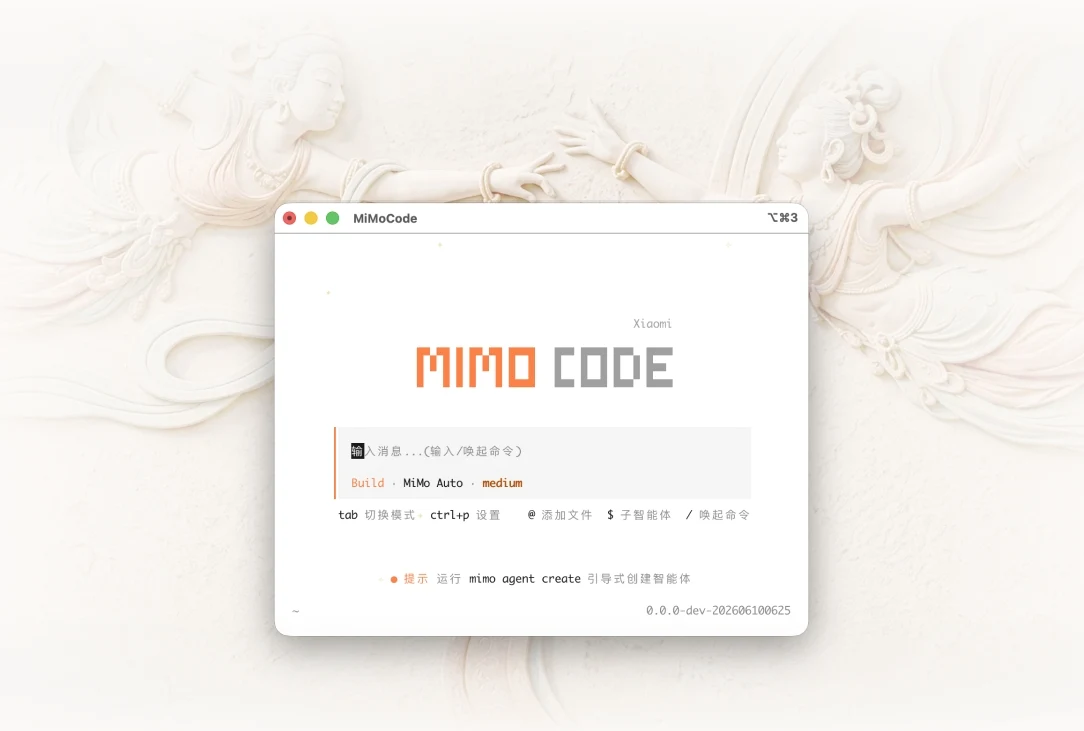
Xiaomi built a coding agent, and it’s genuinely good. MiMoCode is a terminal-based assistant that doesn’t just write code, it remembers your project. Every session, it pulls in what it already knows about your codebase, your architecture decisions, your preferences, so you’re not re-explaining context every time you open a new window. That alone makes it feel less like a tool and more like a collaborator that’s been working with you for a while.
It handles the full workflow: reading and writing code, running terminal commands, managing Git, and spinning up subagents to parallelize work when a task gets complex enough to split. There’s also a Compose mode for spec-driven development if you want it to take a feature from written spec all the way to shipped code without you steering every step.
The free tier runs on MiMo Auto with zero configuration, no API key, no account required to get started. It also connects to any OpenAI-compatible provider if you’d rather bring your own model.
Platforms: Windows, macOS, Linux
2. OpenCode
If you’ve ever wished your code editor and your AI assistant would just merge into one thing, OpenCode is pretty much that. It’s a full coding environment with AI baked in from the start, not bolted on as an afterthought. You get syntax highlighting, an integrated terminal, project and file management, and real-time AI suggestions all in the same window.
What makes it worth trying over the paid alternatives is the model flexibility. It connects to over 75 providers including Claude, GPT, Gemini, locally hosted models, whatever you’re already using and comes with free models included if you don’t want to touch an API key at all. You can also run multiple agents in parallel on the same project, which is genuinely useful when you’re juggling a refactor on one side and debugging on the other.
Privacy-wise, it stores nothing. No code, no session data, nothing leaves your machine unless you’re the one sending it to a model. For anyone working on proprietary or sensitive codebases, that matters more than most tools bother to address.
Over 400,000 developers use it monthly, which for an open-source project means the rough edges get filed down fast.
Platforms: Windows, macOS, Linux
3. Goose
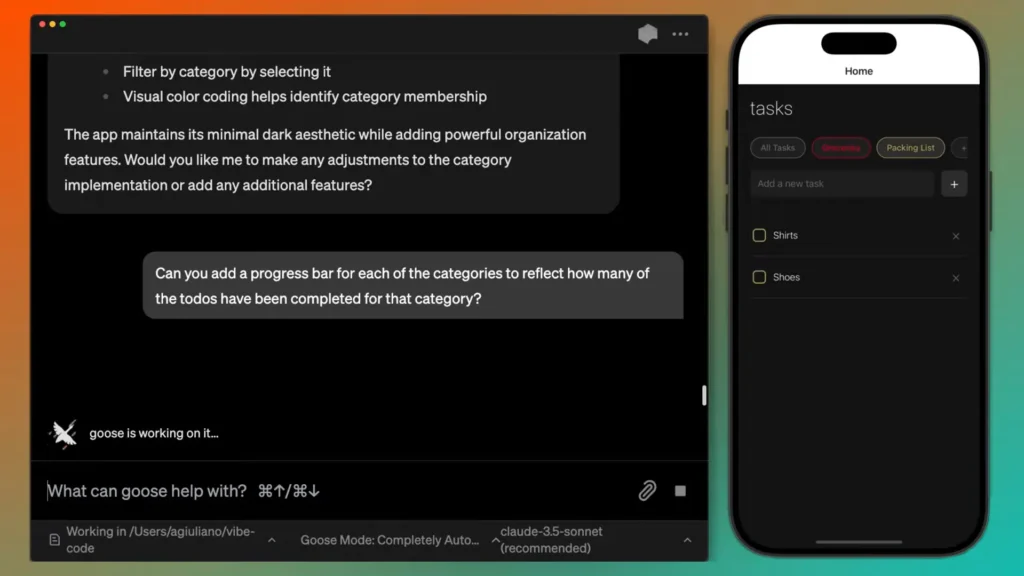
Most coding agents stay in their lane. Goose doesn’t have one. It’s a general-purpose agent that runs on your machine and handles whatever you throw at it, writing and debugging code, researching topics, automating repetitive workflows, processing files, analyzing data. If you can describe the task, Goose will take a run at it.
The desktop app is where most people will want to start. It’s native, built in Rust, and feels like an actual application. You get the same agent through a CLI if you prefer the terminal, or an API if you want to embed it into something you’re building.
What keeps it flexible is the extension ecosystem. Over 70 MCP extensions connect it to databases, browsers, GitHub, Google Drive, and more, and you can build your own if something’s missing. It also works with whatever model you’re already paying for, your existing Claude, ChatGPT, or Gemini subscription works directly, no separate API key required.
The project now lives under the Agentic AI Foundation at the Linux Foundation, which means it’s vendor-neutral and community-governed for the long term. That matters if you’re building workflows around a tool and don’t want it quietly acquired or shut down in two years.
Platforms: Windows, macOS, Linux
You May Like: Open Source Developer Tools Worth Switching to
4. OpenHands
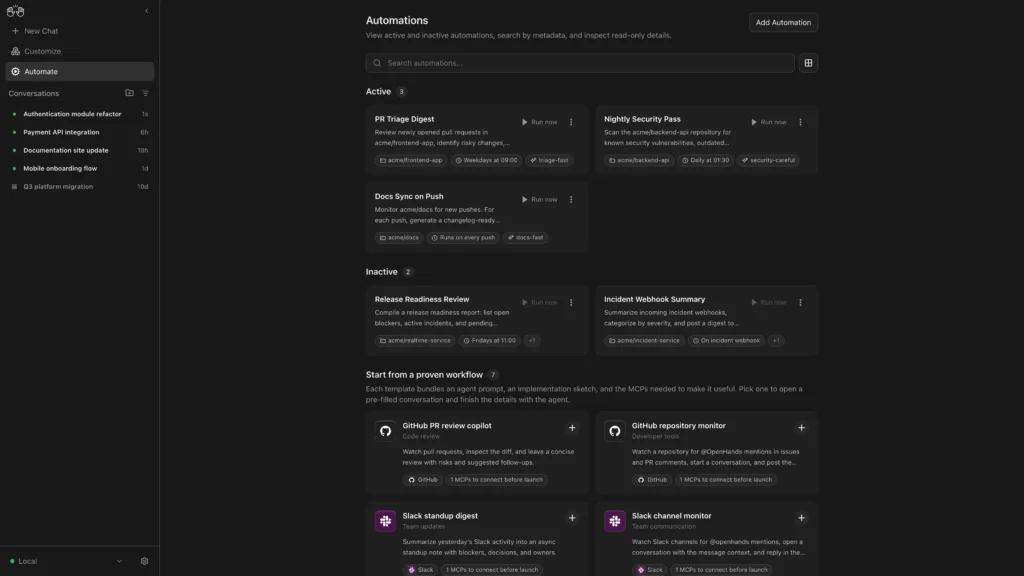
OpenHands ships the change. Point it at a GitHub issue, and it plans the fix, writes the code, runs tests, and opens a pull request. You review it, not babysit it.
There’s a real difference between a tool that autocompletes your thoughts and one that handles the entire task while you’re doing something else. OpenHands sits firmly in the second category, with agents that can scan repositories for vulnerabilities, review pull requests, migrate legacy code, and triage incidents — all without you steering every step.
It’s model-agnostic and runs entirely in your environment, so your code never touches their servers. Works with GitHub, GitLab, Slack, and CI/CD pipelines out of the box. The free, self-hosted version gives you everything you need to get started — the paid tiers are there if you want cloud execution or enterprise controls, but neither is required to get real work done.
77,000 GitHub stars and a genuinely active community means when something breaks, someone’s already filed the issue.
Platforms: Windows, macOS, Linux
5. Cline
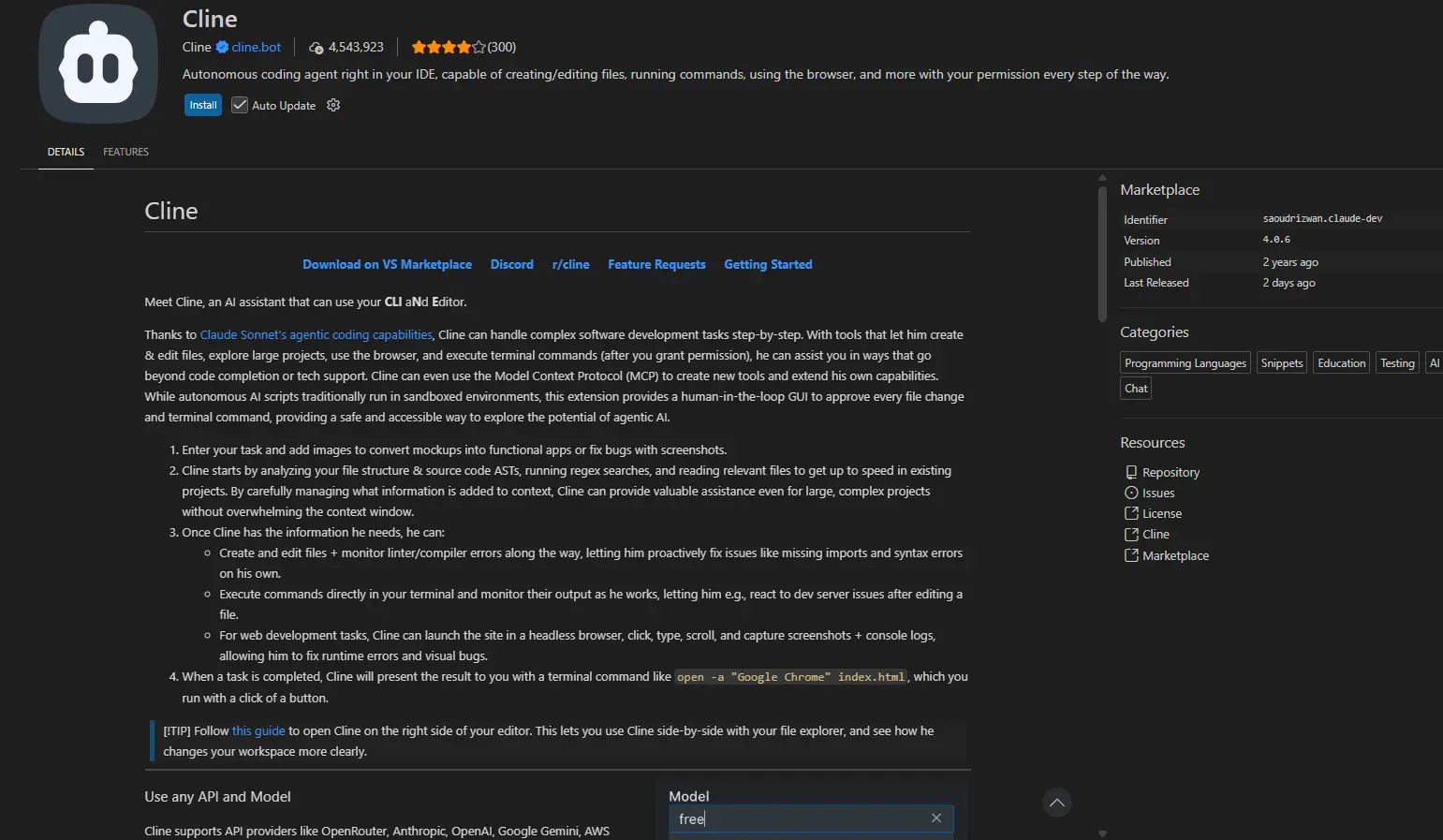
Cline lives inside your editor. As a VS Code extension, it works directly in your existing setup, just an agent that can read your files, run terminal commands, make multi-file edits, and watch test output in real time without you switching context.
It comes with Plan and Act mode. Plan mode lets you talk through the approach before anything touches your codebase. Act mode executes it. Every step shows a diff you can approve or roll back with one click, which makes it feel less like handing the wheel over and more like pair programming where you stay in control.
It works with every major model including Claude, GPT, Gemini, local Ollama models, anything OpenAI-compatible, so you’re not locked into a provider. Trusted by engineers at Samsung, Microsoft, Amazon, and IBM, with over 64,000 GitHub stars and 250+ contributors keeping it active.
The free version gives you the full agent. No subscription needed unless you want ClinePass, their hosted model access layer, which is optional.
Platforms: Windows, macOS, Linux
You May Like: Open-Source AI Tools You Probably Haven’t Tried Yet
6. Aider
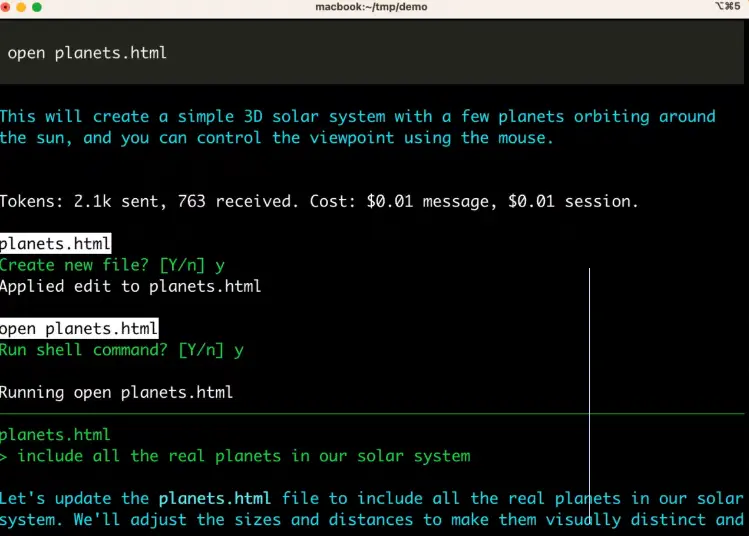
Aider is the one for people who live in the terminal and want to keep it that way. No GUI, or extension, just a command you run inside your project folder and a conversation that edits your actual files.
What makes it more than a fancy autocomplete is how it handles your codebase. Aider maps the entire repo before touching anything, so when you ask it to change a function, it knows what else that change might break. It makes the edit, writes a sensible commit message, and Git takes it from there. If something goes wrong, you already have the tools to undo it.
Voice input, image and URL context, automatic linting and test runs after every change — it covers more ground than its terminal-only interface suggests. Works with Claude, DeepSeek, GPT, local models, and over 100 programming languages.
No account, no subscription or usage limits beyond whatever the model you connect to charges. Just pip install and you’re in.
7. Zoo Code
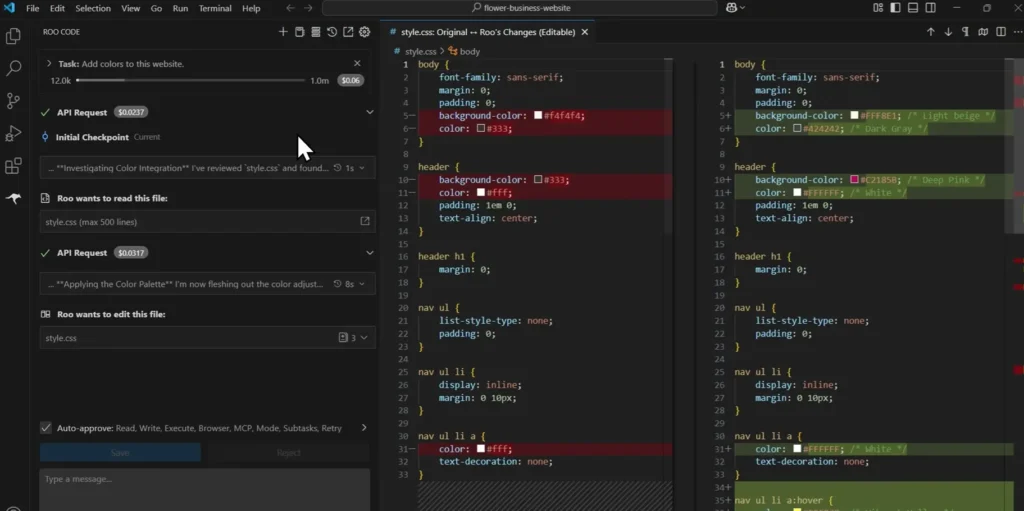
Roo Code was one of the most popular open-source VS Code coding extensions around. In April 2026, the team archived it to focus on a different project. A group of developers from the community decided it was too good to let die, forked it, and kept building. That’s Zoo Code.
If you never used Roo Code, it doesn’t matter, Zoo Code stands on its own. It’s a VS Code extension with specialized modes that change how the agent approaches your work. Code mode for everyday edits, Architect mode for planning before anything gets written, Debug mode for tracing issues, and custom modes you can build yourself for whatever your team actually needs. Every change lands as a diff you review before it touches anything, which is the kind of control that makes autonomous coding feel less risky.
Fully model-agnostic, works headless from the terminal, connects to external tools via MCP, and handles large repositories without choking on context. Bring your own API keys and it costs nothing beyond whatever your model provider charges.
Community-maintained, Apache 2.0 licensed, and actively developed by people who actually use it daily.
Platforms: Windows, macOS, Linux (VS Code)
The Best Coding Tool Is the One You Actually Control
Paid tools aren’t bad. Some of them are genuinely excellent. But there’s a real difference between a tool you subscribe to and a tool you own and that difference shows up the moment pricing changes, a feature gets paywalled, or the company decides your use case isn’t their priority anymore.
Every tool on this list runs on your machine, connects to whatever model you choose, and won’t send you a bill for using it. The code is public, the licenses are clean, and none of them disappear if a startup runs out of runway.
The advice is to pick one that matches how you already work. If you live in the terminal, Aider. If you want something that runs tasks while you’re doing something else, OpenHands or Goose. If you want to stay inside VS Code without switching windows, Cline or Zoo Code. If you want persistent memory across sessions, MiMoCode. If you want a full editor with AI built in from the start, OpenCode.
None of them require a trial. All of them are worth an afternoon to try.