
File Info
| File | Details |
|---|---|
| Name | Open CoDesign |
| Version | v0.1.4 |
| Type | AI Design + Prototype Tool |
| Developer | OpenCoworkAI |
| License | MIT (Open Source) |
| Platforms | Windows • macOS • Linux |
| File Formats | .exe • .dmg • .AppImage • .deb • .rpm |
| Primary Use | Turn prompts into UI designs, prototypes, slides, and assets |
| GitHub Repository | Github/open-codesign |
Table of Contents
Description
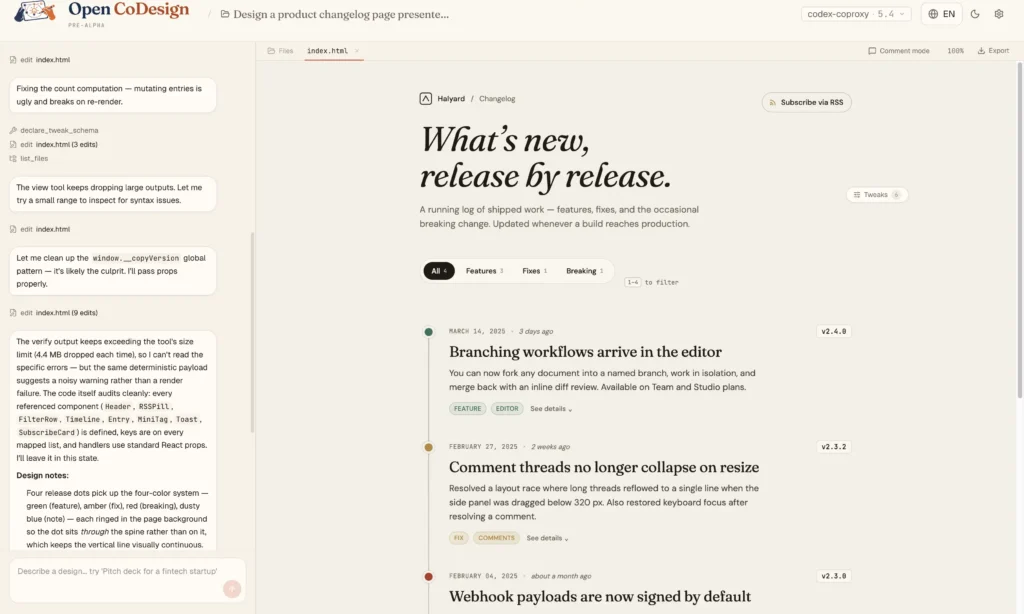
Open CoDesign is weird in a good way. You write a prompt. Something shows up next to it. Actual stuff you can use or export.
It runs on your laptop. You plug in whatever model you already use, Claude, GPT, Gemini, even Ollama. You can see the agent working, pause it, or just fix one small part instead of starting over. That sounds minor, but it changes how you use it.
It’s not perfect. Some outputs miss. Some feel rough. But when it clicks, you go from blank prompt to something usable in minutes. Probably the easiest way to think about it is a design tool that behaves like a coding companion. Just speeds up the part where you turn an idea into something real.
Use Cases
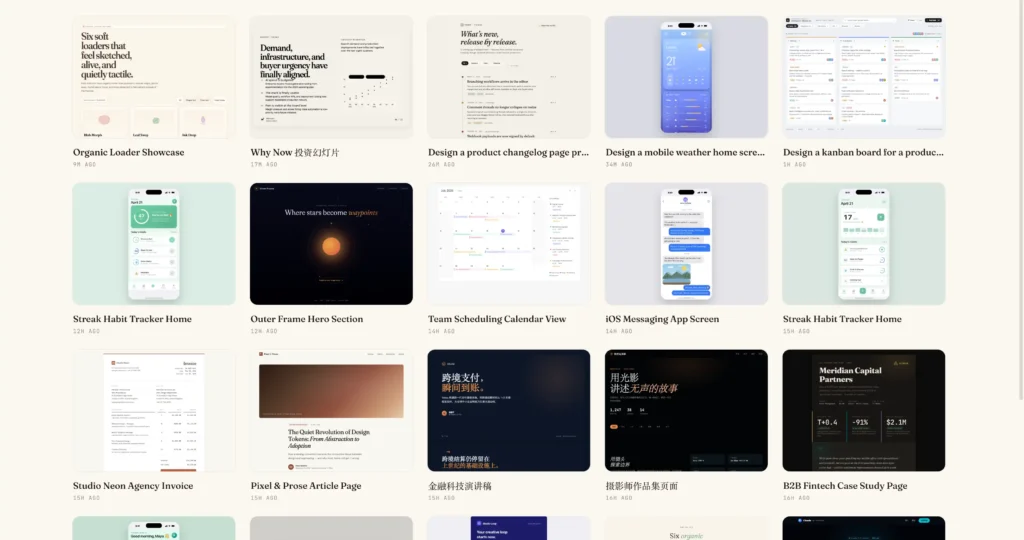
- Generate landing pages from a prompt
- Create pitch decks or slides quickly
- Build UI prototypes without opening Figma
- Turn ideas into working HTML/React layouts
- Iterate on designs by clicking and editing parts
- Export designs as real usable files
Screenshots
Features of Open CoDesign
| Feature | Description |
|---|---|
| Prompt to Design | Generate full UI from a single prompt |
| Live Preview | See the design update in real time |
| Click-to-Edit | Edit specific sections without regenerating everything |
| Multi-Model Support | Works with OpenAI, Claude, Gemini, Ollama, etc. |
| Local App | Runs on your desktop, not browser-only |
| Export Options | HTML, PDF, PPTX, ZIP, Markdown |
| Design History | Saves previous versions locally |
| Responsive Preview | Switch between mobile, tablet, desktop views |
| AI Tweaks Panel | Adjust colors, spacing, typography easily |
| Offline Control | Your app runs locally (model calls depend on provider) |
Related: OpenPencil (Design-as-Code): AI-Native UI Editor with Prompt-to-UI & Code Generation
System Requirements
| Component | Requirement |
|---|---|
| Operating System | Windows 10+, macOS 12+, Linux |
| Processor | Any modern CPU |
| RAM | 4 GB minimum (8 GB recommended) |
| Dependencies | API key (or local Ollama) |
Related: Open Source Developer Tools Worth Switching to
How to Install Open CoDesign?
Windows
- Download the .exe file
- Double-click to start installation
- Open the app after install
macOS
- Download the .dmg file
- Open it and drag the app to Applications
- Launch the app
Linux
AppImage
- Download .AppImage
- Right-click -> Properties -> allow execution
- Double-click to run
.deb (Ubuntu/Debian)
- Download .deb
- Double-click -> install via package manager
.rpm (Fedora/RHEL)
- Download .rpm
- Open with Software Installer and install
Download Open CoDesign AI Design Tool
An open source alternative to Claude Design
Open CoDesign is the kind of thing you open once and then keep coming back to.
You type an idea, it builds something. Then you fix parts of it like a normal design tool instead of rewriting the whole prompt again and again. It’s not replacing Figma. Some outputs still miss. But for quick ideas or first drafts, it cuts a lot of the boring setup.
The control is the nice part. You’re not locked into one model. Use whatever API you already have and switch if you feel like it.