
There are genuinely impressive open source music generation models out there right now. ACE Step, YuE, HeartMuLa, models that generate full songs with vocals, structure and emotion. If you want a complete track from a single prompt those are worth exploring.
Foundation-1 does not compete with them. It does not try to. What it does instead is something more specific and honestly more useful for anyone who actually makes music. It generates individual loops and samples like tempo-synced, key-locked, bar-aware, built to drop straight into a production without fixing anything first.
Just clean, structured instrumental loops that behave like something a producer built rather than something an AI guessed at. If you have ever spent twenty minutes trying to make an AI-generated loop fit your track you already understand why that matters.
Table of contents
What Foundation-1 actually is
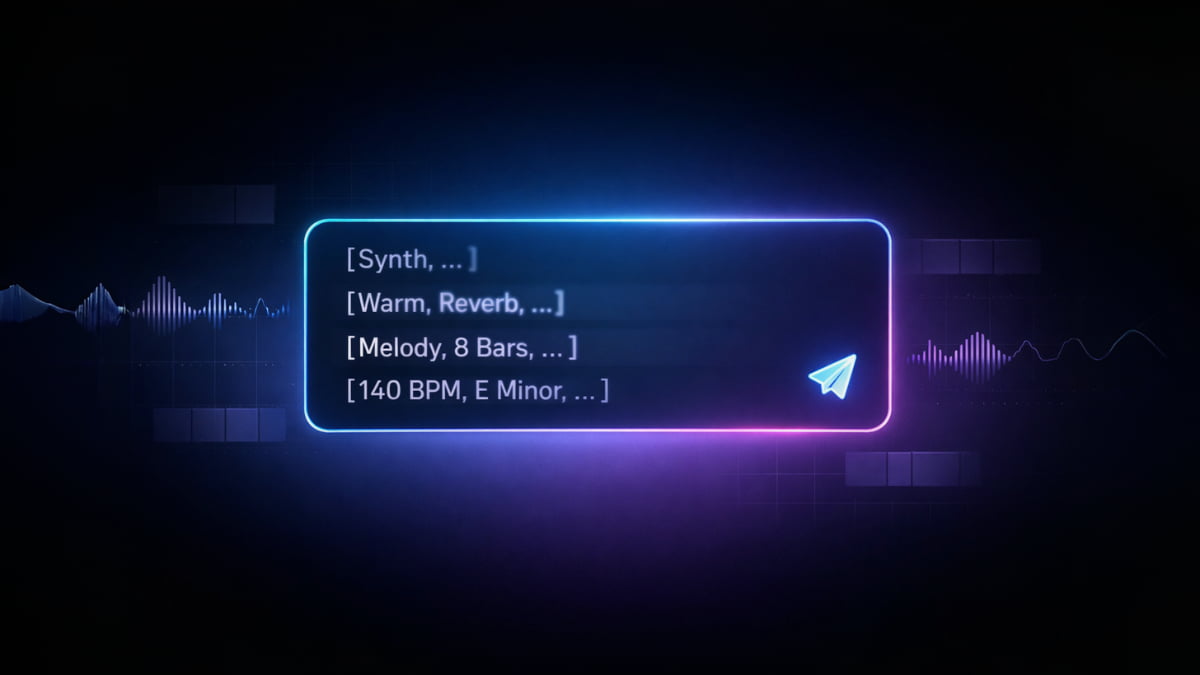
Foundation-1 is a text to sample model. You describe a sound, it generates a loop. That is the main idea. It was built around a structured prompt system that separates what the sound is from how it sounds & behaves musically.
You tell it the instrument, sonic character, effects, the BPM and how many bars. It uses all of that together to generate something that actually fits those parameters rather than approximately resembling them.
The result is a model built specifically for production workflows. For producers who need usable raw material that behaves like something they built themselves. It can run locally on around 7-8GB VRAM & its Stability AI Community License so Check the terms before commercial use.
The Producer Thinking System
Most audio AI tools treat a sound as one thing. You ask for a bass and you get a bass. What kind of bass, how it sits in a mix, If it feels warm or aggressive or synthetic, that is mostly left to chance. Foundation-1 separates these into distinct layers you control independently.
Start with the instrument. Then describe how it should sound like warm, gritty, wide, clean, dark, bright. Then add the processing reverb, delay, distortion, phaser. Then tell it how the phrase should behave like a simple bassline, a chord progression, an arp, something rising or falling.
Each layer stacks on top of the previous one. The result is not one vague prompt interpreted loosely. It is a sound built the way a producer actually builds one decision by decision, layer by layer.
That is why the output tends to feel intentional because the model was trained to treat those decisions as separate things.
What it generates
- Instrument loops across 10 families including synths, bass, strings, brass and winds
- 4 or 8 bar loops at 7 supported BPM settings
- All major and minor keys
- FX control including reverb, delay, distortion and phaser
How to Use Foundation-1 Locally

Setting it up takes a few steps but once it is done you can generate as many samples as you want locally with no limits. Before you start make sure you have at least 7-8GB VRAM available.
The recommended way to run Foundation-1 is through the RC Stable Audio Fork. It handles BPM and bar timing automatically, converts generated samples to MIDI, and trims everything to the exact length you need.
Setup
- Clone the repo:
git clone https://github.com/RoyalCities/RC-stable-audio-tools.git - Create a virtual environment using Python 3.10, newer versions can cause dependency issues
- Install dependencies
pip install stable-audio-toolsthenpip install . - Windows users need to reinstall PyTorch with CUDA support separately — instructions are in the GitHub readme
- Run
python run_gradio.py, first launch opens a model downloader where you grab Foundation-1 directly from HuggingFace - Restart after downloading and the full UI loads
Mac and Apple Silicon are fully supported. Linux works too. If you run into anything the full setup guide is on their GitHub.
What it cannot do
Drums, percussion and vocals are all outside the scope of this model. If you need a full beat or a complete arrangement this is not the right tool.
Loop length is fixed at 4 or 8 bars. BPM options are locked to 7 values like 100, 110, 120, 128, 130, 140 and 150. If your project runs at a different tempo you will need to time-stretch the output yourself.
Prompt quality matters more here than with most models. Vague descriptions produce inconsistent results. The model responds best to structured layered prompts using its supported vocabulary. It takes a little learning but once you understand the system the results become much more predictable.
Who is this actually for
If you make beats, produce tracks or build music layer by layer Foundation-1 is genuinely worth trying. The level of control it gives you over individual sounds is something most AI music tools do not offer and the output actually fits into a real production workflow.
If you are a developer building a music app that needs structured sample generation the layered prompt system gives you reliable repeatable results which is rare in open source audio models.
If you just want to generate a full song from one prompt this is no the tool for that. Start with ACE Step or HeartMuLa instead, I’ve covered those in our open source music generators article.