


File Information
| File | Details |
|---|---|
| Name | Mini Diarium |
| Version | v0.4.6 (Stable) |
| Size | 8MB (exe) • 19MB (dmg) • 79MB (AppImage) |
| Type | Offline Encrypted Journal |
| License | MIT License (Open Source) |
| Platforms | Windows • macOS • Linux |
| Import Support | Mini Diary, Day One, jrnl |
| Export Options | JSON, Markdown |
| Github Repository | Github/mini-diarium |
| Official Site | mini-diarium |
Table of contents
Description
In an era where most journaling apps sync everything to the cloud, Mini Diarium‘s approach is to keep your journal stays fully offline, encrypted, and under your control.
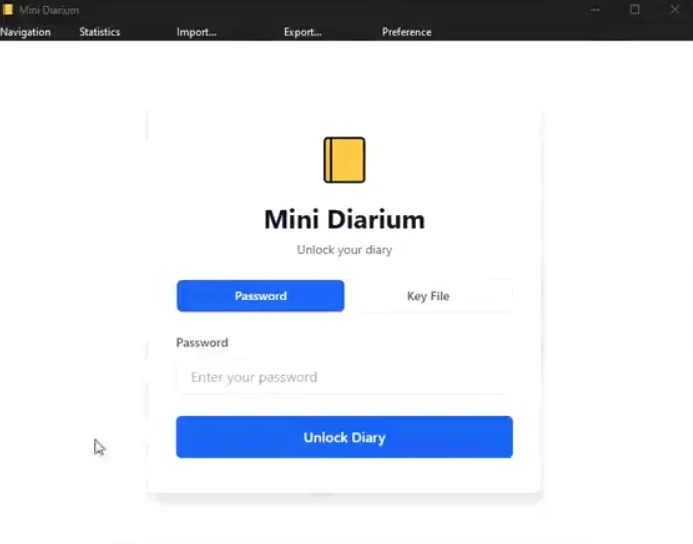
Its a privacy-first desktop journal that stores all entries locally on your device using AES-256-GCM encryption. There are no accounts, no cloud syncing or servers involved. Your thoughts remain exactly where they belong, with you.
It is also the spiritual successor to Mini Diary, originally created by Samuel Meuli. Instead of simply updating the old project, the developer rebuilt the entire stack from scratch while keeping the same philosophy: simple journaling with complete privacy.
Use Cases
Mini Diarium works well for anyone who values private, distraction-free journaling.
- Personal daily journaling without cloud storage
- Writing private thoughts or notes securely
- Tracking habits and writing streaks
- Maintaining an encrypted digital diary
- Migrating journal entries from other apps
Screenshots
Features of Mini Diarium
| Feature | Description |
|---|---|
| Offline-Only Design | No internet connection required; the app contains no HTTP client |
| Strong Encryption | All entries are encrypted with AES-256-GCM before being written to disk |
| Private Key Unlock | Unlock your journal using a private key file similar to SSH authentication |
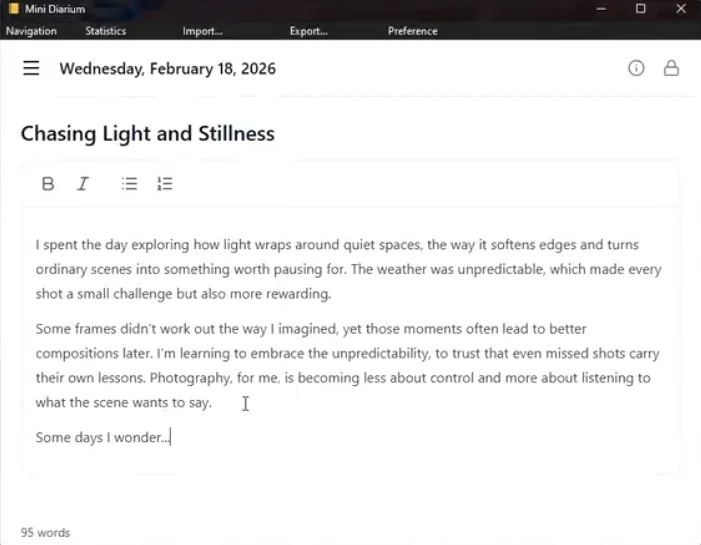
| Rich Text Editor | TipTap-powered editor with formatting, spellcheck, and auto-save |
| Calendar Navigation | Easily browse entries by day using an interactive calendar |
| Writing Statistics | Track streaks, word count, and writing activity locally |
| Automatic Backups | Creates encrypted backups every time you unlock the journal |
| Import Support | Import entries from Mini Diary, Day One, and jrnl |
| Data Export | Export everything as JSON or Markdown anytime |
Related: Joplin: Open Source Note-Taking App for Windows, macOS & Linux
System Requirements
| Component | Requirement |
|---|---|
| Operating System | Windows 10+, macOS 11+, Linux |
| Processor | 64-bit Intel or AMD CPU |
| RAM | Minimum 4 GB (8 GB recommended) |
| Storage | At least 200 MB free space |
| Internet | Not required (fully offline) |
How to Install Mini Diarium??
Windows (.exe)
- Download the Mini Diarium
.exeinstaller. - Double-click the file to start installation.
- Follow the setup instructions.
- Launch Mini Diarium from the Start Menu.
macOS (.dmg)
- Download the
.dmgfile. - Open it and drag Mini Diarium to the Applications folder.
- Launch it from Applications.
If Gatekeeper blocks it on first launch, run this once in Terminal:
xattr -cr "/Applications/Mini Diarium.app"
Then open the app normally.
Linux (.AppImage)
- Download the AppImage file.
- Make it executable if necessary.
- Double-click to run Mini Diarium.
Download Mini Diarium Encrypted Journal That Keeps Your Writing Private
A Private Journal That Truly Belongs to You
Many journaling apps promise privacy but still rely on cloud services where your data ultimately lives on someone else’s infrastructure.
Mini Diarium make everything happens locally. Entries are encrypted before they touch disk, the encryption keys never leave your device, and the application has no network capability at all.
For writers who value privacy, data ownership, and simplicity, Mini Diarium is a digital journal that is truly yours and yours alone.




