


File Information
| File | Details |
|---|---|
| Name | Logseq – Local-First Knowledge & Notes Platform |
| Version | v0.10.15 |
| File Formats Provided | .exe • .dmg • .AppImage |
| Platforms | Windows • macOS • Linux |
| Size | 221MB (exe) • 190MB (dmg) • 187MB (AppImage) |
| Architecture | x64 • ARM64 |
| License | Open Source (AGPL-3.0 License) |
| Official Repository | GitHub Logseq |
| Official Site | Logseq |
| Category | Knowledge Management • Notes • Productivity |
| Data Storage | Local-first (you own your files) |
Table of contents
Description
Logseq is an open-source, local-first knowledge management application designed to help you connect ideas, understand information deeply, and think more clearly over time.
It works with linked blocks, allowing every idea, task, or reference to be connected naturally. This makes it ideal for long-term thinking, studying, research, writing, and personal knowledge bases.
Your notes are stored locally as Markdown or Org-mode files, meaning your data remains future-proof, portable, and readable in other tools.
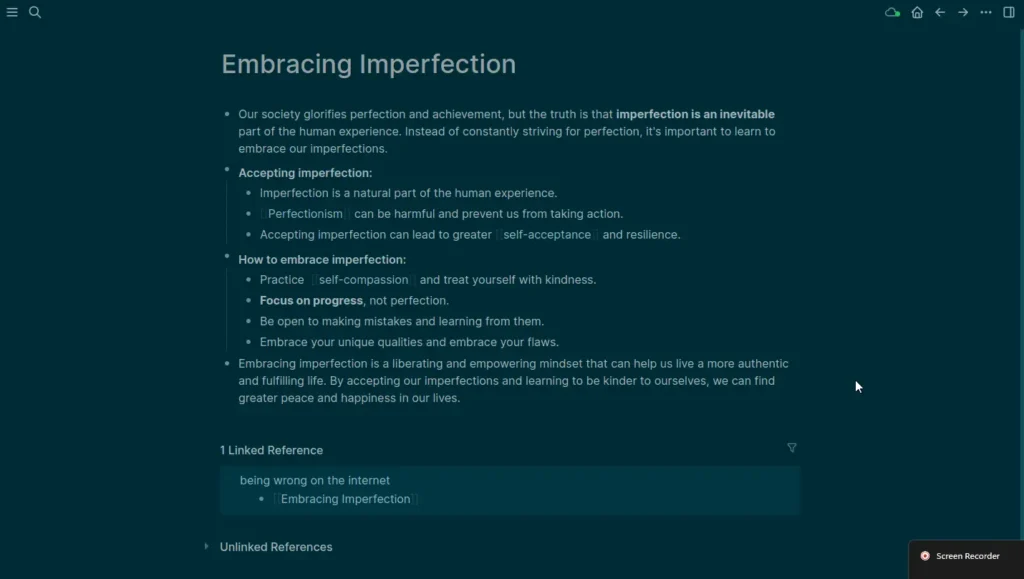
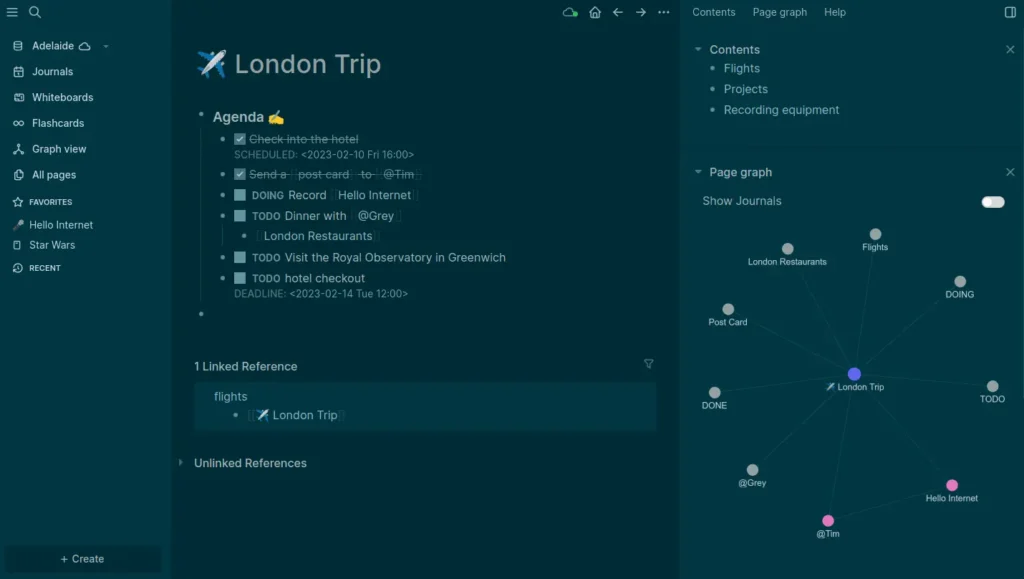
It also supports daily journals, tasks, PDF annotations, flashcards, whiteboards, and powerful queries all wrapped in a clean interface that stays out of your way.
Use Cases
- Build a personal knowledge base
- Take structured class or meeting notes
- Review and connect learning over time
- Annotate PDFs and research papers
- Manage tasks and projects
- Create flashcards for memorization
- Outline essays, articles, or books
- Visualize ideas using whiteboards
Screenshots
Features of Logseq
| Feature | Description |
|---|---|
| Linked Block Notes | Every note is a block that can be referenced and reused anywhere |
| Daily Journals | Capture thoughts, tasks, and ideas effortlessly each day |
| Task Management | Turn any block into a task with priorities and scheduling |
| PDF Annotations | Highlight and comment on PDFs while linking notes directly |
| Flashcards | Review facts using built-in spaced repetition |
| Powerful Search & Queries | Instantly surface relevant information from your knowledge base |
| Whiteboards (Beta) | Visually connect ideas on an infinite canvas |
| Block References | Reuse ideas without duplication |
| Plugins & Themes | Extend functionality with 150+ plugins and 30+ themes |
| Cross-Platform Apps | Available on desktop and mobile |
| Offline & Private | Works fully offline with local file storage |
| Optional Sync (Beta) | Encrypted syncing across devices if you choose |
System Requirements
| Requirement | Details |
|---|---|
| OS | Windows 10+ • macOS • Linux |
| RAM | 4 GB recommended |
| Disk Space | ~200 MB |
How to Install Logseq??
Windows (.exe)
- Download the Logseq
.exeinstaller - Double-click the file
- Follow the setup instructions
- Launch Logseq from the Start Menu
macOS (.dmg)
- Download the
.dmgfile - Open it and drag Logseq into the Applications folder
- Launch Logseq from Applications
Linux (.AppImage)
- Download the
.AppImagefile - Right-click → Properties
- Open Permissions
- Enable “Allow executing file as program”
- Double-click to launch Logseq
Download Logseq: A Privacy-First Knowledge Management Tool That Connects Your Thinking
Conclusion
Logseq is not just a note-taking app, it’s a thinking environment. It helps you capture ideas quickly, connect them naturally, and revisit knowledge when it actually matters.
If you care about privacy, long-term access to your notes, and building real understanding. Logseq is one of the most thoughtful tools available today.




