


File Information
| Name | RMBG – Image Background Removal Application |
|---|---|
| Version | v0.0.1 (Latest Release) |
| File Size | Windows: 11.3MB (.exe) macOS: 60MB (.dmg) Linux: 93.3MB (.AppImage) Debian: ~16.2MB (.deb) | Models Sizes may vary |
| Platforms | Windows • macOS • Linux |
| License | Open Source (MIT License) |
| Official Repository | RMBG GitHub |
| Official Site | rmbg |
Table of contents
Description
RMBG is a free & open-source AI background removal tool that automatically removes backgrounds from images using lightweight AI models. Unlike online bg removal tools, rmbg works fully offline, ensuring absolute privacy and instant processing without uploading your images to any server.
It supports multiple operating systems including Windows, macOS, and Linux, and removes backgrounds from JPG, PNG, WEBP, and other common formats with professional precision.
If you’re a content creator, photographer, designer, or anyone who needs clean cutouts, rmbg gives you good quality results locally, for free, with no watermarks.
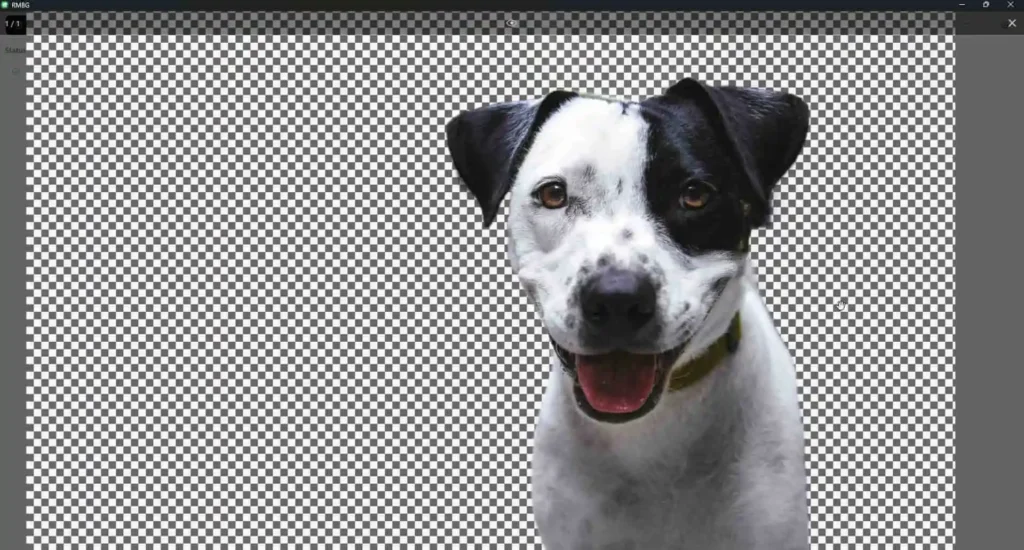
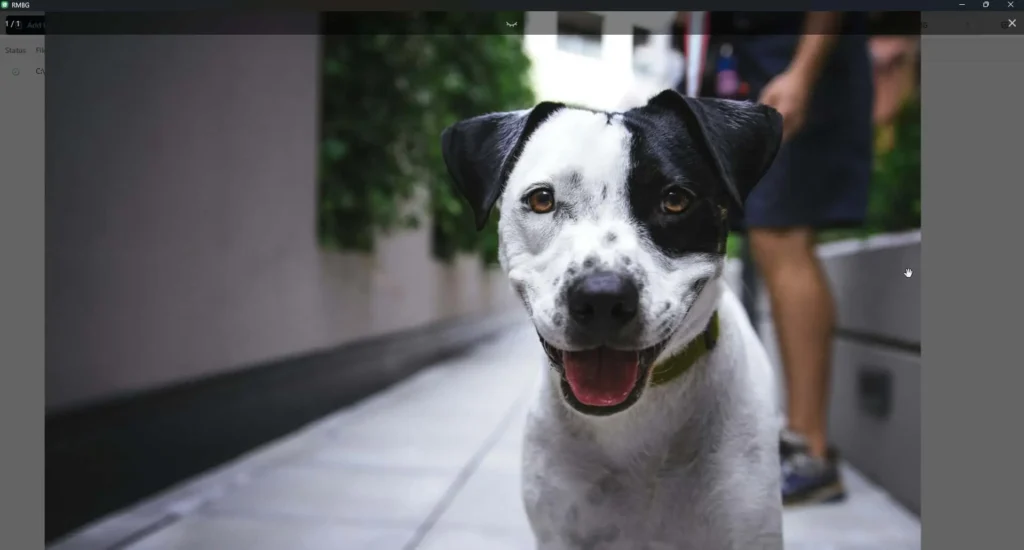
Screenshots
Features of RMBG: AI BG Remover
| Feature | Description |
|---|---|
| Offline Background Removal | All images are processed locally; no internet required. |
| High-Quality Cutouts | Clean and accurate AI masking for people, objects, and products. |
| Multi-Format Support | Works with PNG, JPG, WEBP, BMP, and more. |
| No Watermarks | 100% free with no hidden restrictions. |
| Cross-Platform | Available for Windows, macOS, and Linux. |
| Open Source | Fully transparent AGPL/MIT license depending on build. |
| Fast Processing | Optimized ONNX models deliver fast turnaround times. |
| Lightweight Model | AI model is small and efficient, works even on low-end systems. |
| Easy to Use | Simple UI or command-line interface. |
System Requirements
| Component | Minimum Requirement |
|---|---|
| CPU | Any 64-bit processor |
| RAM | 4GB minimum (8GB recommended) |
| GPU | Optional – runs on CPU |
| Storage | 300MB free |
| OS | Windows 10+, macOS 11+, Ubuntu 20.04+ |
How to Install RMBG AI Background Remover Tool??
Windows Installation (.exe)
- Download the Windows
.exefile. - Double-click to launch the installer.
- Finish installation and launch RMBG.
- Open RMBG Settings and Download any Model of your choice (BRIA RMBG Recommended)
- Enjoy!
macOS Installation (.dmg)
- Download the
.dmgfile. - Open it and drag RMBG to the Applications folder.
- If macOS says “App can’t be opened because it is from an unidentified developer”:
- Open System Settings → Privacy & Security
- Click Allow Anyway
- Launch the app & Open Settings and Download any Model of your choice (BRIA RMBG Recommended)
Linux Installation
AppImage
- Download the AppImage file:
rmbg_0.0.1_amd64.AppImage. - Make the file executable:
chmod +x rmbg_0.0.1_amd64.AppImage
Run the AppImage:
./rmbg_0.0.1_amd64.AppImagermbg will launch, ready to remove backgrounds from your images.
Note: AppImage is portable, no installation required. You can move the file anywhere on your system.
DEB Installation (Ubuntu/Debian)
- Download the DEB file:
rmbg_0.0.1_amd64.deb. - Install the package using dpkg:
sudo dpkg -i rmbg_0.0.1_amd64.debIf there are dependency issues, fix them:
sudo apt --fix-broken install
Once installed, you can launch rmbg from your applications menu or terminal by typing rmbg.
Download RMBG Free & Open Source BG Remover
Why You Should Use RMBG??
RMBG stands out because it solves the biggest problems with online background removers:
1. 100% Privacy: All Processing Happens Locally
Your images never leave your computer. No cloud processing. No uploads. No tracking.
2. Free and Open Source
The project is fully open source, allowing anyone to inspect, improve, or contribute to the code. Completely free for personal and commercial use.
3. Professional AI Cutouts
RMBG uses high-quality segmentation models that produce crisp, accurate foreground masks.
4. Multi-Platform Support
Available for Windows, Mac, and Linux, making it usable by everyone.
5. Fast Performance
Optimized models ensure fast background removal even on mid-range systems.
Conclusion
RMBG is your go-to solution for image background removal, providing high-quality results with a focus on user privacy. With its AI-powered capabilities and commitment to local processing, you can enhance your images safely and efficiently.




