

File Information
| Property | Details |
|---|---|
| Software Name | Final2x |
| Version | 4.0.0 |
| License | BSD 3-Clause License |
| File Size | ~2 GB (may vary by OS) |
| Developer / Publisher | EutropicAI |
| GitHub Repository | Final2x |
| Supported Platforms | Windows, macOS (Intel/ARM), Linux |
| Category | AI Image Upscaler / Super-Resolution Tool |
Table of contents
Description
Final2x is a cross-platform, AI-powered image super-resolution tool designed to upscale low-quality images into ultra-clear, high-resolution masterpieces.
Built with modern deep learning techniques, Final2x enhances images locally on your system, ensuring offline privacy and fast GPU acceleration, no internet or cloud dependency required.
It’s the perfect open-source alternative to commercial tools like Topaz Gigapixel AI, offering professional-grade upscaling completely free under the BSD 3-Clause License.
Features of Final2x
| Feature | Description |
|---|---|
| AI-Powered Super Resolution | Upscales images using cutting-edge AI models for sharp, detailed results. |
| Offline Processing | All operations run locally — no cloud, no data sharing. |
| GPU Acceleration | Utilizes NVIDIA, AMD, and Apple Silicon GPUs for faster rendering. |
| Batch Image Upscaling | Process multiple images simultaneously for maximum efficiency. |
| Custom Model Support | Load and integrate your own deep learning models. |
| Cross-Platform Interface | Simple, elegant, and responsive UI for Windows, macOS, and Linux. |
| Semantic Upscaling | Intelligent recognition of patterns and textures for more natural detail. |
| Open Source & Extensible | Freely available for modification under BSD 3-Clause license. |
| Multilingual Support | Available in multiple languages for global users. |
| Support custom models | It use the cccv backend, supporting custom models and more. |
Screenshots
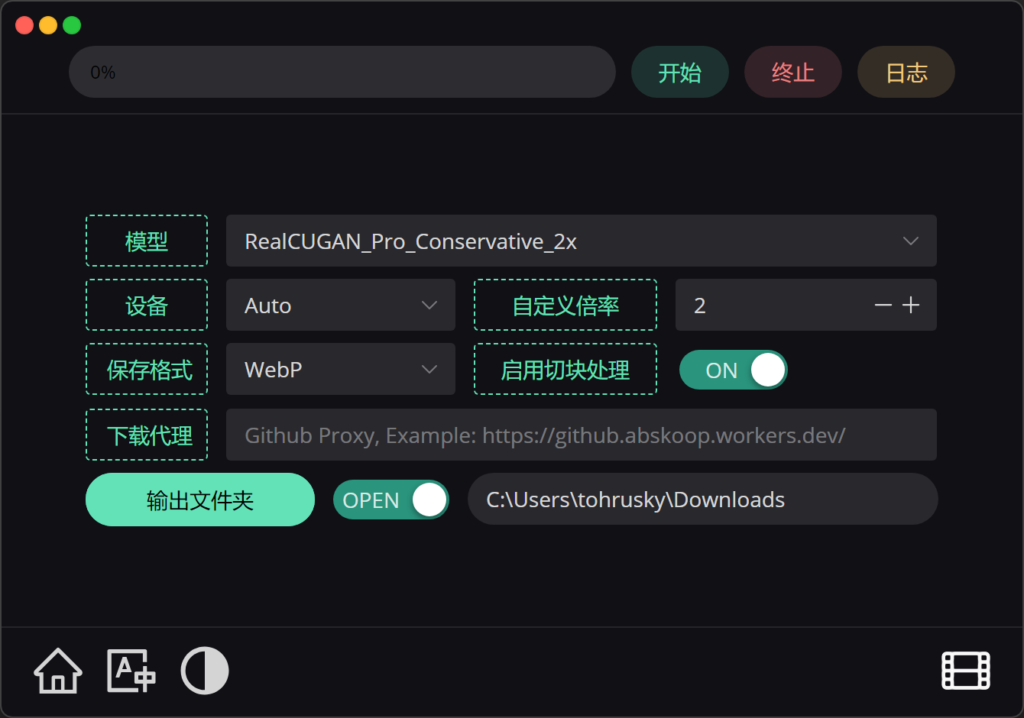
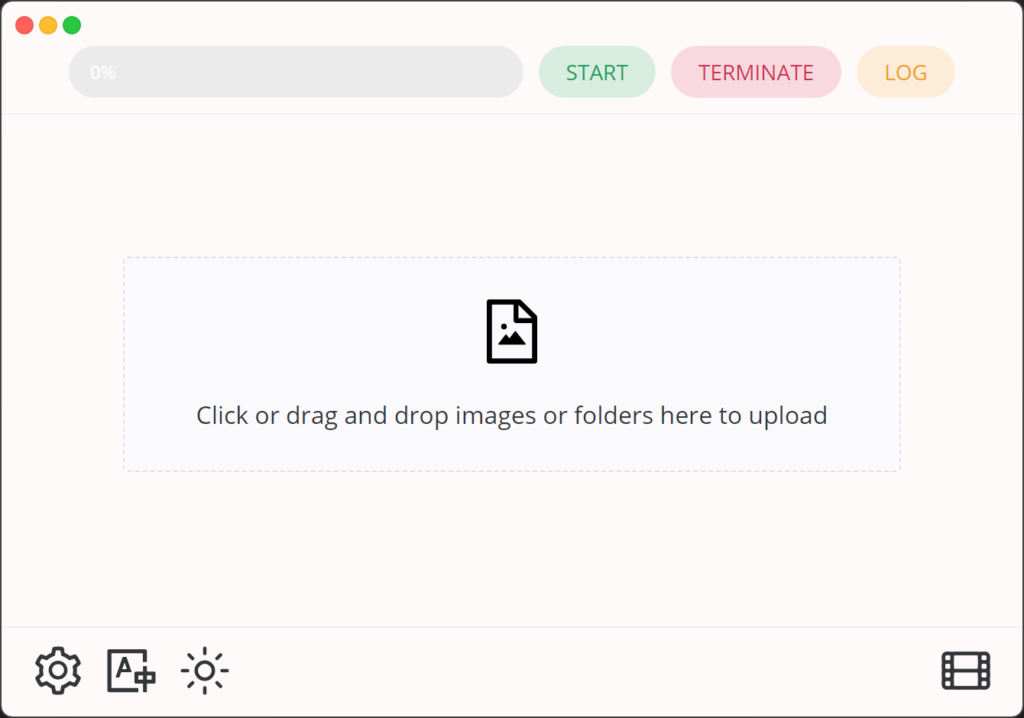
System Requirements
| Component | Minimum | Recommended |
|---|---|---|
| Operating System | Windows 10 / macOS 11 / Ubuntu 20.04+ | Windows 11 / macOS 13 / Ubuntu 22.04+ |
| CPU | Intel Core i5 / AMD Ryzen 5 | Intel Core i7 / Ryzen 7 or higher |
| GPU | NVIDIA GTX 10 Series / AMD RX 500 | NVIDIA RTX / Apple M1+ / AMD RX 6000 |
| RAM | 8 GB | 16 GB or more |
| Storage | 2 GB free space | 4 GB+ for optimal model caching |
| Python (for Linux Core) | 3.9+ | 3.11+ |
| PyTorch | 2.0+ | Latest stable build |
How to Install Final2x Super Resolution AI Tool??
Windows Installation
- Download
Final2x-windows-x64-unpacked.7zFrom Download Section Below. - Extract using 7-Zip or WinRAR.
- Open the extracted folder and run
Final2x.exe. - (Optional) Create a desktop shortcut or pin to Start.
Alternative Installation (via winget or scoop):
winget install Final2x
macOS Installation
- Download the appropriate
.dmgfile (Intel or ARM). - Open and drag Final2x.app to the Applications folder.
- If Gatekeeper blocks it, run:
sudo spctl --master-disable
xattr -cr /Applications/Final2x.app
- Launch Final2x normally.
Linux Installation
Option 1 – AppImage
chmod +x Final2x*.AppImage
./Final2x*.AppImage
Option 2 – Debian/Ubuntu (.deb)
sudo dpkg -i Final2x*.deb
sudo apt-get install -f
Option 3 – Python Core (Advanced Users)
pip install Final2x-core
Final2x-core -h
Replace * with the file name you downloaded
Download Final2x For Windows , macOS & Linux For Free
Conclusion
If you’re looking for a fast, free, and open-source AI upscaler, Final2x is the perfect choice.
Whether you’re a photographer, graphic designer, or AI enthusiast, Final2x helps you turn every pixel into perfection, without cloud costs or privacy concerns.